

Beschrijving

Deze plugin is niet getest met de laatste 3 grotere versies van WordPress. Mogelijk wordt het niet meer onderhouden of ondersteund. Ook kunnen er compatibiliteitsproblemen ontstaan wanneer het wordt gebruikt met recentere versies van WordPress.

Theme Mentor
Beschrijving
Theme Mentor is a cousin of the Theme-Check plugin getting deeper into the code analysis.
It’s using different approaches to monitor for common problems regarding theme reviews from the WordPress Theme Reviewers Team. It is prone to fault analysis, so use only as a reference for improving your code base even further.
Currently supported validations:
- Mark all tags in template files
- Mark all tags in template files
- Warn about query_posts() usage
- capital_P_dangit control (disallow any WordPress spelling other than WordPress as is – that is WORDPRESS and WordPress, ugh)
- wp_deregister_script(‘jquery’) is forbidden
- wp_dequeue_script(‘jquery’) is forbidden
- prevent global $data; call as a common troublemaker (props @pippinsplugins)
header.php specific
- Make sure that wp_head is before
- Ensure that wp_title(…) is called within and tags
footer.php specific
- Make sure that wp_footer is before
Schermafbeeldingen
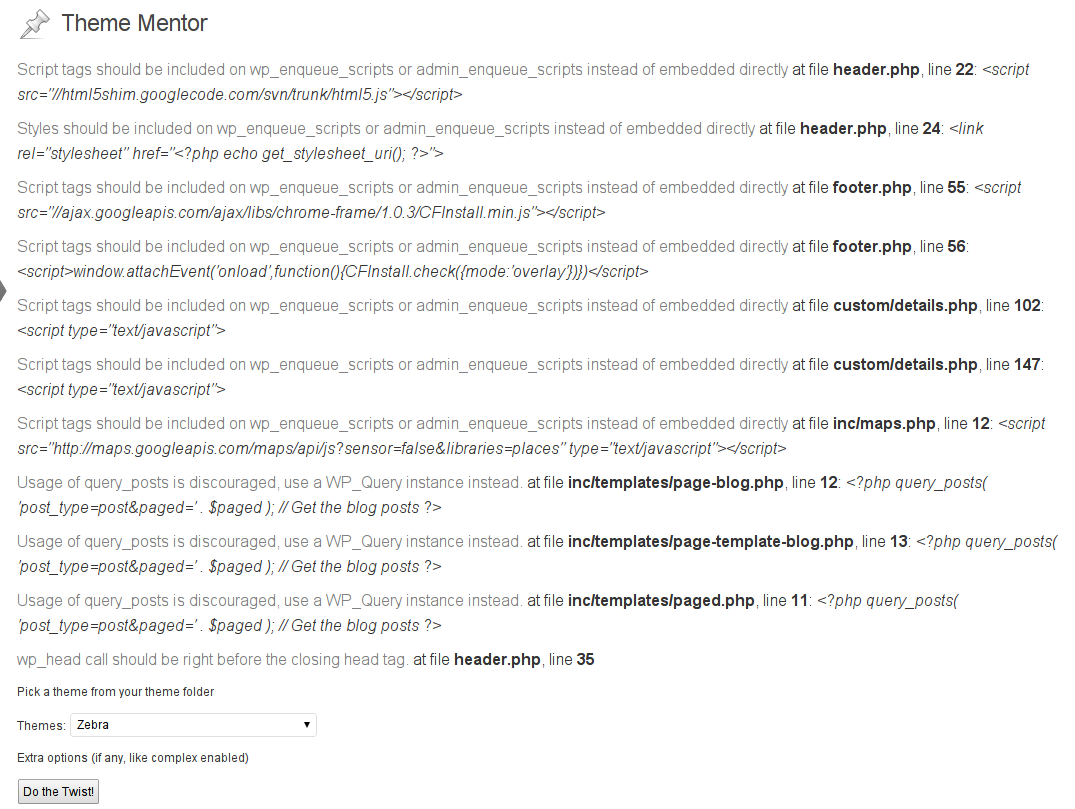
Sample Theme Mentor validation test results 


Installatie
This section describes how to install the plugin and get it working.
e.g.
- Upload
theme-mentorto the/wp-content/plugins/directory - Activate the plugin through the ‘Plugins’ menu in WordPress
- Go to Appearance -> Theme Mentor
- Pick a theme and start the test
FAQ
- Why would I need this plugin?
The higher the quality of your theme’s code, the better the compatibility with the core and the plugins out there.
- Should I also use Theme-Check?
It’s not required, but it’s highly recommended. Theme Mentor is the extra step of notifying you for possible troubles with your code. Part of the remarks could be irrelevant, but hey, better to have something to double check and confirm it’s working than to miss obvious code troubles.
Beoordelingen
Er zijn geen beoordelingen voor deze plugin.
Bijdragers & ontwikkelaars
“Theme Mentor” is open source software. De volgende personen hebben bijgedragen aan deze plugin.
Bijdragers
Vertaal “Theme Mentor” in je eigen taal.
Interesse in ontwikkeling?
Bekijk de code, haal de SVN repository op, of abonneer je op het ontwikkellog via RSS.
Changelog
0.1
- A first release.
- Tracking script/link tag presence, query_posts calls, and wp_head/wp_footer position in files
0.2
- Code refactor

