

Beschrijving


Speed Analyzer
Beschrijving
Official plugin homepage:
https://wpservice.pro/our-products/speed-analyzer-wp-plugin/
Speed Analyzer gives you an in-dashboard speed audit of your website and more:
- Server TTFB and cache status
- Page asset summary: Requests, Page Size, Onloads (JS and CSS)
- Performance & diagnostics: PageSpeed Insights (LCP, FCP, CLS and INP)/CWV
- Autoloaded Options size and list
- Persistent Object Cache
- Various other information: Active plugins # count/list, PHP version, DB server version and size
- Summary & Recommendations
- Conclusion & Pro-service offer
- A complete PDF report with color coding, explanations and links to the guides
- Deep Compare Results functionality
- Schedule tests and receive results via email
- Brending option for agencies
It’s all there after one click of the button. Perfect for users who want to check their website speed or for agencies looking to automate their speed reporting.
In the plugins compare results section, you can inspect and compare previous results, and you can schedule tests with the ability to get the results sent to an email of your choosing.
PDF reporting (with color coding, explanations, and links to the guides) is available from version 1.10.
Most of the frontend assets have dropdown lists and copy/paste capability, and all of it is available for free.
It uses Cloudflare Workers and Google PSI API under the hood (your data is NOT stored on any external site). A 10-tests/day fair-use limit is enforced on the current version.
Serviceware Model
Speed Analyzer is an open-source WordPress plugin that acts as a thin client for our hosted analysis service.
All quota- and tier-enforcement happens on our CF Worker/Google PSI proxy.
Included Files
- assets/js/html2pdf.bundle.min.js
Bundled copy of html2pdf.js (v0.10.3) for offline PDF generation.
Source: https://github.com/eKoopmans/html2pdf.js
External Services
Speed Analyzer doesn’t run any tests locally — every audit is performed by our managed service at https://globalwpspeed.dalibord79.workers.dev.
Google PageSpeed Insights API
• Modules 2 and 3 of the plugin ultimately fetch (via our proxy worker) real‐time LCP/FCP/CLS/INP diagnostic data from Google’s PSI service.
• Instead of hitting www.googleapis.com directly, the plugin sends your test URL + strategy to Cloudflare Worker, which then forwards the request to Google PSI on your behalf.
– Terms of Service: https://developers.google.com/termsCloudflare Workers HTTP Probe
– Module 1 (Server TTFB) calls https://globalwpspeed.dalibord79.workers.dev/ to measure Time-to-First-Byte from a global edge.
– Modules 2 and 3 (Page asset summary and Diagnostics) now send psi_url to https://globalwpspeed.dalibord79.workers.dev/psi. That Worker then forwards the same parameters to Google PSI and returns the JSON back to the plugin.
• What data is sent and when:
– For TTFB: just the raw URL—no other user data.
– For PSI: the URL you enter plus “mobile” or “desktop” strategy.No personal information is collected or stored.
• Provider & policies:
Hosted by WPservice (Dalibor Druzinec).
– Privacy Policy: https://wpservice.pro/privacy-policy
– No PII is collected; only your tested URL and strategy are transmitted.Usage Tiers
These are the service-enforced daily limits provided by our hosted service:- Free:Full capability up to 10 tests/day + 1 PDF report/day
- Pro: 30 tests/day + 3 PDF reports/day
- Business: 100 tests/day + 10 PDF reports/day
- Agency: 700 tests/day + 100 PDF reports/day
You can upgrade or view full options and pricing at https://wpservice.pro/our-products/speed-analyzer-wp-plugin/#licenses
Furthermore, you can see your current tier on WordPress dashboard under Speed Analyzer License.Service Terms: https://wpservice.pro/terms-and-conditions/
Schermafbeeldingen
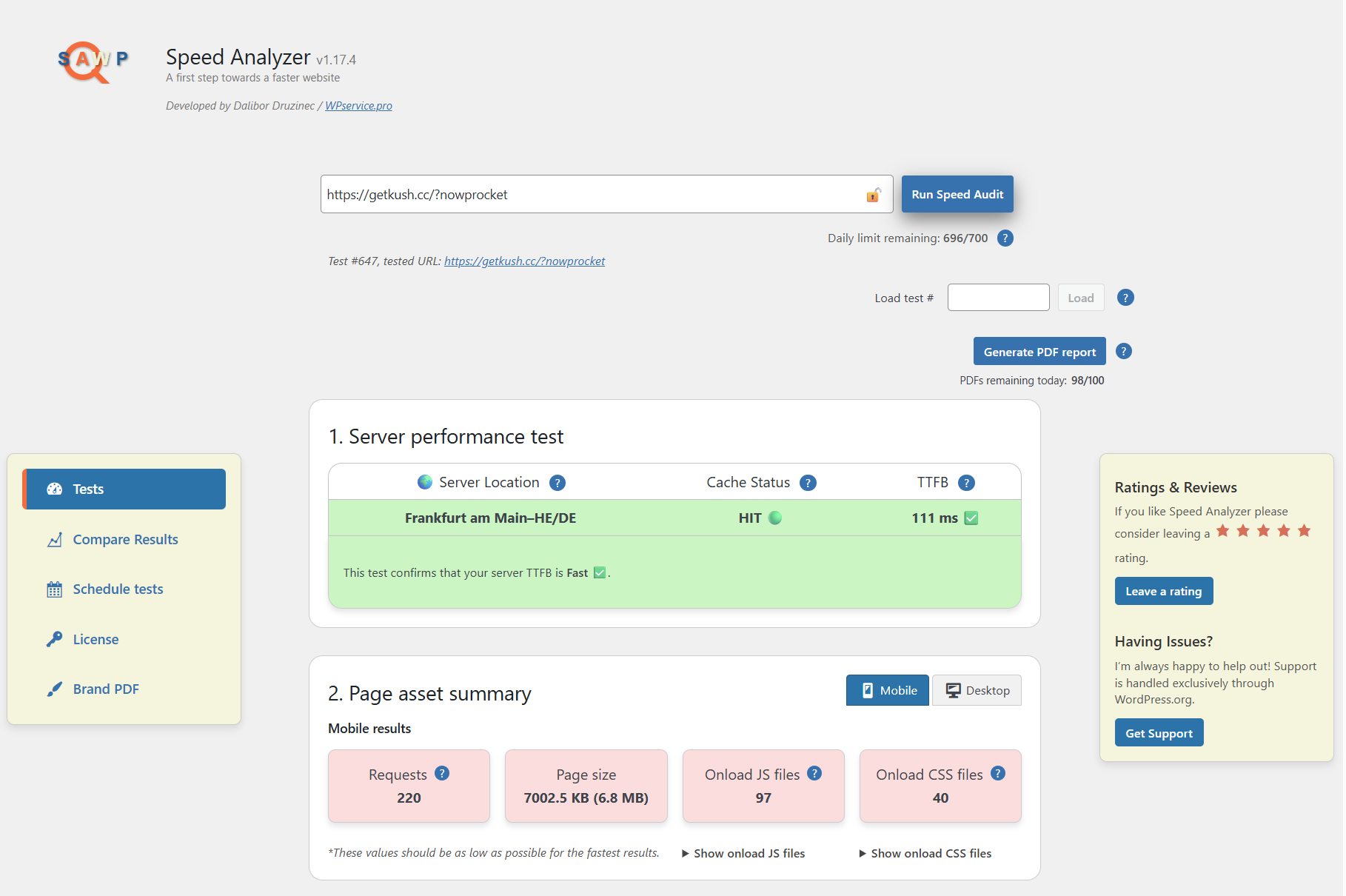
Dashboard view – Server performance and page asset summary 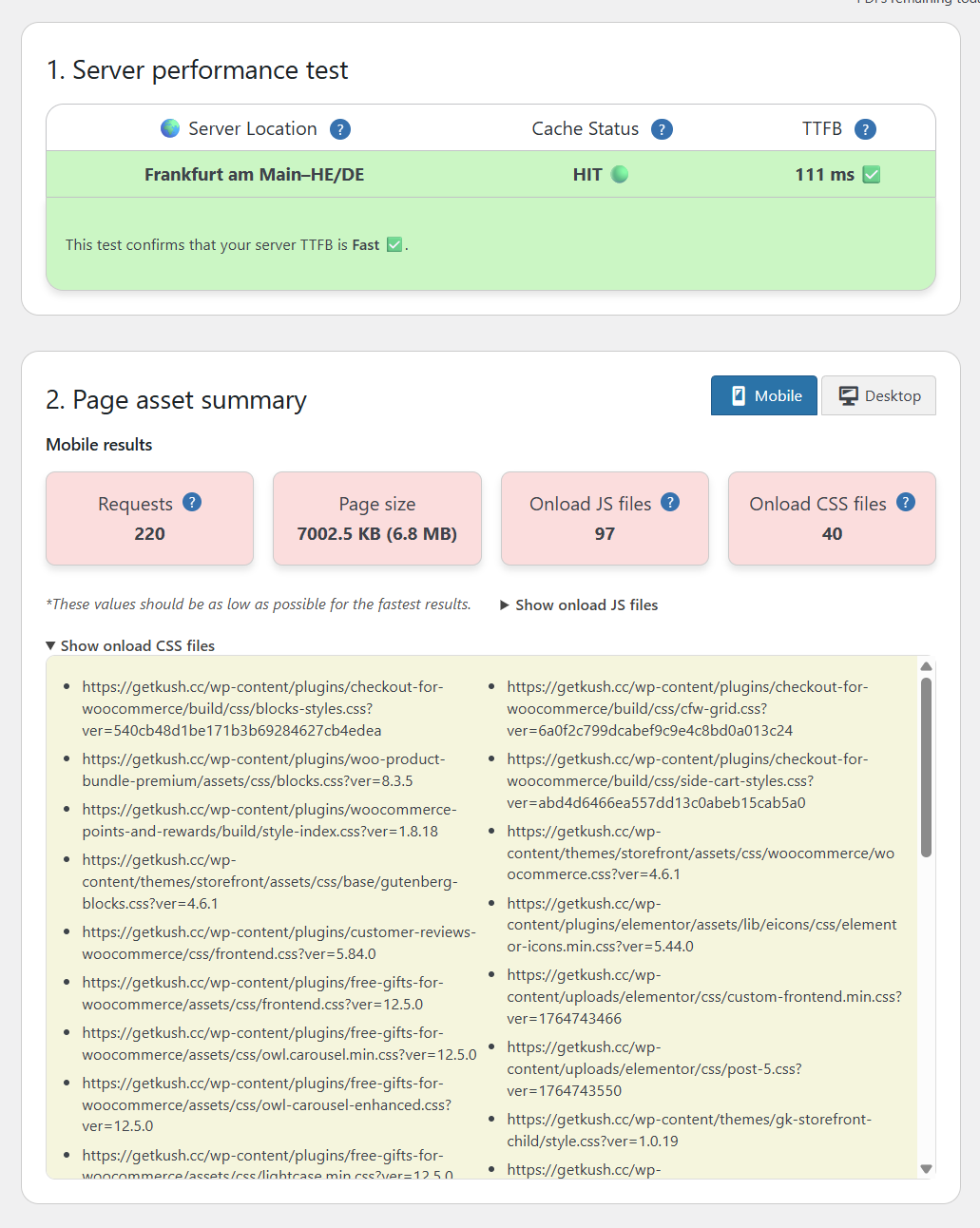
Page asset summary with the onload CSS list open and ready to copy 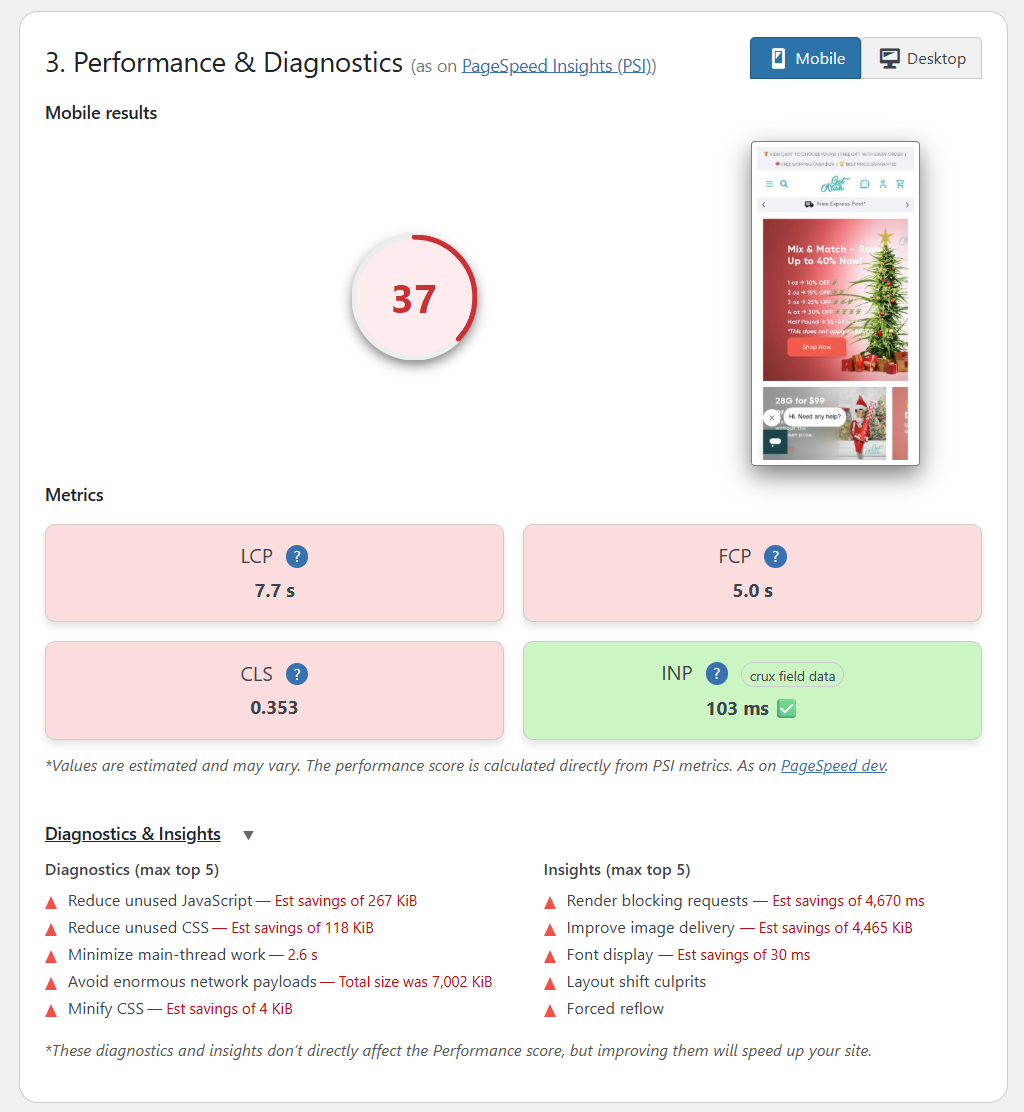
Performance and Diagnostics – LCP/FCP/CLS/INP 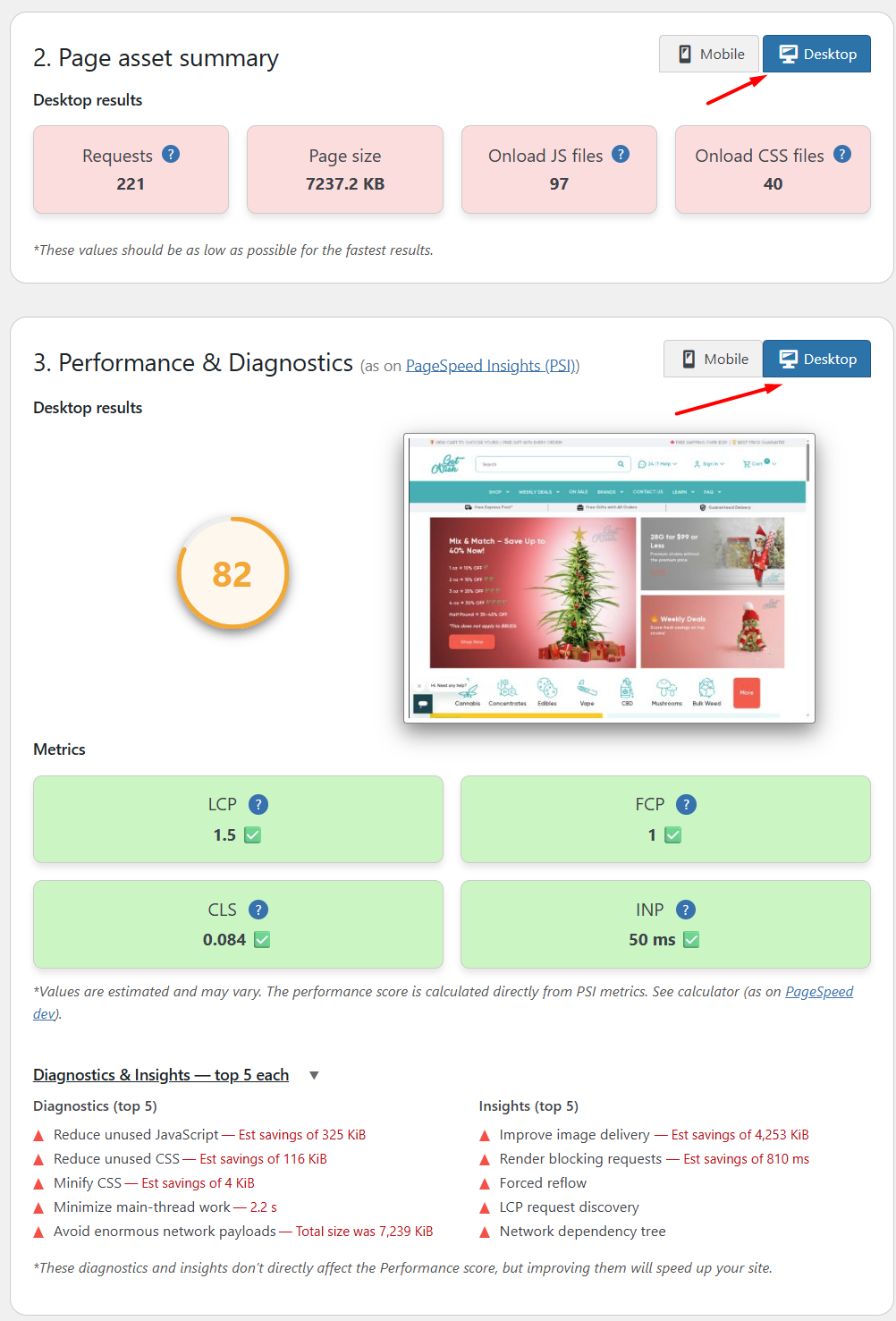
Mobile/Desktop results sorting – Mobile and desktop test functionality 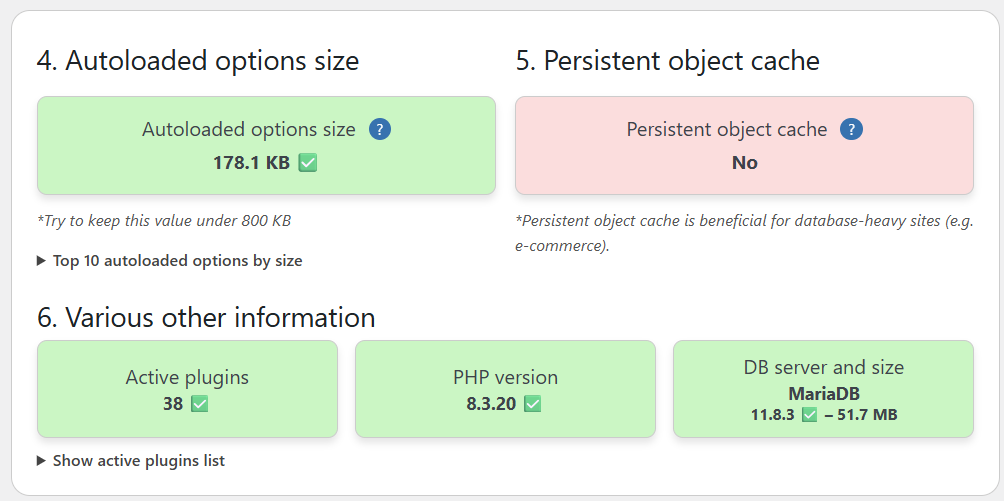
Autoloaded options size (with top 10 list available), persistent object cache, active plugins, and other server data 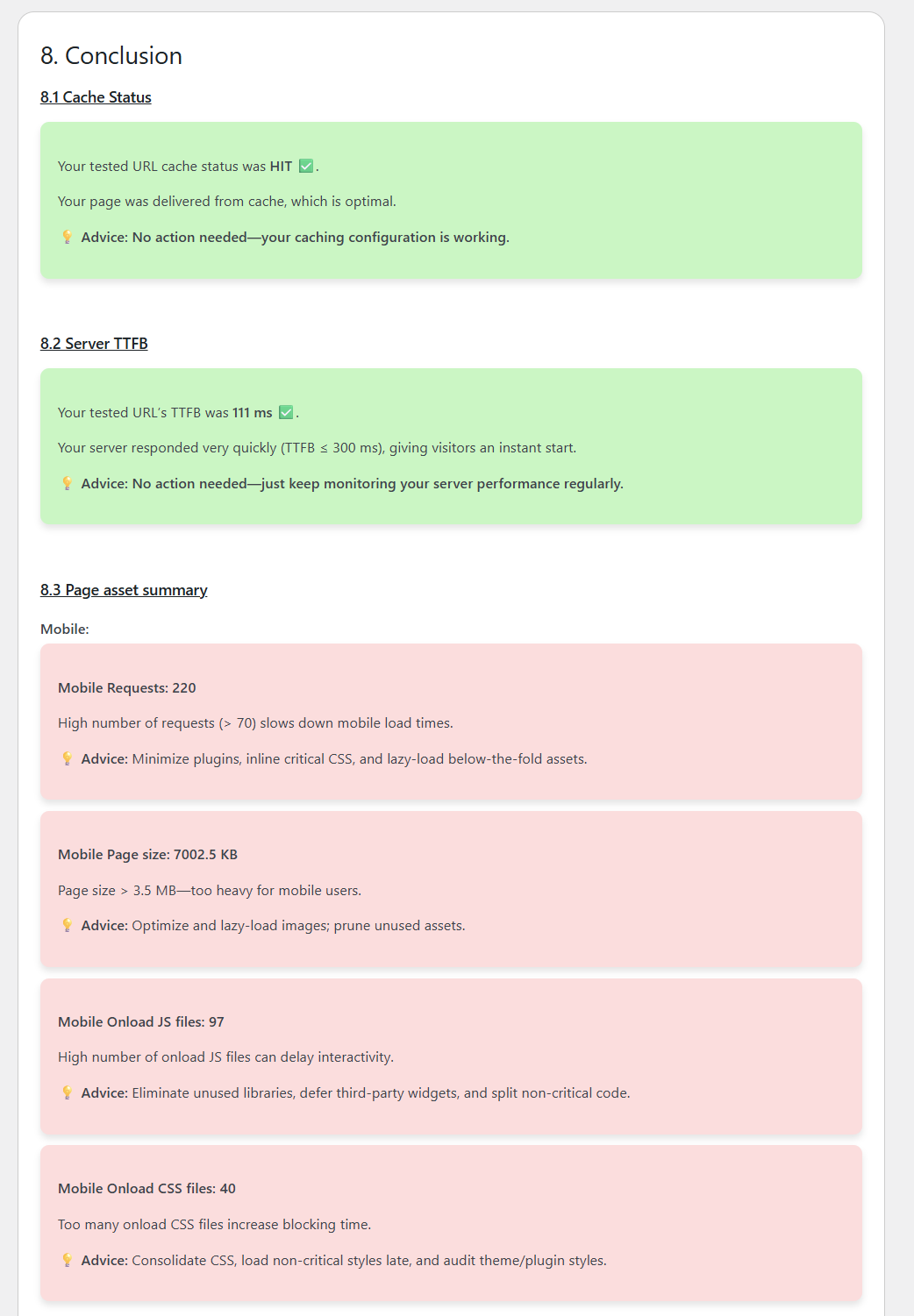
Test conclusion with recommendations 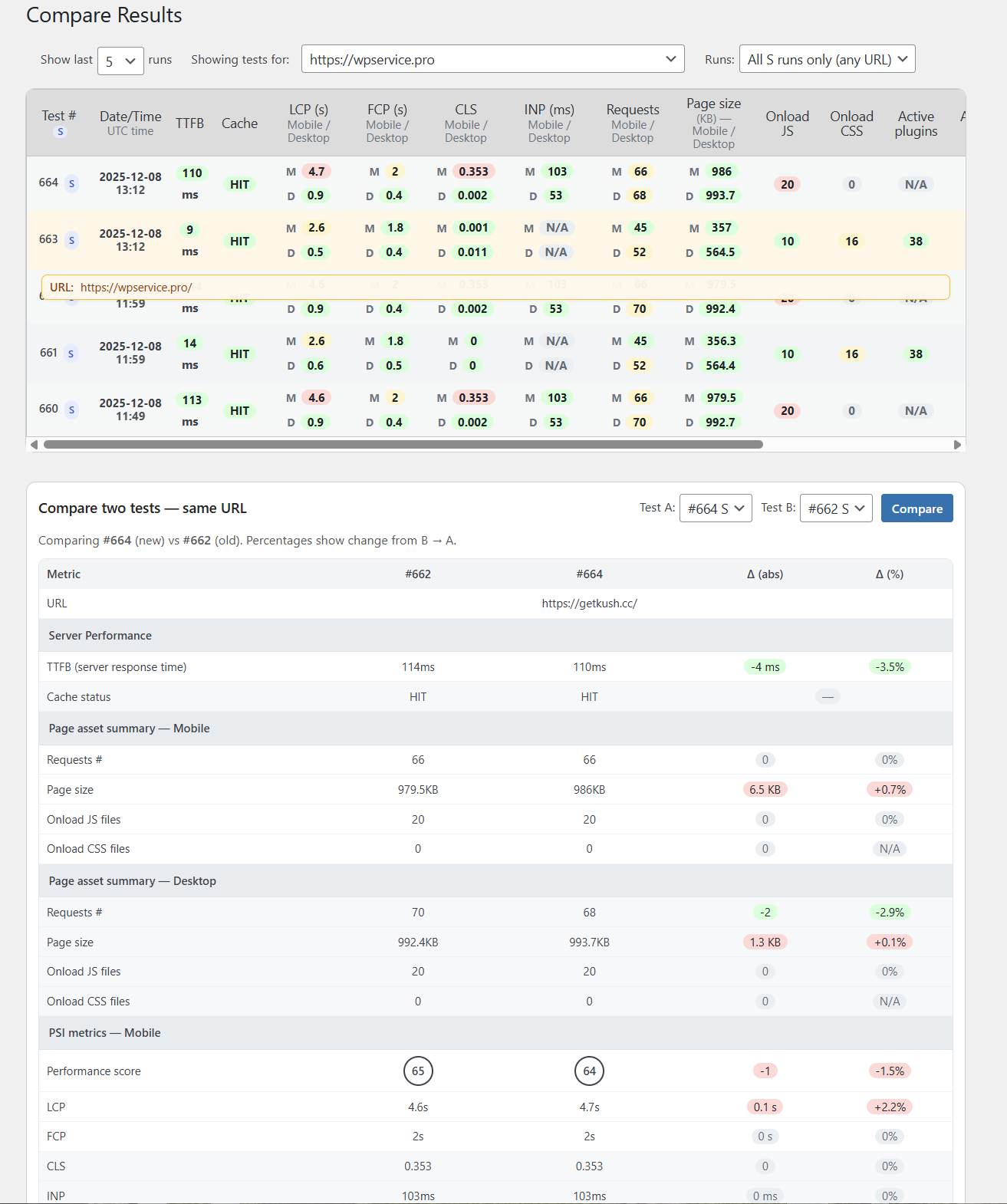
Compare Results -> A/B testing 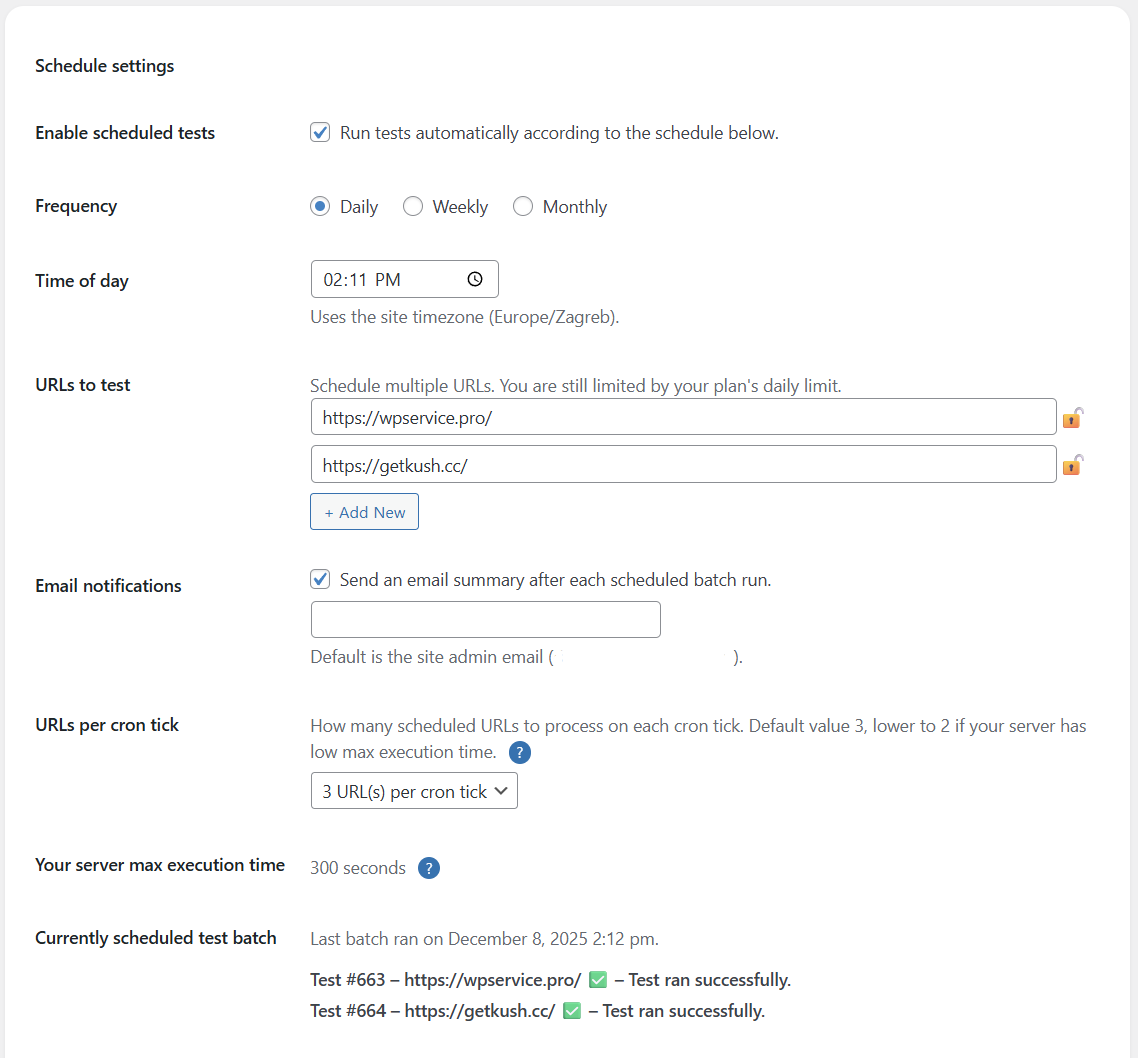
Schedule tests functionality 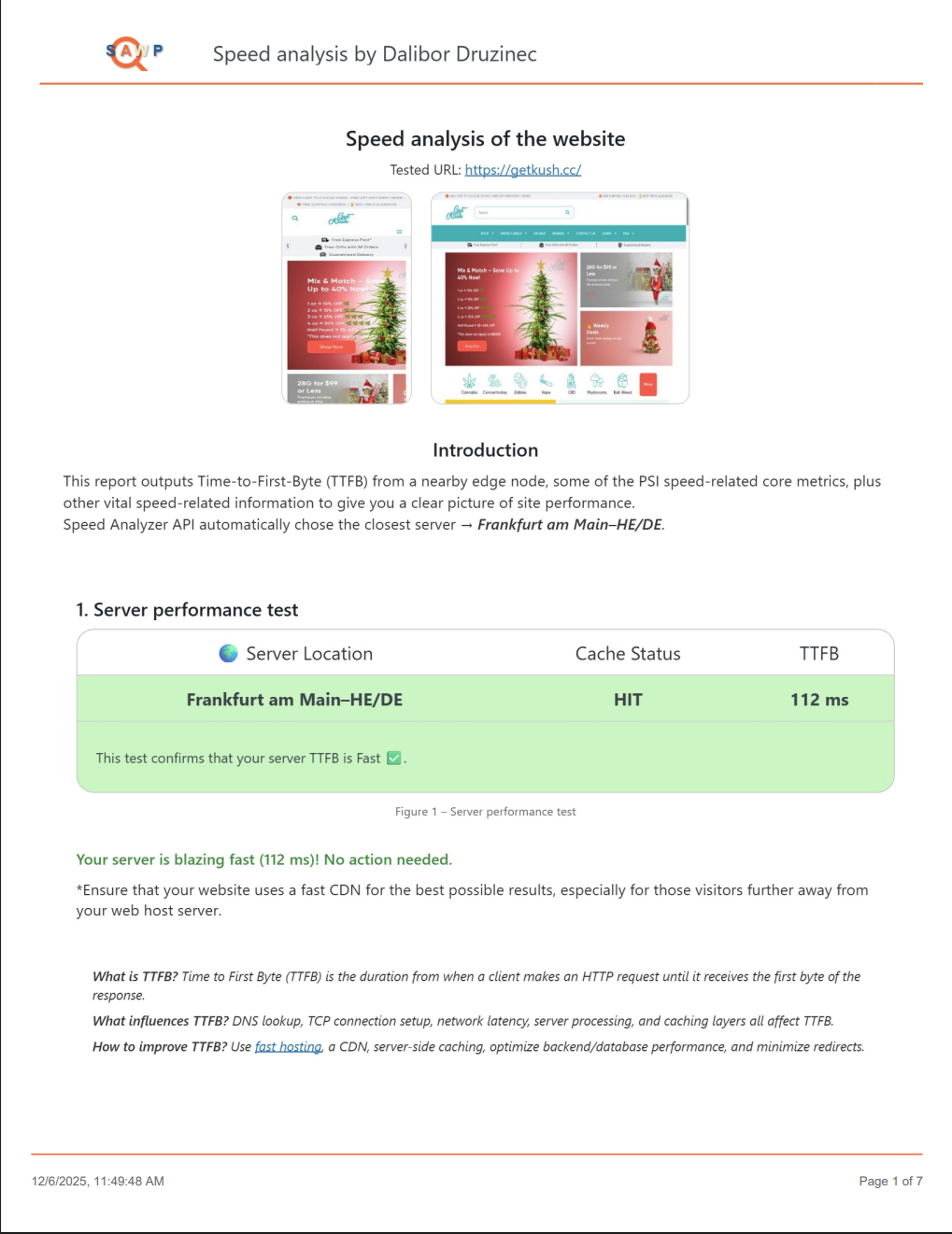
PDF report – page 1 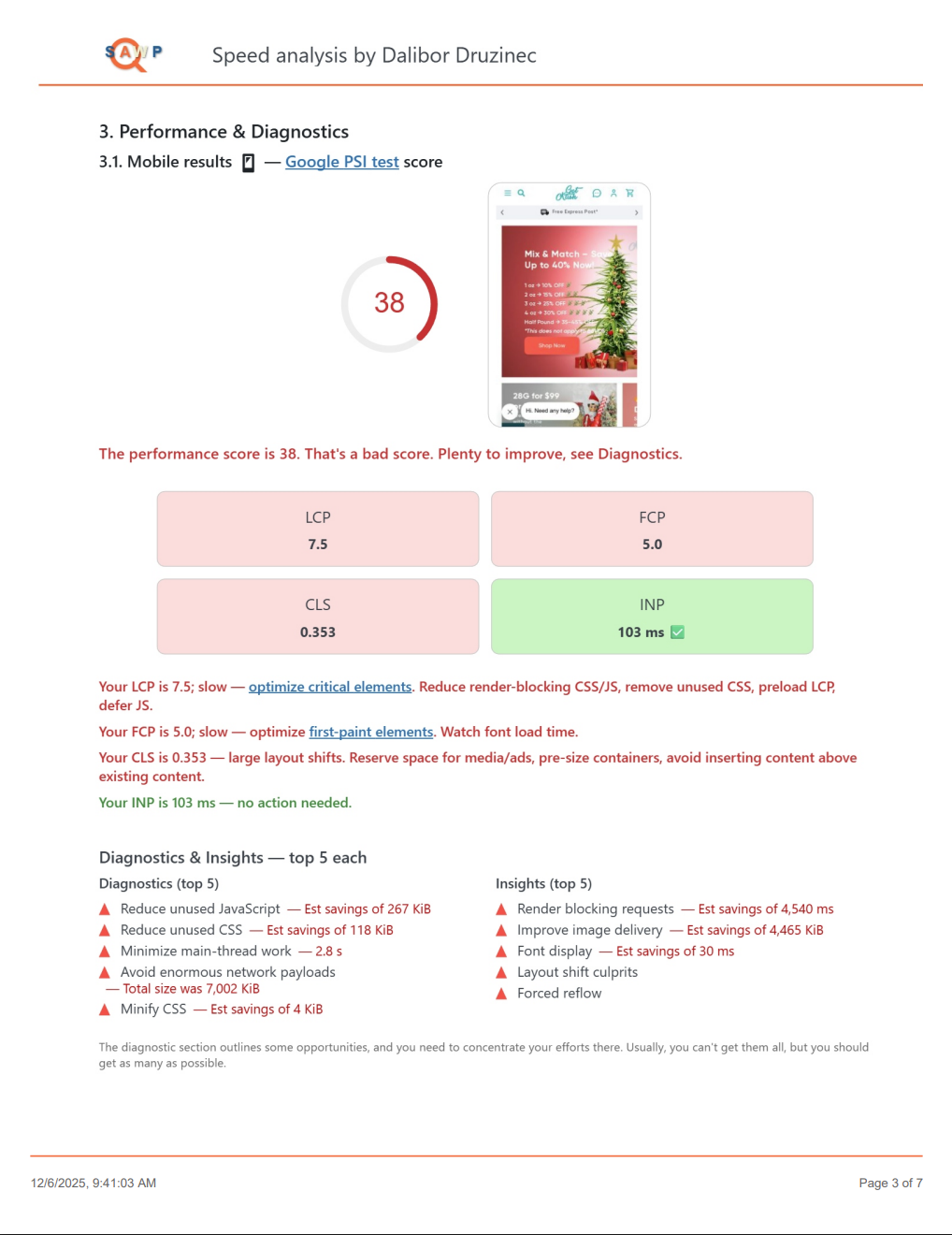
PDF report – page 3 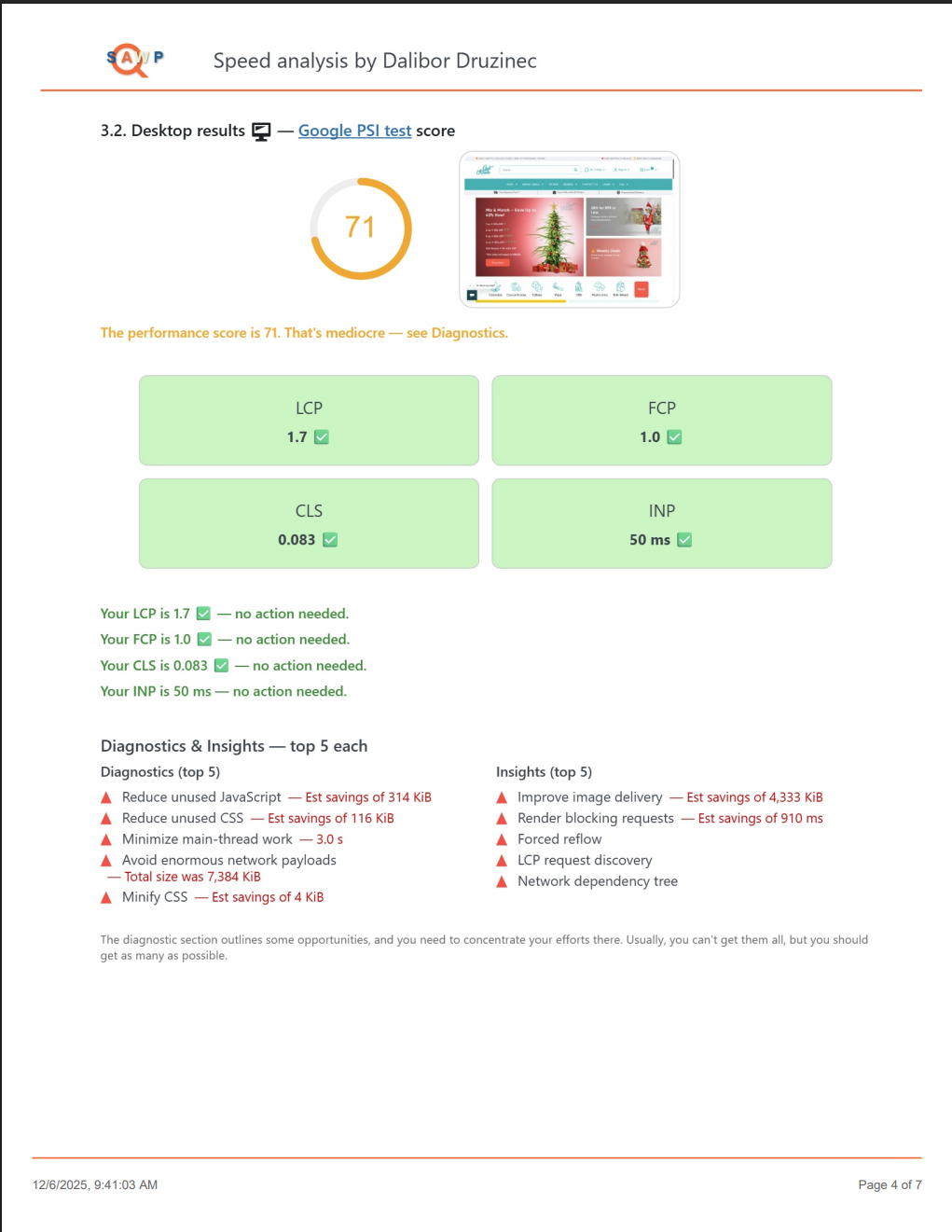
PDF report – page 4 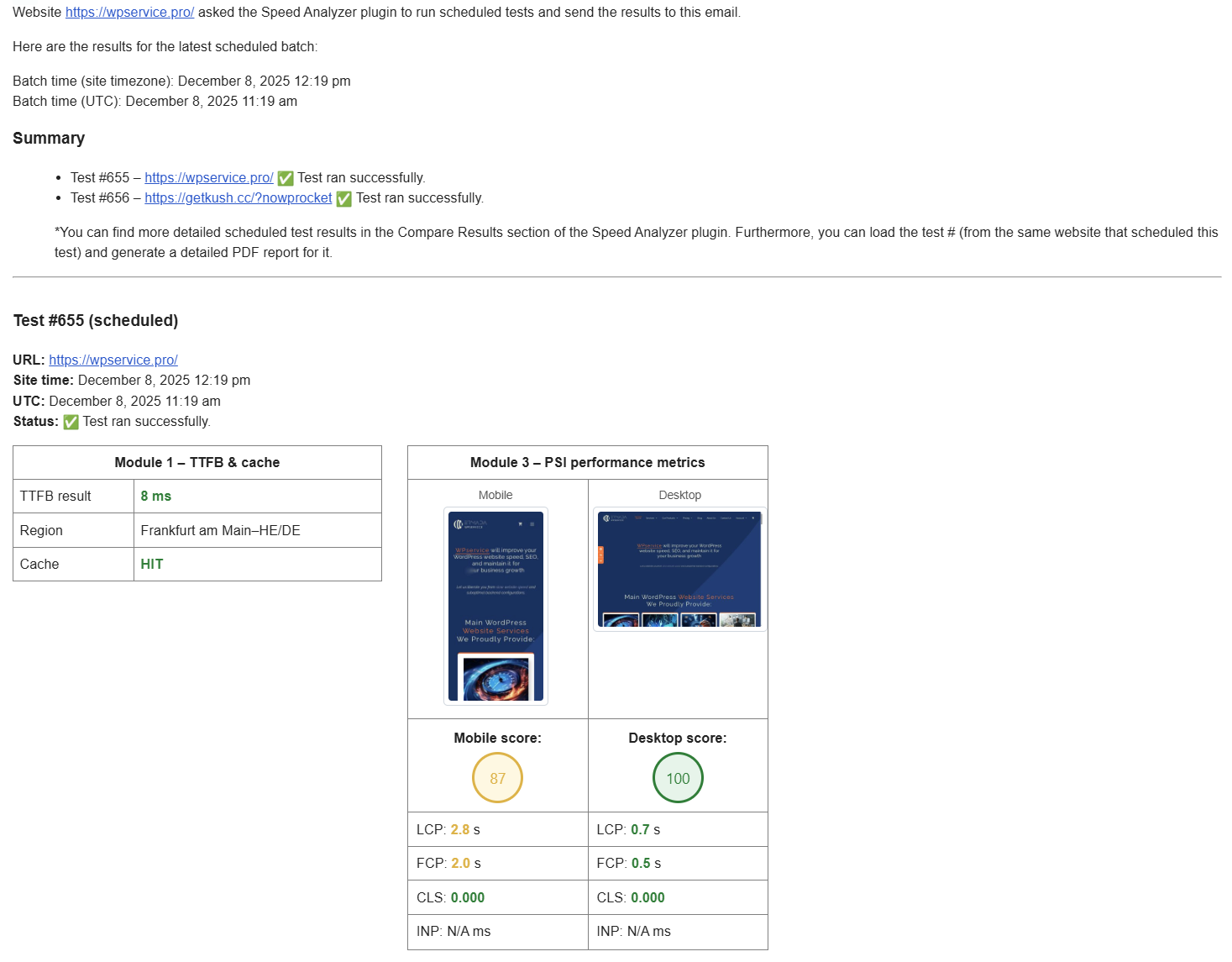
Email report received 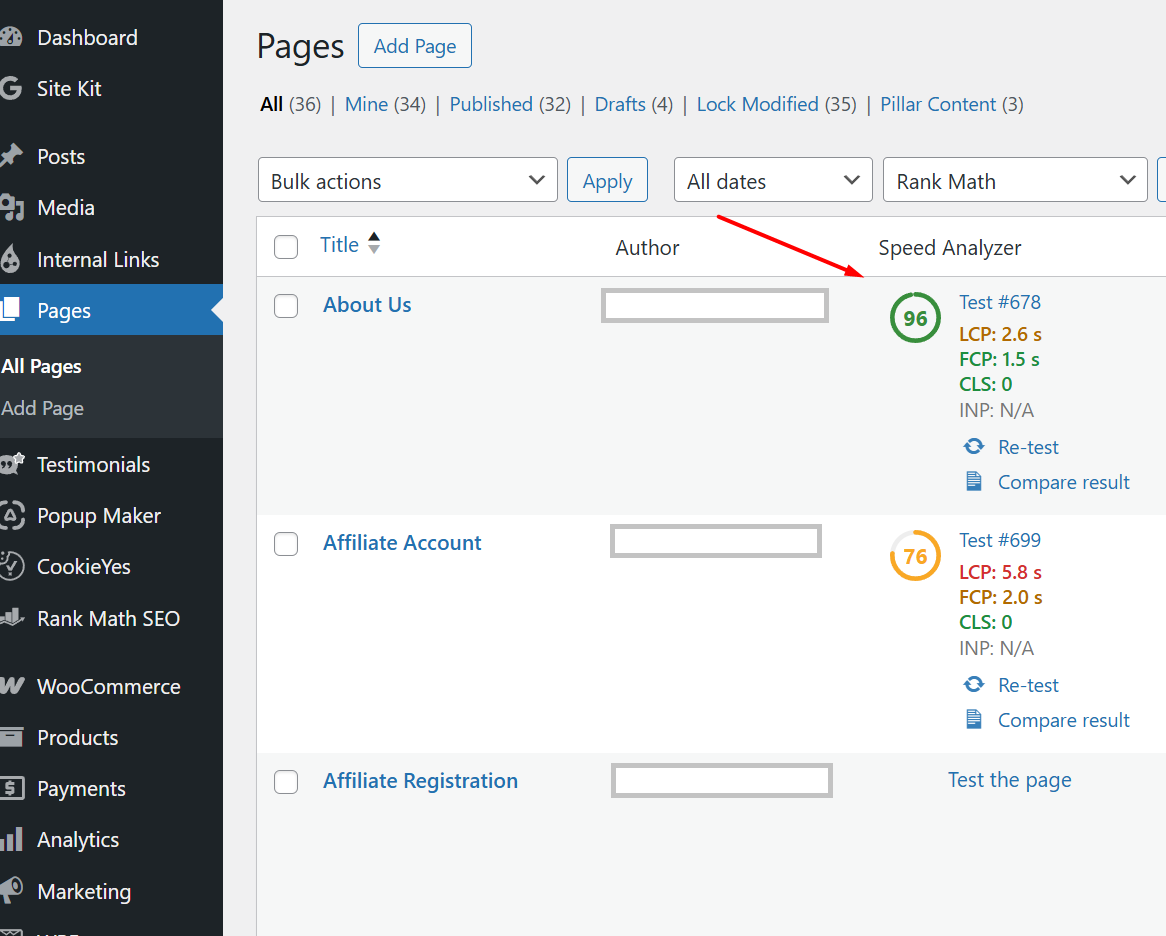
Editor SA metrics


Installatie
- Install/upload the
speed-analyzerfolder to/wp-content/plugins/. - Activate the plugin through the “Plugins” menu in WordPress.
- Go to Tools Speed Analyzer to access and run your audits.
- After the tests are complete, a Generate PDF report button will be available.
- (Optional) Upgrade at Speed Analyzer License for higher quotas.
All PHP and JavaScript code is included in this plugin. No features are disabled locally—every quota, gating, and license-check is performed on our remote service.
FAQ
Why is there a daily limit?
Because we leverage external APIs with shared quotas. You get 10 free tests/day; more or unlimited tests require a premium license.
Will you collect any of my data?
No—everything runs on your server, and no results are stored on our site.
What happens when I hit my daily test limit?
The server will return a “quota exceeded” error. You can either wait until midnight UTC or upgrade your tier to continue testing immediately.
Beoordelingen


Bijdragers & ontwikkelaars
“Speed Analyzer” is open source software. De volgende personen hebben bijgedragen aan deze plugin.
Bijdragers
Vertaal “Speed Analyzer” in je eigen taal.
Interesse in ontwikkeling?
Bekijk de code, haal de SVN repository op, of abonneer je op het ontwikkellog via RSS.
Changelog
1.06
- Bumped version for avoiding trademark issues for WordPress.org release
1.07
- Slug changed, readme external service addition, and minor fixes on helpers/modules.php files
1.08
- Daily limit counting reworked to avoid double reduction
1.09
- Left and right sidebars, license outline
1.10
- More robust workers code
- PDF reporting implemented
- Minor tweaks and style changes
1.11
- Added another worker and API key
- Minor bug fixes
1.12
- Added premium perks and more workers
1.13
- Fixed bug where modules 2 and 5 tests were not finishing properly on the slower websites
1.14
- Added Top 10 autoloaded options by size on module 3
- Added branding options for the PDF report on Agency plan (Header, and optional CTA box on the end of the file)
- Fixed minor bugs
1.15
- Added point 4.5 to module 3 (Number of active plugins, PHP version, and DB server version)
- Hooked it up in a PDF report
- Worked on the CF workers for the different server region collection
1.15.1
- Minor visual change on module 1 (notice on green only)
1.16
- Compare Results functionality implemented
- PDF report bug with Persistent object cache not showing as present on some texts fixed
1.16.1
- Reinforced N/A not 0 on the Compare results
- Fixed a bug where each test counted as two on the daily limit
1.16.2
- Introduced Onload JS and CSS functionality
- Few other minor tweaks
1.16.3
- Introduced Load test by # functionality
- Compare Results charts rearranged
- Diagnostics section enlarged to max top 10
- PDF report tweaked
- A few other minor tweaks
1.16.4
- Removed external notices from the main plugin page (CSS)
- Added Insights to the PSI modules
- Tweaked PDF report styling
- Reorganized the Compare two tests chart-card
1.16.5
- Added CLS and INP
- Tweaked the 7. Conclusion section on the frontend
- Tweaked PDF report
1.16.6
- Module 6 Recommendations section icons fixed
- Tweaked PDF report page 6
- Added functionality to prevent running a new test before the existing one finishes
1.17
- Schedule tests functionality introduced
- Get test results by email
- Compare results filtering reworked for S test
1.17.1
- Added ‘S’ badge to the #wpsa-tested-url on loading results from Scheduled tests
- Added the link from the Scheduled tests to the Compare Results section
1.17.2
- Fixed a bug in module 5 where Diagnostics section was not loading
- Minor styling improvements
1.17.3
- Fixed a bug in module 5 where Diagnostics section style was off
- Added DB size to the tested metrics
- Another Generate PDF report button on the main screen
1.17.5
- Module 3 — added images (mobile and desktop) of the tested URL
- Redesigned scheduled test email, and added diagnostics for module 3 on it
- Changed the modules order
- PDF report tweaked for screenshot images
1.17.6
- Added a Speed Analyzer column to Posts and Pages list, showing the latest performance score, CWV metrics, and direct links to re-test or open reports.
- Minor tweaks
1.17.7
- Added core web vitals (CWV) test metrics
- 100+ tests message
- Schedule tests “Add another” button fixed
1.17.8
- fixed CWV on main test screen

