

Beschrijving
Deze plugin is niet getest met de laatste 3 grotere versies van WordPress. Mogelijk wordt het niet meer onderhouden of ondersteund. Ook kunnen er compatibiliteitsproblemen ontstaan wanneer het wordt gebruikt met recentere versies van WordPress.

Social Shares
Beschrijving
Social Shares uses the Facebook and Twitter APIs to fetch the total number of shares for each of your posts. The number of shares is stored in your database for any plugins to use. Social Shares can optionally display the number of shares on your posts. The number of shares is styleable. You can use the shortcode [social_shares] anywhere in your posts.
In addition, you can sort your posts by the number of shares. You can make a page that displays your posts with the most shares. Simply add ?sort_shares=desc or ?sort_shares=asc to the end of any WordPress URL to sort by the number of shares.
Schermafbeeldingen
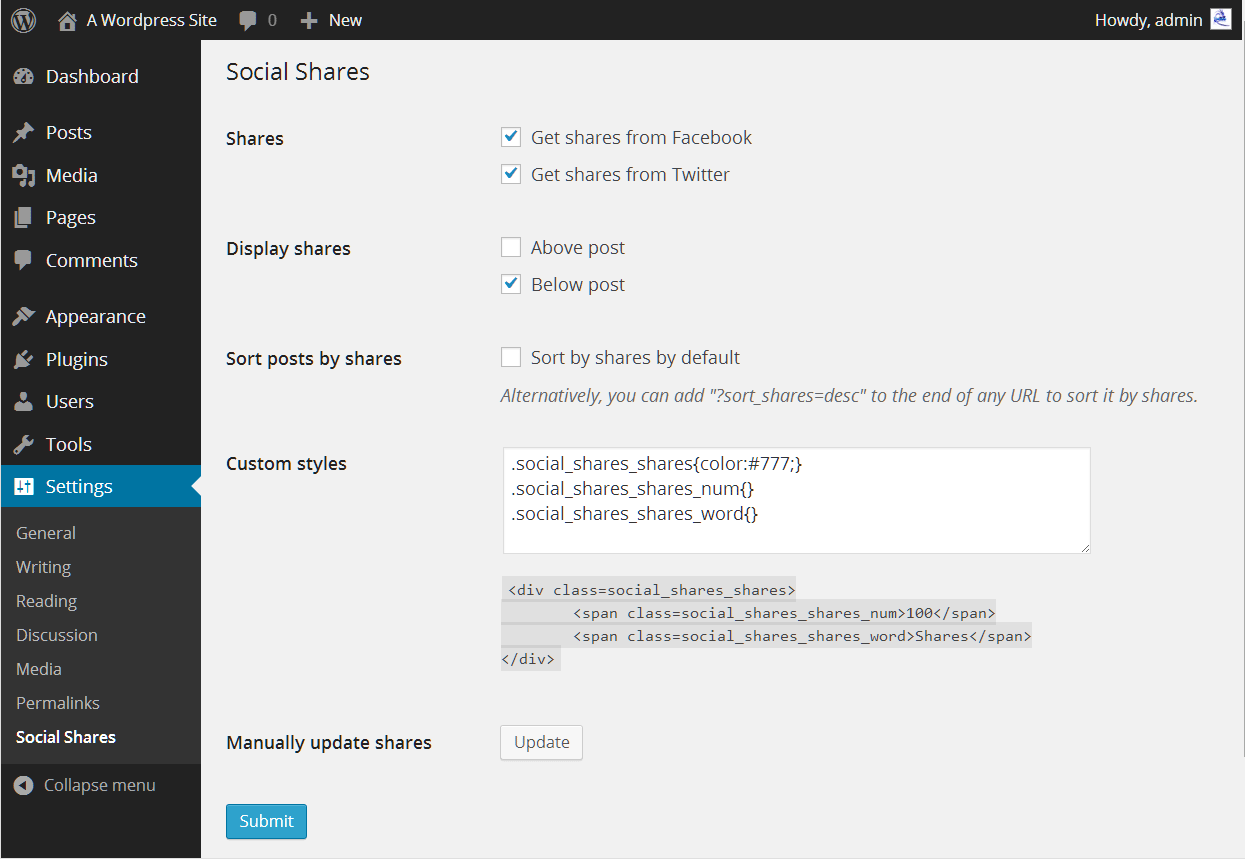
Options page.

Installatie
This section describes how to install the plugin and get it working.
Using The WordPress Dashboard
- Navigate to the ‘Add New’ in the plugins dashboard
- Search for ‘social_shares’
- Click ‘Install Now’
- Activate the plugin on the Plugin dashboard
Uploading in WordPress Dashboard
- Navigate to the ‘Add New’ in the plugins dashboard
- Navigate to the ‘Upload’ area
- Select
social_shares.zipfrom your computer - Click ‘Install Now’
- Activate the plugin in the Plugin dashboard
FAQ
- Will you add other services?
Yes. I plan on adding Google+, LinkedIn, Reddit, Digg, and possibly other services to get shares from.
- Will this slow down my site?
No. When users visit your site, the plugin fetches the shares from your database. Unlike other social button plugins, this plugin does not need to load buttons from other websites.
Also, to fetch the share count, this plugin fetches shares periodically in the background and stores it in your database.
Beoordelingen
Er zijn geen beoordelingen voor deze plugin.
Bijdragers & ontwikkelaars
“Social Shares” is open source software. De volgende personen hebben bijgedragen aan deze plugin.
Bijdragers
Vertaal “Social Shares” in je eigen taal.
Interesse in ontwikkeling?
Bekijk de code, haal de SVN repository op, of abonneer je op het ontwikkellog via RSS.
Changelog
1.0
- Initial release
1.0.1
- Added shortcode
- Improved readme
1.1.0
- Added option to hide share count from search engines
- Improved readme
1.1.1
- Compatibility for 4.1
1.1.2
- Improved readme

