

Beschrijving


Simple Post Preview & Review
Beschrijving
Simple Post Preview & Review is the complete solution for client content review and approval workflows. Share unpublished content with clients, collect feedback and approvals, receive client edits, and manage the entire review process – all without giving clients access to your WordPress admin area.
Key Features
- Secure Preview Links: Generate cryptographically secure, unique preview links for any post, page, or custom post type
- No WordPress Login Required: Clients can review content and provide feedback without creating an account
- Review & Approval System: Built-in feedback mechanism with approve/request changes options
- Client Editing: Clients can submit edited versions of title and content for your review
- Approval Workflow: Review client edits with side-by-side diff view before applying changes
- Feedback History: Track all reviews, approvals, and decisions with timestamps
- Automatic Data Cleanup: Schedule automatic cleanup of old data or manually clean as needed
- Rate Limiting: Protect against spam with configurable rate limits
- Security First: Links are hashed in the database, include noindex/nofollow headers, and are non-cacheable
- Privacy Conscious: Minimal fingerprinting for rate limiting
- Easy to Use: Simple metabox in the post editor with one-click link generation
- Dashboard Overview: Centralized view of all active preview links and their approval status
- Customizable: Configure which post types support preview links
- Developer Friendly: Clean, documented code following WordPress coding standards
Perfect For
- Agencies sharing work with clients for approval
- Publishers getting editorial feedback
- Content teams collaborating with external reviewers
- Anyone who needs to share unpublished content securely
How It Works
- Edit any post, page, or custom post type
- Click “Generate Preview Link” in the Simple Post Preview metabox
- Copy and share the secure link with your reviewer
- They can view the content and provide feedback without logging in
- See all feedback and approval status directly in the WordPress editor
Security Features
- Tokens are hashed using SHA-256 before storage
- High-entropy random token generation (64 characters)
- Preview pages include X-Robots-Tag: noindex, nofollow
- Cache-Control headers prevent caching of preview content
- Rate limiting prevents abuse
- Easy token revocation/regeneration
Coming Soon (Premium)
- Approval gates (block publication until approved)
- Multiple reviewers with approval rules
- Email notifications
- Link expiration
- Editing/suggestions from reviewers
- Watermarks
- Slack/Teams integrations
Privacy Policy
Simple Post Preview & Review is designed with privacy in mind:
- No personal data is collected from reviewers
- A non-identifying fingerprint (hash) is used for rate limiting only
- No tracking cookies are used
- No data is sent to external services
- All data stays on your WordPress installation
Support
For support, feature requests, or bug reports, please visit the WordPress.org support forums.
Credits
Developed with ❤️ for the WordPress community.
Schermafbeeldingen
Post editor metabox – Generate preview links, view approval status, and manage feedback 
Dashboard overview – Centralized view of all active preview links and their status 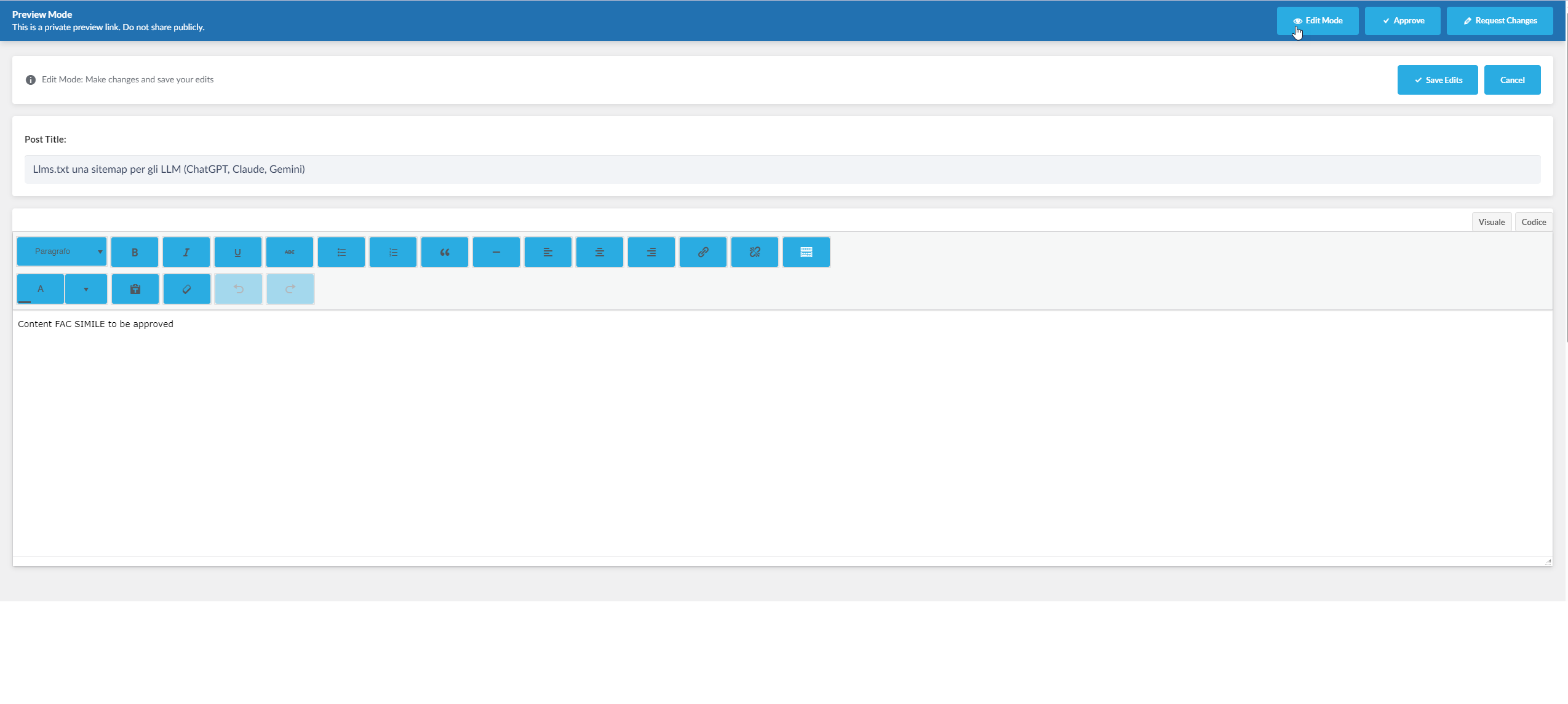
Public preview page – Secure preview with feedback form and approve/request changes options


Installatie
Automatic Installation
- Log in to your WordPress admin panel
- Navigate to Plugins Add New
- Search for “Simple Post Preview”
- Click “Install Now” and then “Activate”
Manual Installation
- Download the plugin ZIP file
- Log in to your WordPress admin panel
- Navigate to Plugins Add New Upload Plugin
- Choose the ZIP file and click “Install Now”
- Click “Activate Plugin”
After Activation
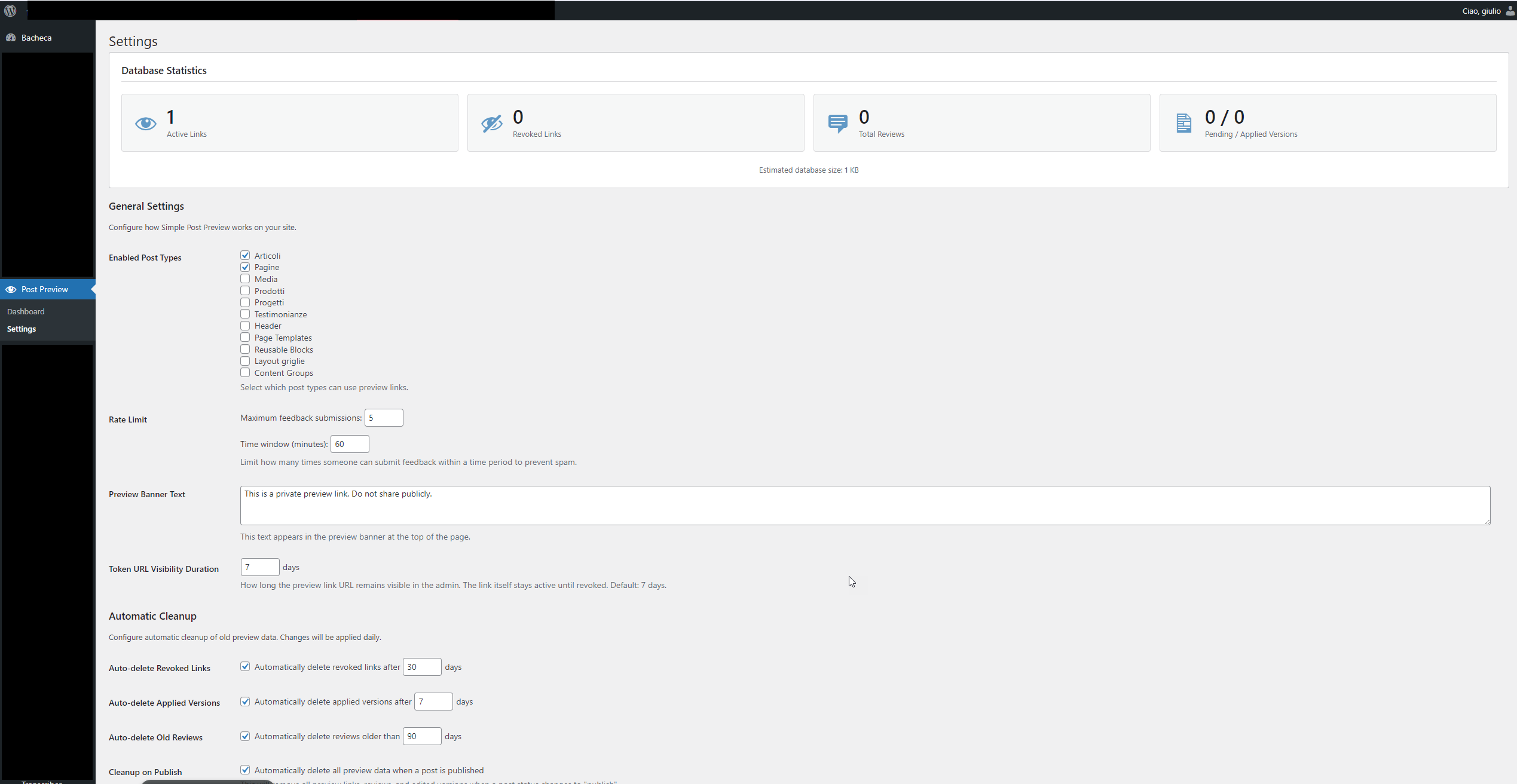
- Go to Settings Post Preview to configure options
- Select which post types should support preview links
- Configure rate limiting settings
- Customize the preview banner text
- Start creating preview links from any post/page editor!
FAQ
Who can generate preview links?
Any user with the capability to edit posts can generate preview links for their content.
Are preview links permanent?
Preview links remain active until you disable or regenerate them. In the MVP version, links don’t expire automatically, but you can disable them at any time.
Can I use this with custom post types?
Yes! Any publicly queryable custom post type can be enabled in Settings Post Preview.
Is this secure?
Yes. Tokens are cryptographically secure (64 characters), hashed before storage, and preview pages include security headers to prevent indexing and caching.
Can reviewers edit the content?
No. In the MVP version, reviewers can only view content and provide feedback. Editing capabilities are planned for the premium version.
What happens if I regenerate a link?
The old link will immediately stop working, and a new secure link will be generated.
Does this work with page builders?
Yes! Simple Post Preview works with any page builder including Gutenberg, Elementor, Divi, WPBakery, and others.
Can I track who submitted feedback?
The plugin stores a privacy-safe fingerprint (hash of IP + user agent) to enable rate limiting, but doesn’t collect personal information. All feedback is anonymous.
What if someone submits spam feedback?
Rate limiting is built-in. By default, reviewers can only submit 5 feedback entries per hour. You can adjust this in settings.
Beoordelingen
Er zijn geen beoordelingen voor deze plugin.
Bijdragers & ontwikkelaars
“Simple Post Preview & Review” is open source software. De volgende personen hebben bijgedragen aan deze plugin.
Bijdragers
Vertaal “Simple Post Preview & Review” in je eigen taal.
Interesse in ontwikkeling?
Bekijk de code, haal de SVN repository op, of abonneer je op het ontwikkellog via RSS.
Changelog
1.0.0
- Initial release
- Secure token generation and validation
- Admin metabox for link management
- Public preview rendering with security headers
- Feedback/approval system
- Rate limiting
- Settings page
- Support for posts, pages, and custom post types
- Internationalization ready

