

Beschrijving
Deze plugin is niet getest met de laatste 3 grotere versies van WordPress. Mogelijk wordt het niet meer onderhouden of ondersteund. Ook kunnen er compatibiliteitsproblemen ontstaan wanneer het wordt gebruikt met recentere versies van WordPress.

Restrict Page Parents
Beschrijving
Restrict Page Parents is a lightweight plugin to enhance the user permissions features of WordPress. It changes the option to set a page parent to only show pages owned by the current user. It can also be configured to force users to select a parent page before they’re able to publish or save.
Restrict Page Parents prevents users from adding their own pages under sections of the site they do not own or are able to manage. Users can be confined to their own section of the website, making your site permissions much more secure.
Permissions can be configured for each user role, each individual user and turned on/off based on post types.
You can find out more about the plugin here or on the Github project page.
Schermafbeeldingen

The plugin options page. 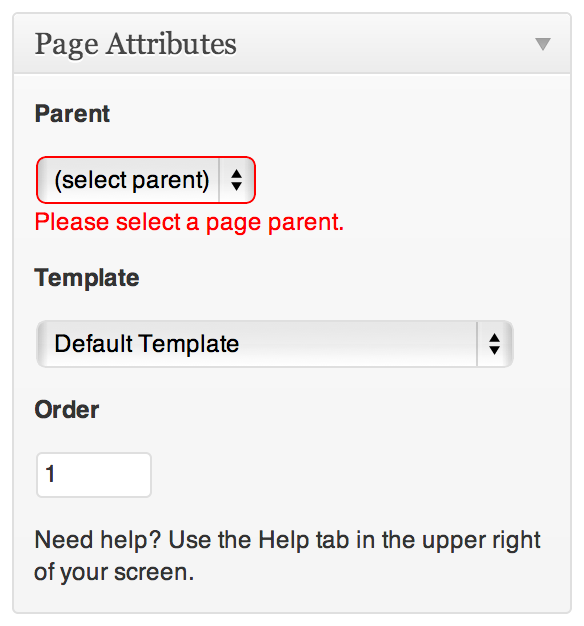
Error that appears when a parent page is required.


Installatie
Install the plugin through the ‘Plugins’ menu in WordPress, or by downloading the ZIP and following these instructions:
- Download and extract the plugin files
- Upload
restrict-page-parentsfolder to the/wp-content/plugins/directory - Activate the plugin through the ‘Plugins’ menu in WordPress
- Configure the plugin from the ‘Restrict Page Parents’ option in the ‘Settings’ menu
FAQ
- Can restrictions be overridden per user?
Yes, a user can have different restrictions to those set for their role. This is all set up on the plugin options page.
- Do you provide support?
Send me an email with any questions, or post in the plugin forum and I’ll do my best to get back to you.
Beoordelingen
Er zijn geen beoordelingen voor deze plugin.
Bijdragers & ontwikkelaars
“Restrict Page Parents” is open source software. De volgende personen hebben bijgedragen aan deze plugin.
Bijdragers
Vertaal “Restrict Page Parents” in je eigen taal.
Interesse in ontwikkeling?
Bekijk de code, haal de SVN repository op, of abonneer je op het ontwikkellog via RSS.
Changelog
1.1.1
- Bugfixes – rare issue where page parent dropdown is hidden even with restrictions switched off.
1.1.0
- New feature: Parent restrictions can be turned on or off based on post types for more granular control.
1.0.4
- Bugfixes
1.0.3
- Added the current page parent to the drop down, even if it is owned by another user.
1.0.2
- Important bug fixes. Page parent drop down disappeared in rare cases.
1.0.1
- Bugfixes related to rare events when the author only owns a single tree of pages.
1.0.0
- First release of the plugin
- Localisation ready
- See plugin description for features

