

Beschrijving


Login & Register Customizer – Popup | Slider | Inline | WooCommerce
Beschrijving
Login & Register Customizer is a lightweight and powerful plugin that replaces the default WordPress login and registration experience with modern, fully customizable popup, slider, or inline forms.
Whether you’re running a simple blog or a WooCommerce store, this plugin helps you create a seamless login/signup experience — with no page reloads, field manager support, and shortcodes.
💡 Features:
- Fully AJAX-based (no page reloads)
- Login, Register, Lost Password & Reset Password forms
- Three layouts: Popup, Slider and Inline (with shortcodes)
- Field Manager – add or remove form fields
- Fully customizable appearance
- WooCommerce compatible
- WPML compatibel
Replace your outdated forms and deliver a modern, smooth login experience your users will love.
Add-ons:
Custom Registration Fields – Add extra fields to registration form , display them on user profile & myaccount page.
Sociale login – Een enkele klik login & registratie met Google of Facebook, Apple & X(Twitter).
Two Factor Authentication (2FA) & One time Password (SMS) Login – Allow users to login with OTP ( sent on their phone or email) removing the need to remember a password.
Enable users to enhance their account security with two-factor authentication (2FA).Recaptcha – Protect your form from bots using recaptcha. Choose from google recaptcha(v2/v3), Cloudflare Turnstile or Friendly GDPR. + Password strength meter + Limit login attempts
Email Verification – Sends verification email on registration & restricts login access until email is verified.
Profile Builder – Replace the old WooCommerce/WordPress interface for updating fields with a new, modern design similar to the signup form. Use a shortcode to display and allow users to update their profile fields.
Auto Complete Address – Get the full and accurate address using Google Places Autocomplete.
Collect billing and shipping addresses seamlessly in your registration form.
Schermafbeeldingen
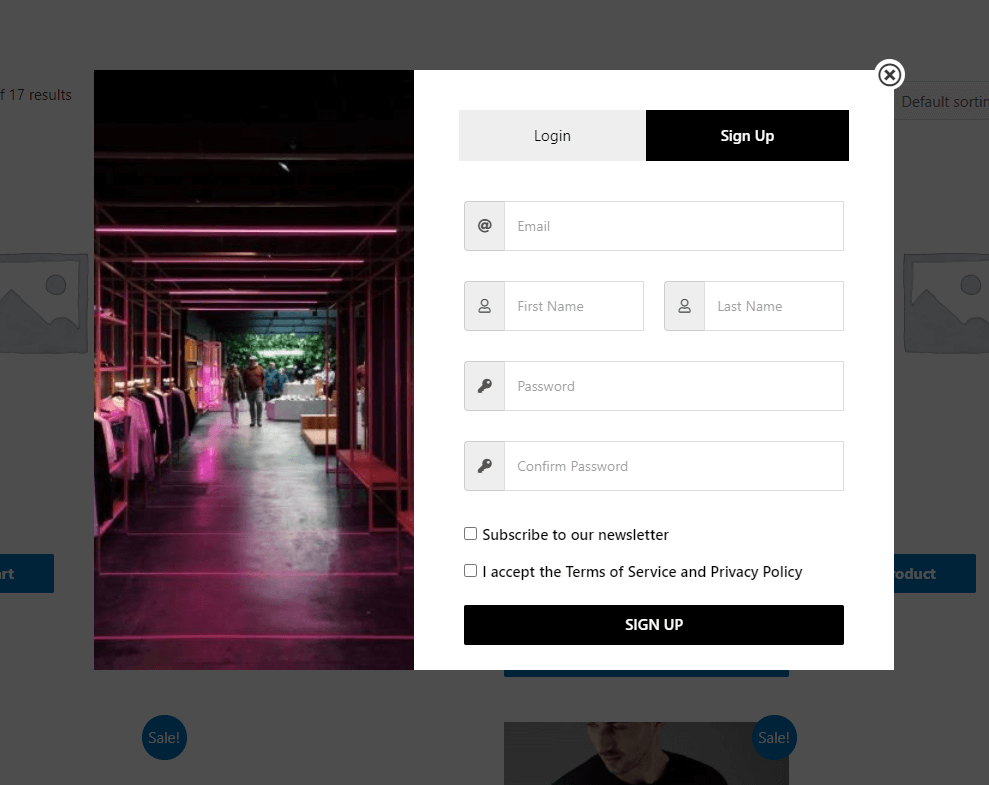
Registration Form. 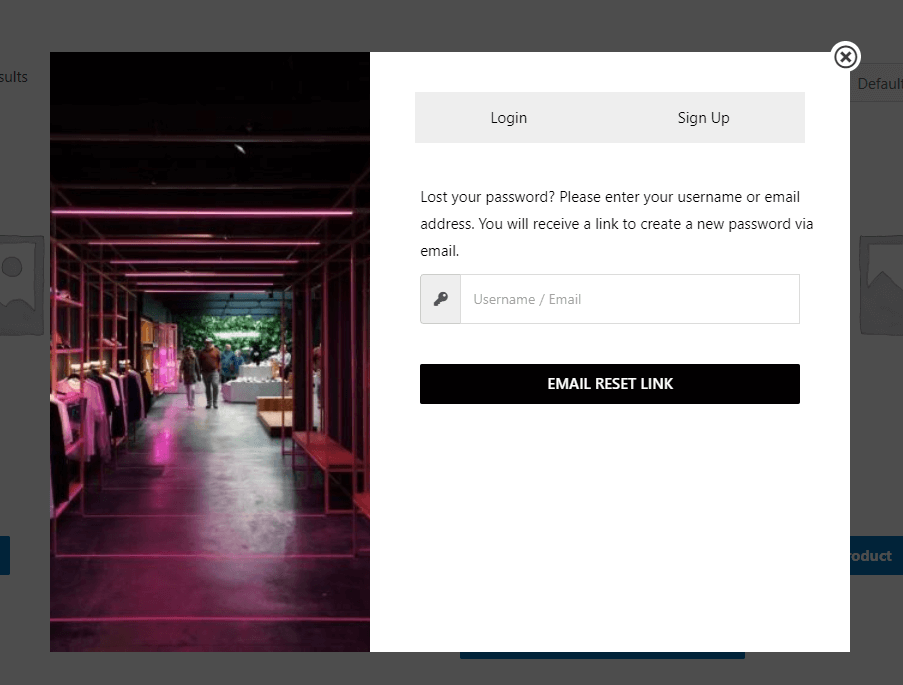
Lost Password Form 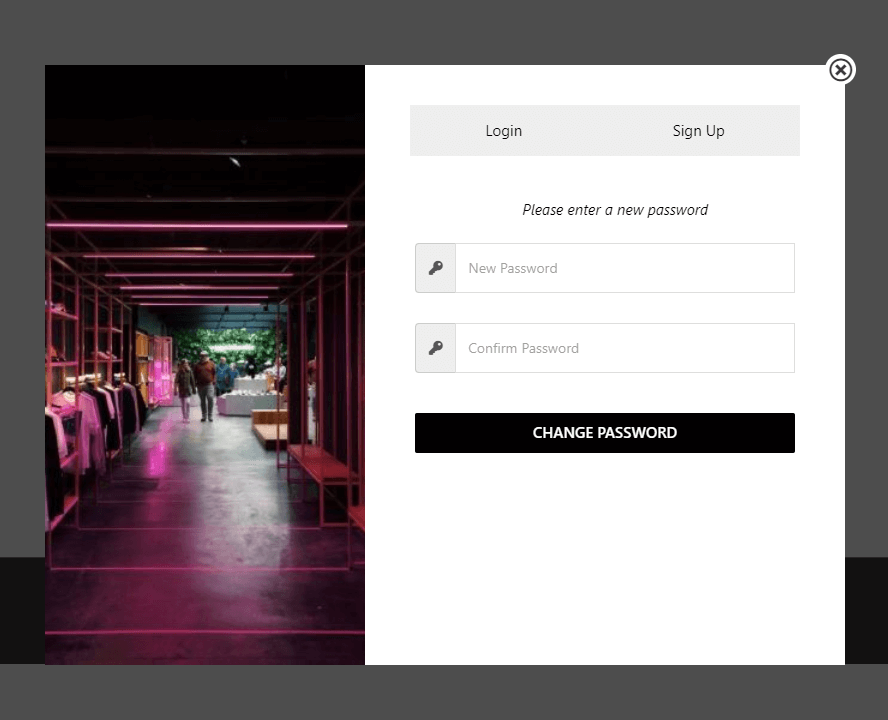
Reset password form. 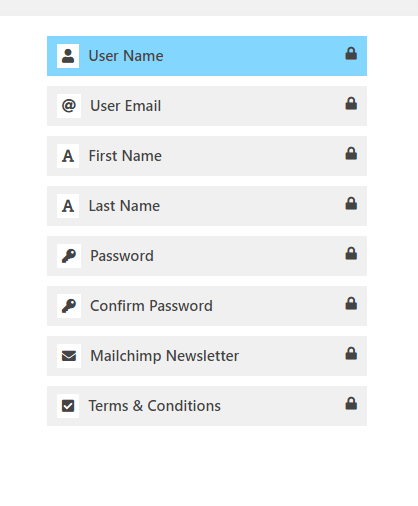
Available registration Fields 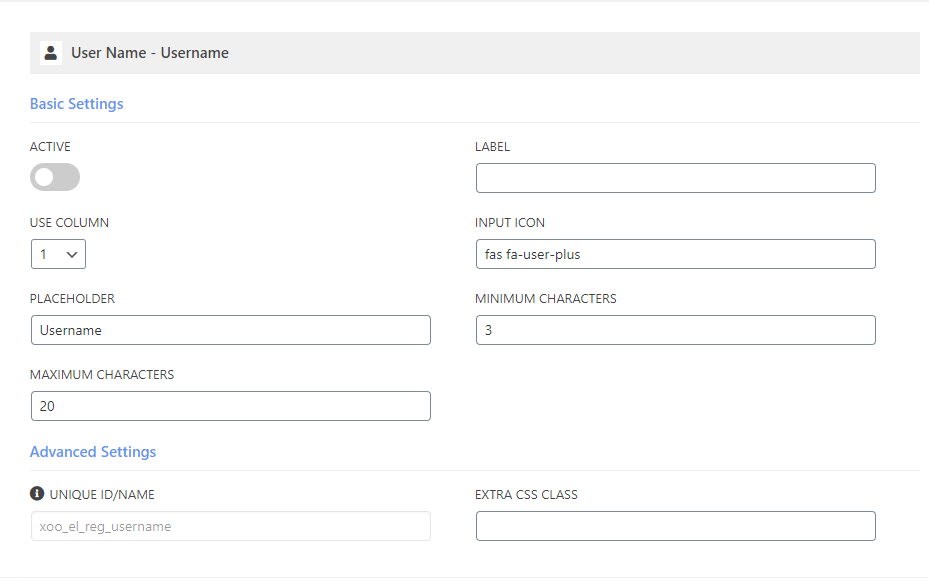
Customizable Field 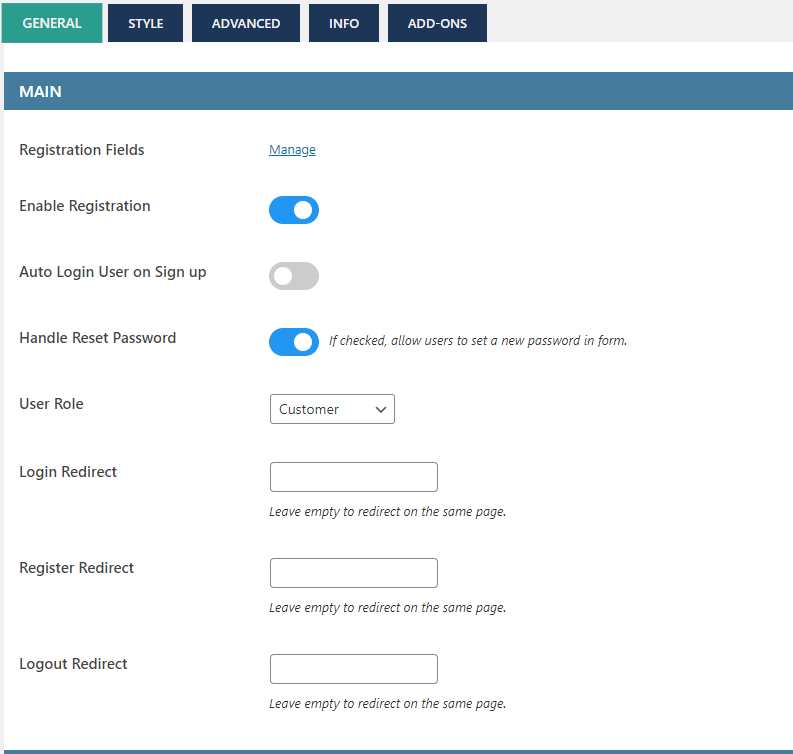
General Settings 1 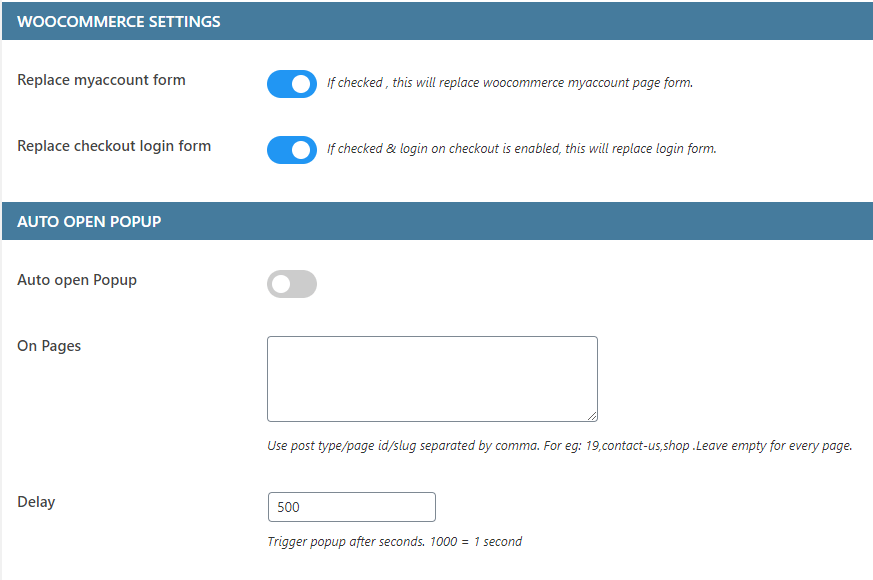
General Settings 2 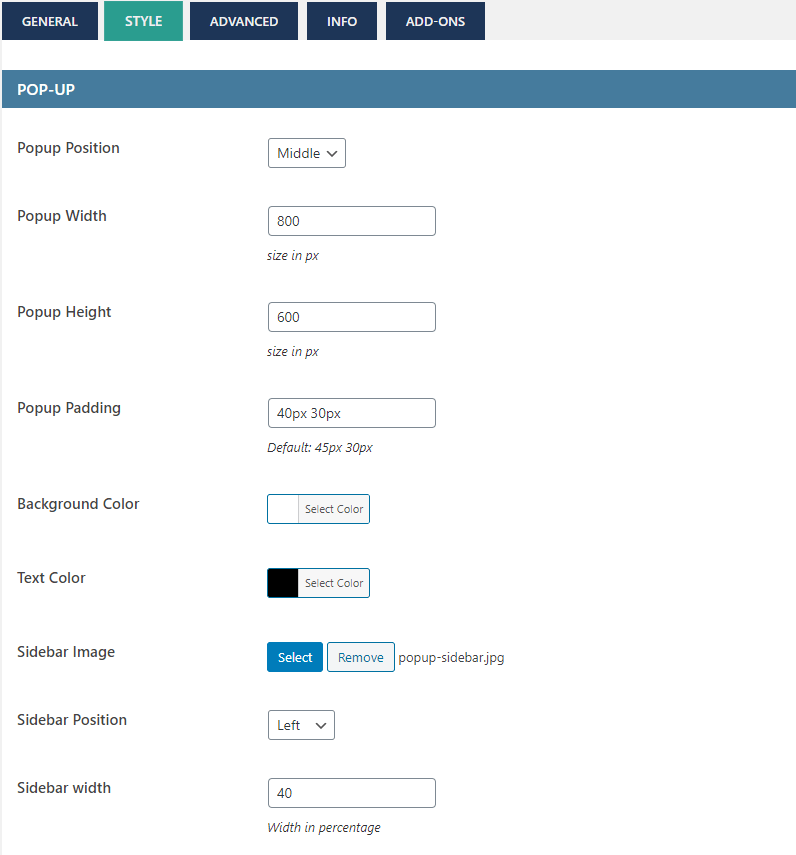
Style Settings 1 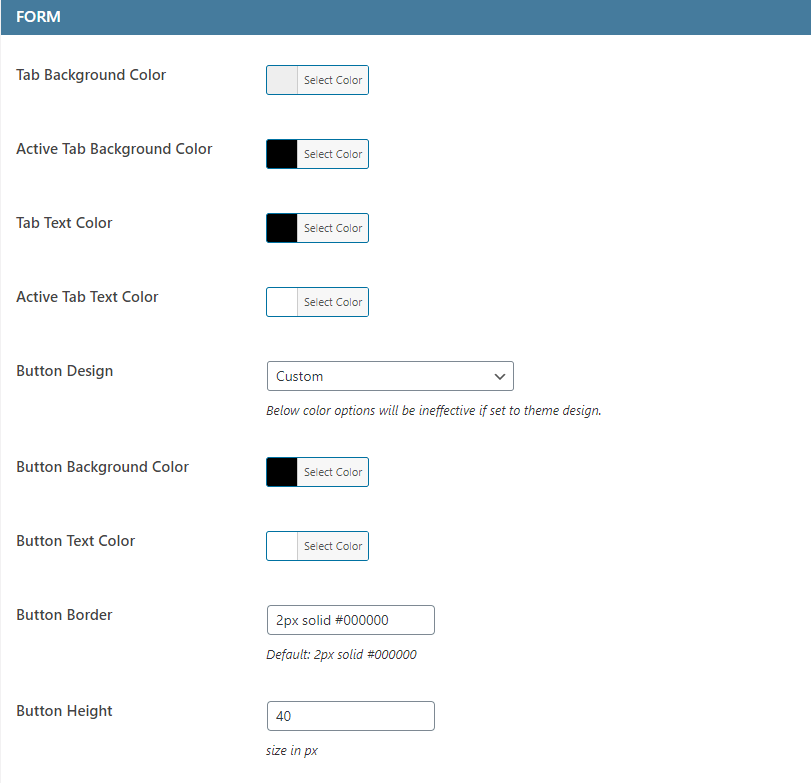
Style Settings 2 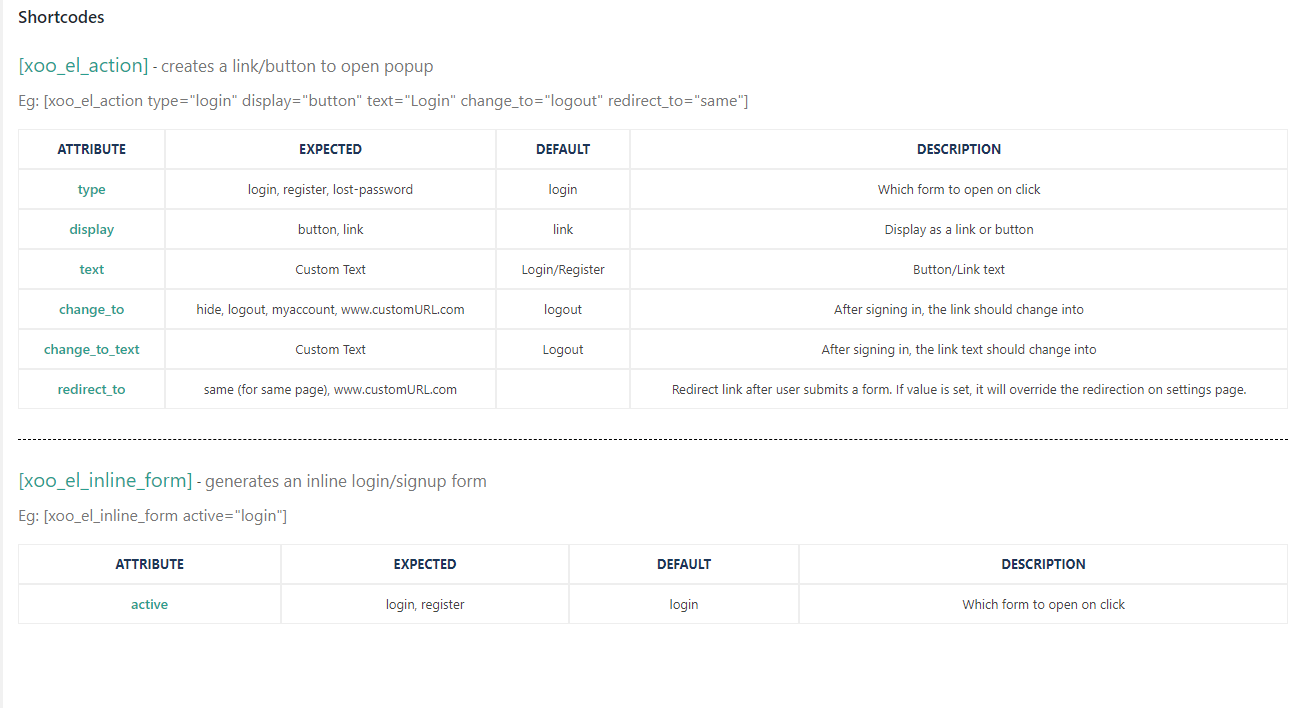
Shortcodes


Installatie
- Upload the plugin files to the `/wp-content/plugins/ directory, or install the plugin through the WordPress plugins screen directly.
- Activeer de plugin via het ‘Plugins’ scherm in WordPress
- Click on Login/Signup Popup on the dashboard.
FAQ
Hoe instellen?
- Ga naar weergave & Menu’s
- Onder het login pop-up tab, kies je gewenste optie.
Shortcodes
Kijk op de tab “Hoe te gebruiken” onder plugin instellingen voor meer informatie.
Use shortcode [xoo_el_pop] to include it anywhere on the website. ( See info tab in settings to know more )
[xoo_el_pop type=”login” display=”button” text=”Login” change_to=”logout” redirect_to=”same”]Voor Inline formulier
[xoo_el_inline_form active=”login”]Je kunt ook een pop-up activeren met de class.
Login – xoo-el-login-tgr
Registreren – xoo-el-reg-tgr
Wachtwoord vergeten – xoo-el-lostpw-tgr
Bijvoorbeeld: LoginHoe vertalen?
- Download PoEdit
- Open het easy-login-woocommerce.pot bestand in PoEdit. (/plugins/easy-login-woocommerce/languages/
easy-login-woocommerce.pot - Maak een nieuwe vertaling & vertaal de tekst.
- Sla het vertaalde bestand op met naam “easy-login-woocommerce-Language_code”. Voorbeeld: Duits(easy-login-woocommerce-de_DE)
, Frans(easy-login-woocommerce-fr_FR). — Lijst met codes voor talen - Opslag locatie: je WordPress folder/wp-content/languages/
Hoe templates overschrijven?
De templatebestanden van de plugin staan in de map templates.
Kopieer de template naar de map theme/templates/easy-login-woocommerce
Als het templatebestand in een submap staat, bijvoorbeeld in de map /globals, dan wordt de kopiemap
theme/templates/easy-login-woocommerce/globals/ voor meer informatie, bekijk de beschrijving van de header van de template
Beoordelingen


Bijdragers & ontwikkelaars
“Login & Register Customizer – Popup | Slider | Inline | WooCommerce” is open source software. De volgende personen hebben bijgedragen aan deze plugin.
Bijdragers

“Login & Register Customizer – Popup | Slider | Inline | WooCommerce” is vertaald in 12 localen. Dank voor de vertalers voor hun bijdragen.
Vertaal “Login & Register Customizer – Popup | Slider | Inline | WooCommerce” in je eigen taal.
Interesse in ontwikkeling?
Bekijk de code, haal de SVN repository op, of abonneer je op het ontwikkellog via RSS.
Changelog
3.0.4
- Fix – core files update
3.0.3
- Fix – compatibility with older safari versions
3.0.2
- Fix – Reset password email not working for non-woocommerce users
3.0.1
- Fix – auto opening of popup in 3.0.0
3.0.0
- New – Reset password using verification code
- UI – Improved fields layout
2.9.6
- Settings UI Fix – image not loading
2.9.5
- Patchstack vulnerability fix
2.9.4
- Added option to replace woocommerce lost password form template
2.9.3
- Instellingen UI update
2.9.2
- Instellingen UI update
2.9.1
- Fix – Form fields settings title fix
2.9.0
- Form fields settings title improvement
2.8.9
- Fix – translation missing
- New – OTP add-on now supports Two factor authentication (2FA)
2.8.8
- New – Replaced shortcode [xoo_el_action] with new shortcode [xoo_el_pop]
2.8.7
- New – Enable Required (*) icon
- New – Autocomplete address Field and add-on
- Fix – URL stripping.
- Fix – Woocommerce outdated template version
2.8.6
- URL escaping in shortcode
- Fix – Placeholder for country
2.8.5
- Wordfence firewall compatiblitiy ( shows wordfence errors now)
- Close popup by pressing escape button
2.8.4
- New – Shortcode generator
- Fix – URL endpoint not adding on registration
2.8.3
- New Field – User role
- Compatibility with paid membership pro plugin
2.8.2
- New Field – Profile Picture
2.8.1
- Fix – Deprecated warning in PHP 8.2
2.8
- New – Profile builder add-on ( allow logged in users to update their profile fields )
- Improved – File Upload field
2.7.9
- Fix – WP Rocket recent update hiding popup
2.7.8
- Fix – Mailpoet compatibility
2.7.7
- New – Upload file field
- New – Use firstname/lastname/username in shortcode [xoo_el_action]
- New – Mailpoet compatibility
- Fix – WPML shortcode compatibility
2.7.6
- Fix – error for non-woocommerce users
2.7.5
- New – added new redirect option – using URL. ?redirect_to=
- New – Checkout block “login” link now opens the popup.
- Fix – OTP Login add-on causing crash
- Template update => xoo-el-login-section.php | xoo-el-register-section.php
2.7.4
- New – Added separate shortcode option for woocommerce checkout page
- Fix – Removed select2 library when not needed
- Fix – woocommerce outdated template version notice
2.7.3
- Oplossing – Probleem met beveiliging
- Fix – Field label WPML compatibility.
2.7.2
- Fix – Password reset link not working for non-woocommerce users & when “Handle reset password” option disabled.
- Fix – Fields disappeared in 2.7.1
2.7.1
- New – Import/Export settings option
- Fix – Password eye toggle not working without icons.
2.7
- New – Field styling options
- New – Option to open popup using custom classes
- New – Show custom fields under users profile table
- Fix – Reset field not working
2.6.5
- Fix- Field settings were not getting saved for some users.
2.6.4
- Fix – Autofill browser’s saved email/password for login ( Visit Fields page after update to make it effective )
2.6.3
- New – added login_redirect and register_redirect attributes for inline form shortcode
- Fix – missing translation
- Fix – RTL settings styling
- Fix – alignment issues when field label is active
2.6.2
- Fix – Deprecated warning fix
2.6.1
- Fix – error generated without woocommerce
- Update – Translations
2.6
- New – Single field Form pattern
- New – Popup style – Sidebar
- New – Navigation pattern option ( Footer links, Tabs )
- New – Add logo above form
- New – Polylang support
- New – RTL Support
- New – Option to edit shortcode of my account page
- Update – removed scrollbar script to reduce file size
Template updates
/templates/xoo-el-popup.php
/templates/global/xoo-el-header.php
2.5
- New – Password eye toggle
- Nieuw – Login, reset en vergeten wachtwoord velden onder veld editor.
- Nieuw – Tab & knop teksten als instelling
- Nieuw – Aparte login en registratie formulieren doormiddel van inline shortcode
- New – Email can be set as optional
- Oplossing – #login & #register pop-up eenmalig openen
2.4
- Beveiligingsoplossing
2.3
- Beveiligingsoplossing
2.2
- Beveiligingsupdate
- Instellingen UI update
2.1
- New – Added option to replace woocommerce checkout login form
- Oplossing – kleine bugs
2.0
*** BELANGRIJKE UPDATE ***
* Nieuw – WPML compatibel
* Aanpassing – Template veranderingen
* Aanpassing – Code geoptimaliseerd
* Aanpassing – Velden tab gescheiden
* Fix – Inline formulier altijd bovenaan
* Fix – Meerdere IDs waarschuwing
* Fix – Pop-up flikker bij het laden van de pagina
* Fix – Minieme Fouten
1.7
- Oplossing – Registratie probleem voor niet WooCommerce gebruikers
- Oplossing – OTP login activeren/deactiveren probleem
1.6
- Nieuw – Mailchimp integratie
- Nieuw – Attribuut “display” toegevoegd en “change_to_text” in shortcode [xoo_el_action]
- Tweak – Generate username functionality more secured
- Kleine verbeteringen
1.5
- Oplossing – Probleem met beveiliging
1.4
- “Hello Firstname” toegevoegd als menu item
- Kleine fouten opgelost
1.3
- Major Release.
- New – Form input icons.
- New – Remember me checkbox.
- New – Terms and conditions checkbox.
- Aanpassing – Template veranderingen
- Aanpassing – Font Awesome pictogrammen verwijderd, nieuwe aangepaste lettertype pictogrammen toegevoegd.
1.2
- Oplossing – Werkt niet op mobiele apparaten.
- New – Sidebar Image.
- New – Popup animation.
1.1
- Oplossing – Werkt niet op mobiele apparaten.
- New – Extra input padding.
1.0.0
- Initial Public Release.

