

Beschrijving


Controlled Draft Publisher
Beschrijving
Publishes one draft post every X minutes. Includes logging, stats, and an admin dashboard with start/stop, manual publish, filter, and refresh controls.
Features:
– Publish one draft post at a configurable interval.
– Simple start/stop controls and manual publish button.
– Activity log with timestamps, post titles, and permalinks.
– Basic stats: total published and last published entry.
– Works with selected post types.
Privacy Policy
Controlled Draft Publisher stores an activity log (cdp_log) in the WordPress database when logging is enabled. The log includes post IDs, titles, timestamps, permalinks, and post types for published drafts. No user data is collected or sent externally. Logs can be cleared or exported via the dashboard.
Notes
- Ensure your site meets the PHP and WordPress version requirements before installing.
- Server cron or WP-Cron behaviour may vary on low-traffic sites; consider using a real cron if reliable timing is required.
- Translation-ready: Includes
controlled-draft-publisher.potin thelanguages/folder for translators.
License
This program is free software; you can redistribute it and/or modify it under the terms of the GNU General Public License version 2, or any later version, as published by the Free Software Foundation.
License URI
https://www.gnu.org/licenses/gpl-2.0.html
Schermafbeeldingen
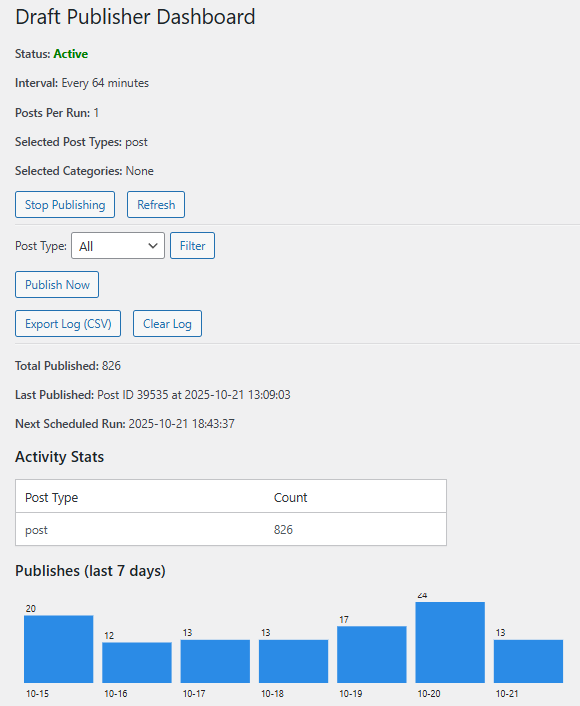
Dashboard: Controlled Draft Publisher main controls and activity graph. 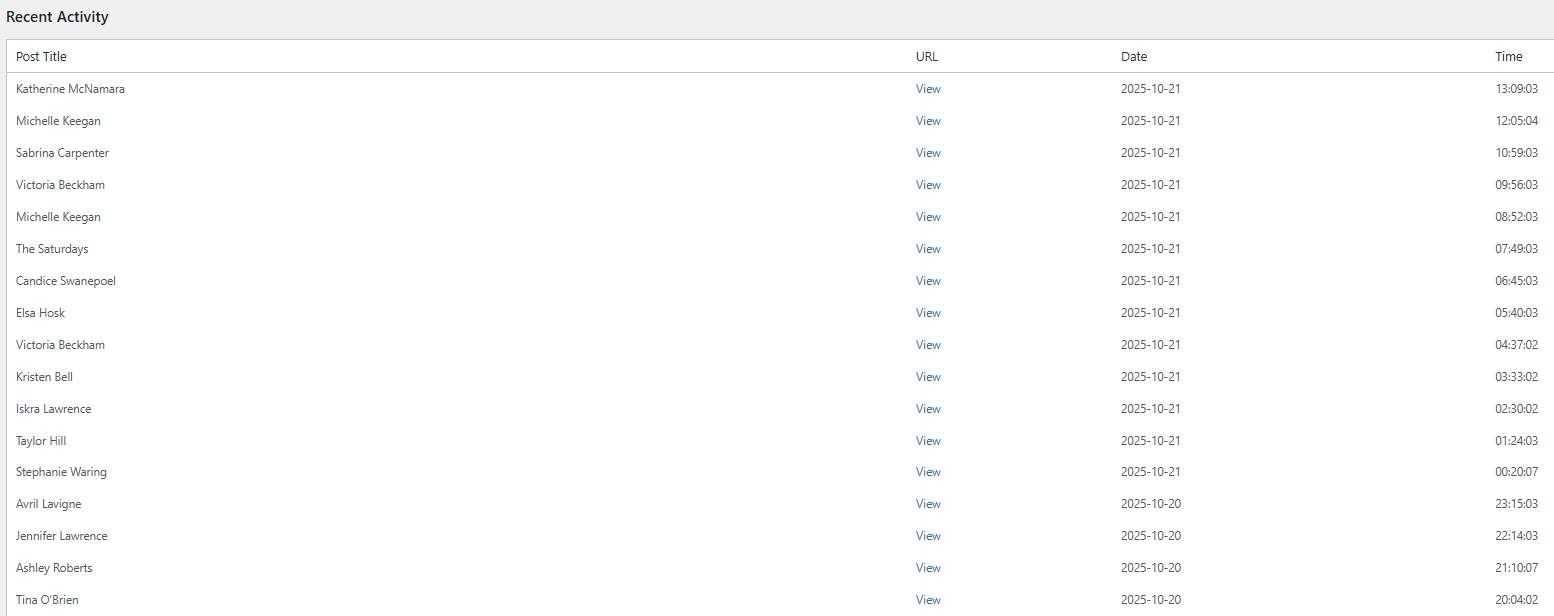
Recent Activity: Recent activity log with all information about posted items. 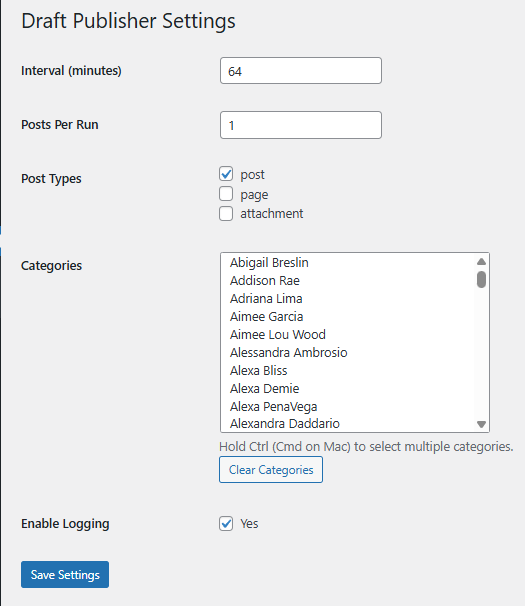
Settings: select post types, interval, and enable/disable logging.


Installatie
- Upload the plugin folder to the
/wp-content/plugins/directory, or install via the WordPress admin. - Activate the plugin through the ‘Plugins’ screen in WordPress admin.
- Go to Draft Publisher Settings to configure post types, interval, and logging.
- Use the Draft Publisher dashboard to start/stop the scheduler or manually publish drafts.
FAQ
Can I control which post types are published?
Yes, you can select one or more post types in the plugin settings. Default is
post.Does it support custom intervals?
Yes, set the number of minutes between publishes in the settings page. Minimum safe interval is recommended to avoid accidental bulk publishes.
Is publishing logged?
Yes, if logging is enabled the plugin stores a rolling activity log (option
cdp_log) and updates the last/total counters.How does scheduling work?
The plugin uses WordPress cron (WP-Cron) to schedule publishes. For low-traffic sites, set up a server cron job (e.g.,
*/5 * * * * wget -q -O - https://your-site.com/wp-cron.php) for reliable timing.Can I manually publish a draft?
Yes, use the “Publish Now” button on the dashboard to publish a draft immediately.
Beoordelingen

Bijdragers & ontwikkelaars
“Controlled Draft Publisher” is open source software. De volgende personen hebben bijgedragen aan deze plugin.
Bijdragers
Vertaal “Controlled Draft Publisher” in je eigen taal.
Interesse in ontwikkeling?
Bekijk de code, haal de SVN repository op, of abonneer je op het ontwikkellog via RSS.
Changelog
1.4
- Added taxonomy settings to select publishing from categories and tags.
1.3
- Fixed white screen when loading Settings page.
- Change Recent Activity log view per page from 10 to 50.
- Added Settings link in Plugins page.
1.2
- Added start/stop controls to the dashboard.
- Fixed timezone display for “Next Scheduled Run” (uses site timezone, e.g., BST).
- Improved scheduling logic for dynamic intervals.
1.1
- Added CSV export for activity log.
- Added 7-day publish history chart to dashboard.
- Enhanced logging with post type and permalink details.
1.0
- Initial release.

