

Beschrijving

WPGlobus
Beschrijving
WPGlobus is a family of WordPress plugins assisting you in translating and maintaining bilingual/multilingual WordPress blogs and sites.
Quick Start Video
Please also read the Quick Start Guide.
Important Notes: please read before using WPGlobus!
- NO AUTOMATIC TRANSLATION:
- WPGlobus does NOT translate texts automatically! You will translate texts manually.
- PAGE BUILDERS / COMPOSERS:
- WPGlobus supports blocks (“Gutenberg”) and WPBakery Page Builder. Other builders, such as “Page Builder by SiteOrigin”, “Beaver Builder”, Fusion (“Avada”), Elegant (“Divi”), Elementor, etc. have limited or no support.
- IF YOU UNINSTALL, YOU LOSE TRANSLATIONS:
- WPGlobus stores all translations using a special format:
{:en}English{:}{:fr}French{:}{:es}Spanish{:}. If you decide to deactivate and uninstall WPGlobus, you must run the cleanup tool to keep only one language. See the details on the “Welcome” tab in the WPGlobus Settings.
- WPGlobus stores all translations using a special format:
- COOKIES:
- WPGlobus use browser cookies to store the selected language in the form
wpglobus-language=xxwherexxis a two-letter language code:en,de,fr, etc.
- WPGlobus use browser cookies to store the selected language in the form
- NO MULTISITE:
- The multisite mode (multiple virtual sites sharing a single WordPress installation) is not tested and not supported.
- FREE PLUGIN with PAID EXTENSIONS:
- Some functionality is available only with our premium add-ons. Details below.
- OLD PHP / OLD WORDPRESS:
- We develop and test our software using the latest versions of PHP, WordPress, and all plugins. If you have an older version and something is not working properly – please upgrade before contacting us.
- MBSTRING:
- For the full UTF-8 compatibility and better performance, please make sure that the Multibyte String PHP extension is enabled.
What is in the FREE version of WPGlobus?
The WPGlobus plugin provides you with the general multilingual tools.
- Manually translate posts, pages, categories, tags, menus, and widgets;
- Add one or several languages to your WP blog/site using custom combinations of country flags, locales and language names;
- Switch the languages at the front-end using: a drop-down menu extension and/or a customizable widget with various display options;
- Switch the Administrator interface language using a top bar selector;
The WPGlobus plugin serves as the foundation to other plugins in the family.
When do I need WPGlobus Extensions?
- To translate URLs (
/my-page/translates to/fr/ma-page,/es/mi-paginaand so on); - To “postpone” translation to all languages and publish only those that are ready;
- To have completely separate menus for each language;
- To translate WooCommerce products and taxonomies;
- …and more.
For more details, please check out the extension descriptions on our website:
- WooCommerce WPGlobus: adds multilingual capabilities to WooCommerce-based online stores.
- WPGlobus Plus: adds URL fine-tuning, publishing status per translation, and more.
- WPGlobus – Mobile Menu: makes the WPGlobus language switcher menu compatible with mobile devices and narrow screens.
- WPGlobus – Featured Images: Set featured image separately for each language defined in WPGlobus.
- WPGlobus – Translate Options: Selective translation of the texts stored in the
wp_optionsdatabase table.
Compatibility with WordPress Themes
- WPGlobus works correctly with all themes that apply proper filtering before outputting content.
- Some themes incorporate 3rd party plugins (e.g., sliders, forms, composers) – not all of them are 100% multilingual-ready. When you see elements that cannot be translated, please tell the theme/plugin authors.
- Read more on the topic here.
Compatibility with WordPress Plugins
We have tested WPGlobus with many plugins. However, since plugins are frequently updated, some adjustments may be required after a new update. We will do our best to monitor and make the necessary changes on our end.
Permalinks
IMPORTANT: WPGlobus will not work if your URLs look like example.com?p=123 or example.com/index.php/category/post/.
Please go to Settings->Permalinks and change the permalink structure to non-default and with no index.php in it. If you are unable to do that for some reason, please talk to your hosting provider or systems administrator.
Note: WooCommerce adds their own section to the Permalinks. It is important to fill in all the information. For example, you need to specify your Shop Base, for example, /product/. If you leave it blank, WooCommerce will try to translate the base (eg /produkt/ for German), which will result in a 404 error.
Developing on `localhost` or custom ports
WPGlobus may not work correctly on development servers having URLs like //localhost/mysite or on custom ports like //myserver.dev:3000. Please use a proper domain name (a fake one from /etc/hosts is OK), and port 80.
Schermafbeeldingen
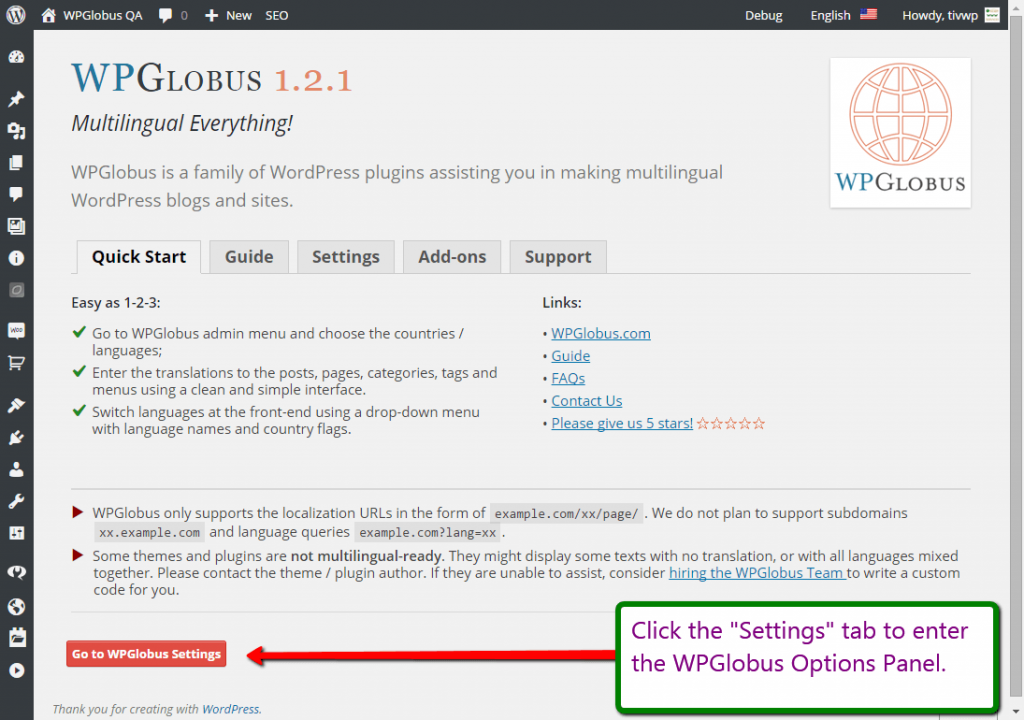
The Welcome screen. 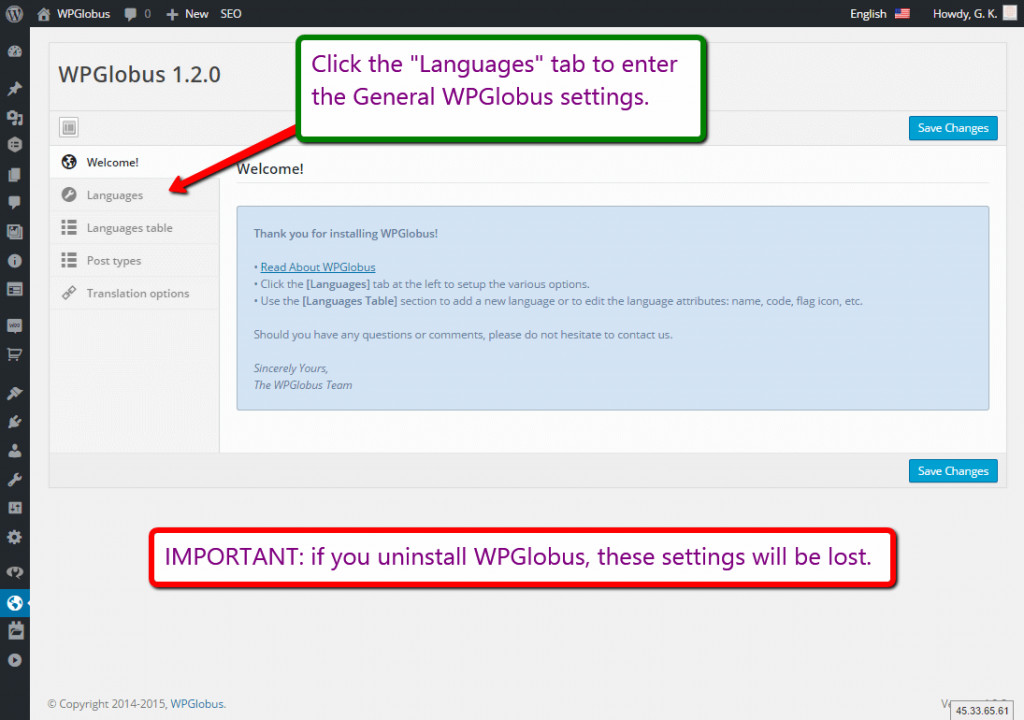
Settings panel. 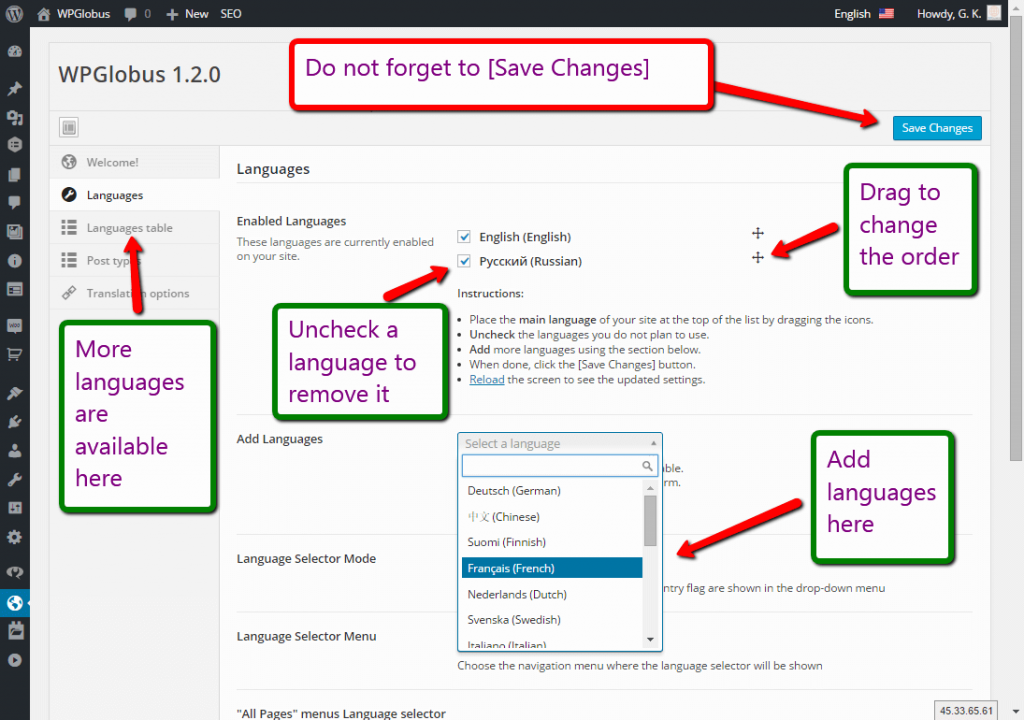
Languages setup. 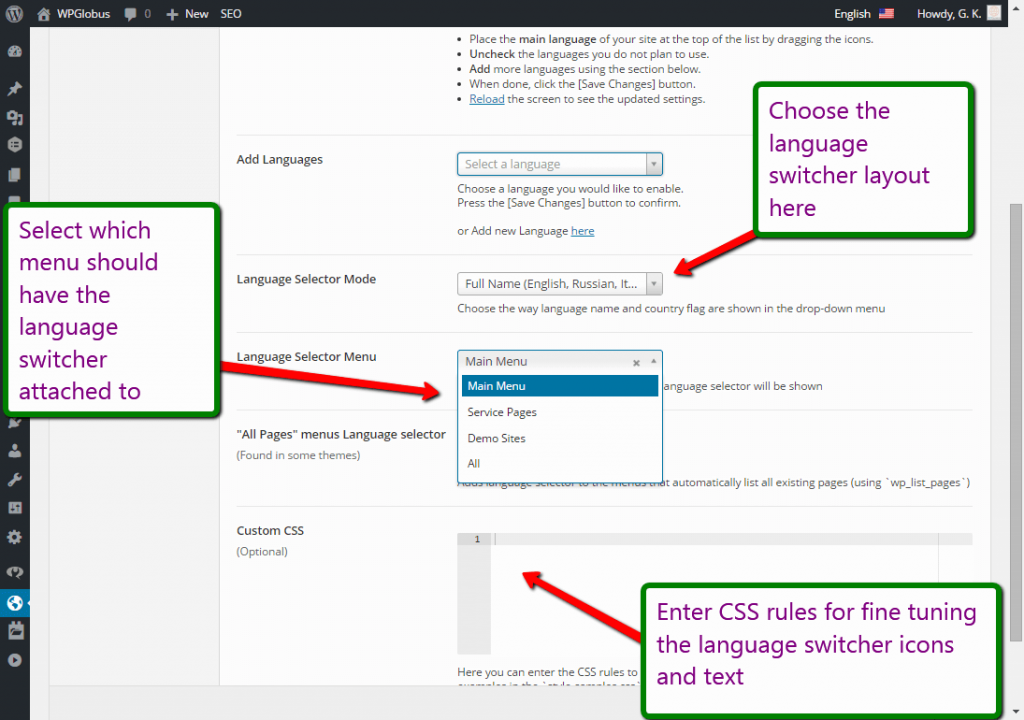
Attaching language switcher to a menu. 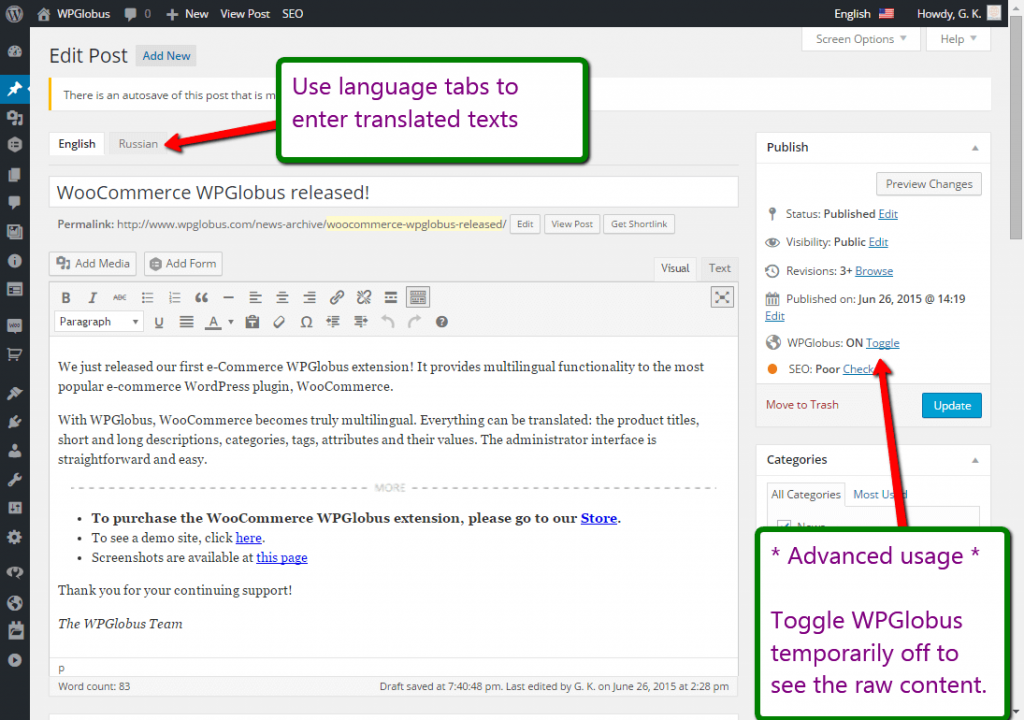
Editing post in multiple languages. 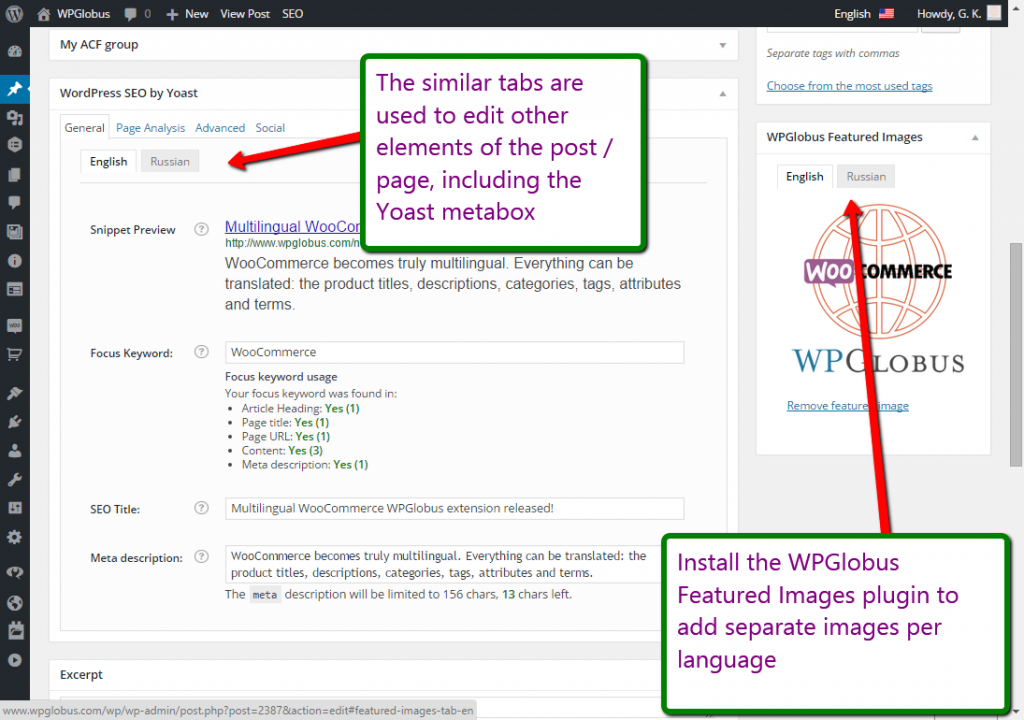
Multilingual Yoast SEO and Featured Images. 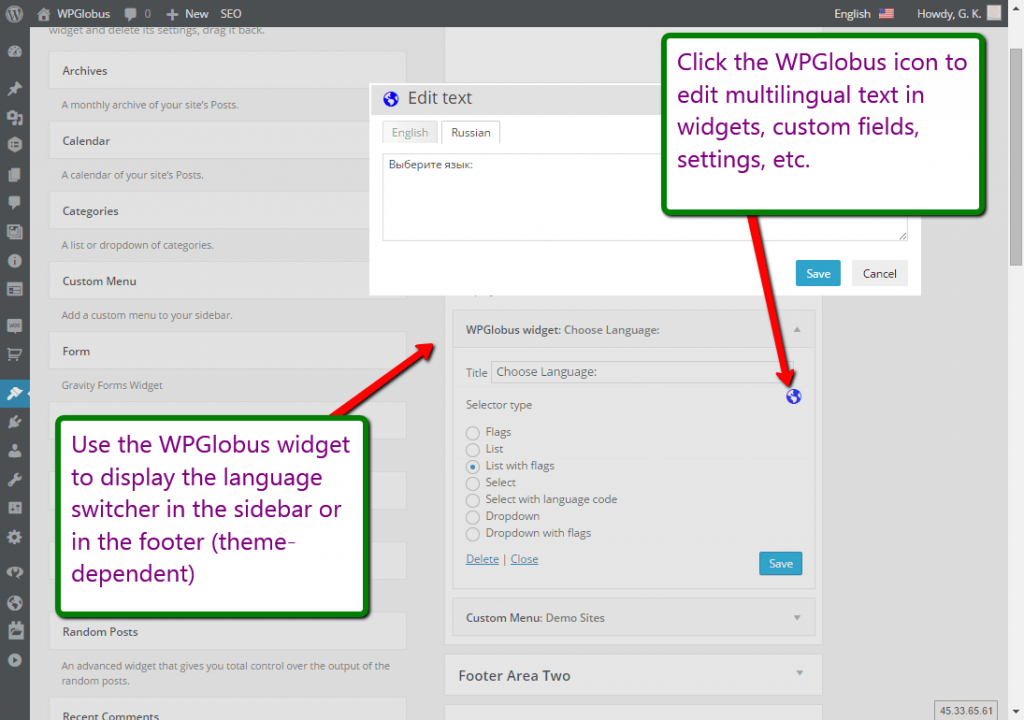
Language Switcher widget and Multilingual Editor dialog. 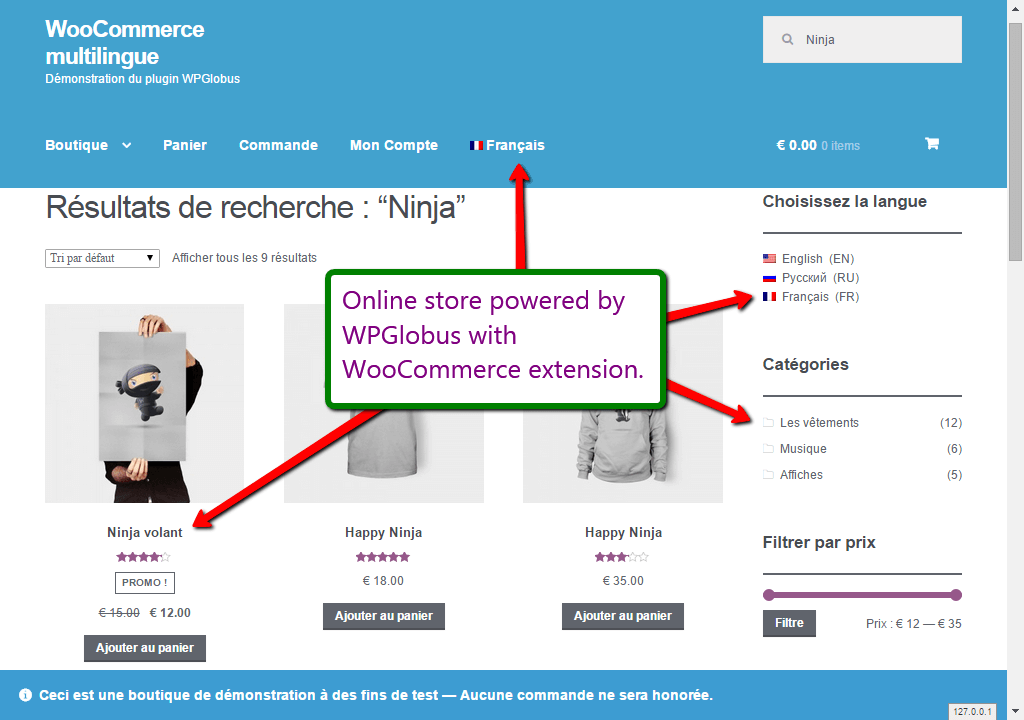
Multilingual WooCommerce store powered by WooCommerce WPGlobus.


Installatie
You can install this plugin directly from your WordPress dashboard:
- Go to the Plugins menu and click Add New.
- Search for WPGlobus.
- Click Install Now next to the WPGlobus plugin.
- Activeer de plugin.
Alternatively, see the guide to Manual Plugin Installation.
FAQ
Please read these first:
No automatic translation
WPGlobus does NOT translate texts! You need to translate texts manually.
After deactivating WPGlobus, all my pages look like garbage!
What you see is a mix of the languages, which WPGlobus knows how to handle when it’s active.
When you deactivate WPGlobus, your site is not multilingual anymore, and you have to remove all translations.WPGlobus stores all translations using a special format:
{:en}English{:}{:fr}French{:}{:es}Spanish{:}. If you decide to deactivate WPGlobus, you must run the cleanup tool to keep only one language. See the details on the “Uninstall” tab in the WPGlobus Settings.When I switch language, I am getting 404 on all pages
Please go to the
Admin - Settings - Permalinkspage. Make sure that theCommon Settingsis not set to “Plain” and then press theSave Changesbutton. It should help.Is there a PRO version?
We have a set of add-ons that extend the WPGlobus functionality. Please found them on our website.
NOTE: When you install an add-on, such as WPGlobus Plus, you must keep the WPGlobus plugin activated!
Beoordelingen


Bijdragers & ontwikkelaars
“WPGlobus” is open source software. De volgende personen hebben bijgedragen aan deze plugin.
Bijdragers

“WPGlobus” is vertaald in 2 localen. Dank voor de vertalers voor hun bijdragen.
Vertaal “WPGlobus” in je eigen taal.
Interesse in ontwikkeling?
Bekijk de code, haal de SVN repository op, of abonneer je op het ontwikkellog via RSS.
Changelog
3.0.2
- Fix: option panel broken by incorrect HTML sanitizing
- Fix: multilingual media JS missing
- “Plugin Check” security fixes.
3.0.1
- Fix: Early translations warning (admin-helpdesk).
- WP tested up to: 6.9
3.0.0
- Fix: PHP-8 warnings
- PHP support: 7.4+
- No longer supported: All-in-One SEO v3, older versions of Yoast SEO.
- See
changelog.txtfor the older entries.

