

Beschrijving
Deze plugin is niet getest met de laatste 3 grotere versies van WordPress. Mogelijk wordt het niet meer onderhouden of ondersteund. Ook kunnen er compatibiliteitsproblemen ontstaan wanneer het wordt gebruikt met recentere versies van WordPress.

WP-Social-Share-Privacy
Beschrijving
[German-Translation]
Wordpress-Plugin Umsetzung des socialshareprivacy jQuery Plug-In von heise.de
Das Plugin bietet die Möglichkeit den Facebook-Like, twitter- und Google Plus Button erst durch ein Klick des Besuchers auf die Seite einzubinden um den neuen Datenschutzbestimmungen in Deutschland gerecht zu werden
Weitere Informationen: http://heise.de/-1333879
[English-Translation]
Implementation of the WordPress plugin socialshareprivacy jQuery plug-in from heise.de
The plugin offers the possibility of the Facebook-Like, Twitter and Google plus button just by a click of the visitor to the site to meet to incorporate the new data protection legislation in Germany
For more information: http://heise.de/-1333879
Schermafbeeldingen
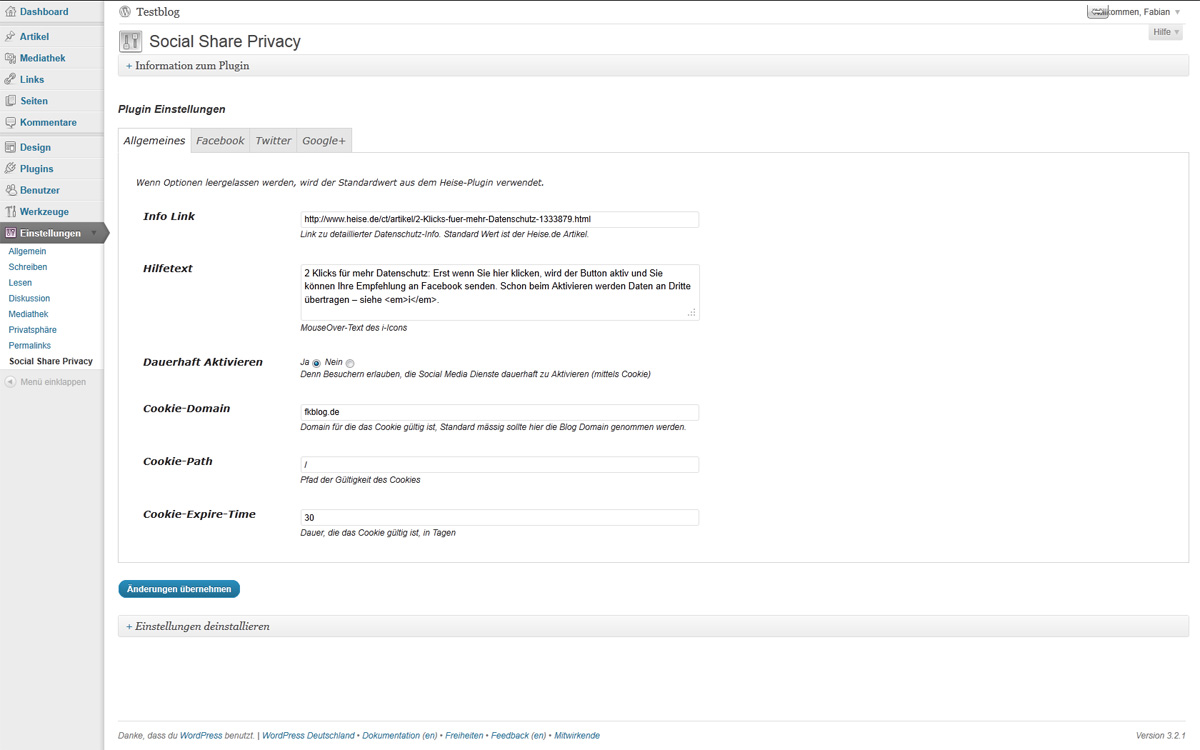
Option Page for general Settings of the Plugin 
Settings for Twitter Share Button 
Output of the WP Social Share Privay Plugin


Installatie
- Upload
socialshareprivacyfolder to your WP plugin folder/wp-content/plugins/directory - The path must look like this:
/wp-content/plugins/wp-social-share-privacy/ - Activate the plugin through the ‘Plugins’ menu in WordPress admin
- Select socical networks and insert Facebook App-Id
- to use the plugin, paste the code in your theme: <?php if ( function_exists(‘socialshareprivacy’) ) { socialshareprivacy(); } ?>
Thanks for installing!
FAQ
- Wo bekomm ich eine Facebook App-ID her?
Für den „Empfehlen“-Button von Facebook benötigt man eine Facebook App-ID. Diese kann man sich mit seinem verifizierten Facebook-Konto auf den Developer-Seiten erzeugen.
1. Einloggen bei Facebook
2. Konto verifizieren mittels Handy-Nummer (oder Kreditkartendaten)
https://www.facebook.com/settings?tab=mobile Option Handy-Nr.:
Handy-Nr. eintragen und anschließend per SMS empfangenen Bestätigungscode in das Feld auf der rechten Seite eintragen.
3. Entwickler-Seite aufrufen
http://developers.facebook.com/docs/reference/plugins/like/
Dort in der Box unter “Step 1” auf “Get Code” klicken und die App-ID aus dem angezeigten Code-Teil entnehmen.
Beoordelingen
Er zijn geen beoordelingen voor deze plugin.
Bijdragers & ontwikkelaars
“WP-Social-Share-Privacy” is open source software. De volgende personen hebben bijgedragen aan deze plugin.
Bijdragers
Vertaal “WP-Social-Share-Privacy” in je eigen taal.
Interesse in ontwikkeling?
Bekijk de code, haal de SVN repository op, of abonneer je op het ontwikkellog via RSS.
Changelog
1.1.6
- This Update fixes a very important bug. If you change the text settings and open the dialog again, it does not show your
text, but the default text again. Thanks to Bodo Tasche for this fix.
1.1.5
- Facebook App ID, just as they no longer needed to use the Like / Recommend button.
- Add the current version 1.2 of the script of jquery.socialshareprivacy from heise.de
1.1.4
- small bug fix in language file
- Add the current version of the script of jquery.socialshareprivacy from heise.de
1.1.3
- small bug fix in the CSS and JS inclusion in the options page
- Adaptation of the JS code of “jquery.socialshareprivacy.js”. $ Replaced by jQuery because of complications with other JavaScripts
1.1.2
- Corrects path in the plugin
1.1.1
- Typos corrected
- English language file added
- CSS error by integrating the jQuery plugin fixed
1.1.0
- Page revised option, settings for general, Facebook, Twitter and Google in Tabs + packed.
- All text prepared for internationalization.
- All of the options socialshareprivacy scripts inserted into the options page.
1.0.0
- Release of the wp-social-share-privacy plugin

