

Beschrijving
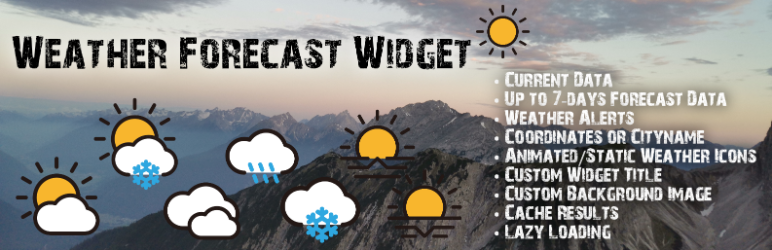

Weather Forecast Widget
Beschrijving
ALGEMEEN
The weather data for this widget will be retrieved from the OpenWeatherMap API with your own API key.
OPENWEATHERMAP API
⚠️ Important Note: OpenWeatherMap has transitioned from version One Call API 2.5 to the new One Call API 3.0.
As of now, usage of the API is no longer possible without adding valid billing information (e.g. a credit card) to your OpenWeatherMap account – even for the free tier.
This means that the Weather Widget will not work anymore unless:
– you switch to the new One Call 3.0 API, and
– you have a valid payment method on file in your OpenWeatherMap account.
🔒 Recommendation:
To avoid unexpected charges, it is highly recommended to set a billing cap / usage limit in your OpenWeatherMap account under Billing Plans after adding a payment method.
For pricing details and limits, visit: Pricing – OpenWeatherMap
VOER GEGEVENS IN
You can show the weather for a CITY (input data: city name) or for specific COORDINATES (input data: latitude & longitude coordinates) in the widget.
PLACEMENT/SHORTCODE
The weather widget can be implemented in a page, a post or into the widget area with the help of the shortcode [weather_forecast_widget]. Furthermore you´ll be able to pass different attributes to each shortcode to override your settings for this widget placement (e.g. manage widget title with an shortcode attribute).
TEMPLATES
Currently you can choose 3 templates for the widget.
* Template 1
* Current day´s weather with a weather forecast for the next 3 days
* Template 2
* Template 2 uses Bootstrap!
* Current day´s weather with an hourly weather forecast and a weather forecast for the next 3 days
* Template 3
* Template 3 uses Bootstrap!
* Weather for the current day and for the next 7 days, each with an hourly weather forecast and a weather forecast for the next 3 days
* Alert Template 1
* Alert Template 1 uses Bootstrap!
* Active weather alerts
BACKGROUND IMAGE
For this widget, you´ll be able to choose your own background image. Either you set a static background image in the widget settings or you choose the dynamic variant (thumbnail of the page/post, where the shortcode is placed) will be used as a background image.
WEERGEGEVENS
In addition to the daily weather forecast, an hourly weather forecast can also be displayed in the widget. Both the daily and hourly weather forecast can be collapsed.
WEATHER ALERTS
The weather widget also shows weather alerts. These alerts are dismissable.
WEATHER ICONS
In the widget you´ll find awesome and beautiful weather icons. In the plugins settings page you can choose which weather icons you want to use for the widget.
* Animated Icons Filled
* Animated Icons Not Filled
* Static Icons
LAZY-LOADING
You have the possibility to load the widget with lazy loading (ajax) to load the data only when necessary.
CACHING
Nowadays caching is an important topic. This weather forecast widget makes it possible to cache the received weather data for the next visitor, who will visit your website page/post next time. You´ll be able to set your desired caching time in the settings (caching time possible up to 1 hour => this should ensure that the weather data in the widget is as current as possible). With this caching possibility you´ll also save API calls.
SHORTCODE EXAMPLES
- Retrieve weather data for a city
- [weather_forecast_widget city=”Kufstein”]
- Retrieve weather data for a city and show city name as title text
- [weather_forecast_widget city=”Kufstein” title_cityname=”X”]
- Retrieve weather data for specific coordinates
- [weather_forecast_widget lat=”47.5824″ lon=”12.1627″]
- Retrieve weather data for specific coordinates and show “Weather for Weather Widget” as title text
- [weather_forecast_widget lat=”47.5824″ lon=”12.1627″ title_overwrite=”Weather for Weather Widget”]
- Retrieve weather data with lazy loading and template 3 for specific coordinates and expand the hourly and daily forecast initially
- [weather_forecast_widget lazy_loading=”X” template=”3″ hourly_forecast=”show” daily_forecast=”show” lat=”47.5824″ lon=”12.1627″]
- Retrieve weather alerts with lazy loading and alert template 1 for specific coordinates and expand the weather alerts initially
- [weather_forecast_widget lazy_loading=”X” template=”alert_1″ alerts=”show” lat=”47.5824″ lon=”12.1627″ max_width=”500px”]
INSTELLINGEN
- Input box for your OPEN WEATHER MAP API key (the api key will be tested for validity while saving!)
- Dropdown box to choose if caching of the weather data is necessary and if yes, which CACHE TIME should be used.
- Media uploader/selector to choose a BACKGROUND IMAGE for the widget (optional – otherwise the page/post thumbnail will be used)
- Radiobuttons to select the WIDGET TITLE TEXT, which will be displayed in the widget. This setting will be used as a default if nothing else will be passed in the shortcode. If you´ll pass title_cityname or title_overwrite as a shortcode attribute, this attribute will be processed in the widget output.
- Dropdown to choose the POST META FIELD for the title text, if you selected the readio button “Post Meta Field (choose one of the dropdown below)“
- Choose, which WEATHER VALUES should be shown in the widget
- Choose, which UNITS should be used to display the weather values
- Choose, which WEATHER ICONS should be used for the widget
VERTALINGEN
- German – adminbergtourentipptirol
Credits
- Static Weather Icons provided from Erik Flowers Weather Icons
- Animated Weather Icons provided from Basmilius Weather Icons
Schermafbeeldingen

The INSTELLINGEN PAGE contains all parameters, which are available for the configuration of this plugin. 
The INSTELLINGEN PAGE contains all parameters, which are available for the configuration of this plugin. 
Weather Forecast Widget – TEMPLATE 1 
Weather Forecast Widget – TEMPLATE 2 
Weather Forecast Widget – TEMPLATE 3 
Weather Forecast Widget – ALERT TEMPLATE 1 with alerts 
Weather Forecast Widget – ALERT TEMPLATE 1 without alerts


Installatie
Via your ADMIN PANEL
- Bezoek “Plugins > Nieuwe toevoegen”
- Search for “Weather Forecast Widget”
- Activate the “Weather Forecast Widget” through the plugins menu in your admin panel
- Go to “After activation” below.
HANDMATIG
- Download weather-forecast-widget.zip – from Weather Forecast Widget Plugin Folder – and unzip
- Upload the weather-forecast-widget folder to the “/wp-content/plugins/” directory using your FTP client
- Activate the “Weather Forecast Widget” through the plugins menu in your admin panel
- Go to “After activation” below.
NA ACTIVERING
- Go to “Weather Forecast Widget > Settings” in your admin panel
- Input your Open Weather Map API key and choose your desired settings.
- You’re done and you can now implement the shortcode in your sidebar, posts and pages.
Beoordelingen


Bijdragers & ontwikkelaars
“Weather Forecast Widget” is open source software. De volgende personen hebben bijgedragen aan deze plugin.
Bijdragers
“Weather Forecast Widget” is vertaald in 2 localen. Dank voor de vertalers voor hun bijdragen.
Vertaal “Weather Forecast Widget” in je eigen taal.
Interesse in ontwikkeling?
Bekijk de code, haal de SVN repository op, of abonneer je op het ontwikkellog via RSS.
Changelog
1.1.7
- Compatibility check for WordPress 6.8.2 confirmed
- Migration of API requests from OpenWeatherMap One Call 2.5 to One Call 3.0
- Minor improvements and cleanup
1.1.6
- Compatibility check for WordPress 6.6.2 confirmed
- Minor improvements and cleanup
- Added notice about OpenWeatherMap One Call 3.0 changes (API key now requires billing)
- Preparation for integration of Weather API
1.1.5
- Bug fixing: Removed a div end tag that was redundant
1.1.4
- New: Bootstrap is only loaded by this plugin if it has not yet been activated (by the active theme or other active plugins).
- New: New template: Alert Template 1 (“alert_1”).
- New: New shortcode parameter “alerts”.
1.1.3
- Bug fixing: Especially Template 2 + Template 3
- Bug fixing: Display the name of the day in one line in the daily forecast
- Bug fixing: There is an overflow in the hourly forecast on smaller devices (e.g. on smartphones) . Therefore, on smaller devices, only up to 3 columns are displayed over the day. On larger devices, all hourly forecast columns will remain.
- New: New shortcode parameters “show_hourly_forecast”, “show_daily_forecast”, “show_alerts”.
- New: From now on several [weather_forecast_widget] shortcodes can be used on one page with activated lazy loding (ajax).
1.1.2
- Bug fixing incompability between bootstrap templates and some themes
1.1.1
- Bug fixing incompability between bootstrap templates and some themes
1.1.0
- Bug fixing: Template 1
- New: Template 2
- New: Template 3
- New: Lazy loading shortcode attribute/functionality
- New: Hourly/daily weather forecast functionality
- New: Animated weather icons embedded
- New: Show weather alerts
- New: Using Bootstrap and Fontawesome
- Update the “Tested up to” value
1.0.1
- Bug fixing: Template 1
- Update the “Tested up to” value
1.0.0
- Initial load of the plugin.

