

Beschrijving


Viable Support for Zendesk
Beschrijving
Viable Support for Zendesk integrates your Zendesk Support workspace directly into your WordPress site.
Note: You need to have a Zendesk account to use this plugin.
With just your Zendesk subdomain, account email, and API token, you can:
- Display Zendesk ticket fields as dynamic WordPress forms.
- Submit support tickets directly from your site.
- Automatically convert WordPress comments into Zendesk tickets.
- Include metadata, tags, and post details automatically in tickets.
Built by ViableCube, this plugin is perfect for businesses and developers who want a smooth, automated support experience between WordPress and Zendesk.
Features
- Secure Authorization – Connect using your Zendesk subdomain, account email, and API token.
- Dynamic Field Fetching – Fetch all text-type custom fields from Zendesk and display them in your form.
- Shortcode Support – Use
[viasuzen_ticket_form]anywhere on your site. - Ticket Submission – Submit new tickets directly to Zendesk.
- Comment-to-Ticket Automation – Automatically convert new WordPress comments into Zendesk tickets.
- Custom Metadata – Add post type, author name, and ID as part of each ticket.
- Tag Support – Automatically add custom tags when creating tickets.
- Custom Ticket Subjects – Auto-generate ticket subjects with post or author details.
- Lightweight & Developer-Friendly – Optimized for performance and easy to extend.
Shortcode Example
Use this shortcode to display the Zendesk-powered form anywhere:
[viasuzen_ticket_form]<h3>External services</h3> This plugin connects to the Zendesk API to create support tickets, fetch custom fields, and manage ticket data. This connection is required for the plugin to function properly.
The plugin sends the following data to Zendesk:
* Zendesk subdomain (configured by the site administrator)
* Account email and API token (for authentication)
* Ticket data including: requester name, email, subject, message, custom fields, tags, and metadata
* User search queries (for API authentication verification)
All API requests are made server-side using secure HTTPS connections to your Zendesk subdomain (e.g., https://your-subdomain.zendesk.com/api/v2/).
This service is provided by “Zendesk Inc”: Zendesk Terms of Service, Privacy Policy.
License
This plugin is licensed under the GPLv2 or later.
You can view the full license text here: https://www.gnu.org/licenses/gpl-2.0.html
Support & Feedback
We’d love to hear your feedback and suggestions!
📩 Email: ahsan@viablecube.com
🌐 Website: https://viablecube.com
Schermafbeeldingen

Authorization screen with fields for Zendesk Subdomain, Email, and API Token. 
Connected account view showing Zendesk connection status and Web Widget visibility toggle. 
Form Settings page for configuring form display options. 
Popup modal to fetch and map Zendesk custom fields dynamically. 
Example of shortcode [viasuzen_ticket_form]added in the WordPress page editor.
Frontend display of the Zendesk-powered support form. 
Zendesk Comment Settings section in WordPress discussing comment integration options. 
Convert Post Comment to Zendesk Ticket action button in the Comments area. 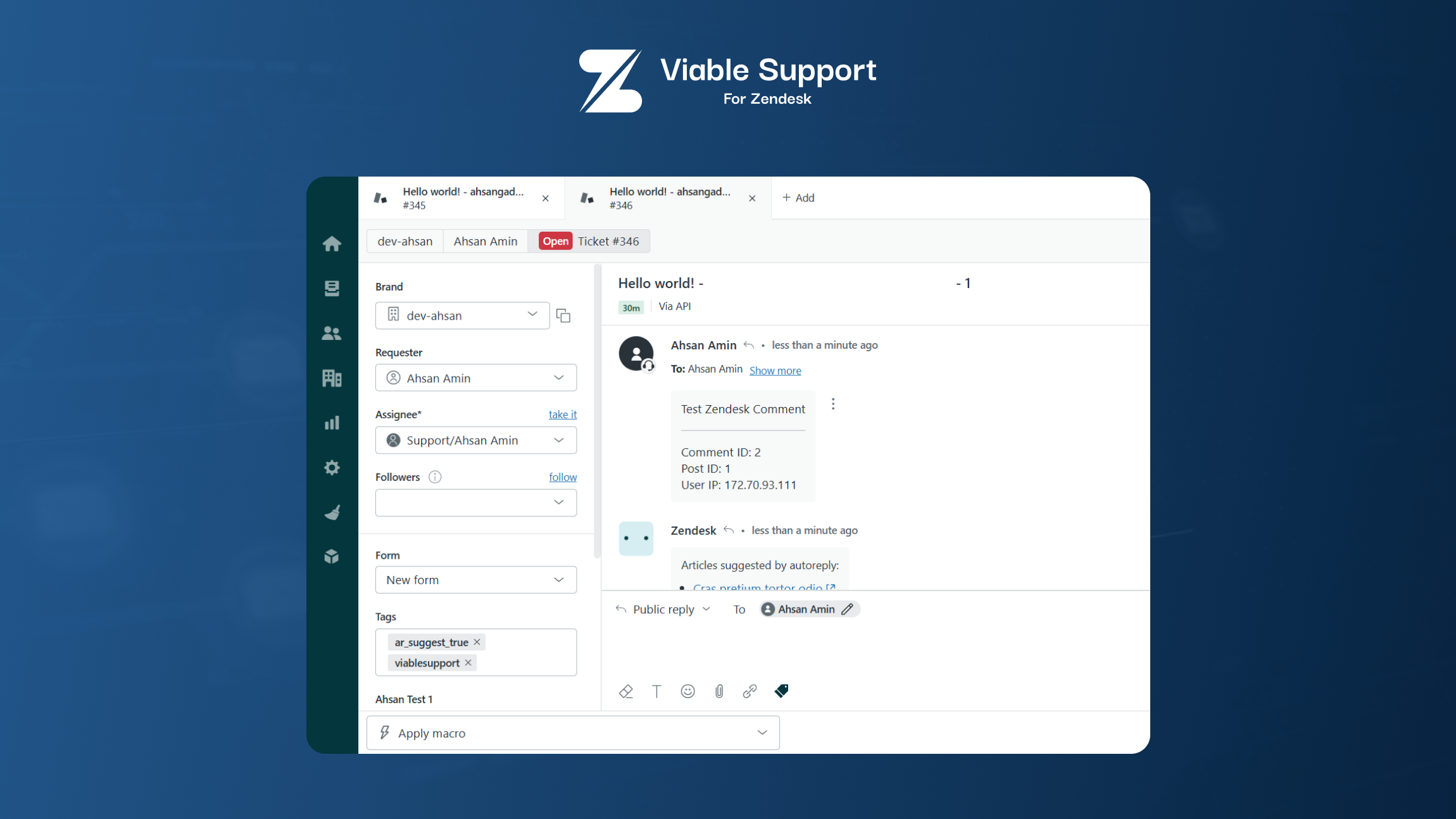
Example of a WordPress comment successfully converted into a Zendesk ticket.


Installatie
- Upload the plugin to
/wp-content/plugins/or install it directly from the WordPress Plugin Directory. - Activate the plugin through the Plugins menu in WordPress.
- Navigate to Settings Viable Support for Zendesk.
- Enter your Zendesk subdomain, account email, and API token.
- Use
[viasuzen_ticket_form]shortcode to display the ticket form. - (Optional) Enable comment-to-ticket automation to convert new comments into Zendesk tickets.
FAQ
What data does this plugin fetch from Zendesk?
It fetches all active text-type custom fields using the Zendesk API.
Yes. You can add tags and dynamically generate subjects using post and author data.
Are my Zendesk credentials stored securely?
Yes. The plugin stores credentials securely and uses them only for server-side API requests.
Can I submit tickets from WordPress?
Yes. You can submit new tickets directly from the form rendered by the shortcode.
Does it modify existing comments?
No. It only converts new comments into Zendesk tickets if you enable that feature.
Beoordelingen
Er zijn geen beoordelingen voor deze plugin.
Bijdragers & ontwikkelaars
“Viable Support for Zendesk” is open source software. De volgende personen hebben bijgedragen aan deze plugin.
Bijdragers

Vertaal “Viable Support for Zendesk” in je eigen taal.
Interesse in ontwikkeling?
Bekijk de code, haal de SVN repository op, of abonneer je op het ontwikkellog via RSS.
Changelog
1.1.0
- Tested and compatible with WordPress 6.9
- Improved admin interface with cleaner notification display
- Enhanced code documentation and maintainability
- Optimized plugin performance and loading times
- Fixed minor bugs and improved error handling
- Updated plugin branding and naming conventions
1.0 – Initial Release
- Added secure Zendesk API authentication
- Added dynamic text field fetching
- Added ticket submission functionality
- Added comment-to-ticket automation
- Added metadata and tag options
- Initial stable release

