

Beschrijving


VenoMaps – OpenStreetMap & Privacy-Friendly Geo Maps
Beschrijving
Tired of complex Google Maps API keys, fees, and tracking cookies? VenoMaps is the lightweight, privacy-focused solution for displaying beautiful, responsive, and interactive maps on your WordPress website.
Based on OpenLayers and OpenStreetMap (OSM) data, VenoMaps ensures quick setup and full compliance with modern privacy standards, as the default map styles require NO API KEY and are free from tracking.
Key Advantages (The VenoMaps Difference)
- 🔑 NO API KEY REQUIRED: Use the default OpenStreetMap styles completely free and without registration.
- 🍪 Privacy-First: The default maps are loaded without any tracking cookies, making GDPR compliance easier.
- ⚡ Performance-Focused: A lightweight library ensures fast loading times compared to heavy Google Maps scripts.
- 🎨 Fully Customizable: Upload your custom markers, create multi-stop routes, and choose from multiple map styles, or add your own custom tilesets.
Features
- Live Marker Search: Allow users to instantly filter locations by searching marker titles and infobox content. Perfect for store locators and directories.
- Custom Routes: Create and display custom routes by selecting markers as waypoints. Ideal for travel blogs, event maps, and delivery routes.
- Gutenberg Block for easy insertion into posts and pages.
- Manage custom markers using the WP Media Library.
- Responsive design ensures a perfect display on all devices.
- Advanced Marker Clustering for better performance with large data sets.
- Import large lists of markers efficiently via CSV file.
- Geolocation utility to find Latitude/Longitude from an address.
- Supports external custom styles from Stadiamaps, Thunderforest, and Maptiler (API keys required only for these optional services).
Schermafbeeldingen

Custom map with markers, clusters, and search field. 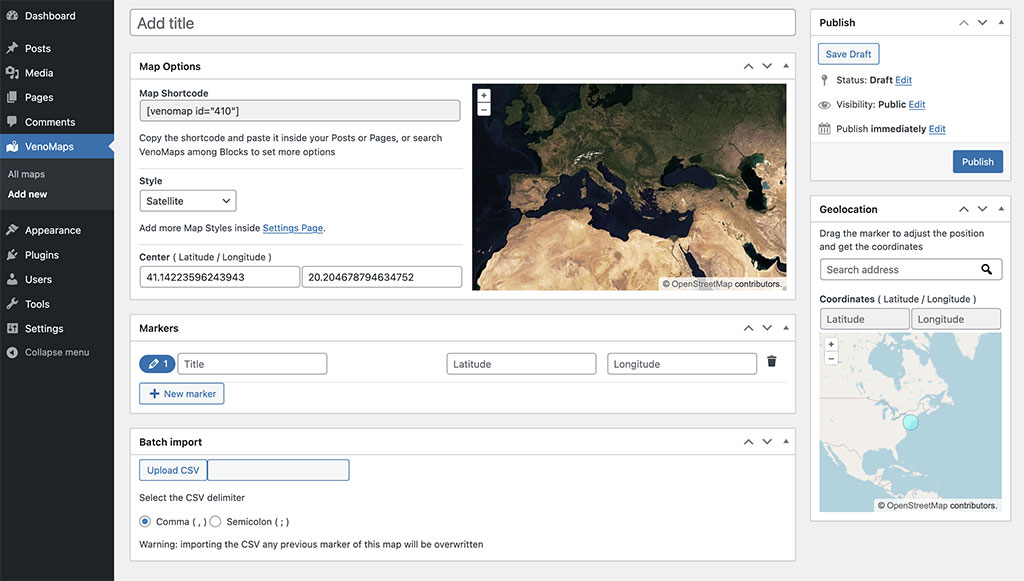
Map page settings. 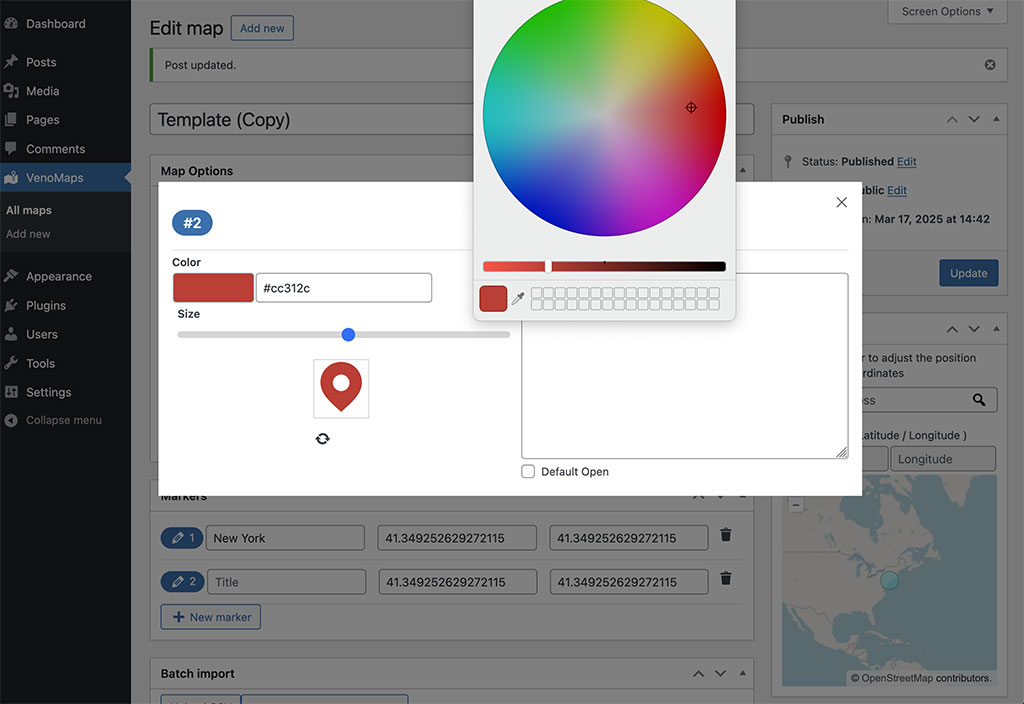
Marker options. 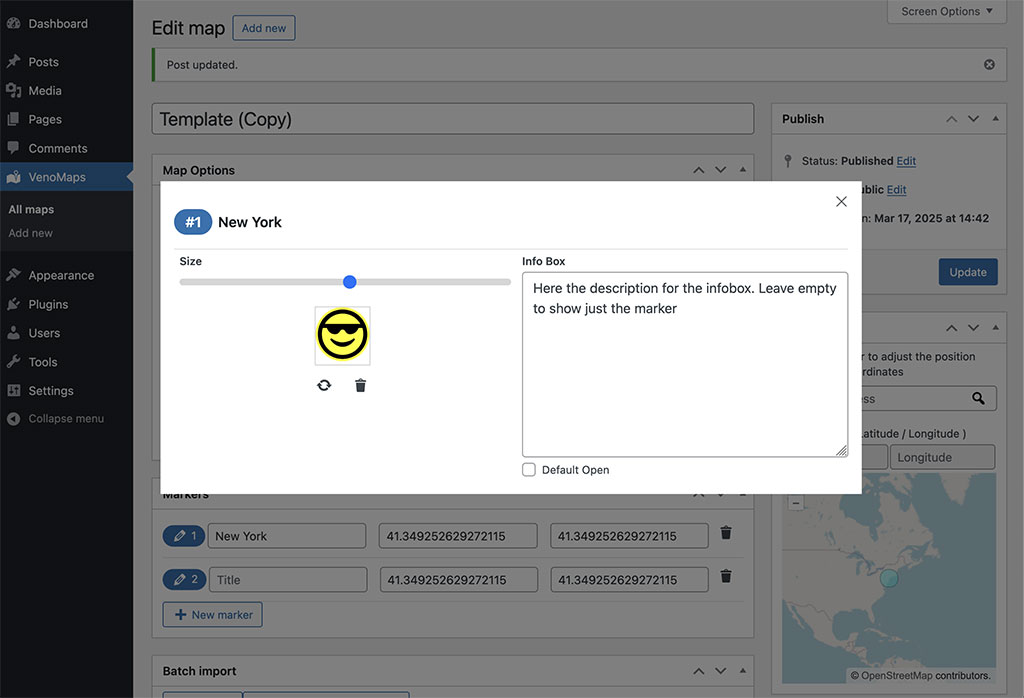
Custom marker image. 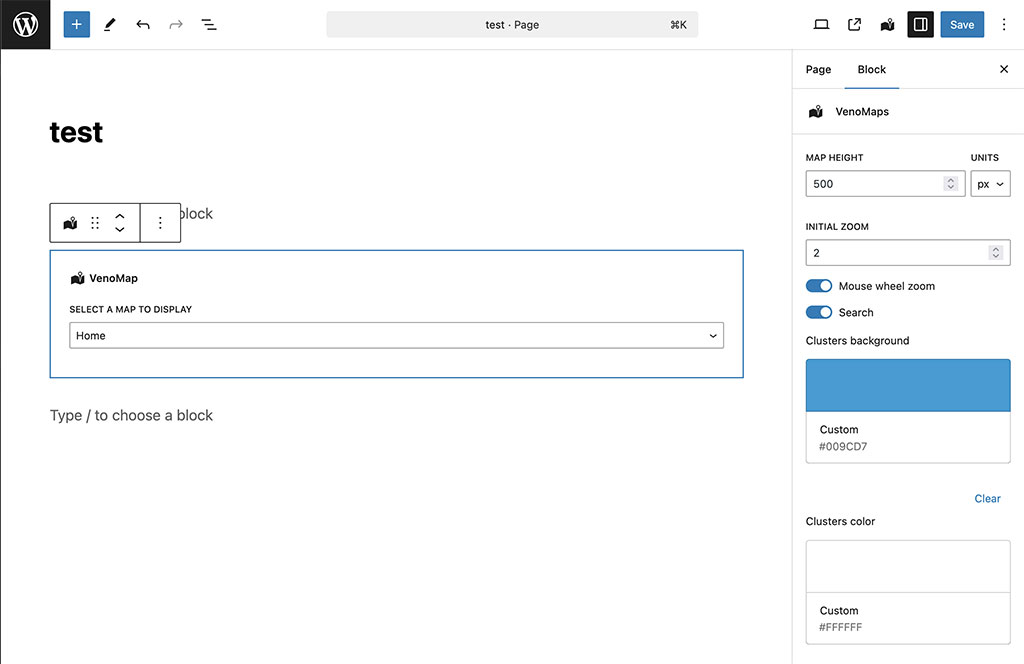
Gutenberg Block interface.


Blokken
Deze plugin heeft 1 blok.
- VenoMaps
Installatie
- Upload the plugin folder
venomapsto the/wp-content/plugins/directory. - Activate the plugin through the ‘Plugins’ menu in WordPress.
- Go to VenoMaps > Add New, give your map a title, and define basic options, markers, and routes.
- Insert the map using the VenoMaps Gutenberg Block or the shortcode
[venomap id="xxx"]. - (Optional) Add new custom map styles under Settings > VenoMaps.
FAQ
Does this plugin support Google Maps?
No. VenoMaps was built specifically as a robust, lightweight, and privacy-friendly alternative to Google Maps, relying on OpenStreetMap and OpenLayers for core functionality.
Do I need an API key to use VenoMaps?
No. The default map styles are loaded without the need for any API key, registration, or cost. If you wish to use premium or custom map styles from third-party services like Maptiler or Stadia Maps, you will need to obtain a key from those services.
Can I use it to create a Store Locator?
Yes, absolutely. With features like powerful marker search, CSV import for multiple locations, and marker clustering, VenoMaps is a perfect tool for building a “Store Locator” map or any map with multiple points of interest.
How do I create a Route?
You can create a new route from the map editor screen. Simply add markers to your map to act as waypoints, then create a new Route and select the desired markers in the order you want them to appear. The plugin will automatically draw the path on the map.
How do I place a map inside my template file?
To display a map outside the post editor or widgets, use the following PHP code inside your template file:
echo do_shortcode(‘[venomap id=”xxx” height=”xxx”]’);
Replace the shortcode parameters with the ones generated by the plugin on the map’s edit page.
Beoordelingen


Bijdragers & ontwikkelaars
“VenoMaps – OpenStreetMap & Privacy-Friendly Geo Maps” is open source software. De volgende personen hebben bijgedragen aan deze plugin.
Bijdragers
“VenoMaps – OpenStreetMap & Privacy-Friendly Geo Maps” is vertaald in 2 localen. Dank voor de vertalers voor hun bijdragen.
Vertaal “VenoMaps – OpenStreetMap & Privacy-Friendly Geo Maps” in je eigen taal.
Interesse in ontwikkeling?
Bekijk de code, haal de SVN repository op, of abonneer je op het ontwikkellog via RSS.
Changelog
2.0.7
- Update: Translations
2.0.6
- Update: New wp block api v3
- Update: Tested up to 6.9
2.0.5
- Fix: Close info panels
2.0.4
- New: Custom Routes!
2.0.3
- Update: Minor fix
2.0.2
- Update: Minor improvements
2.0.1
- Tested up to WP 6.8
- Fix: Set default marker color
2.0.0
- New: Map style preview
- New: Drag preview to set the map center
- New: Marker size range
- New: Custom colors for default markers
- New: Search markers by infobox content
- New: Autocomplete search
- New: Batch upload markers via .csv
- New: Duplicate maps
- Update: UI/UX improvements
- Update: Code Optimization. Lighter. Faster!
- Update: Openlayers v10.4
1.2.5
- Tested up to WP 6.7
1.2.4
- New: Fullscreen control
1.2.3
- Update: Included maps from Stadiamaps, Thunderforest, Maptiler
- Update: Center map on marker when clicked
- Update: Cursor pointer on markers
1.2.2
- Update: Removed default styles, now Stamen maps require an api key
- Update: OpenLayers library 8.1.0
1.2.1
- Update: sync missing files
1.2.0
- New: Dynamic Clusters with custom colors
- Update: dropped jQuery dependency
- Update: removed legacy widgets
- Update: tested up to PHP 8.2
- Update: OpenLayers library 7.3.0
- Update:
Initial ZoomandZoom Scrollcustom settings to each map - Update: dropped support for vector maps, now custom maps only support raster tiles in png format
1.1.0
- Update: Minor CSS fixes
1.0.9
- Update: Support WP 6.2
- Update: Minor fixes
1.0.8
- Update: Support PHP 8.1
1.0.7
- Update: Support new block widgets
1.0.6
- Update: move marker position changing coordinates inside geolocation
1.0.5
- Fix: PHP error before saving settings
1.0.4
- Update: Drag and drop marker to get geolocation inside map edit
1.0.3
- Update: exclude venomaps cpt from public query
1.0.2
- Update: small fix on save settings
1.0.1
- Update: Hide VenoMaps CPT from nav menu items
- Update: Load css inside head
- Fix: Undefined templist
1.0.0
- First version

