

Beschrijving
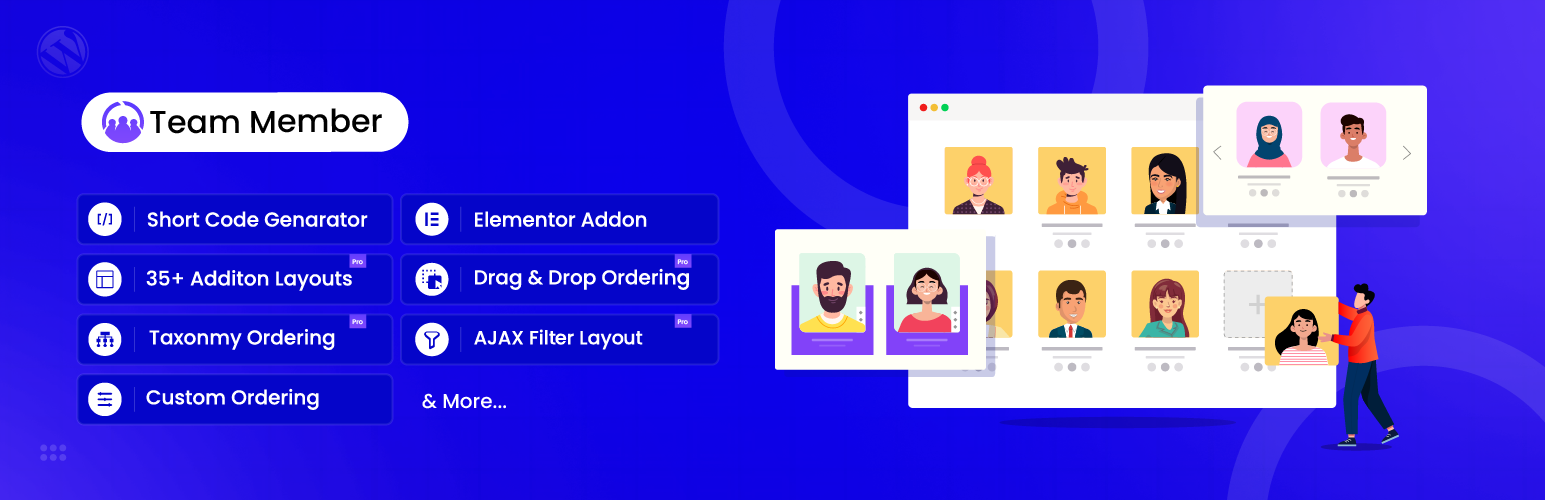

Team – Team Members Showcase Plugin
Beschrijving
The best WordPress team plugin to showcase team members with grid, slider, and filterable layouts. Fully compatible with Elementor & Gutenberg.
Team is a powerful WordPress team plugin that helps you create impressive team member showcases on your website. Whether you need a simple staff directory or an elaborate team page with filtering and slider layouts, this plugin delivers professional results without requiring any coding skills. Optimized for performance and SEO, it ensures your “Meet the Team” section looks perfect on mobile, tablet, and desktop devices.
👉 Shortcode Demo | Elementor Demo | Documentation | Get Pro 👈
Why Choose This WordPress Team Plugin?
Creating a professional team page shouldn’t require hiring a developer. Team gives you everything needed to showcase your staff, partners, or crew members in minutes.
This WordPress team plugin stands out with its combination of powerful features and ease of use. Add team members from your WordPress dashboard, choose from multiple layout options, customize colors and styling, and display your team anywhere using shortcodes or Elementor widgets.
The plugin works seamlessly with any WordPress theme and adapts perfectly to all screen sizes, from desktop monitors to mobile phones.
With 10,000+ active installations and a 4.5-star rating, Team has become the go-to solution for businesses, agencies, and organizations looking to highlight their people.
⭐⭐⭐⭐⭐
Fantastic plugin and superb support
This is an excellent plugin to create professional and attractive team page, with intuitive styling and layout options. But what really makes the difference to me as a designer is the first class support from RadiusTheme. I use this plugin and Post Grid. When I have had any queries, the team replies quickly and really goes the extra mile to provide a solution to any needs. Much appreciated!
-toolboxkate
⭐⭐⭐⭐⭐
Very versatile and useful plugin
I find the Team Members Showcase Plugin to be a great solution for displaying employee information. And it is very versatile in a. how much and b. how easily I can configure and style it to my needs. And of course, kudos to the fine and friendly support.
-Oligraph
Core Features of the WordPress Team Plugin
Multiple Display Layouts
Grid Layouts: Present your team in clean, organized rows and columns. The free version includes 2 grid layouts with options for square or rounded profile images. Perfect for company about pages and staff directories.
List Layouts: Display team members in a vertical format that works well for detailed bios and contact information. Ideal when you want to show more information about each team member.
Slider Layouts: Showcase your team in an engaging carousel format. Visitors can browse through team members using navigation arrows or swipe gestures on mobile devices.
Isotope Filter Layouts: Let visitors filter team members by department, role, or custom categories. This interactive layout is perfect for larger teams where users need to find specific people quickly.
How To Create Team Page Using ShortCode With WordPress Team Members Showcase Plugin:
How To Create Team Page Using Elementor Addon With WordPress Team Members Showcase Plugin:
Elementor Integration
Team includes 4 dedicated Elementor widgets that bring drag-and-drop team building to your workflow:
- Grid Widget 17 layout variations with extensive customization
- List Widget 2 styles for vertical team displays
- Slider Widget 11 carousel layouts with smooth transitions
- Isotope Widget 11 filterable layouts for interactive team pages
Build your team section visually, preview changes in real-time, and achieve pixel-perfect results without touching code.
Shortcode Generator
The visual shortcode generator puts you in complete control:
- Select Layout Choose your preferred display style
- Configure Filtering Set which members to show or hide
- Choose Fields Pick what information to display (name, bio, social links, contact details)
- Style It Customize colors, spacing, and typography
Copy the generated shortcode and paste it anywhere—pages, posts, or widget areas.
Team Member Information Fields
Add comprehensive profiles for each team member:
• Name and job title/designation
• Department or category assignment
• Short and detailed biography
• Contact information (email, phone, mobile, fax)
• Location details
• Website URL
• Social media profiles (LinkedIn, Facebook, Twitter, Instagram)
Design & Customization
• Primary Color Control – Match your brand colors
• Image Styles – Square or rounded profile photos
• Responsive Design – Looks great on all devices
• Typography Options – Customize fonts and text sizes
• Spacing Control – Adjust margins and padding
• Custom CSS Support – Advanced styling flexibility
Built for Performance
• Lightweight code that won’t slow your site
• Optimized database queries
• Image size control to manage file sizes
• Clean, semantic HTML output
Who Uses This WordPress Team Plugin?
Businesses & Corporations: Introduce leadership teams, departments, and staff members to build trust with customers and stakeholders.
Agencies & Studios: Showcase creative teams with portfolio-style layouts that highlight individual expertise.
Healthcare & Medical: Display doctors, specialists, and medical staff with credentials and specializations.
Educational Institutions: Present faculty members, administrators, and department heads organized by subject area.
Nonprofits & Organizations: Highlight board members, volunteers, and team contributors.
Real Estate & Professional Services: Feature agents, consultants, and advisors with contact information and social links.
Free vs Pro Comparison
Free Version Includes:
• 2 Grid layouts
• 1 List layout
• 1 Slider layout
• 1 Isotope filter layout
• 4 Elementor widgets
• Limited styling options
• Social profile links
• Shortcode generator
• Responsive design
• Translation ready
Pro Version Adds:
• 17 Grid layouts (including 12 with filters)
• 2 List layouts
• 11 Slider layouts
• 11 Isotope layouts
• Detail page popups (single, smart, multi)
• Ajax pagination (numbered, load more, infinite scroll)
• Masonry grid option
• Grayscale image effects
• Advanced filtering by department/designation
• Custom member URLs
• Drag & drop ordering
• Priority support
Installation & Use
- Install and activate Tean from the WordPress plugin repository
- Navigate to Team Add New to add your first team member
- Fill in project details and upload a featured image
- Go to Team Shortcode Generator to configure your display
- Copy the shortcode to any page or post
- Preview and publish your portfolio page
- For Elementor Page builder use Team plugin Elementor addon.
Eigenschappen
- WordPress version: >= 5
- PHP version: >= 7.4
Need Any Help?
- For any bug, support or suggestion please submit your ticket here.
Liked RadiusTheme
- Join our Facebook Group.
- Learn from our tutorials on YouTube Channel.
🔥 WHAT’S NEXT
If you like The Team Plugin, then consider checking out our other WordPress Plugins:
The Post Grid – Shortcode, Gutenberg Blocks and Elementor Addon for Post Grid.
Variation Swatches – Woocommerce Variation Swatches plugin converts the product variation select fields into radio, images, colors, and labels.
Variation Gallery – Woocommerce Variation Gallery plugin allows to add UNLIMITED additional images for each variation of product.
ShopBuilder – Elementor WooCommerce Builder Addons with 84+ widgets and 10+ modules.
Food Menu – Restaurant Menu & Online Ordering using WooCommerce.
Schermafbeeldingen
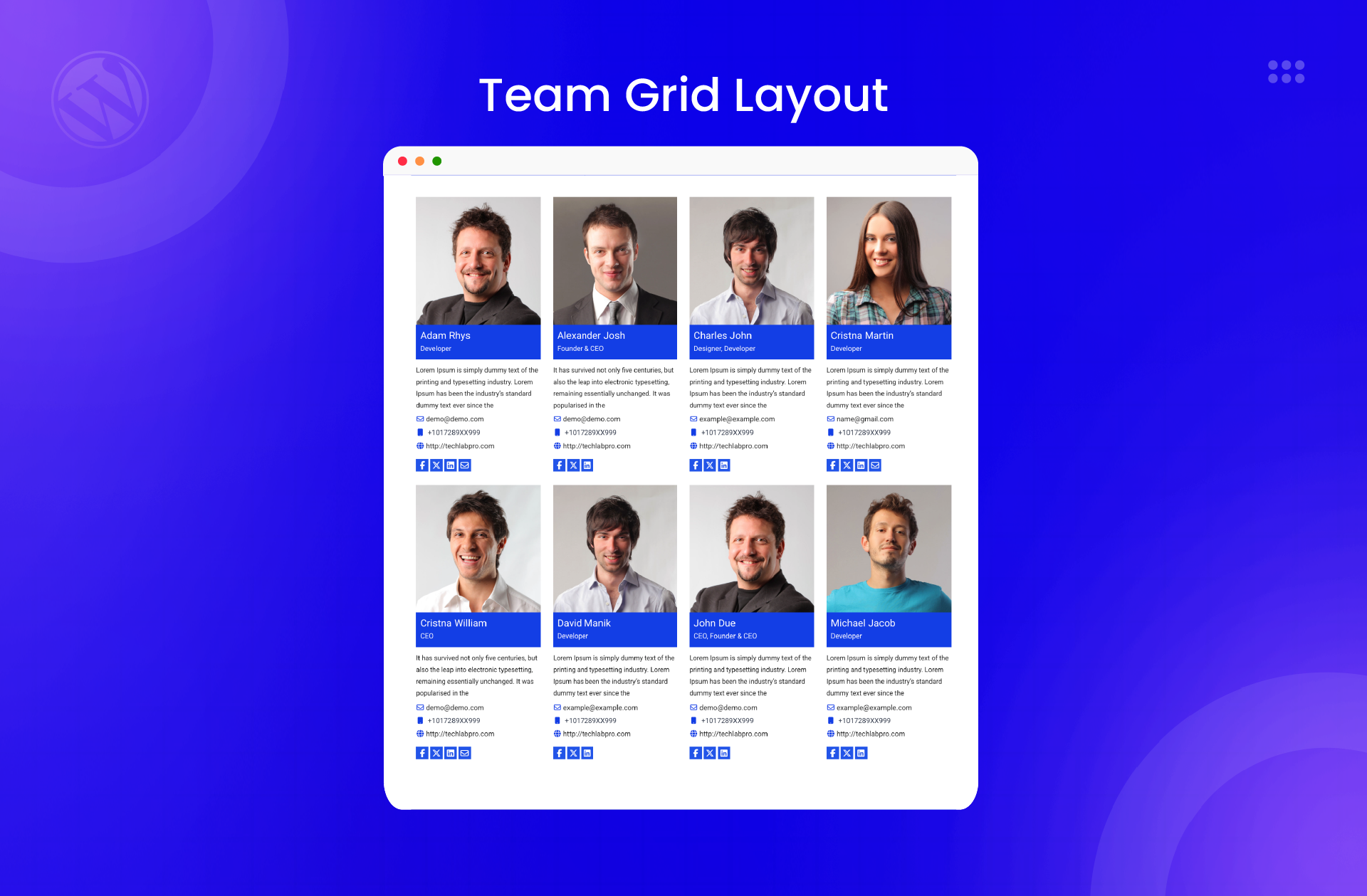
Grid Layout 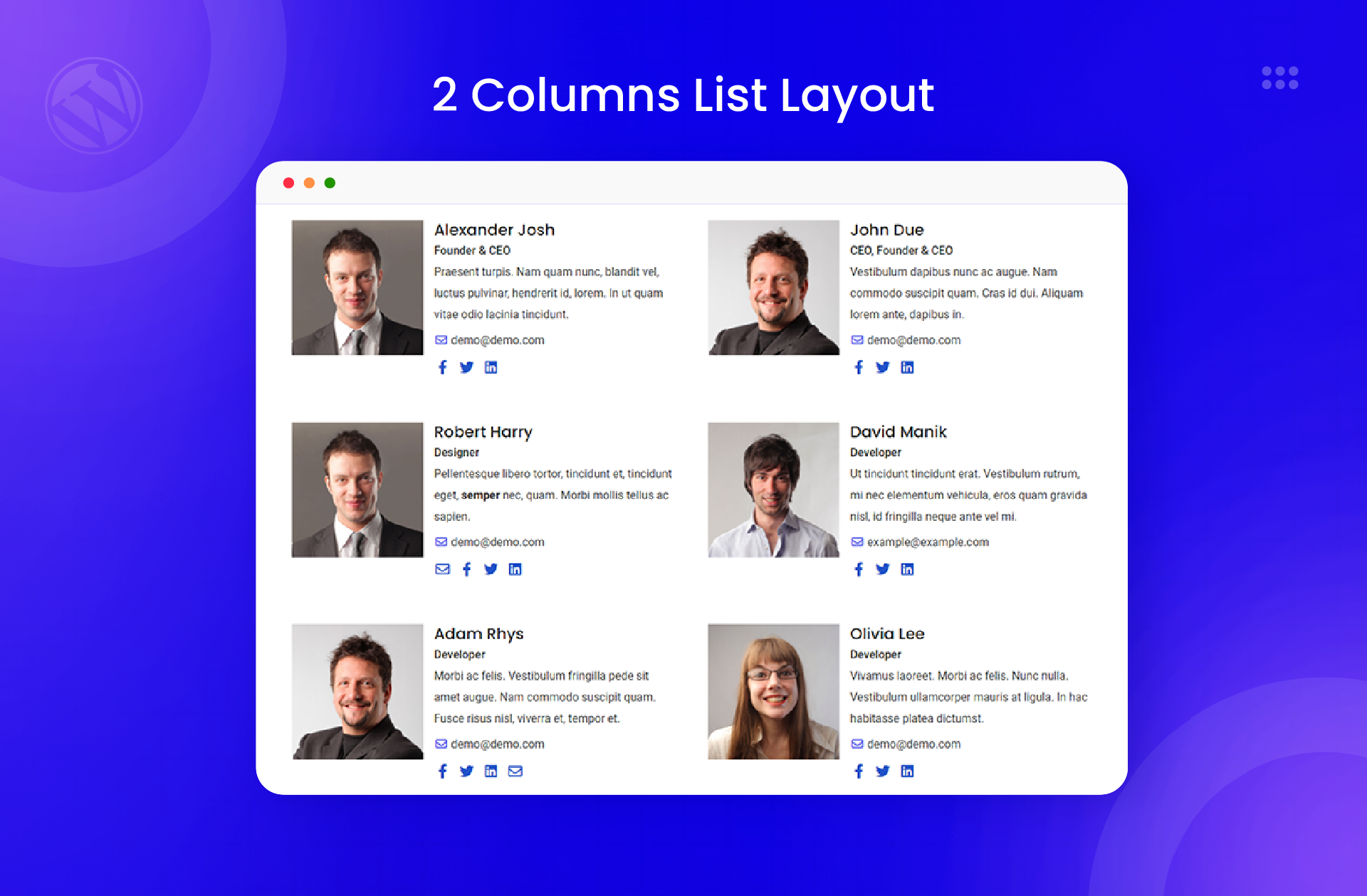
2 Column List Layout 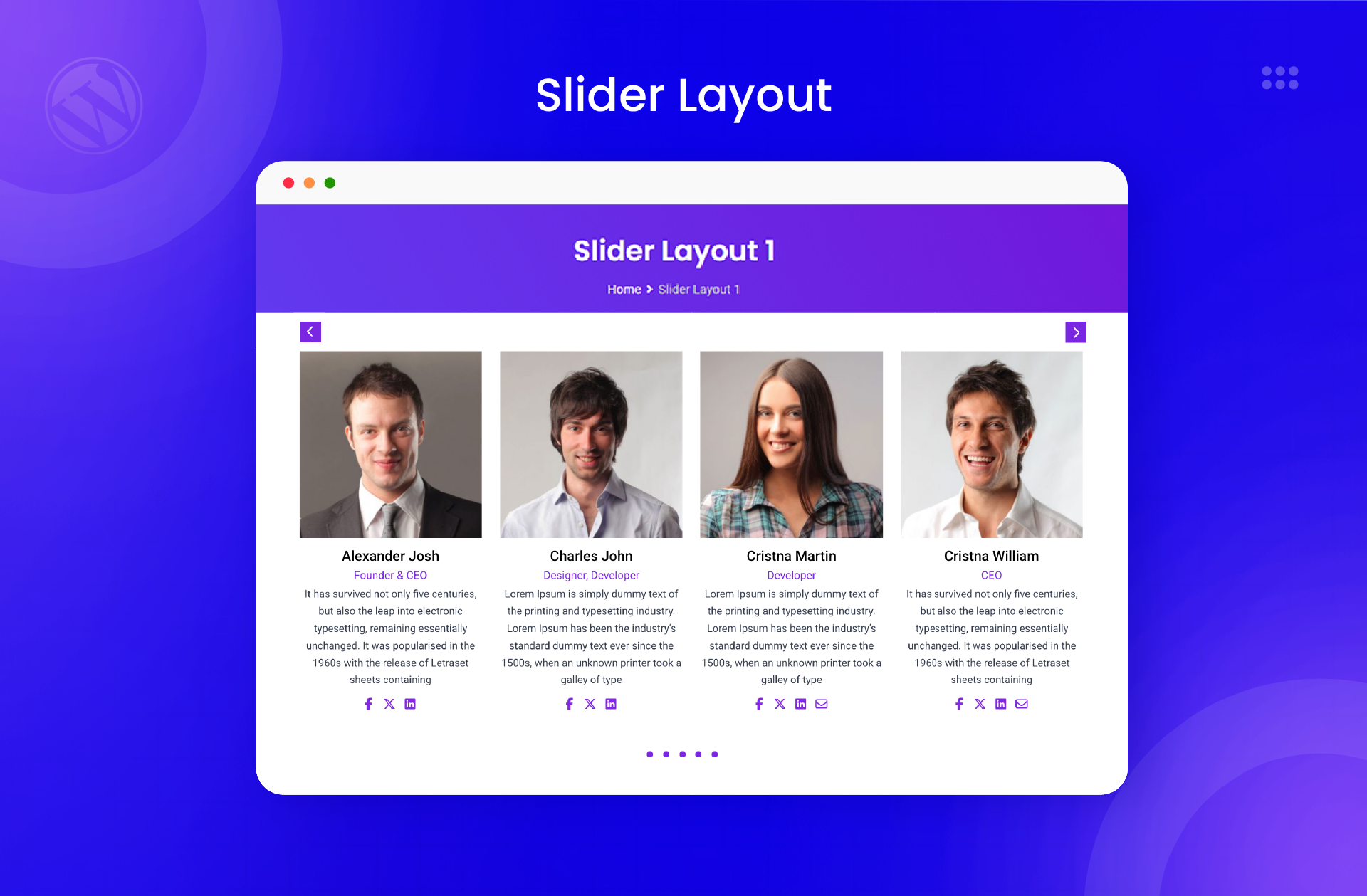
Slider Layout 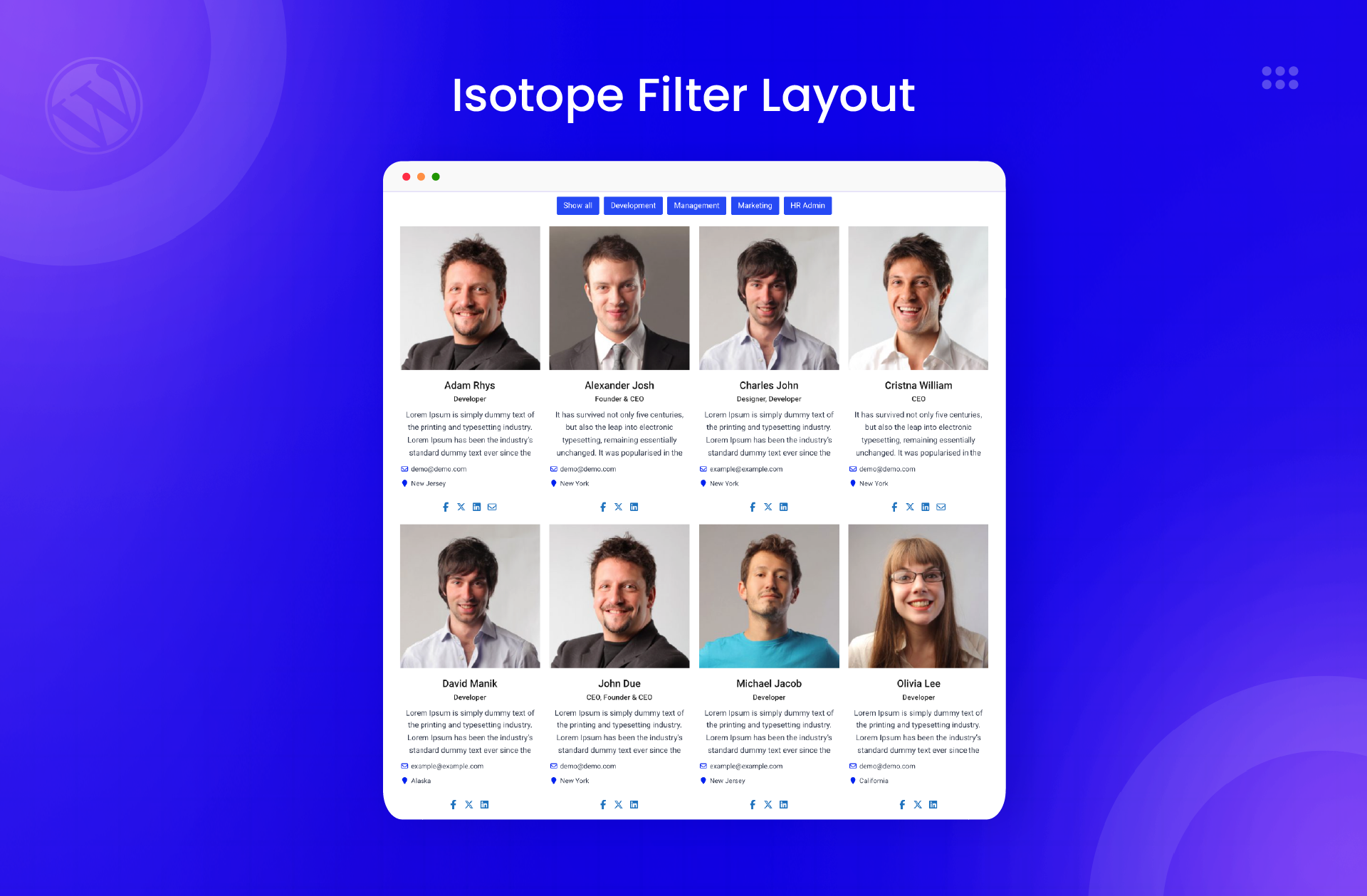
Isotope Filter Layout 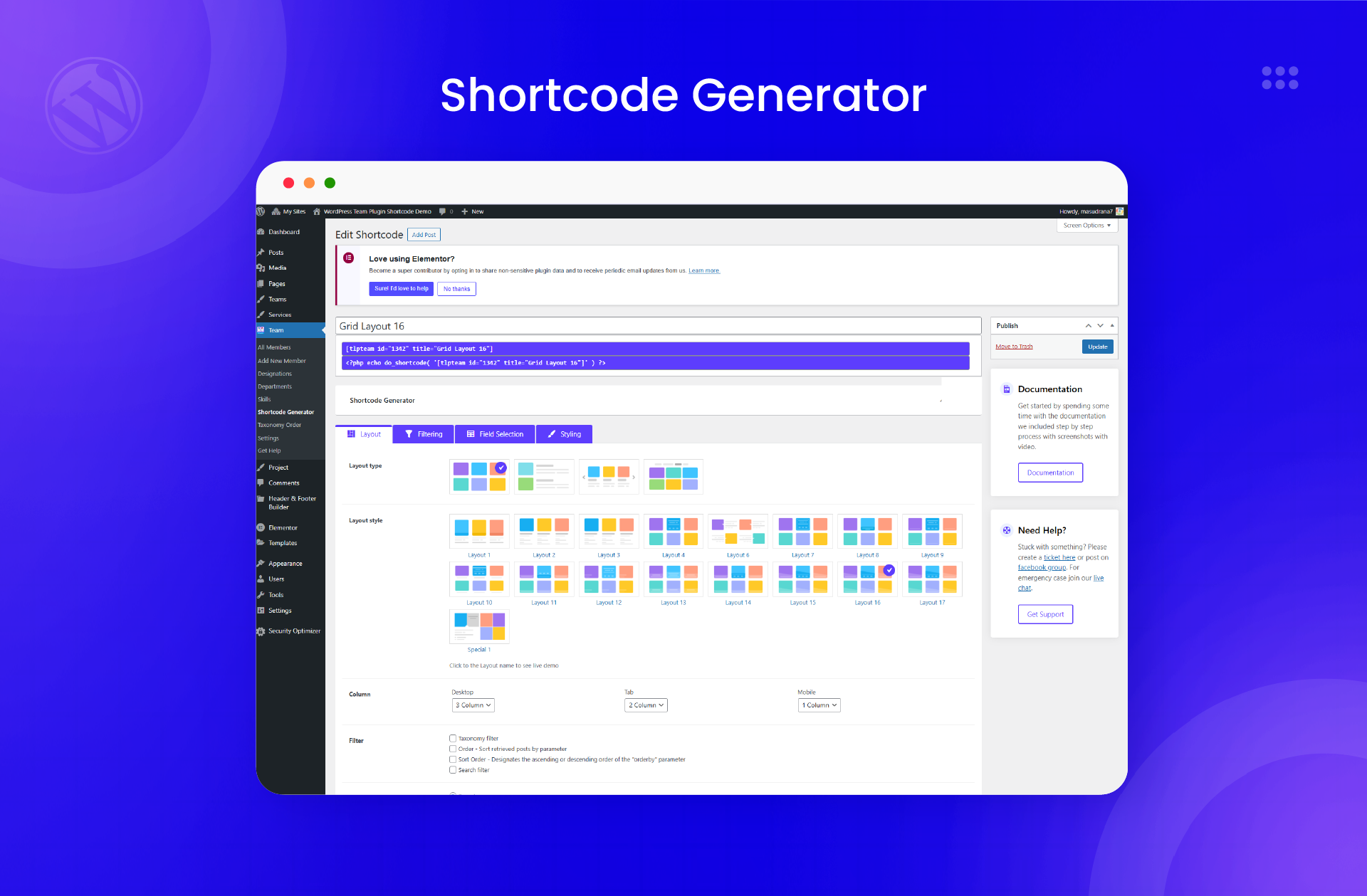
ShortCode Generator 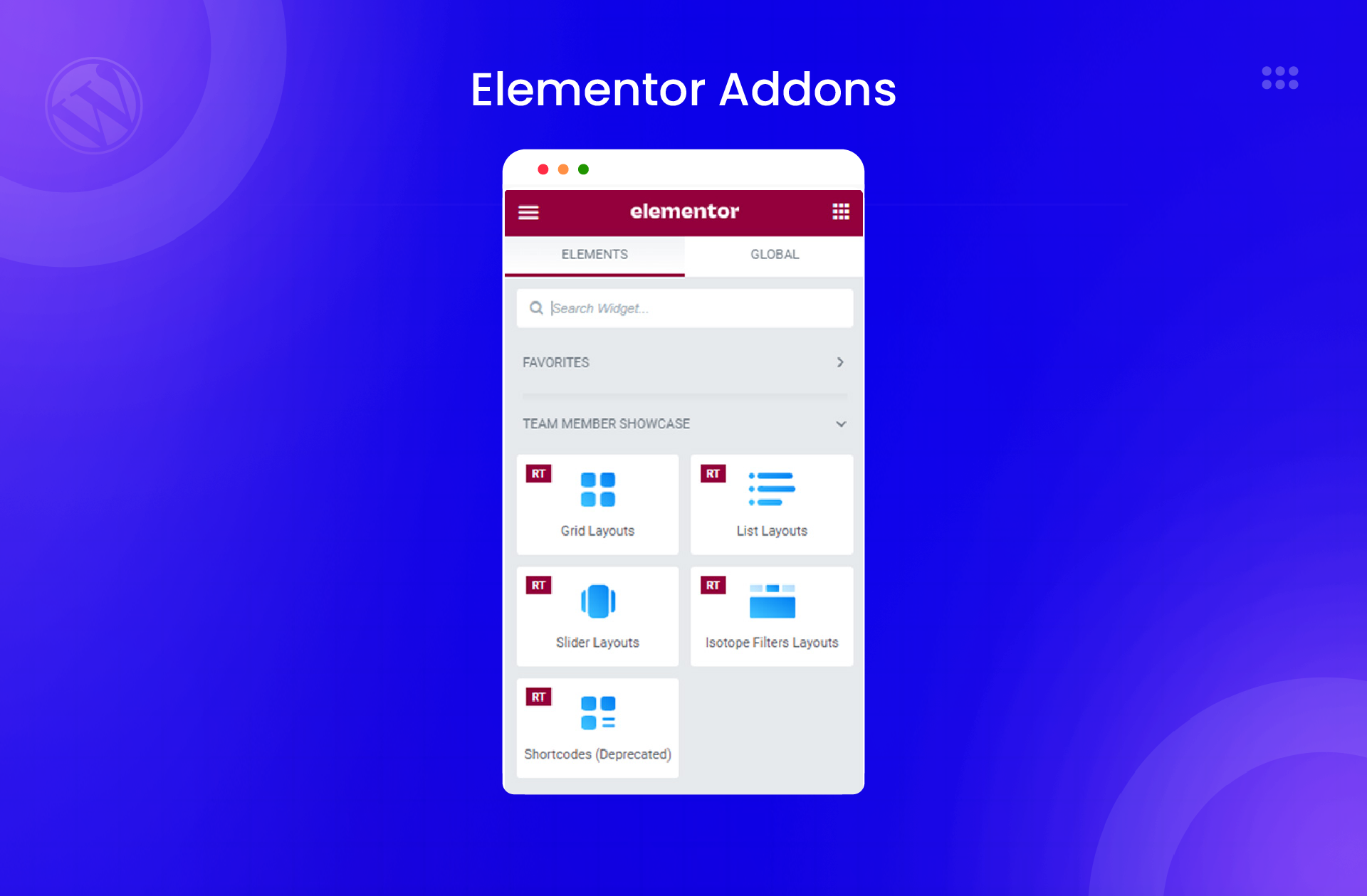
Elementor Addons 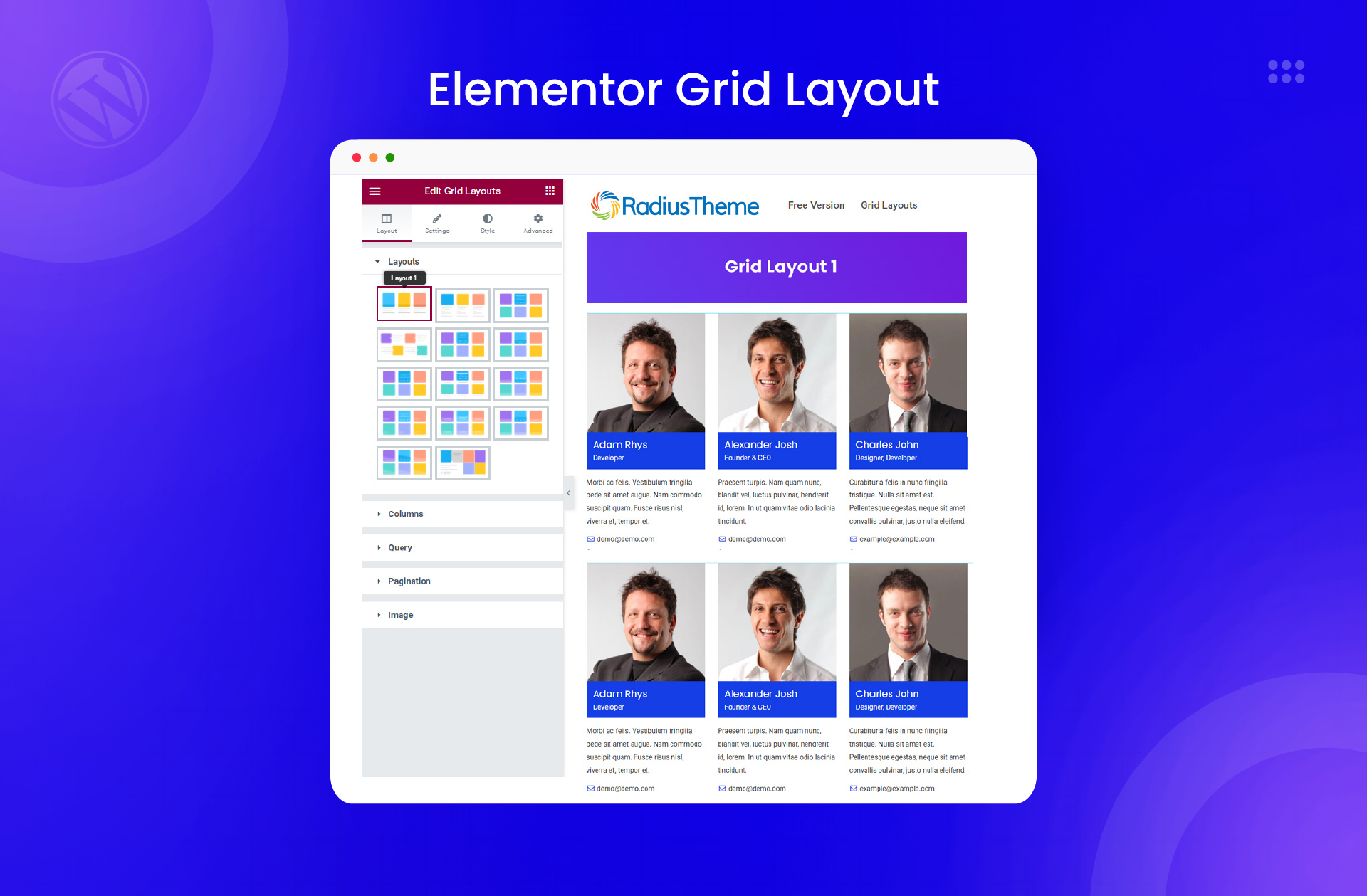
Elementor Grid Layout 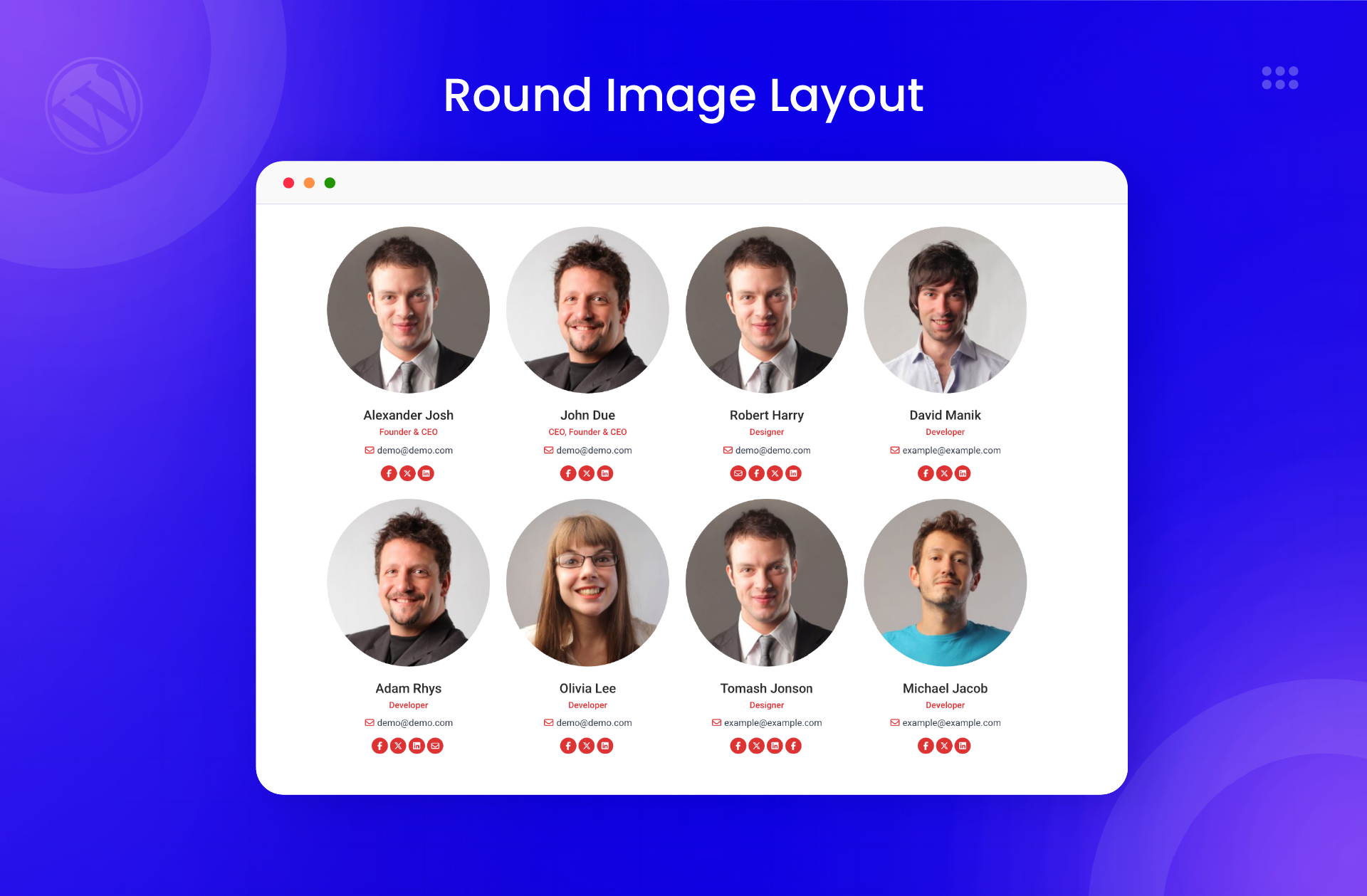
Round Image Layout


Blokken
Deze plugin heeft 1 blok.
- Team
FAQ
What is a WordPress team plugin?
- A WordPress team plugin is a tool that helps you create professional team member pages on your WordPress website. Instead of manually coding HTML and CSS, you can add team members through your dashboard and display them using pre-built layouts. This plugin handles the technical work while you focus on showcasing your people.
How do I add team members in WordPress?
- After installing the Team plugin, go to Team > Add Member in your WordPress dashboard. Enter the team member’s name, upload their photo, add their job title and biography, and include contact details or social links. Save the member, then use the shortcode generator or Elementor widget to display them on any page.
Can I filter team members by department?
- Yes. The Team plugin supports department and designation taxonomies. You can assign team members to different departments, then use isotope or grid filter layouts to let visitors filter by category. This is especially useful for organizations with multiple departments or large teams.
Does this plugin work with Elementor?
- Absolutely. Team includes 4 native Elementor widgets for grid, list, slider, and isotope layouts. Simply drag the widget onto your page, configure the settings in the Elementor panel, and see live previews as you customize. No shortcodes needed when using Elementor.
Is the Team plugin mobile responsive?
- Yes. All layouts are fully responsive and mobile-friendly. The plugin automatically adjusts columns and spacing based on screen size, ensuring your team page looks professional on smartphones, tablets, and desktop computers.
Can I display team members in a slider?
- Yes. The Team plugin includes carousel/slider layouts that display team members in a scrolling format. Visitors can navigate using arrows or swipe on touch devices. The Pro version offers 11 slider variations with advanced animation options.
How do I customize the team display colors?
- Use the shortcode generator’s styling tab to set primary colors, button colors, hover effects, and background colors. You can also add custom CSS through the parent class option for more advanced styling.
Does this work with any WordPress theme?
- The Team plugin is designed to work with any properly coded WordPress theme. It uses standard WordPress practices and outputs clean HTML that adapts to your theme’s typography and container widths.
Is this plugin translation ready?
- Yes. The plugin includes .pot files for translation and supports RTL (right-to-left) languages including Arabic, Hebrew, and Persian. You can translate all plugin strings into your preferred language.
- You can add links to LinkedIn, Facebook, Twitter/X, Instagram, and other social networks. Team members’ social icons appear on their profile cards, making it easy for visitors to connect.
Beoordelingen


Bijdragers & ontwikkelaars
“Team – Team Members Showcase Plugin” is open source software. De volgende personen hebben bijgedragen aan deze plugin.
Bijdragers
“Team – Team Members Showcase Plugin” is vertaald in 2 localen. Dank voor de vertalers voor hun bijdragen.
Vertaal “Team – Team Members Showcase Plugin” in je eigen taal.
Interesse in ontwikkeling?
Bekijk de code, haal de SVN repository op, of abonneer je op het ontwikkellog via RSS.

