

Beschrijving

Deze plugin is niet getest met de laatste 3 grotere versies van WordPress. Mogelijk wordt het niet meer onderhouden of ondersteund. Ook kunnen er compatibiliteitsproblemen ontstaan wanneer het wordt gebruikt met recentere versies van WordPress.

Theme Blvd Favicon
Beschrijving
After activating this plugin, a new section of Favicon options will be added to the Theme Options page of your Theme Blvd theme. Here you can configure a standard favicon along with bookmark icons for all portable Apple devices. All settings are completely optional.
In WordPress 4.3, default favicon support was added to WordPress within the customizer. However, this plugin can still be useful if you’re looking to expand support of your favicon to touch device icons. In the future, I hope to re-write this plugin to work with, and expand on, the default WordPress favicon system.
NOTE: For this plugin to do anything, you must have a theme with Theme Blvd framework v2.1+ activated.
Schermafbeeldingen
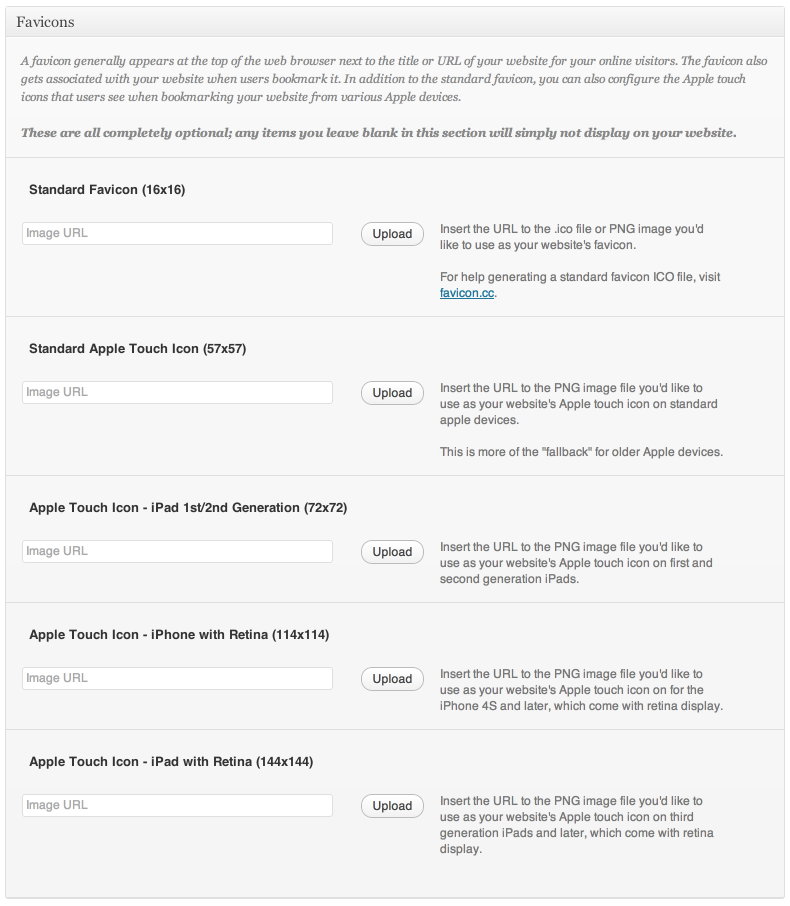
Options added to your current theme at Appearance > Theme Options > Configuration.

Installatie
- Upload
theme-blvd-faviconfolder to the/wp-content/plugins/directory - Activate the plugin through the ‘Plugins’ menu in WordPress
- Go to Appearance > Theme Options > Configuration to use.
Beoordelingen
Er zijn geen beoordelingen voor deze plugin.
Bijdragers & ontwikkelaars
“Theme Blvd Favicon” is open source software. De volgende personen hebben bijgedragen aan deze plugin.
Bijdragers
Vertaal “Theme Blvd Favicon” in je eigen taal.
Interesse in ontwikkeling?
Bekijk de code, haal de SVN repository op, of abonneer je op het ontwikkellog via RSS.
Changelog
1.0.2 – 09/10/2015
- Code cleanup and very minor security fixes.
- Added GlotPress compatibility.
1.0.1 – 07/30/2013
- Added compatibility for Theme Blvd Framework v2.3+.
- Added
themeblvd_favicon_optionsfilter to favicon options.
1.0.0 – 08/31/2012
- This is the first release.

