

Beschrijving
The Total Book Project
Beschrijving
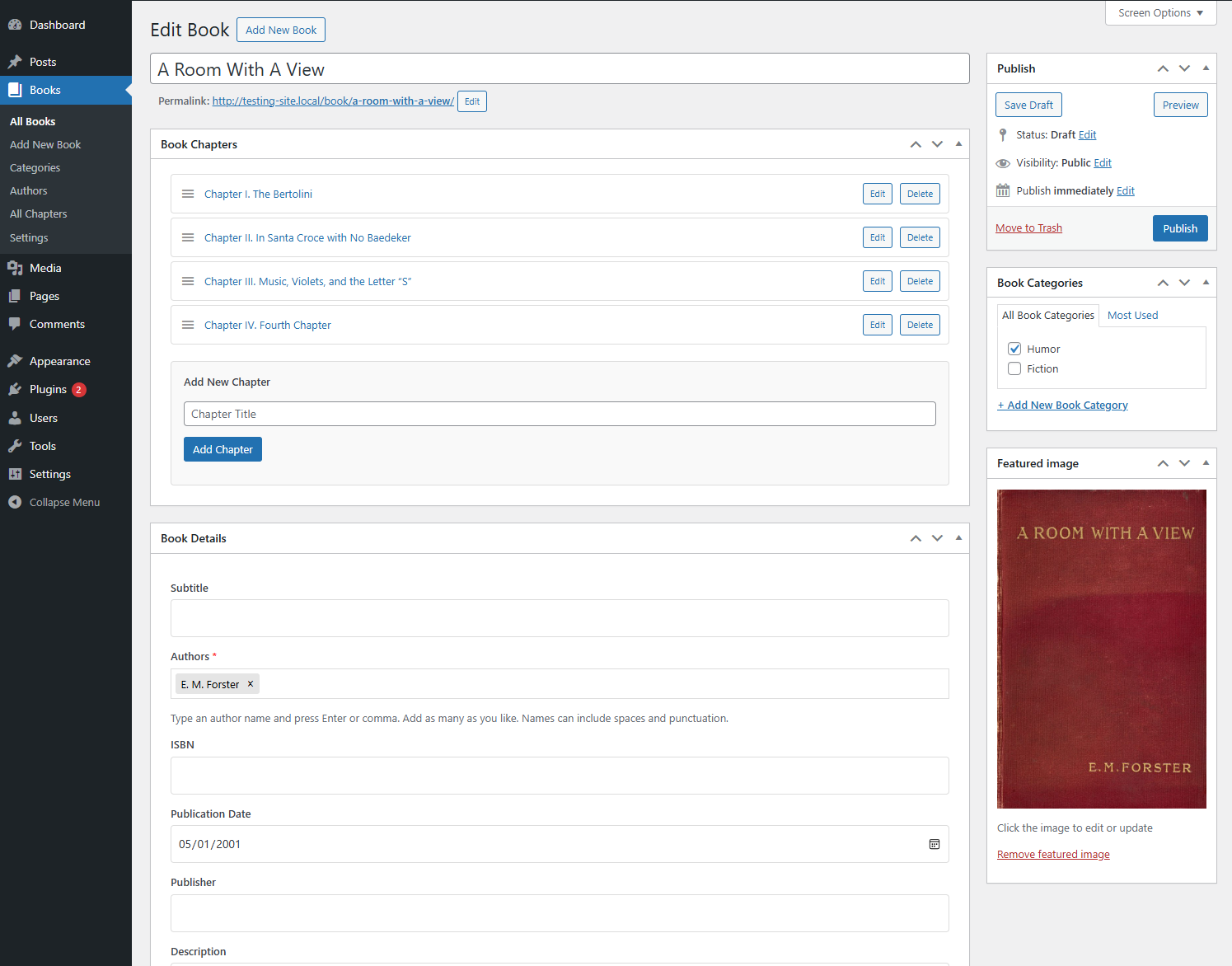
Total Book transforms WordPress into a digital library platform. Features include:
Core Features:
– Complete book management with chapters, front/back matter
– React-based e-reader with pagination, themes, and navigation
– Multiple display templates (reader, blog, plain)
E-Reader Features:
– Dark/light theme switching
– Adjustable font sizes
– Table of contents navigation
– Progress tracking
Integration:
– Book Display block for displaying individual books
– Book Shelf block for displaying collections of books
– WordPress admin interface
GitHub Repository: https://github.com/moyerdestroyer/Total-Book
Schermafbeeldingen
screenshot-1.png 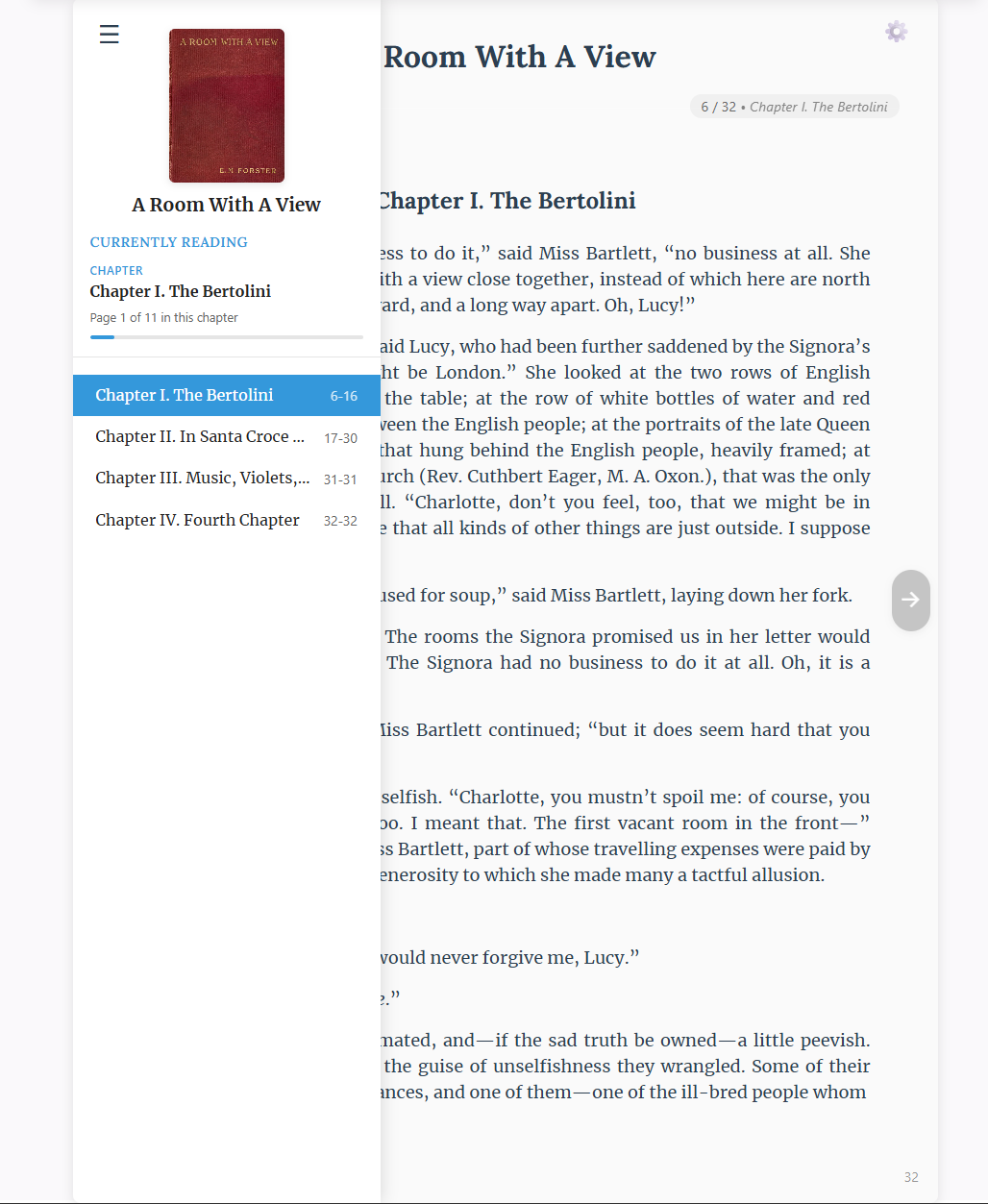
screenshot-2.png


Blokken
Deze plugin heeft 2 blokken.
- Book Shelf Display a shelf of books on your page.
- Book Display Display a book on your page.
Installatie
- Upload
the-total-book-projectto/wp-content/plugins/ - Activate via plugin through the Plugins screen (Plugins > Installed Plugins).
FAQ
How can I display a single book?
Use the Book Display block. Add it to any post or page through the block inserter, then select the book you want to display. The block allows you to customize which elements to show (metadata, table of contents, description) and configure the display settings.
How can I display a book shelf?
Use the Book Shelf block. Add it to any post or page through the block inserter. The block allows you to filter books by category, set the number of books to display, configure sorting options, and customize the grid layout with adjustable columns.
Beoordelingen
Er zijn geen beoordelingen voor deze plugin.
Bijdragers & ontwikkelaars
“The Total Book Project” is open source software. De volgende personen hebben bijgedragen aan deze plugin.
Bijdragers
Vertaal “The Total Book Project” in je eigen taal.
Interesse in ontwikkeling?
Bekijk de code, haal de SVN repository op, of abonneer je op het ontwikkellog via RSS.
Changelog
1.2
- Added Book Display block for e-reader compatibility with block theme templates
- Added Book Shelf block for displaying collections of books
- Minor bug fixes and improvements
1.1
- Security fix: Corrected permissions for AJAX endpoints.
1.0
- Initial release
- Complete book management system
- React-based e-reader
- Multiple display templates
- Chapter organization
- REST API
- Mobile-responsive design
- Dark/light themes
- Font size controls
- Table of contents
- Progress tracking

