

Beschrijving
Deze plugin is niet getest met de laatste 3 grotere versies van WordPress. Mogelijk wordt het niet meer onderhouden of ondersteund. Ook kunnen er compatibiliteitsproblemen ontstaan wanneer het wordt gebruikt met recentere versies van WordPress.

Text Snipper
Beschrijving
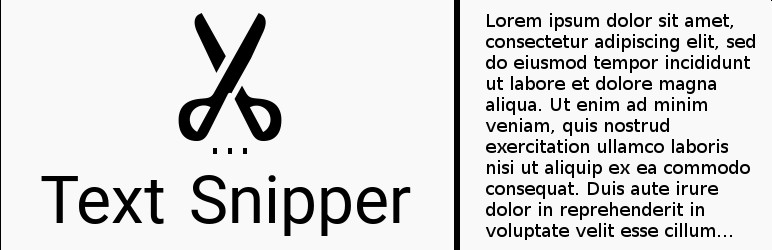
This plugin allows you to specify in the settings page a CSS class, and then looks for any elements that contain it and trims the text down so that it does not overflow its container’s height. This is for vertical trimming of multi-line text, and also works if the element has direct children.
HOW TO USE
Once you install and activate the plugin, there will be a new tab for it under the “settings” admin menu. Go to this page, and enter the name of the CSS class you are using in your HTML to specifiy which elements should be truncated. Click save, and that’s it!
License
Copyright 2016 Jordan Carter This program is free software; you can redistribute it and/or modify it under the terms of the GNU General Public License as published by the Free Software Foundation; either version 3 of the License, or (at your option) any later version. This program is distributed in the hope that it will be useful, but WITHOUT ANY WARRANTY; without even the implied warranty of MERCHANTABILITY or FITNESS FOR A PARTICULAR PURPOSE. See the GNU General Public License for more details. You should have received a copy of the GNU General Public License along with this program; if not, write to the Free Software Foundation, Inc., 51 Franklin St, Fifth Floor, Boston, MA 02110-1301 USA Installatie
- Download from plugins repository
- Activate plugin
FAQ
- What if my HTML class has children?
Currently, the plugin handles direct children, as well as elements with no children. Just provide the HTML class of the parent element, and the plugin will do the rest!
Beoordelingen

Bijdragers & ontwikkelaars
“Text Snipper” is open source software. De volgende personen hebben bijgedragen aan deze plugin.
Bijdragers
Vertaal “Text Snipper” in je eigen taal.
Interesse in ontwikkeling?
Bekijk de code, haal de SVN repository op, of abonneer je op het ontwikkellog via RSS.
Changelog
1.0 – 18/Dec/2016
- Fixed issues with handling direct children of the element with the specified HTML class.

