

Beschrijving

Deze plugin is niet getest met de laatste 3 grotere versies van WordPress. Mogelijk wordt het niet meer onderhouden of ondersteund. Ook kunnen er compatibiliteitsproblemen ontstaan wanneer het wordt gebruikt met recentere versies van WordPress.
Sugoi Tag Inserter: GTM & gtag.js Made Easy
Beschrijving
・2 step installation of GTM / gtag.js
Plugin to make Google Tag Manager (GTM) & gtag.js(Google Ads / Google Analytics).
What users need to do is, only inputting their GTM, Google Ads, or Google Analytics ID.
・Cross Domain Setting
In order to track conversions on Google Ads, or track user behavior throughout multiple domains, you would need to call \”gtag(\’set\’)\” functions.
With this plugin, the cross domain set-up will be done by just typing 2 domains you want to track!
・Custom HTML
Users can also insert their own Custom HTML as well.
1.0.1
first version
Schermafbeeldingen
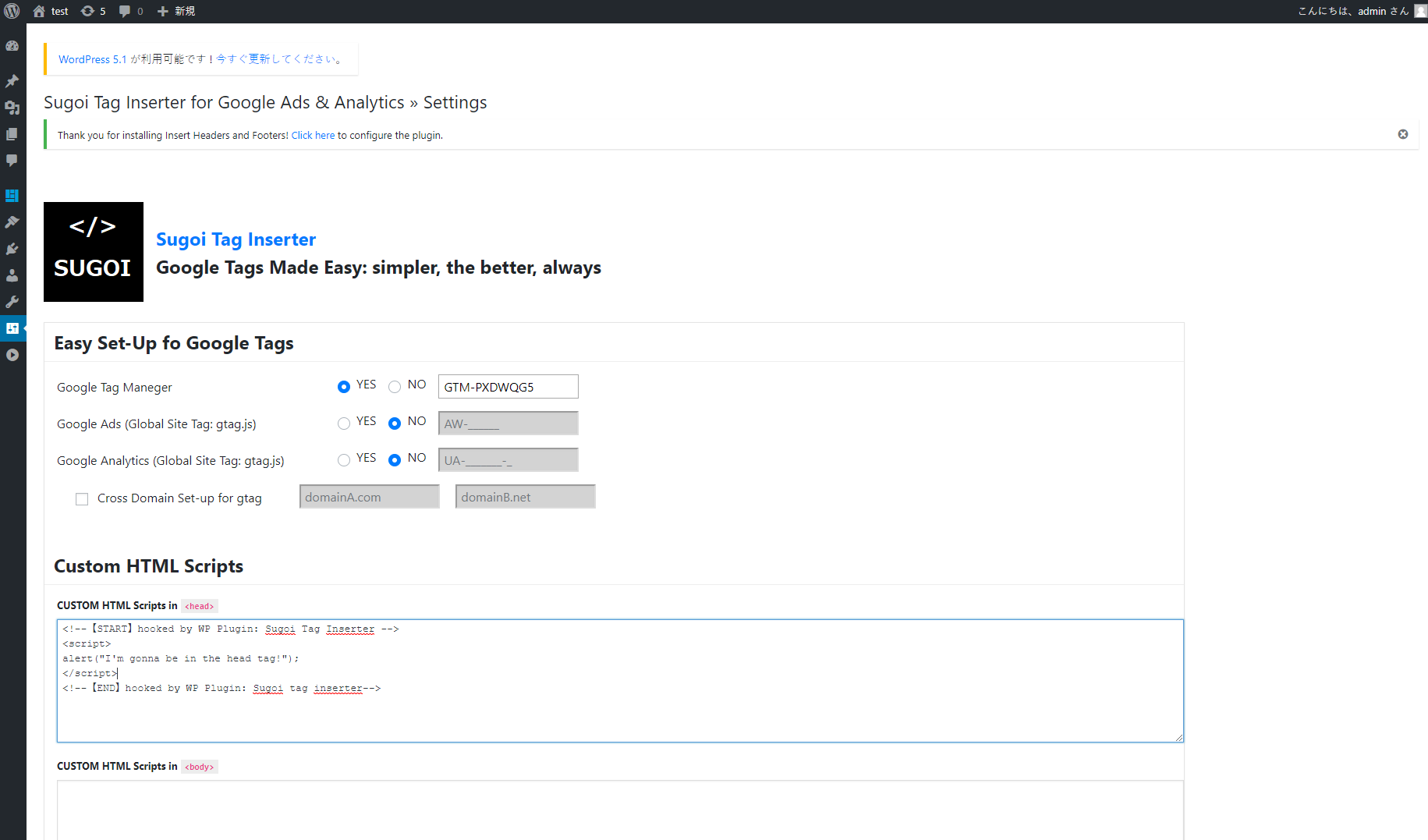
input IDs & Custom HTML

Installatie
Installation
=
1. From the WP admin panel, click “Plugins” -> “Add new”.
2. In the browser input box, type “Sugoi Tag Inserter”.
3. Click the plugin and click “Install”.
4. Activate the plugin.
5. In \”Setting\”, now you should be able to see the plugin name.
Click the name and got to the Admin page.
6. Type in your GTM / Google Ads / Google Analytics ID, then save.
OR…
- Download the plugin from this page.
- Save the .zip file to a location on your computer.
- Open the WP admin panel, and click “Plugins” -> “Add new”.
- Click “upload”.. then browse to the .zip file downloaded from this page.
- Click “Install”.. and then “Activate plugin”.
(see 5, 6 above then)
Beoordelingen

Bijdragers & ontwikkelaars
“Sugoi Tag Inserter: GTM & gtag.js Made Easy” is open source software. De volgende personen hebben bijgedragen aan deze plugin.
Bijdragers
Vertaal “Sugoi Tag Inserter: GTM & gtag.js Made Easy” in je eigen taal.
Interesse in ontwikkeling?
Bekijk de code, haal de SVN repository op, of abonneer je op het ontwikkellog via RSS.

