

Beschrijving
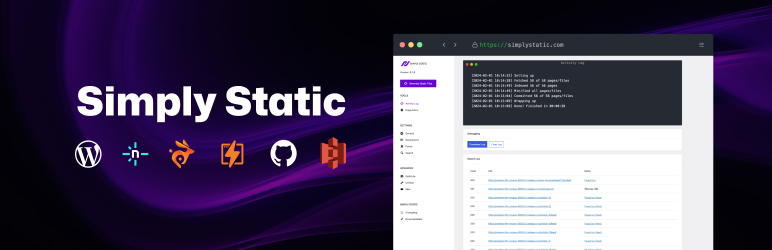

Simply Static – The Static Site Generator
Beschrijving
Simply Static turns your WordPress site into secure, lightning-fast static HTML files.
Stop worrying about WordPress security patches, performance plugins, and expensive hosting.
Simply Static converts your entire WordPress site into static HTML, CSS, and JavaScript files that load instantly and can’t be hacked.
Perfect for blogs, marketing sites, documentation, portfolios, and any content-driven WordPress site.
Why Go Static?
⚡ Blazing Fast Performance
Static sites load 3-5x faster than traditional WordPress. No database queries. No server-side processing. Just instant page loads from a global CDN.
🔒 Unhackable Security
No database. No login page. No PHP vulnerabilities. Static HTML can’t be hacked the way traditional WordPress can.
💰 Dramatically Lower Hosting Costs
Host your static site for free on platforms like Cloudflare Pages, Netlify, or GitHub Pages. Or deploy to any server for pennies per month.
🎯 Zero Maintenance
No more WordPress updates. No plugin conflicts. No security patches. Focus on content, not server management.
How Simply Static Works
- Generate: Click one button to convert your entire WordPress site to static HTML
- Export: Download as ZIP or deploy to a local directory
- Deploy: Upload to any hosting provider, CDN, or static hosting platform
Your WordPress site stays private and secure. Your static site is what visitors see.
What You Can Do with the Free Version
- One-click static site generation
- Export as ZIP file
- Deploy to local directory
- Replace URLs (absolute, relative, or offline use)
- Works with any WordPress theme
- Compatible with popular page builders (Elementor, Bricks, Gutenberg)
- SEO plugin support (Yoast, Rank Math, AIOSEO)
Ready for More?
The free version is perfect for simple static exports, but if you need advanced deployment, automation, and powerful features, check out our premium solutions.
Simply Static Pro – For Developers & Agencies
$99/year per site | $299/year unlimited sites
Deploy to any platform. Automate everything. Keep 100% of your profit margins.
- Deploy to GitHub, Netlify, Cloudflare Pages, AWS S3, BunnyCDN, SFTP
- Incremental exports (update only changed pages)
- Single-page exports (instant publishing)
- WP-CLI support for complete automation
- Forms integration (Contact Form 7, Gravity Forms, WPForms, Fluent Forms)
- Static-friendly search (Fuse.js or Algolia)
- Multilingual support (WPML, Polylang, TranslatePress)
- Performance optimization (minification, image optimization)
- Comments integration
- Email support
Perfect for developers self-hosting client sites, agencies managing infrastructure, and technical users who want complete control.
Simply Static Studio – For Businesses & Content Creators
From $19/month
All-in-one managed WordPress hosting. Zero maintenance. Maximum security.
- Fully managed WordPress hosting
- Static site hosting on global CDN (120+ locations)
- Automated backups & SSL certificates
- One-click WordPress login
- Free white-glove migration
- Team management & access control
- Everything from Pro, pre-configured
- Priority support
Perfect for businesses running 1-5 websites, content creators who want simplicity, and anyone who values convenience over control.
Trusted by 40,000+ Users Worldwide
- 1,400,000+ plugin downloads
- 4.5/5 star rating
- Active development & support
- Used by Microsoft, HP, Postman, UNICEF
Learning Resources
Documentation
Comprehensive guides covering every aspect of Simply Static.
Video Course
Watch our free YouTube course covering static WordPress from basics to advanced.
Weekly Tutorials
New tutorials published every other week on our blog.
Community Support
Get help from the community in the WordPress.org forums.
Use Cases
Perfect For:
- Blogs & content sites
- Marketing websites & landing pages
- Documentation sites
- Portfolio sites
- Company websites
- Product launch pages
- Event sites
Not Suitable For:
- E-commerce sites (without Pro features)
- Membership sites
- Sites requiring user logins
- Real-time data updates
- Heavy AJAX functionality
Note: Forms, search, and comments ARE possible with Simply Static Pro or Studio.
Plugins & Features That Don’t Work with Static Sites
Static sites are perfect for public content, but some WordPress plugins require server-side processing and won’t work on static sites:
E-commerce:
- WooCommerce
- Easy Digital Downloads
- Other shopping cart plugins
Static sites can’t process payments or manage user accounts. Consider headless WordPress solutions for e-commerce.
Membership & Authentication:
- MemberPress
- Restrict Content Pro
- User registration plugins
- Login-required content
Static sites don’t support user authentication or member-only areas.
Real-Time Dynamic Content:
- Forum plugins (bbPress, BuddyPress)
- Live chat widgets (unless using external services)
- Real-time data feeds
- Heavy AJAX functionality
What DOES Work (with Pro/Studio):
- Forms (Contact Form 7, Gravity Forms, WPForms, Fluent Forms)
- Search functionality (Fuse.js or Algolia)
- Comments (special integration)
- Newsletter signups (via external services)
If your site relies heavily on the plugins listed above, Simply Static may not be the right solution. For questions about specific plugin compatibility, check our compatibility database or ask in our support forum.
Schermafbeeldingen


Installatie
Automatic Installation (Recommended)
- Log into your WordPress admin panel
- Navigate to Plugins Add New
- Search for “Simply Static”
- Click “Install Now” on the Simply Static plugin
- Click “Activate” after installation completes
- Access Simply Static from the left admin menu
Manual Installation
- Download the plugin ZIP file
- Log into your WordPress admin panel
- Navigate to Plugins Add New Upload Plugin
- Choose the downloaded ZIP file and click “Install Now”
- Click “Activate Plugin” after installation
- Access Simply Static from the left admin menu
Getting Started
After activation:
- Go to Simply Static Settings
- Review and configure your export settings (defaults work for most sites)
- Go to Simply Static Generate
- Click “Generate Static Files”
- Download your ZIP or access files in your local directory
Watch our quick start tutorial
Need help? Check our comprehensive documentation or support forums.
FAQ
Is Simply Static really free?
Yes! The core plugin is 100% free and open source. It provides everything you need for basic static site generation and ZIP export.
Simply Static Pro and Studio are optional premium products for advanced features like automated deployment, forms, search, and managed hosting.What’s the difference between the free plugin, Pro, and Studio?
Free: Generate static sites, export as ZIP or to local directory. Perfect for testing and simple exports.
Pro ($99-299/year): Advanced deployment, automation, forms, search, WP-CLI. For developers and agencies self-hosting.
Studio (from $19/month): All-in-one managed hosting. We handle WordPress, static hosting, backups, SSL, everything. For businesses who want zero maintenance.
See detailed comparisonCan I use the free version for production sites?
Yes, but you’ll need to manually upload the ZIP file to your hosting provider each time you update your site.
For production sites with frequent updates, we recommend Pro (automated deployments) or Studio (fully managed).Will my site look different after going static?
No. Simply Static creates an exact copy of your WordPress site. Same HTML, same CSS, same JavaScript. The only difference is it loads faster and is more secure.
Do I need to know how to code?
No. Simply Static works through a simple WordPress admin interface. Click a button, get your static site.
Developers can extend Simply Static with 100+ hooks and filters, but coding knowledge is not required for basic use.Can I still use WordPress after generating a static site?
Yes! Your WordPress site remains fully functional. You use WordPress to manage content, then generate a new static version when you’re ready to publish updates.
What happens to forms, search, and comments on my static site?
With the free version, these features won’t work on your static site (they require server-side processing).
Simply Static Pro and Studio add working forms, search, and comments to your static site using smart integrations.Can I host my static site for free?
Yes! Deploy your static site to:
Cloudflare Pages (free)
GitHub Pages (free)
Netlify (free tier)
Vercel (free tier)Or host on any traditional web host or CDN for very low cost.
Does Simply Static work with my theme/plugins?
Simply Static works with virtually all WordPress themes and most plugins.
Confirmed compatible themes: Virtually all (including block themes)
Page builders: Elementor, Bricks, Gutenberg, Beaver Builder, Divi
SEO plugins: Yoast SEO, Rank Math, AIOSEO, SEOPress
Form plugins: Contact Form 7, Gravity Forms, WPForms (forms work with Pro/Studio)
See full compatibility listHow is this different from caching plugins?
Caching plugins make your WordPress site faster, but your WordPress installation remains accessible and vulnerable.
Simply Static creates a completely separate static copy that serves no PHP, has no database, and can’t be hacked. Your WordPress installation stays private and secure.Can I use Simply Static with Elementor/Gutenberg/other builders?
Yes! Simply Static works with all major page builders including Elementor, Elementor Pro, Bricks, Gutenberg, Beaver Builder, Divi, and more.
What about SEO?
Static sites are excellent for SEO. Faster load times = better rankings.
Simply Static maintains all your SEO metadata, sitemaps, and schema markup. It works seamlessly with Yoast SEO, Rank Math, AIOSEO, and SEOPress.Can I run a multilingual site?
Yes, with Simply Static Pro or Studio. Full support for WPML, Polylang, and TranslatePress.
The free version can generate static sites in multiple languages, but managing separate exports per language is easier with Pro.Will this work on WordPress.com?
Simply Static requires the ability to install plugins. It works on:
Self-hosted WordPress (wordpress.org)
WordPress.com Business plan or higher
Most shared hosting providers
VPS and dedicated serversHow big of a site can Simply Static handle?
Simply Static has successfully generated static sites with 100,000+ pages. Site size is generally limited by your server’s resources (memory, execution time).
Where can I get help?
Free Version:
WordPress.org support forums
Documentation
Video coursePro & Studio:
Priority email support
Direct access to development team
Faster response times
Beoordelingen


Bijdragers & ontwikkelaars
“Simply Static – The Static Site Generator” is open source software. De volgende personen hebben bijgedragen aan deze plugin.
Bijdragers

“Simply Static – The Static Site Generator” is vertaald in 10 localen. Dank voor de vertalers voor hun bijdragen.
Vertaal “Simply Static – The Static Site Generator” in je eigen taal.
Interesse in ontwikkeling?
Bekijk de code, haal de SVN repository op, of abonneer je op het ontwikkellog via RSS.
Changelog
3.5.6
- preserve tags (Elementor)
- cleanup admin UI
- repaced admin UI components for WP 7.0 preparation
3.5.5
- path normalization unified across integrations
- fixed checkup for multilingual integration
- added support for WP_Query page template pagination
- url-encoded post_name handling
- (maybe) add slash on initial call (offline path)
3.5.4
- updated translation files
- markup update for Elementor search widget
- accessibility fix: aria labels for generate buttons
- improved URL replacements on redirects
- fix: Call the correct 404 export method export_404
3.5.3
- auto add plugin + theme on change in Enhanced Crawl
- updated compatibility DB
- streamlined settings (+ removed deprecated ones)
- improved error handling for ZIP task
- added dedicated class for admin Rest API endpoints
- Improved import/export UI and behaviour (on MU sites)
- auto-exclude admin-only plugins (+filter) for enhanced crawl
- fixed settings UI spacing for WP 6.9 support
- improved DIVI theme detection
3.5.2.2
- added ss_mime_type_map filter to extend/override manual MIME type map fallback + failsafe handling
- added filter to exclude robots.txt and llms.txt from export
3.5.2.1
- fail-safe upgrade mechanism (alongside pro)
3.5.2
- UI/UX improvements (search/workflow/general)
- refactored transfer files locally task (+ added filter to make it extendable)
- improved pagination crawler (smarter author pagination)
- introduced ss_before_finish_transferring_files_locally filter
- improved integration copy
- enforced naming convention across crawler and integration directory (class file naming)
- updated translation file (including german translation)
- improved integrations UX by adding a new requires_reload mechanism
- fixed SEOPress XSL file naming
- fixed JSON handler for Elementor (animations/menu rendering)
3.5.1.2
- abstracted encoding into new helper class
- fixed UTF-8 encoding for emojis
- fixed check-can-run endpoint (GET not POST)
- added MU-related notice (for auto-fixer in pro)
- added ss_multisite_get_sites_args to filter subsite selection
- fixed exception (PHP 8.3+) for MU class
3.5.1.1
- clear temp files + log + DB table on plugin deactivation
- avoid decoding inline-JSON (Elementor)
- ss_user_capability for admin bar integration
- MU: decode special chars before dropdown output
- Removed HTML5 auto-fixer (should be a filter)
3.5.1
- better HTML 5 markup support for non-closing tags (like )
- added ZIPArchive support for larger ZIP exports (>4GB)
- MU: sort subsites ASC + added site ID
- added Clear Temporary Files button + auto-clear on uninstall + ss_clear_temp_dir_on_wrapup filter
- mb_encode_numericentity + mb_convert_encoding for better UTF-8 conversion support
- added ss_zip_filename filter to rename ZIP file
- added ss_crawlable_plugins and ss_crawlable_themes filter
3.5.0
- better UTF-8 and entity handling (content + URLs)
- added network-activated plugins to crawler support
- added ability to exclude specific plugins + themes in Enhanced Crawl (pro-only)
- added support for .avif, .tiff and .heic image files
- regex support for Include/Exclude settings
- URL-based export cancellation via cancel-export=true parameter
- llms.txt support for AIO SEO and Yoast SEO integration
- fixed logging loop for Elementor integration
3.4.8
- new text handler for replacing URLs in txt files
- RankMath: auto replace and copy llms.txt and robots.txt to your static site
- Utilities: new reset background queue feature
- improved admin bar integration with deeplinks and better performance
- Quick link to view your static site from the dashboard
- fallback strategy to pick up and export 0 byte files
- Admin UI improvements (fixing Chrome notices)
3.4.7.2
- reverted avoid error on invalid file path
3.4.7.1
- reverted fetch progress count improvements
3.4.7
- improved XML sitemap URL replacements
- improved invalid file path handling
- added dedicated Beaver Builder crawler
- improved fetch progress count (runtime)
- UI-changes related to multisite environments
- blocking accidental overwriting exports on MU sites
3.4.6.1
- Fixed DomXPath conversion for strings (RankMath and Yoast SEO)
- Added SEO Generator integration placeholder (pro-only integration)
- batch processing for Additional URLs and Files (improved memory usage)
3.4.6
- DIVI integration + custom crawler
- Improved Elementor integration
- Custom 404 page selection (instead of theme default)
- auto-include llms.txt on crawl
- improved third-party-crawler loading
3.4.5.1
- small admin UI fix (scheme positioning)
- exit early in URL extractor if html_string is empty
3.4.5
- improved HTML conversion with non-latin characters
- adapted our admin UI to latest React and WP components
- updated all core dependencies (JS)
3.4.4.1
- better path transformation for file transfer
- stream mechanism for Elementor_Crawler
3.4.4
- improved URL extraction for URLs in CSS files
- stream files for media, plugins and themes
- avoid memory issues with large log objects
- discover_task only on export
- improved local asset handling (include font files)
- better URL handling in export log
- added jQuery to WP_Includes_Crawler
3.4.3.3
- better default handling for Elementor crawling
- wait until page loaded before saving (fetcher)
- better auto-configuration for Enhanced Crawl
3.4.3.2
- dedicated crawler for Elementor
- force MIME type for JS files
- add comment.js in includes if comments enabled
3.4.3.1
- better XML sitemap handling with Enhanced Crawl
- easier path handling for XSL stylesheets
- merged Elementor + Elementor Pro into single integration
- removed Jetpack integration (now handled by Enhanced Crawl)
- upgrade handler specifically for Enhanced Crawl
3.4.3
- fixed export type selection based on deployment method
- added post type selector for Enhanced Crawl
- refactored Block_Theme_Crawler to WP_Includes_Crawler making it work for all kinds of themes
- refactored Pagination_Crawler to exclude pagination URLs based on parameter (&paged)
- single source of truth for fetchting settings + reset via PHP + no defaults stored in JS anymore
- improved file handler (copy instead of wp_remote_get request)
- better defaults for active_crawlers on new installations
- improved environment integration UI
- removed auto-switch for export types
3.4.2.1
- Smart Crawl -> Enhanced Crawl (thanks WPMUDEV for the copyright claim)
3.4.2
- fixed integration loading in admin settings
- modified readme to comply with .org trademark violation (…)
3.4.1
- improved sanitization for saving crawlers
- dedicated function to fetch crawlers to reduce impact on useEffect
- improved defaultState to avoid display default options via Settings
3.4.0
- introduced Smart Crawl
- preserve URL parameters on creating redirect files
- removed deprecated plugin scan task
- removed download attribute from ZIP download link (playground)
- introduced improved export log (search/filter/sort)
3.3.3.5
- fixed typo (placehodler vs. placeholder)
- better handling for import maps when using offline mode
- avoid error if empty DOM returned (Yoast SEO integration)
- improved ZIP URL handling with WP_CONTENT_DIR and WP_CONTENT_URL set
- use backticks when creating tables to avoid AWS Aurora MySQL
- exclude robots.txt from .txt exclusion
- added method to delete single record from DB table
- preserve URL parameters on export (UTM tags, generic URL parameters, version numbers for JS/CSS)
3.3.3.4
- preserve JSON inside attributes (Elementor, Cornerstone and others)
3.3.3.3
- adding a hidden delay integration to auto-pause between exports (disabled by default)
- refactored UTF-8 handling to properly encode Arabic characters and German Umlauts
- added support for conditional comments being extracted without modifying the structure
- improved “feed” and “debug” checks inside exclude handler with regex to avoid false-positives
- added custom Elementor widget for search
3.3.3.2
- preserve custom body classes
3.3.3.1
- Ported SEO extensions to use DomXPath
3.3.3
- WP HTML API -> DomDocument
- DomXPath for Dom interactions
3.3.2
- fixed typo in search settings
- fixed AIO SEO sitemap parsing
- improved srcset extraction
- HTMLDOMParser replaced with WP HTML API
- improved Basic Auth handling with Ubuntu 24+
- no more custom UTF-8 handler – PHP 7.4 requires mbstring anyway
3.3.1.2
- fixed multiline save fields (minify)
- fixed typo in Rest API options toggle
- reworked Update labels
3.3.1.1
- clear PHP_AUTH_USER and PHP_AUTH_PW on disabling/clearing basic auth options
- improved version output in admin UI
- fixed position for pro recommendation (top-right instead of center of the card header)
3.3.1
- lower min WP version to 6.2
- support for XSL file parsing (crawling, replacing, including)
- fixed settings handler (UI glitch in deployment settings)
- extracted force_replace_urls into it’s own method
3.3.0
- avoid parsing Simply Static config files (JSON parser)
3.2.9
- allow parallel batch processing for tasks (opt-in)
3.2.8.3
- Elementor: only include bundle files if filter is set
- WPML: change loading priority of Basic Auth filter to avoid fatal error
3.2.8.2
- Fixed: _load_textdomain_just_in_time was called incorrectly
- floating action buttons
3.2.8.1
- avoid replacing URLs in JSON files generated by Simply Static
3.2.8
- removed deprecated option labels in WPML config file
- latest updates for WPBP package and moved to our own maintained version (fewer dependencies)
- data-bg for sections, divs and img tags (match_tags)
- WASM fix for download Urls of ZIP files
- added support for JSON files in extractor (WP Rest API support on static sites)
- added option to include wp-json files in export
- WP tested up to 6.8
- added tag with href attribute (match_tags)
- added uploads directory handler for Elementor integrations
- added feature to allow full scans of theme and plugins directory on exports
3.2.7.2
- Bring back simply_static_fetch_urls_batch_size filter
- Extended img attribute list with “data-srcset” and “data-bg”
- added threshold option for Fuse.js
- allow subitems in admin bar integration
3.2.7.1
- Elementor integration: check for file size before including
- added filter to control wp_flush_cache execution
- reverted default batch size back to 50
- added srcset attributes for video and audio HTML5 tags
- added filter for menu position
3.2.7
- simplified batch size filtering:https://docs.simplystatic.com/article/135-simplystatictasknamebatchsize
- removed unused options from optimization page
- removed unused conditions in tasks checkups
- fixed exclude filter position to handle feed URLs that aren’t RSS
- re-added ss_total_pages filter for total pages count
- added post_id checkup for processing calculation
- removed duplicated status messages in export log
- removed Brizy integration (no longer needed)
3.2.6
- clear WP object cache on start + cancel export
- simplified and improved transfer_files_locally task
- improved logging for transfer_files_locally task
- extended UI for AWS updates
- sort builds alphabetically in export type UI
3.2.5.4
- added option to optionally include feed URLs (default is off)
- set generate_404 page to off on default settings
- extended Elementor integration to auto-include missing CSS files
3.2.5.3
- downgraded WP Background Processing package to 1.3.1 again (issues with ajax)
- responsive design for admin UI
- improved Basic Auth Handling for different server types (NGINX, Apache, Windows IIS)
- fixed automated feed handling on running exports
3.2.5.2
- upgraded WP Background Processing package
- fixed typo in admin UI
- increased interval between batches to 2 seconds (from 1 second)
3.2.5.1
- XML sitemap inclusion optional for single exports
- fixed _load_textdomain_just_in_time error
3.2.5
- added filter to modify log file location
- small UI factor to fix weird WP default border styles in admin UI
- trait to make tasks skippable
- implemented cleanup method that can be extended in tasks
- decreased default job interval to 1 second instead of 5
3.2.4.2
- small UI changes related to GitHub
- improved filter handling to increase batch size
- allow tasks to define their own batch size
3.2.4.1
- fixed dbDelta migration for new JSON column
3.2.4
- automatically create the local directory if it doesn’t exist
- Limit Basic Auth to URLs that pass is_local_url() check
- WordPress 6.7 compatibility
3.2.3
- removed processing_pages_message method
- added the ability to include files without a file extension (_headers, _redirects..)
- added UI to reset database table
- included diagnostics check for no-index setting
- included diagnostics check for Basic Auth without proper configuration in settings
- tweak to avoid duplicate notes in export log
- renamed Simply Static (Admin Bar) to Admin Bar (Core)
- renamed Environments to Environment (Core)
- simplified http_request_args filter implementation
- added notice to upgrade both (pro and free) because of removing deprecated methods
3.2.2
- officially deprecated delete_transients method
3.2.1
- improved file handling on local transfer task
- refactored transient handling for task handling
- renamed delete_transients to delete_total_pages for consistency
3.2.0
- improved URL replacement in Offline Mode
- automated temporary file path handling
- SQLite support for potential Playground support
- removed dynamic htaccess for debug log handling
- added version number in default settings in upgrade handler
- enhanced integrations implementation to allow deactivated integrations by default
- improved wording around SFTP integration
- improved default values for excludes
3.1.9
- simplified process_pages class abstraction
- fixed stripping quotes on HTML extraction
- added security.md file to repo for updates via CLI
- use TEXT instead of JSON in our DB table for SQLite (Playground) support
- added default value for per_page parameter
- removed deprecated SimplyCDN integration
- fixed path resolving for /feed/ URLs
- restricted redirects includes to full or update exports
- set a recognizable User Agent for wp_remote_get requests
- avoid checking against NULL for content_type (PHP 8.3 support)
3.1.8.1
- turn off notifications on MU network settings
- improved MU subsite checkups
3.1.8
- several admin UI improvements
- added tutorial videos for all major features
- added a new DB column to store JSON data (for future features)
- improved and fixed transient handling and expiration
- added support for redirects with Redirection, Yoast and RankMath
- auto-replace URLs in schema.org JSON-LD data from Yoast and RankMath
- fixed typos in admin UI
- removed SSL check from diagnostics (no longer needed)
- added test deploy function
- remove deprecated basic_auth_digest function
- extended match_tags list for SVGs and other tags
- more failsafe parsing with innerhtmlKeep instead of innerText (crawler)
3.1.7.4
- fixed PHP notice related to server_cron setting
- fixed basic auth validation in admin area
3.1.7.3
- added new integration settings page
- added admin bar as integration + toggle to enable/disable it
- improved performance for diagnostics check (caching)
- removed unused http_request_args filter
- MU network page UI fixes
- added quick links to plugins page
- added option to whitelist plugins in diagnostics
- restructed “Misc” settings and renamed to “Debug”
- added option to use server-side cron job
- adapted Jetpack integration to new integration class
3.1.7.2
- added Jetpack integration
- removed DO integration admin UI code
- added progress bar to admin bar
- Diagnostics sub menu page + notification center
- removed can_wp_make_requests_to_itself() check
- fixed PHP notices for PHP 8.3 compatibility
- simplified log file output for certain deployment options
- composer dependencies updated
3.1.7.1
- improved hash validation for record storage in DB
- smaller UI improvements
- auto-generate index.html for feed URLs
3.1.7
- Official PHP 8.2 and 8.3 support + fixes for various PHP notices
- fixed saving multiline settings savings process
- improved default settings on first installation + reset
- extended the match_tags list for better XML support
- improved URL handling when creating 404 pages
- automated 404 page handling for various deployment options
- added cache detection solution as part of diagnostics
- added incompatible plugin detection as part of diagnostics
- added notification logic if tests in diagnostics fail
- improved XML sitemap handling in all SEO integrations
- auto-include robots.txt file if exists
3.1.6.3
- no more filesize limits on wp_remote_get()
- removed empty settings page on network admin
- improved various descriptions + added links to the documentation
- added filter to set conditions before clearing local directory
- avoid clearing special characters from Basic Auth credentials
- auto-cancel export if Basic Auth is set and credentials don’t match
- improved default settings handling
- extended plugin compatibility list up to 100 (from 30)
- unified 404 page option for CDN exports
3.1.6.2
- new filter for extended DOM manipulation
- fixed typos for optimization settings
- exclude builds and single exports from clear directory
3.1.6.1
- modified default parameters for ss_remote_args filter (file size based on uploads limit)
3.1.6
- new multisite integration (network, import/export subsites)
- improved 404 page handling
- improved secure debug log handling
- plugin compatibility database integration
- admin UI improvements (labels, helper texts..)
- updated translation files
- improved version output in admin UI
3.1.5
- refactored additional settings
- introduced setting for origin URL
- removed unused helper methods
- improved requests to itself check in diagnostics
- improved sanitization for multiline fields
- load textdomain in init hook instead of plugins_loaded
- NPM packages updated to latest releases
3.1.4
- added log for replacing 404 pages
- fix for 404 page in local directory exports
- clear log before running new export to avoid big file sizes
- extended ss_remote_args filter with async requests + max file size per request
- improved sanitization for import/export settings
- added filter for local URL check
- improved secure log handling (dynamic filename + .htaccess rule)
3.1.3
- JS dependencies updated
- refactored filter implementation for tasks
- added check for empty strings in excludes
- removed unused blog_id check
- changed location of debug log to uploads dir
- check for Rest API in diagnostics
- increased PHP version for diagnostics >= 8.0
- whitelist Freemius API calls if Basic Auth enabled
3.1.2
- WordPress 6.4 compatibility
- Improved clearing logs
- improved capability filter
3.1.1
- improved admin UI descriptions in general settings
- added support for 404 pages
- added error message to WP_Error when archive dir cannot be created
- added add_status_message method to Simply_Static\Options for WP CLI handling
3.1.0
- fix for scheme/host when resetting settings
- enhanced integration setups (GitHub objects)
- fixed example for relative path setups in settings
3.0.9
- PHP 8.2 support improved
- wp_parse_url instead of just parse_url for fetching URLs
- enhanced default options
- increased min WP version
3.0.8
- SimplyCDN auto include files
- min WP version increased to 6.2
- improved wording for progress in export log
- improved Basic Auth handling
- improved absolute URL replacement
- Elementor integration: prevent replacing non strings in HTML
3.0.7
- SimplyCDN setting now in React Admin UI
- filter for capabilities in Rest routes
- SimplyCDN improvements for webhook handling
3.0.6
- removed type hints in Rest API abstraction for PHP 7.4 support
- make sure we only trigger maybe_wp_die() if there is an error on export
3.0.5
- fixed incompatibility with EWWW image optimizer
3.0.4
- simplified url_exclude upgrade on update
- disable browser autocomplete on basic auth settings
- added additional notice with button in settings panel if all auto-migration fails
3.0.3
- specific version check for migration handler
- fixed schema option updates
3.0.2
- fixed iterator for “clear_local_directory” option
- reworked “force_replace_urls” to the new options patterns (boolean)
3.0.1
- prevent error on merge excludes if not an array
- bust object cache after migration
3.0
- new admin UI for settings
- new admin UI for diagnostics
- new admin UI for generate
- ported ajax requests to Rest API for better performance and maintainability
- improved diagnostics with better (and more meaningful) error messages
- conditional settings for certain setups
- improved support for Windows Azure (path conversion)
- auto-migration from old settings + manuall trigger
- import and export settings via JSON

