

Beschrijving
Ga naar de inhoud



Lees alle 2 beoordelingen
SeeMax Resizable Editor Sidebar
Beschrijving
A simple button interface to make the WordPress Gutenberg sidebar resizable.
Key Features
- Works out of the box
- Simple interface
Support
For support, please visit SeeMax Resizable Editor Sidebar Support Forum
License
This plugin is licensed under the GPLv2 or later.
Schermafbeeldingen
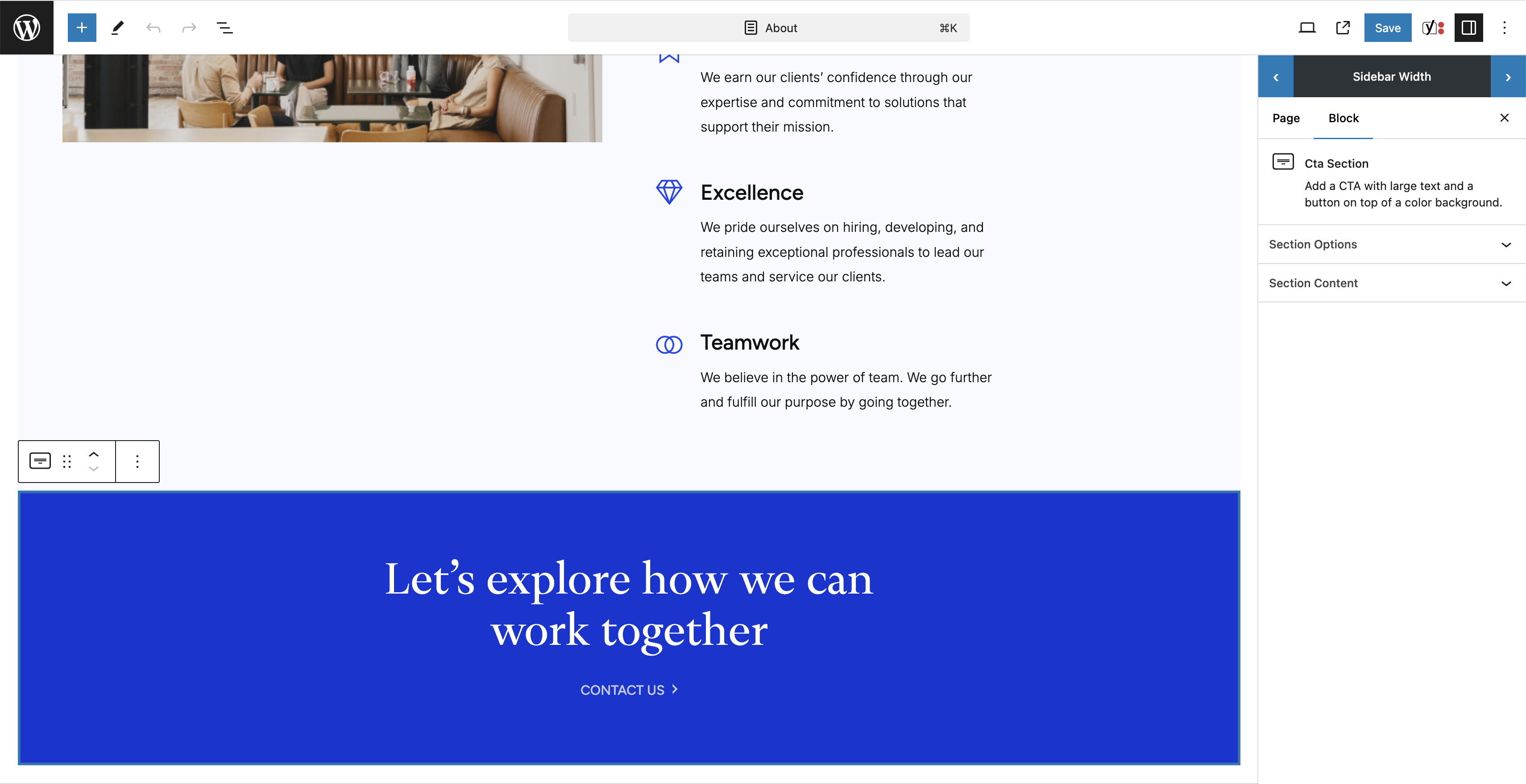
Block editing screen with Sidebar Size option at the top.

Installatie
Requirements
- PHP 5.6 or higher is recommended.
Steps to Install:
- Navigate to the WordPress dashboard.
- Go to ‘Plugins’ -> ‘Add New’.
- Search for ‘SeeMax Resizable Editor Sidebar’.
- Click ‘Install Now’ and then ‘Activate’ to activate the plugin.
- You can now resize the Gutenberg sidebar to suit your preferences.
Beoordelingen
4 oktober 2025 2 reacties
This plugin looks great and fits right into the WordPress UI. It looks like it’s part of core and I think it should be. The plugin provides the missing piece needed to build sites with ACF blocks using the preview option rather than editing directly over the block. With this plugin, we can setup a WordPress editing experience just like all of the other popular CMSs out there. Editing can happen from the sidebar because the concern about space is solved. The plugin allows users to quickly resize the sidebar just like other CMSs allowing editing to happen in one area, not all over the place. This plugin is truly the only way to create a great live preview experience with WordPress when using custom ACF Blocks. Same for blockstudio. All of these blocks require the sidebar and core has no way to resize. It’s a shame that it takes a plugin like this to hold it all together. But I’m grateful it exists!
24 augustus 2024 2 reacties
Does the job really well, I just wish it would remember my preferred size. It is resetting to the default size with a page reload.
Bijdragers & ontwikkelaars
“SeeMax Resizable Editor Sidebar” is open source software. De volgende personen hebben bijgedragen aan deze plugin.
Bijdragers

Vertaal “SeeMax Resizable Editor Sidebar” in je eigen taal.
Interesse in ontwikkeling?
Bekijk de code, haal de SVN repository op, of abonneer je op het ontwikkellog via RSS.
Changelog
1.2.1
- Keep chosen sidebar width across pages by storing it in localStorage.
1.1.1
- Changed initial sidebar width on load.
1.0.1
- Initial release.

