

Beschrijving

Deze plugin is niet getest met de laatste 3 grotere versies van WordPress. Mogelijk wordt het niet meer onderhouden of ondersteund. Ook kunnen er compatibiliteitsproblemen ontstaan wanneer het wordt gebruikt met recentere versies van WordPress.
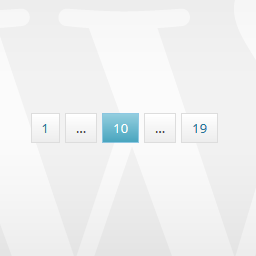
Pagination by HocWP Team
Beschrijving
Pagination by HocWP Team is a pagination plugin that allows to set up navigation on WordPress site. Pagination by HocWP Team not only supports the default query but also it can be used to show navigation for the custom query on WordPress.
Features
- Add the pagination on your WordPress site.
- Show pagination for the custom query.
Translations
- English
- Vietnamese
Updates
Updates to the plugin will be posted on www.hocwp.net and the Pagination by HocWP Team homepage will always link to the newest version.
Schermafbeeldingen

Pagination with default style. 
Options page for customizing pagination.


Installatie
Install this plugin from your WordPress site Dashboard or follow these steps below:
- Download plugin from WordPress Plugins directory and extract it.
- Upload the
sb-paginatefolder to the/wp-content/plugins/directory. - Activate the Pagination by HocWP Team plugin through the ‘Plugins’ menu in WordPress.
- Configure the plugin by going to the
Settings Paginationmenu that appears in your admin menu.
Examples:
For the default query:
<?php if(function_exists("hocwp_pagination")) hocwp_pagination(); ?> For the custom query usage with arguments:
<?php $query = new WP_Query(array("posts_per_page" => 1, "paged" => ( get_query_var( 'paged' ) ) ? absint( get_query_var( 'paged' ) ) : 1)); ?> <?php while ( $query->have_posts() ) : $query->the_post(); ?> <?php get_template_part( 'content', get_post_format() ); ?> <?php endwhile; wp_reset_postdata(); ?> <?php if(function_exists("hocwp_pagination")) hocwp_pagination(array("query" => $query)); ?> For basic usage, you can also have a look at the plugin homepage.
FAQ
Please visit www.hocwp.net for more details.
- Installation Instructions
Install this plugin from your WordPress site Dashboard or follow these steps below:
- Download plugin from WordPress Plugins directory and extract it.
- Upload the
sb-paginatefolder to the/wp-content/plugins/directory. - Activate the Pagination by HocWP Team plugin through the ‘Plugins’ menu in WordPress.
- Configure the plugin by going to the
Settings Paginationmenu that appears in your admin menu.
Examples:
For the default query:
<?php if(function_exists("hocwp_pagination")) hocwp_pagination(); ?>For the custom query usage with arguments:
<?php $query = new WP_Query(array("posts_per_page" => 1, "paged" => ( get_query_var( 'paged' ) ) ? absint( get_query_var( 'paged' ) ) : 1)); ?> <?php while ( $query->have_posts() ) : $query->the_post(); ?> <?php get_template_part( 'content', get_post_format() ); ?> <?php endwhile; wp_reset_postdata(); ?> <?php if(function_exists("hocwp_pagination")) hocwp_pagination(array("query" => $query)); ?>For basic usage, you can also have a look at the plugin homepage.
- Where is the settings page for Pagination by HocWP Team?
Go to Settings Pagination and change the value for customizing pagination.
Beoordelingen
Er zijn geen beoordelingen voor deze plugin.
Bijdragers & ontwikkelaars
“Pagination by HocWP Team” is open source software. De volgende personen hebben bijgedragen aan deze plugin.
Bijdragers


Vertaal “Pagination by HocWP Team” in je eigen taal.
Interesse in ontwikkeling?
Bekijk de code, haal de SVN repository op, of abonneer je op het ontwikkellog via RSS.
Changelog
2.0.1
- Add function for displaying dynamic sizes.
2.0.0
- Update all code, change to new pagination style.
- Change name to Pagination by HocWP Team.
1.1.3
- Try to change SB Paginate plugin name to Pagination by HocWP
1.1.1
- Stop using SB Plugins if current theme doesn’t support.
1.1.0
- Update testing filter.
- Re-struct SB Paginate.
1.0.9
- Tested up to WordPress 4.1 version.
1.0.8
- Make Vietnamese as the default language.
1.0.7
- Update new check core functions.
1.0.6
- Update check core function.
1.0.5
- Update new check core functions.
1.0.4
- New: Add option for user change pagination label.
1.0.3
- Fix: Missing committed files.
1.0.2
- Update: Compress css and javascript.
- Fix: Plugin settings link bugs.
1.0.1
- New: Add SB Options page to the Dashboard menu.
- New: Now you can set option for pagination to show.
1.0.0
- First release of SB Paginate.

