

Beschrijving
Deze plugin is niet getest met de laatste 3 grotere versies van WordPress. Mogelijk wordt het niet meer onderhouden of ondersteund. Ook kunnen er compatibiliteitsproblemen ontstaan wanneer het wordt gebruikt met recentere versies van WordPress.

Safe Private
Beschrijving
The Safe Private Plugin set up a members-only area on your WordPress and protect your content, pages and resources from public access.
Only registered users will be able to browse your site. The plugin will redirect all others users to the login page of your blog.
Deny access to unregistered users, perfect for a private website, helpful during a blog maintenance and useful for developers…
- Membrers-only area
- Members only feed
- No template modifications
- Fast, Safe and secure…
Author Plugin link page: Safe Private
Schermafbeeldingen
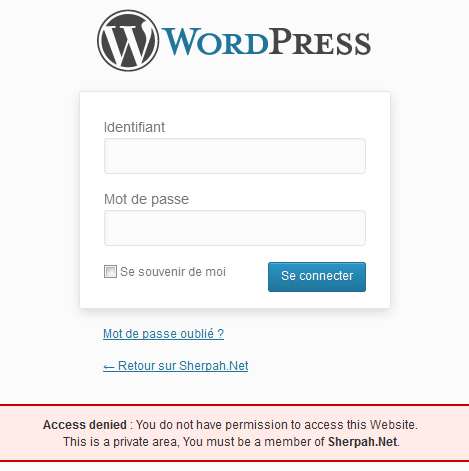
screenshot-1.png in folder safe-privatein the/wp-content/plugins/directory

Installatie
- Upload the folder
safe-privateto the/wp-content/plugins/directory - Activate the plugin through the ‘Plugins’ menu in WordPress
FAQ
- How to enable the plugin ?
Activate the plugin through the ‘Plugins’ menu in WordPress
- How to disable the plugin ?
Deactivate the plugin through the ‘Plugins’ menu in WordPress
- If i can’t access to ‘Plugins’ menu in WordPress, How to disable the plugin ?
You can remove the folder
safe-privatein the/wp-content/plugins/directory.
Beoordelingen
Er zijn geen beoordelingen voor deze plugin.
Bijdragers & ontwikkelaars
“Safe Private” is open source software. De volgende personen hebben bijgedragen aan deze plugin.
Bijdragers
Vertaal “Safe Private” in je eigen taal.
Interesse in ontwikkeling?
Bekijk de code, haal de SVN repository op, of abonneer je op het ontwikkellog via RSS.
Changelog
1.0
.
1.1
- New Description.
1.2
- Update Description.
1.3
- Update Description.

