

Beschrijving


Repeaters & Relationships Connector with ACF for Elementor
Beschrijving
This plugin allows you to use ACF Repeater and ACF Relationship fields as data sources for Elementor’s Loop Grid widget.
Key Features:
- New Data Sources: Adds “ACF Repeater” and “ACF Relationship” to the Source dropdown in the Loop Grid’s Query tab.
- Use Repeater Data: Select any ACF Repeater field from the current post/page to power your Loop Grid.
- Use Relationship Data: Select any ACF Relationship field to create a grid of related posts in your Loop Grid.
- Repeater Sub-Field Tag: A dedicated dynamic tag to easily pull and display data (text, images, etc.) from any sub-field within your repeater.
- Relationship Sub-Field Tag: A dynamic tag to display data from the related posts, such as the post title, content, featured image, and permalink.
Requirements
- Elementor
- Elementor Pro
- Advanced Custom Fields Pro (The Repeater and Relationship fields are ACF Pro features)
Usage
1. Configure the Loop Grid
- Add an Elementor Loop Grid widget to your page.
- In the widget settings, go to the Query tab.
- From the Source dropdown, select “ACF Repeater” or “ACF Relationship”.
- A new dropdown will appear below the Source. Select the specific ACF field you wish to use as the data source for the grid.
- Create or select a template for your loop item.
2. Displaying Data in Your Loop Template (ACF Repeater)
- Edit the Elementor template you are using for your loop item.
- Add any standard widget, such as a Heading, Text Editor, or Image widget.
- Click the Dynamic Tags icon next to a field.
- Scroll to the “ACF Connector” group and select the ACF Repeater Sub Field tag.
- Click on the tag name again to open its settings.
- In the Sub Field dropdown, select the specific sub-field you want to display. The fields are grouped by repeater name for clarity.
Note that the preview within the template will not display the sub-field data. This is expected behavior because no applicable preview data can be set in Elementor.
3. Displaying Data in Your Loop Template (ACF Relationship)
- Edit the Elementor template you are using for your loop item.
- Your template will be supplied with a standard WordPress Post object, so just create your template as you normally would.
Schermafbeeldingen
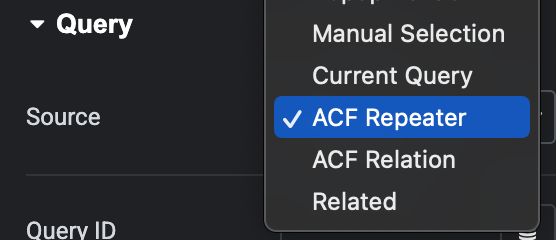
The Elementor Loop Grid has a Query tab. Choose “ACF Repeater” or “ACF Relationship” from the dropdown. 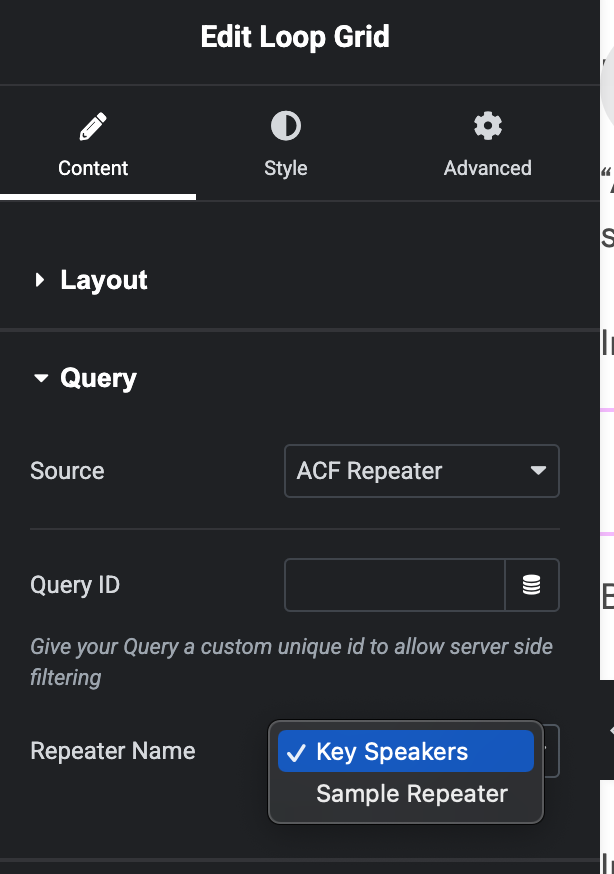
For Repaters, select the ACF Repeater name to use as the data source. 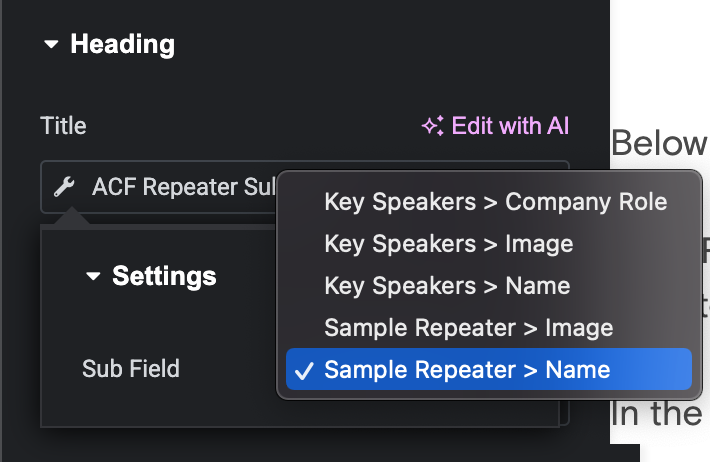
For Repeaters, edit the template. Select a sub-field from the dropdown for the ACF Repeater Sub Field tag. 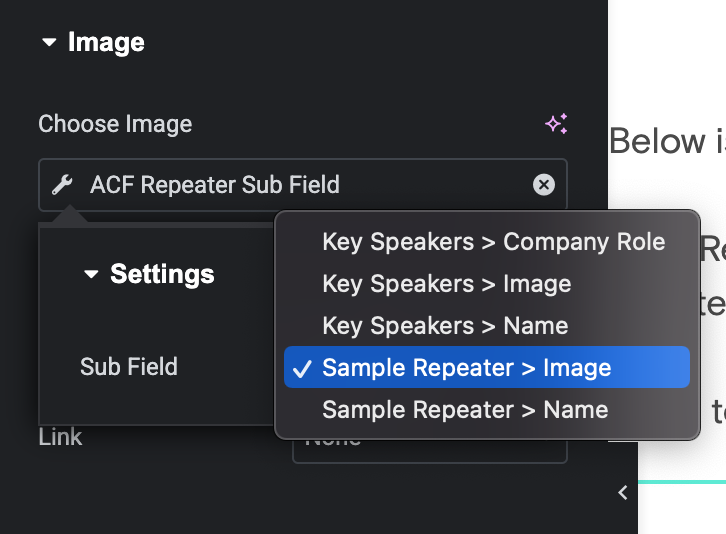
You can use the ACF Repeater Sub Field tag for text, image, and URL fields. 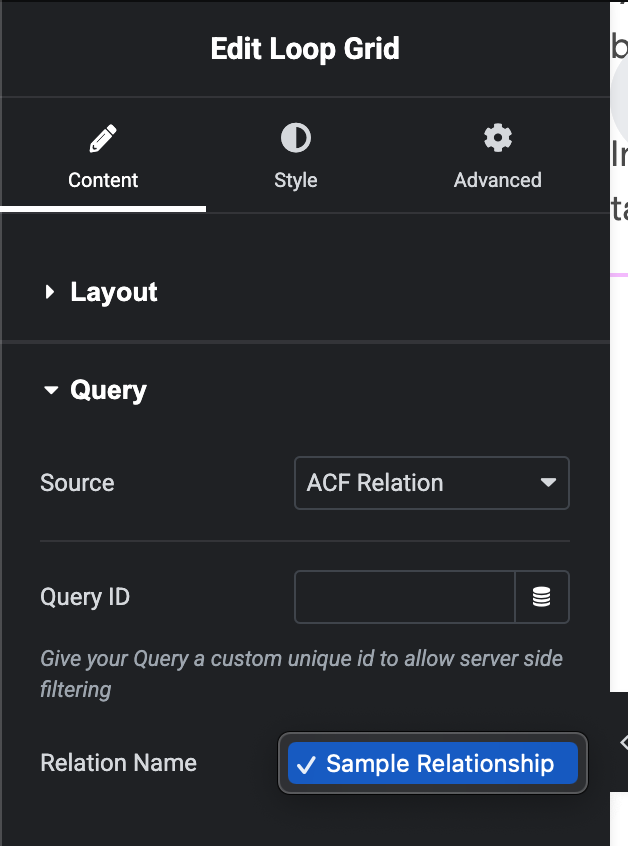
For Relationships, select the ACF Relationship name to use as the data source.


Installatie
- Ensure you have all the required plugins (Elementor, Elementor Pro, ACF Pro) installed and activated.
- Upload the plugin ZIP file through the Plugins screen, or install the plugin through the WordPress plugins screen directly.
- Activate the plugin through the Plugins screen in WordPress.
FAQ
What are the plugin requirements?
You must have Elementor, Elementor Pro, and Advanced Custom Fields Pro installed and activated. The Repeater and Relationship fields are both ACF Pro features.
Can I get data from a repeater on a site-wide options page?
Currently, the plugin retrieves data from ACF fields attached to the current post or page being viewed. Support for ACF Options Pages is a potential future enhancement.
Why isn’t my ACF field showing up in the dropdown?
The dropdowns in the Loop Grid query settings only show fields that are available on the specific post or page you are currently editing with Elementor. Ensure that the post has a value saved for the ACF field you are trying to select.
Beoordelingen


Bijdragers & ontwikkelaars
“Repeaters & Relationships Connector with ACF for Elementor” is open source software. De volgende personen hebben bijgedragen aan deze plugin.
Bijdragers
Vertaal “Repeaters & Relationships Connector with ACF for Elementor” in je eigen taal.
Interesse in ontwikkeling?
Bekijk de code, haal de SVN repository op, of abonneer je op het ontwikkellog via RSS.
Changelog
1.0.0
- Initial release.

