

Beschrijving
Prods2Boxes for WooCommerce
Beschrijving
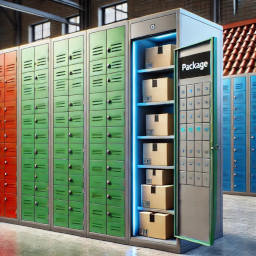
Prods2Boxes for WooCommerce suggests the nearest available locker based on the order’s total volume. Ideal for businesses offering pickup lockers!
External services
This plugin connects to the Prods2Boxes Backoffice API to process locker assignments and shipping data for WooCommerce orders.
What data is sent and when:
– Order details (products, dimensions, quantities) are sent when an order is processed.
– The username, serial and domain for this plugin authentication.
– Website URL and platform identifier for service routing.
– Locker’s table for suggesting you the ideal locker. (if applicable).
Purpose:
– To calculate the total volume of order.
– To assign lockers for order fulfillment.
Service Provider:
ComputerServ (https://computerserv.gr)
– Terms of Service
– Privacy Policy
No sensitive customer data (emails, names, addresses) is transmitted unless required for locker delivery.
Key features:
– Automatically calculates order volume (L × W × H).
– Suggests the best-fitting locker from your predefined list.
– Admin panel to manage locker dimensions and availability.
Perfect for:
– Click-and-collect stores.
– Self-service pickup points.
Schermafbeeldingen

My logo image 
Admin panel for managing lockers. 
Orders page with locker suggestions order fits. 
Orders page with locker suggestions order does not fits, please change to another shipping method.


Installatie
- Go to Plugins Add Plugin and Upload or
Upload the plugin folder to/wp-content/plugins/. - Activate Prods2Boxes for WooCommerce in WordPress admin.
- Go to WooCommerce Prods2Boxes to configure your lockers.
FAQ
How does the plugin calculate volume?
It multiplies the dimensions (L × W × H) of each product in the cart, then sums the total.
Can I add custom lockers?
Yes! Use the admin panel to add/edit lockers with their max dimensions.
Beoordelingen
Er zijn geen beoordelingen voor deze plugin.
Bijdragers & ontwikkelaars
“Prods2Boxes for WooCommerce” is open source software. De volgende personen hebben bijgedragen aan deze plugin.
Bijdragers
Vertaal “Prods2Boxes for WooCommerce” in je eigen taal.
Interesse in ontwikkeling?
Bekijk de code, haal de SVN repository op, of abonneer je op het ontwikkellog via RSS.
Changelog
0.12
- Initial stable release.
- Tested with WordPress 6.7 & WooCommerce 9.7.

