

Beschrijving
Post2Podcast
Beschrijving
Post2Podcast is a powerful WordPress plugin that converts your written blog content into engaging podcast episodes using advanced AI technology. The plugin creates natural-sounding conversations between two AI speakers, making your content more accessible and engaging for audio consumption.
Whether you’re a blogger, content creator, or business owner, Post2Podcast helps you reach a wider audience by repurposing your written content into professional-quality podcast episodes.
Key Features
- Two-Speaker Conversations: Automatically converts blog posts into natural dialogues between two distinct AI speakers
- Multiple AI Voice Options: Choose from high-quality AI voices optimized for different content types
- Customizable Speaker Instructions: Define unique personality and tone for each speaker
- Real-time Audio Generation: Watch your podcast generate in real-time with live progress updates
- Automatic Audio Embedding: Generated podcasts are automatically embedded into your posts
- Bulk Generation: Generate podcasts for multiple posts simultaneously
- Auto-Generation: Automatically create podcasts for new posts as they’re published
- Cloud-Hosted Service: Reliable hosted service with managed infrastructure
- Professional Audio Player: Built-in audio player with download functionality
- Multi-language Support: Automatic language detection and voice selection for 19+ languages
- Credit System: Transparent usage tracking and subscription management
Perfect For
- Bloggers – Reach audio-first audiences and increase engagement
- Content Creators – Repurpose written content into podcast format
- Businesses – Create accessible content for all audiences
- Educators – Transform articles into audio learning materials
- News Sites – Offer audio versions of articles
- Personal Brands – Expand content reach across multiple formats
Two Simple Plans
FREE Plan
* 10 free podcast generations
* Up to 2 minutes per audio
* Multi-language support
* Standard support
* Perfect for testing and small blogs
PRO Plan ($9.99/month)
* 300 credits per month
* Unlimited audio length
* Priority support
* Bulk generation tools
* Auto-generation for new posts
* Professional audio quality
Voice Options
Choose from multiple high-quality AI voices optimized for different content types and languages. The plugin automatically selects the most appropriate voices based on your content’s detected language, or you can manually choose from available options for your preferred language.
Supported Languages
Post2Podcast automatically detects your content language and selects appropriate voices for natural-sounding podcasts:
- English (en) – Default language with all voice options
- Portuguese (pt) – Brazilian and European Portuguese
- Spanish (es) – Latin American and European Spanish
- French (fr) – European French
- German (de) – Standard German
- Italian (it) – Standard Italian
- Dutch (nl) – Netherlands Dutch
- Russian (ru) – Standard Russian
- Japanese (ja) – Standard Japanese
- Chinese (zh-cn) – Simplified Chinese
- Arabic (ar) – Modern Standard Arabic
- Hindi (hi) – Standard Hindi
- Korean (ko) – Standard Korean
- Turkish (tr) – Standard Turkish
- Polish (pl) – Standard Polish
- Swedish (sv) – Standard Swedish
- Danish (da) – Standard Danish
- Norwegian (no) – Standard Norwegian
- Finnish (fi) – Standard Finnish
The plugin automatically:
1. Detects your post’s language from the content
2. Selects the most appropriate voices for that language
3. Generates the podcast script in the detected language
4. Produces natural-sounding audio in your content’s language
Requirements
- WordPress 5.0 or higher
- PHP 7.4 or higher
- cURL enabled (for API communications)
- File permissions: Write access to uploads directory
- Memory: 128MB minimum (256MB recommended for bulk operations)
How to Use
Creating Your First Podcast
Write or Edit a Post
- Create a new blog post or edit an existing one
- Ensure your content is well-structured with clear paragraphs
Configure Podcast Settings
- In the post editor sidebar, find “Podcast Settings”
- Speaker 1 Voice: Choose the first speaker’s voice
- Speaker 1 Instructions: Define their personality (e.g., “Speak in an enthusiastic and friendly tone”)
- Speaker 2 Voice: Choose the second speaker’s voice
- Speaker 2 Instructions: Define their style (e.g., “Speak in a professional, analytical tone”)
Generate Audio
- Click “Generate Audio”
- Watch real-time progress updates
- Preview the generated podcast
- Download or regenerate if needed
Publish and Share
- The audio player is automatically embedded in your post
- Visitors can listen directly on your site
- Share your audio-enhanced content
Advanced Features
Bulk Generation
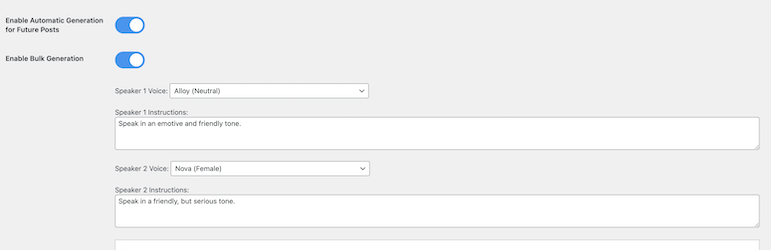
1. Go to Post-to-Podcast Bulk Generation
2. Select posts to convert
3. Configure default voice settings
4. Start bulk generation process
5. Monitor progress in real-time
Auto-Generation
1. Enable “Automatic Generation for Future Posts”
2. New posts will automatically generate podcasts
3. Uses your default voice settings
4. Runs in background after publishing
Custom Voice Instructions
Create unique speaker personalities:
* Professional: “Speak in a clear, authoritative tone with technical expertise”
* Conversational: “Use a friendly, casual tone like talking to a friend”
* Educational: “Explain concepts clearly with enthusiasm for learning”
* Dramatic: “Use expressive, engaging delivery with emotional emphasis”
Pricing & Credits
Understanding Credits
- 1 Credit = 1 Podcast Generation (regardless of length on PRO plan)
- Free Plan: 10 generations total, max 2 minutes each
- PRO Plan: 300 generations per month, unlimited length
Subscription Management
- Upgrade or downgrade anytime
- Cancel without penalties
- Credits refresh monthly on PRO plan
- Free credits never expire until used
Cost Comparison
- Free: $0 (perfect for testing)
- PRO: $9.99/month
Privacy & Security
Data Handling
- Content Processing: Blog content is temporarily sent to AI servers for processing
- No Content Storage: Original content is not permanently stored on external servers
- Audio Storage: Generated audio files are stored on your WordPress server
- Account Data: Subscription and usage data securely managed
Security Features
- Application Password Authentication: Secure WordPress-native authentication
- HTTPS Required: All API communications use encrypted connections
- Regular Updates: Security patches and improvements
- Data Protection: Your content is processed securely and not stored permanently
Support & Community
Getting Help
- Documentation: Visit our WordPress plugin page
- Issues: Report bugs and request features on our WordPress plugin page
- PRO Support: Priority email support included with PRO subscriptions
Credits & Acknowledgments
Developed by: Samuel Bezerra
Powered by:
* Advanced AI text-to-speech technology
* WordPress REST API
* Modern web technologies
* Cloud infrastructure
Special Thanks:
* WordPress community for feedback and testing
* AI technology providers for enabling high-quality voice synthesis
* Early adopters and beta testers
Ready to transform your blog into a podcast? Install Post2Podcast today and start reaching audio-first audiences with professional-quality podcast episodes generated from your existing content.
For more information, visit our official website: https://post2podcast.xyz/
Schermafbeeldingen
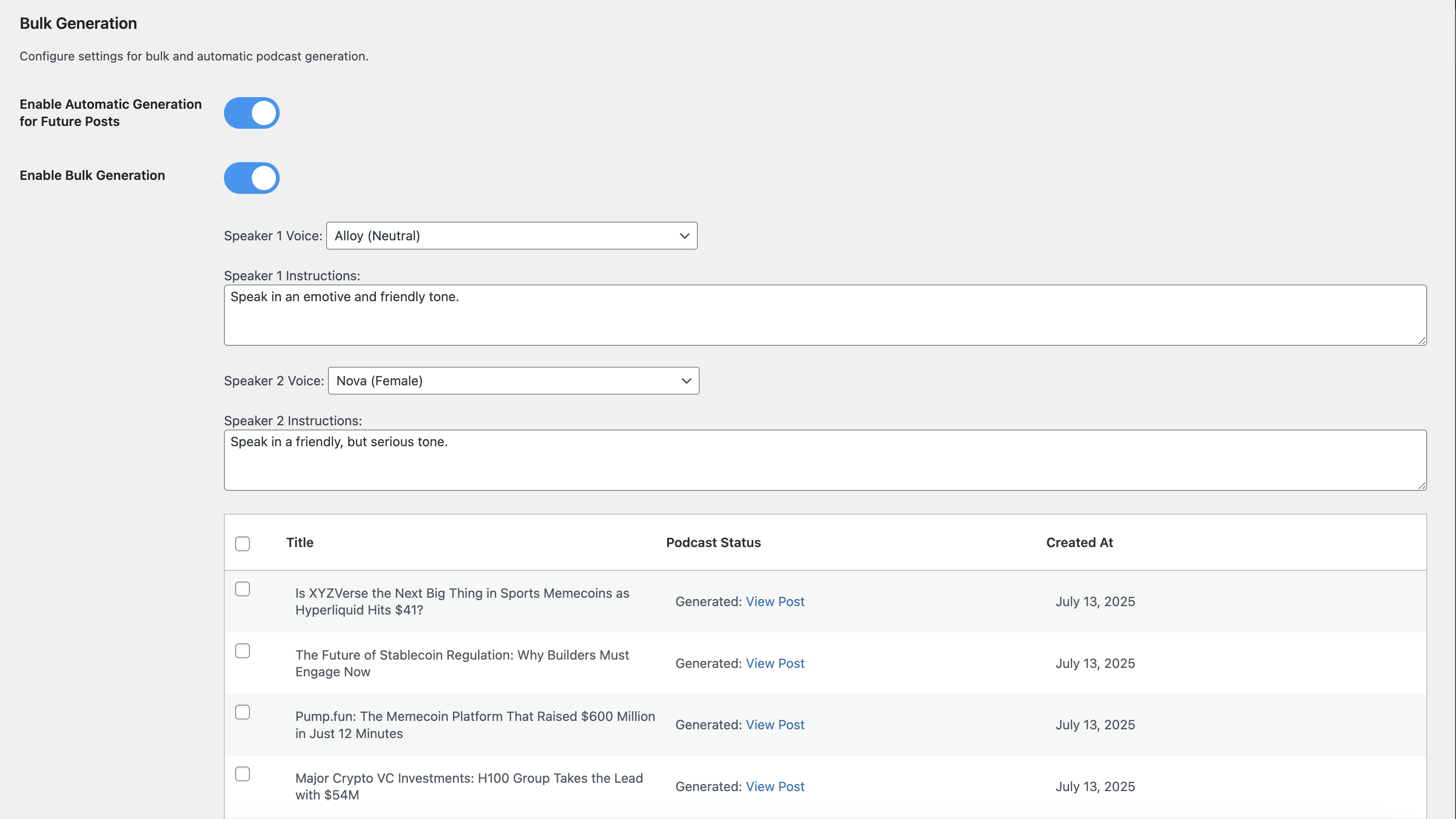
Plugin settings page with subscription management 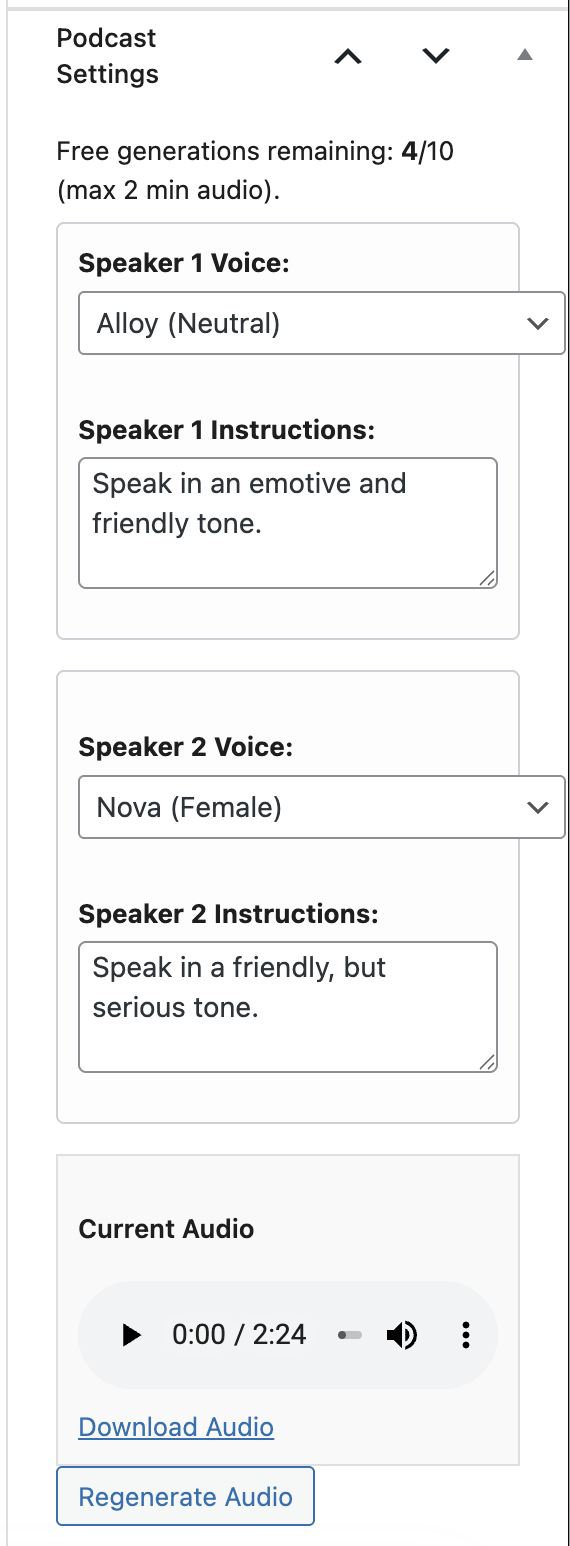
Post editor integration with podcast settings metabox 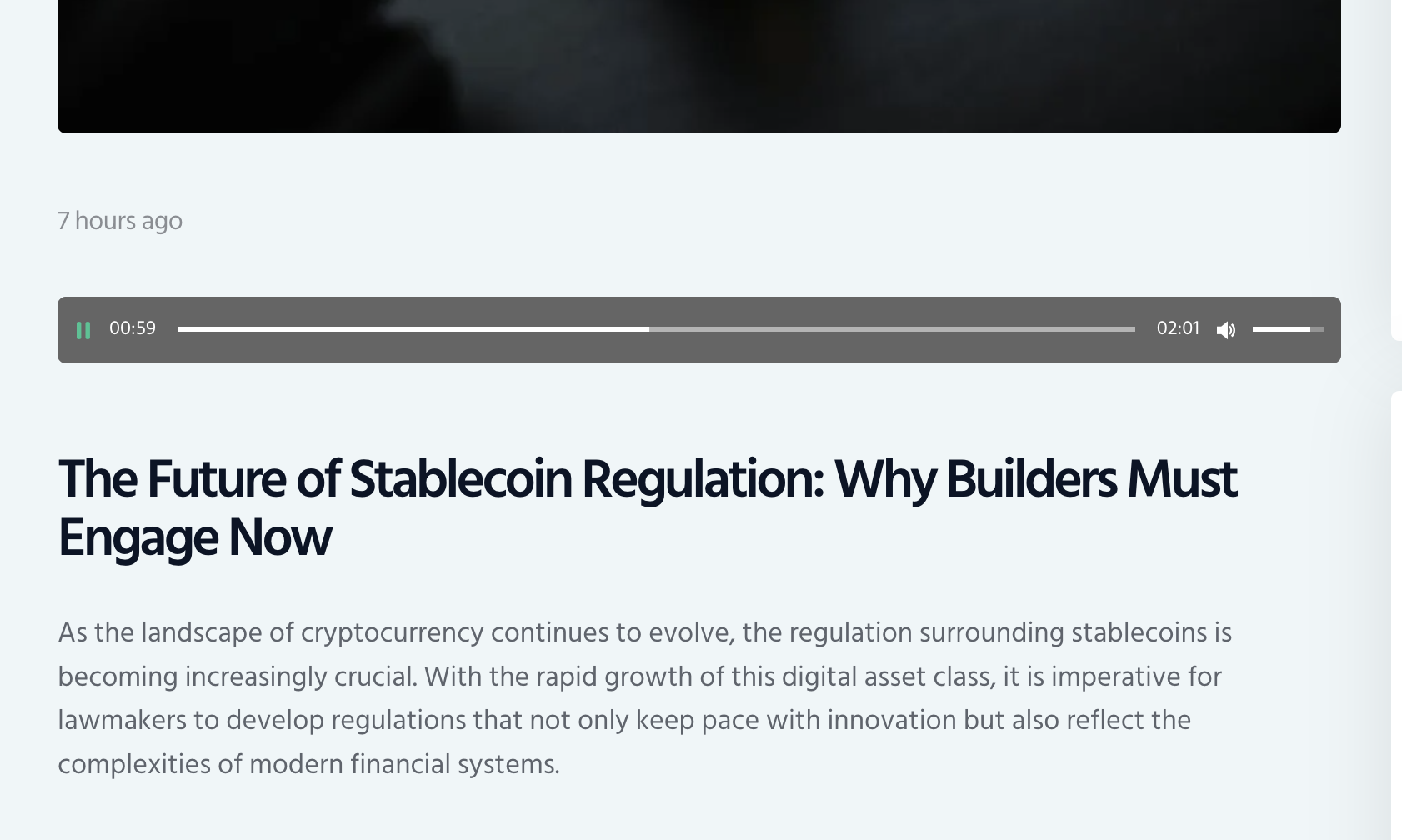
Real-time audio generation progress


Installatie
Quick Setup
Install the Plugin
- Upload the
post2podcastfolder to/wp-content/plugins/ - OR install directly from WordPress admin Plugins Add New
- Activate the plugin
- Upload the
Configure Authentication
- Go to Post-to-Podcast in your WordPress admin menu
- Generate a WordPress Application Password in your user profile
- Enter the Application Password in the plugin settings
Start Creating Podcasts
- Edit any blog post
- Find the “Podcast Settings” meta box in the sidebar
- Customize voices and speaker instructions
- Click “Generate Audio”
- Your podcast will be embedded automatically!
FAQ
How long does it take to generate a podcast?
Typical generation times:
* Short posts (1-2 paragraphs): 30-60 seconds
* Medium posts (3-5 paragraphs): 1-2 minutes
* Long posts (6+ paragraphs): 2-5 minutesWhat content works best for podcasts?
Post2Podcast works great with:
* Blog articles and tutorials
* News articles and opinion pieces
* Educational content and how-to guides
* Product reviews and comparisons
* Personal stories and experiencesCan I edit the generated audio?
Currently, you can regenerate with different voices/instructions, but direct audio editing isn’t supported. We recommend adjusting speaker instructions and regenerating for best results.
What audio format is generated?
All podcasts are generated as MP3 files with high-quality 128kbps encoding, optimized for web streaming and downloads.
Where are audio files stored?
Audio files are stored in your WordPress uploads directory (
/wp-content/uploads/post2podcast/) and can be easily backed up with your regular site backups.Does this work with other content types?
Currently optimized for blog posts, but works with any content type that supports custom meta boxes (can be extended for pages, custom post types, etc.).
What happens to my podcasts if I cancel?
Generated audio files remain on your server and continue to work normally. You just can’t create new podcasts without credits or subscription.
Generation failed – what should I check?
Common solutions:
1. Verify you have available credits
2. Check WordPress Application Password is correct
3. Ensure content isn’t empty or too short
4. Try regenerating with different voice settings
5. Check plugin error logs in WordPress adminAudio player not showing?
Check:
1. Audio file exists in uploads/post2podcast/ directory
2. File permissions allow web access
3. No conflicting audio plugins
4. Clear any caching plugins
Beoordelingen
Er zijn geen beoordelingen voor deze plugin.
Bijdragers & ontwikkelaars
“Post2Podcast” is open source software. De volgende personen hebben bijgedragen aan deze plugin.
Bijdragers
Vertaal “Post2Podcast” in je eigen taal.
Interesse in ontwikkeling?
Bekijk de code, haal de SVN repository op, of abonneer je op het ontwikkellog via RSS.
Changelog
1.3.9
- FIXED: Resolved an issue where bulk generation status was not updating correctly due to local metadata polling. It now correctly polls the remote server.
1.3.8
- FIXED: A PHP parse error that was causing the plugin to crash.
1.3.7
- FIXED: A bug that caused the “Completed job is missing audio data” error.
- FIXED: A bug that caused 404 errors for the job status endpoint.
- IMPROVED: The text sent to the TTS server is now cleaned to prevent special characters from being spelled out.
- CLEANUP: Removed a significant amount of unused and dead code from both the plugin and the server project.
- REFACTOR: Refactored the bulk generation and auto-generation features to use a more robust asynchronous polling mechanism.
1.3.5
- FIXED: Removed unused and dead code from admin.js for better performance and maintainability.
1.3.4
- FIXED: Resolved timeout issues for very long articles by implementing intelligent adaptive summarization.
- IMPROVED: Articles over 5,000 words now use more aggressive summarization to prevent generation timeouts.
- IMPROVED: Very long articles (10,000+ words) are automatically optimized for faster processing without losing key content.
- ADDED: New job status endpoint for better progress tracking without connection timeouts.
- IMPROVED: Enhanced connection stability and reduced generation time for long-form content.
1.3.3
- FIXED: Resolved parameter mismatch error in WordPress article to audio generation during text summarization process.
- IMPROVED: Enhanced text processing pipeline for better audio generation quality.
- IMPROVED: Optimized AI model integration for faster and more reliable podcast generation.
1.3.2
- FIXED: Improved text summarization process to resolve API parameter errors.
- IMPROVED: Enhanced AI processing pipeline for better podcast quality.
1.3.1
- IMPROVED: Summarization word count is now dynamically controlled by the ‘max_words’ parameter for more precise summaries.
1.3.0
- MAJOR UPDATE: Streaming SSE architecture for long audio generation without timeouts
- FIXED: Language detection now correctly auto-selects voices from the SAME detected language
- FIXED: French language now uses the same voice (ff_siwis) for both speakers since only one French voice is available
- ADDED: New backend SSE endpoint (/generate-with-progress) that streams real-time progress updates
- IMPROVED: WordPress plugin now receives continuous progress updates during generation via cURL streaming
- IMPROVED: Enhanced voice auto-selection with better logging and user feedback
- IMPROVED: Frontend JavaScript validates voice selection and triggers change event after auto-selection
- IMPROVED: Frontend timeout extended to 25 minutes to accommodate very long article generation
- IMPROVED: Better error messages when suggested voices are not found in dropdowns
- IMPROVED: Better handling of long-running audio generation (15-20+ minutes for lengthy articles)
1.2.9
- CRITICAL FIX: SSE connection timeout after 2 minutes during long audio generation – now uses streaming backend endpoint
- ADDED: New backend SSE endpoint (/generate-with-progress) that streams real-time progress updates
- IMPROVED: WordPress plugin now receives continuous progress updates during generation, preventing connection timeouts
- IMPROVED: Frontend timeout extended to 25 minutes to accommodate very long article generation
- IMPROVED: Better handling of long-running audio generation (15-20+ minutes for lengthy articles)
- TECHNICAL: Switched from blocking HTTP requests to SSE streaming with cURL for continuous progress updates
1.2.8
- CRITICAL FIX: Corrupted MP3 files with long articles – audio now generates completely without truncation
- FIXED: HTTP timeout issues on backend server (increased to 30 minutes for long audio generation)
- FIXED: PHP memory and execution time limits automatically increased to handle large audio files
- IMPROVED: Comprehensive audio validation – validates base64 encoding, decoded content size, and file integrity
- IMPROVED: Enhanced logging with timing, response sizes, and detailed error diagnostics
- IMPROVED: Backend server timeouts extended to 30 minutes for long-running audio generation
- IMPROVED: Automatic memory increase to 512MB for processing large audio files
- IMPROVED: Better JSON decode error handling to detect truncated responses
1.2.7
- FIXED: Error handling now properly detects and reports server failures instead of showing 100% progress
- FIXED: Language detection now automatically selects appropriate Kokoro TTS voices in dropdown menus
- IMPROVED: Automatic server fallback – when one TTS server fails, automatically tries the next available server
- IMPROVED: Added 3-minute timeout detection to catch when server stops responding during generation
- IMPROVED: Better error messages showing specific failure reasons (connection errors, server errors, timeouts)
- IMPROVED: Progress bar now correctly stops on errors instead of completing to 100%
- ENHANCED: Backend now uses Kokoro TTS voice codes for all language-specific voice recommendations
1.2.6
- IMPROVED: Minor bug fixes and performance improvements.
1.2.4
- IMPROVED: Minor bug fixes and performance improvements.
1.2.3
- IMPROVED: Minor bug fixes and performance improvements.
1.2.2
- FIXED: A bug causing “404 Not Found” errors by reverting a faulty timeout fix.
- IMPROVED: Enhanced multi-language text generation capabilities.
- IMPROVED: Streamlined configuration interface for better user experience.
- CLEANUP: Removed unused code for better performance.
1.2.1
- FIXED: Connection timeout during audio generation for long posts by enforcing the asynchronous, polling-based generation method.
1.2.0
- FIXED: Critical bugs preventing audio generation due to server communication errors (502, 400).
- FIXED: Whitelist was not being correctly applied, causing credit deduction for whitelisted sites.
- FIXED: Audio file decoding error caused by incorrect format handling (MP3 instead of WAV).
- IMPROVED: Server fallback logic is now more robust, properly cycling through all servers on failure.
- IMPROVED: Initial server selection is now randomized to distribute load.
1.1.9
- ADDED: Promotional banner for RSS-To-Post Generator plugin
- IMPROVED: Cross-promotion of complementary automation tools
- ENHANCED: User interface with modern design elements
1.1.8
- FIXED: Tier activation logic for improved subscription handling
- FIXED: Automatic and bulk generation feature availability
- IMPROVED: Credit checking system for better user experience
1.1.7
- FIXED: Configuration detection in settings page
- IMPROVED: Subscription status accuracy in settings display
1.1.6
- IMPROVED: Enhanced subscription tier display in settings page
- IMPROVED: Better visual organization of subscription options
1.1.5
- REMOVED: Lifetime subscription option (now only Free and PRO tiers available)
- IMPROVED: Simplified subscription management with two clear tiers
1.1.4
- NEW: Bulk audio generation feature
- NEW: Manual subscription management capabilities
1.1.3
- NEW: Automatic language detection for 19+ languages
- NEW: Language-appropriate voice selection
- NEW: Podcast scripts generated in detected language
- NEW: Delete buttons during and after generation
- IMPROVED: Multi-language podcast quality and naturalness
- IMPROVED: User experience with language detection preview
1.1.2
- Fix for race conditions during bulk generations
1.1.1
- Security: Fixed output escaping issues for WordPress.org compliance
- UI: Improved subscription management interface
- Bulk: Enhanced bulk generation with better error handling
- Credits: Fixed credit system synchronization
- Compatibility: Updated for WordPress 6.8
1.0.6
- Initial public release
- Core podcast generation functionality
- Basic subscription system
- Cloud-hosted service

