

Beschrijving
Deze plugin is niet getest met de laatste 3 grotere versies van WordPress. Mogelijk wordt het niet meer onderhouden of ondersteund. Ook kunnen er compatibiliteitsproblemen ontstaan wanneer het wordt gebruikt met recentere versies van WordPress.
Ozh' Admin Drop Down Menu
Beschrijving
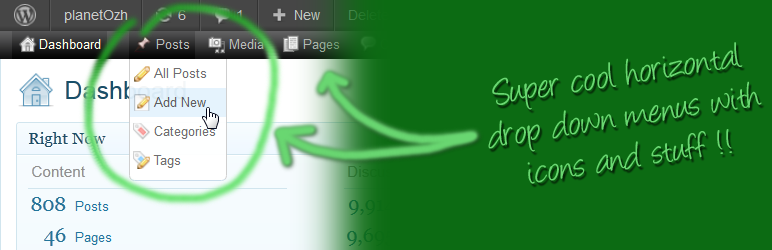
The lazy and the productive will love it : all admin links available in a neat horizontal CSS driven drop down menu. No need to click on “Manage” then “Pages” to edit pages. And plenty more space on your screen.
For documentation, examples and screenshots, please refer to the official plugin page for Admin Drop Down Menu. There is also an API for plugin coders (give your plugin its own special icon!).
Questions and Support
Plugin doc: http://planetozh.com/blog/my-projects/wordpress-admin-menu-drop-down-css/
On Github. I don’t read WordPress support forums.
Schermafbeeldingen
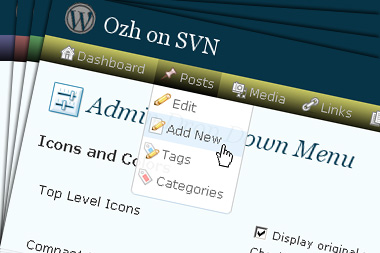
Drop down menu with WordPress top level icons and sub level icons, configurable color scheme 
Normal or compact display 
Full RTL support for those funky locales!


Installatie
Installation is, as usual :
- Upload files to your
/wp-content/plugins/directory (preserve sub-directory structure if applicable) - Activeer de plugin via het ‘Plugins’ menu in WordPress
- Refer to the official plugin page for documentation, usage and tips
FAQ
Question? Github. I don’t read WordPress support forums.
Beoordelingen


Bijdragers & ontwikkelaars
“Ozh' Admin Drop Down Menu” is open source software. De volgende personen hebben bijgedragen aan deze plugin.
Bijdragers
Vertaal “Ozh' Admin Drop Down Menu” in je eigen taal.
Interesse in ontwikkeling?
Bekijk de code, haal de SVN repository op, of abonneer je op het ontwikkellog via RSS.
Changelog
The changelog can be found:
- In the plugin source
- Here: https://plugins.trac.wordpress.org/log/ozh-admin-drop-down-menu?verbose=on
- There: https://github.com/ozh/ozh-admin-drop-down-menu/commits/master

