

Beschrijving


Migrate Guru – Site Migration & Cloning
Beschrijving
Migrate Guru is a powerful WordPress migration plugin designed to seamlessly transfer your WordPress site to a new host or domain. Whether you need to clone, move, or migrate your WordPress website, Migrate Guru ensures a hassle-free process with its one-click migration feature. This plugin supports all-in-one WP migrations, handling large sites up to 200 GB without overloading your server. Compatible with every major web host and equipped with automatic URL rewriting and serialized data handling, it’s the go-to tool for moving WordPress sites to new domains or hosts. Move, clone, or migrate your WordPress site with Migrate Guru—the smart, swift, and secure WordPress migrator and backup plugin.
CHECKOUT Migrate Guru in Action
TOP FEATURES
One-Click Migration
Effortlessly move WordPress sites 80% faster with a single click, migrating 1 GB in under 30 minutes.
No Site Overload
Migrate Guru uses its own servers, preventing site crashes.
Optimized for Large Sites
Easily migrate WordPress sites up to 200 GB, overcoming live-site server limits.
No Add-Ons Required
Seamlessly handle multi-sites and serialized data without extra plugins.
No Storage Needed
Temporary copies are removed post-migration.
Universal Compatibility
Compatible with all web hosts, making transfers simple.
Automated Search & Replace
Accurate search and replace for serialized data.
Real-Time Alerts
Receive real-time and email alerts on migration status.
DISCLAIMER
Op dit moment ondersteunen wij niet:
- Local host migrations
- Migration of multi-site network sub-sites to a different domain or migration of a site to multi-site network subdivision.
HOW TO PERFORM A MIGRATION
- Install Migrate Guru on the site you want to clone.
- Install WordPress on the destination.
- Choose the destination web host that you want to clone your website to, enter details.
- Klik ‘Migreer’
PROUD MIGRATION PARTNERS of Cloudways, Pantheon and DreamHost
SUPPORTS ALL 5,000+ WEB HOSTS AROUND THE WORLD
Pantheon, LiquidWeb, Cloudways, Savvii, DigitalOcean, Hostgator, Godaddy, Bluehost, SiteGround, Kinsta, AWS, Pressable, Webhostingtalk, Inmotion Hosting, Softlayer, Reverbnation, Homestead, Site5, Linode, Fatcow, DreamHost, Rackspace, enz.
WordPress Support forum
For dedicated support and guidance on Migrate Guru, visit the WordPress.org support page. Here you can find community discussions, ask questions, and access resources to ensure smooth and efficient WordPress migrations.
Schermafbeeldingen
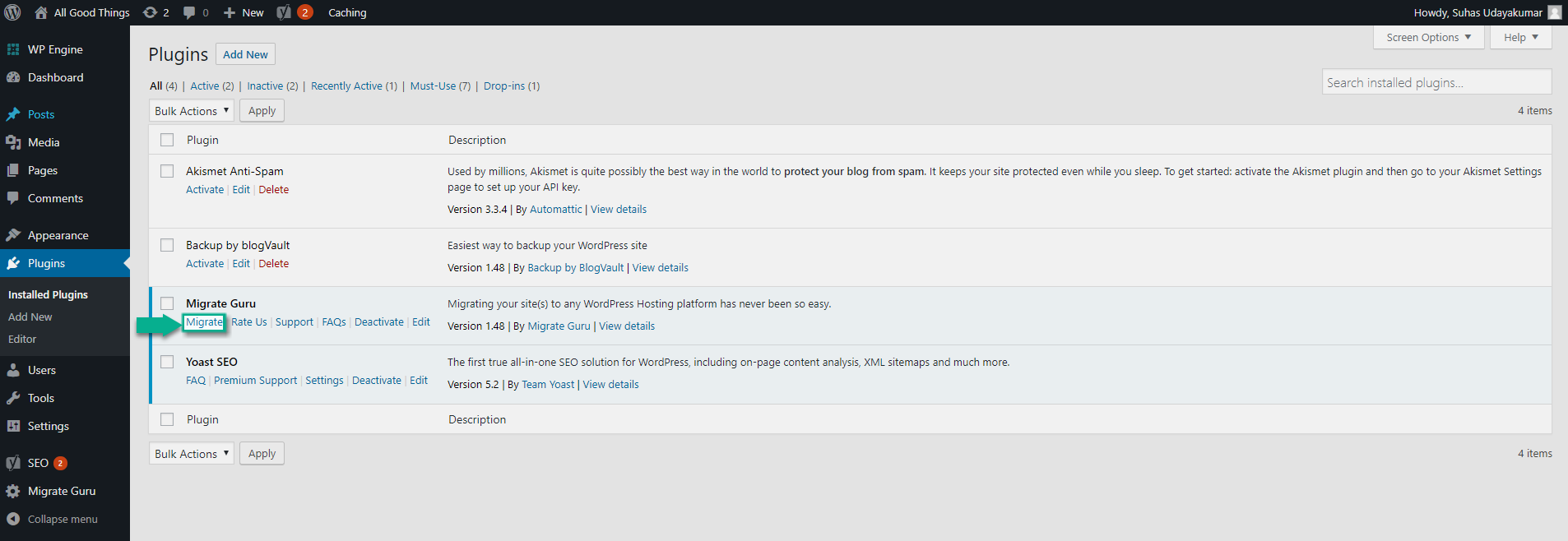
Click on ‘Migrate’ leads to a choice of host-based or cPanel/FTP based migrations 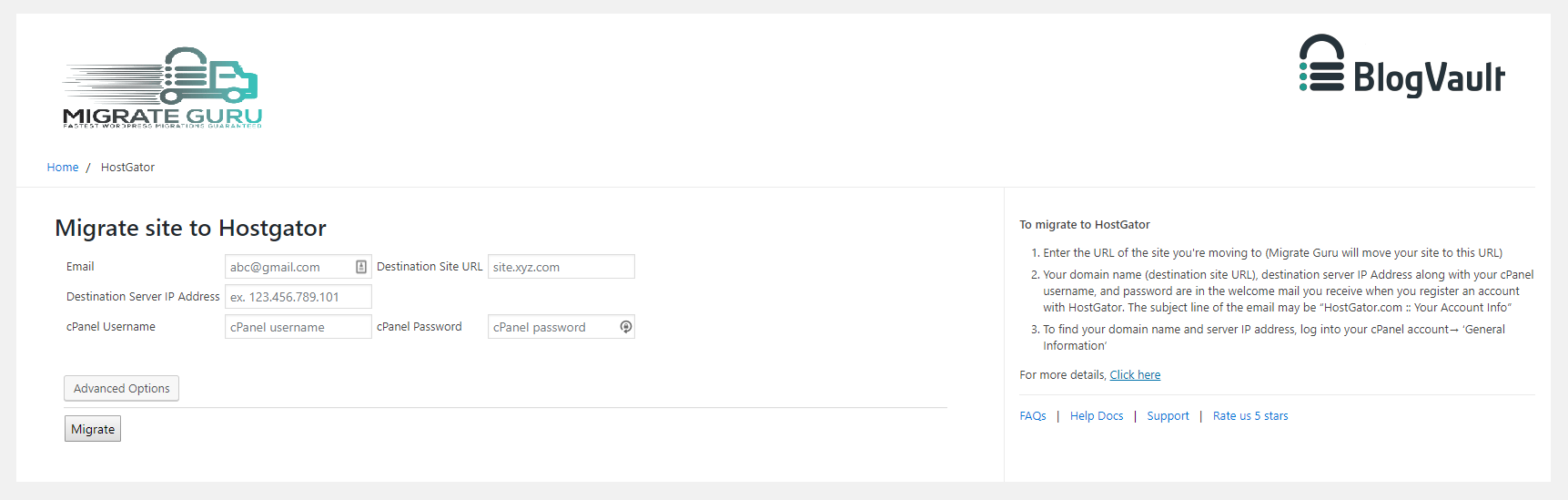
Selecting a web host to move your site to 
Enter host-specific details. 
Selecting cPanel 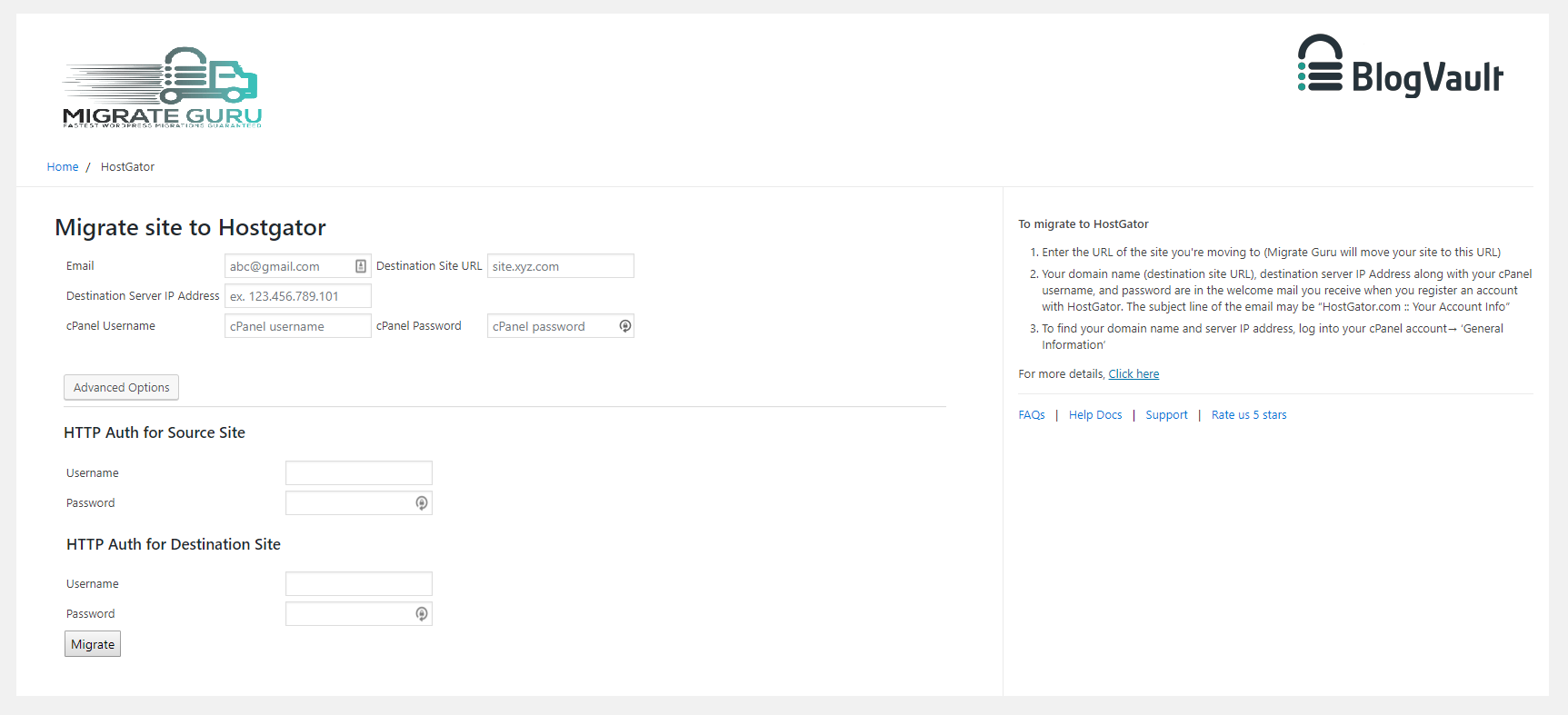
Selecting FTP 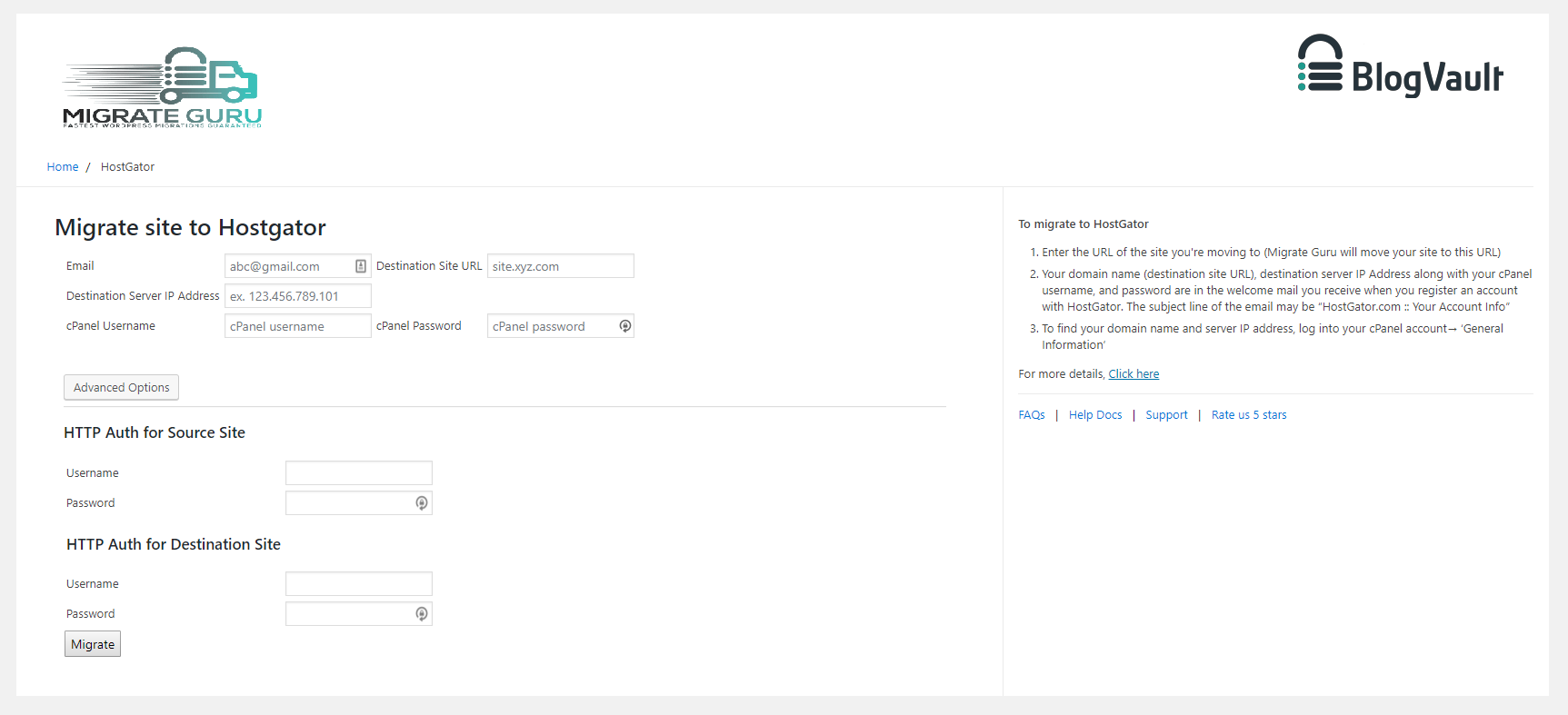
Klik ‘Migreer’


Installatie
Automatische installatie
- Log in to your WordPress dashboard, navigate to the Plugins menu. Click Add New.
- Type Migrate Guru, click Install Now, and activate it.
Handmatige installatie
- In the search field type Migrate Guru and click Search Plugins.
- Click Download.
- Upload the .zip file to your web server via an FTP application. Instructions here
FAQ
What do I need to use Migrate Guru?
You’ll need:
* An account on the new web hosting service.
* A domain on the new host, with WordPress installed.
* The destination’s FTP/cPanel details(optional).Why do you need my email?
Migrate Guru requires an email address to send you updates on the migration process, notify you of any errors that occur during the migration.
How long does Migrate Guru take to move a site?
Migrate Guru can move a 1 GB (files & database) site in <30 Mins*
(*Approximate & depends on a number of factors).Are there any limitations on the number of migrations?
Yes. We’ve enforced a limit of 5 site migrations/user/month (developers can request to have this limit extended). This cap ensures that our servers aren’t overburdened. Each of the 5 sites can be moved unlimited times.
Does Migrate Guru backup my site?
Nee.
Do I need to have WordPress installed in the destination?
Ja.
Do I need to have Migrate Guru installed in the destination to transfer my site?
Ja.
Waarom zijn FTP-/cPanel-gegevens nodig?
Migrate Guru requires FTP/cPanel details primarily as a fallback. The plugin generally doesn’t need these details, relying instead on Migration-key based migration. However, in cases where this primary method encounters issues, the plugin uses FTP/cPanel details as an alternative to ensure a seamless migration.
How do I move a multi-site network?
When installed on a WordPress multi-site network, the plugin automatically becomes ‘network activated’. Once this is done you can go by the same steps as a single site.
Do you have a help guide/documentation?
Yes, we do. You can access it here: https://migrateguru.freshdesk.com/support/home
Beoordelingen


Bijdragers & ontwikkelaars
“Migrate Guru – Site Migration & Cloning” is open source software. De volgende personen hebben bijgedragen aan deze plugin.
Bijdragers

Vertaal “Migrate Guru – Site Migration & Cloning” in je eigen taal.
Interesse in ontwikkeling?
Bekijk de code, haal de SVN repository op, of abonneer je op het ontwikkellog via RSS.
Changelog
6.28
- Tweak: Improved migration workflow for smoother operation
- Tweak: Updated UI for a simpler and more user-friendly experience
5.92
- Tweak: Improvements in fetching File Stats
- Tweak: Code Restructuring
5.88
- Tweak: Code Restructuring
- Tweak: Added support for PHP 8.4
5.65
- Tweak: 24 hrs Validity for Migration Key
5.56
- UI Improvements
- Better handling for Activate Redirect
5.48
- Upgrading to New UI
5.25
- Bug fix get_admin_url
5.24
- SHA256 Support
- Stream Improvements
5.22
- Code Improvements
- Reduced Memory Footprint
5.16
- Upgraded Authentication
5.05
- Code Improvements for PHP 8.2 compatibility
- Site Health BugFix
4.95
- Sync Improvements
- Code Cleanup
- Bug Fixes
4.86
- Migration Key fixes
4.85
- Plugin Based Migration Support
- Code Improvements
4.78
- Better handling for plugin, theme infos
4.72
- Sync Improvements
4.69
- Improved network call efficiency for site info callbacks
4.68
- Removing use of constants for arrays for PHP 5.4 support.
4.66
- Post type fetch improvement.
4.65
- Robust handling of requests params.
- Callback wing versioning.
4.62
- MultiTable Sync in single callback functionality added.
- Streamlined overall UI
- Firewall Logging Improvements
- Improved host info
4.58
- Better Handling of error message from Server on signup
- Added Support for Multi Table Callbacks
4.35
- scanlist and filelist functions improved
4.31
- Fetching Mysql Version
- Robust data fetch APIs
- Core plugin changes
- Sanitizing incoming params
3.4
- Plugin branding fixes
3.2
- Updating account authentication struture
3.1
- Adding params validation
- Adding support for custom user tables
2.1
- Restructuring classes
1.88
- Callback improvements
1.86
- Updating tested upto 5.1
1.84
- Disable form on submit
1.82
- Updating tested upto 5.0
1.81
- Adding support for migrating non-WordPress folders
1.77
- Adding function_exists for getmyuid and get_current_user functions
1.76
- Removing create_funtion for PHP 7.2 compatibility
1.75
- New and improved UI
1.72
- Adding Misc Callback
1.71
- Adding logout functionality in the plugin
1.69
- Adding support for chunked base64 encoding
1.68
- Updating upload rows
1.66
- Updating TOS and privacy policies
1.64
- Bug fixes for lp and fw
1.62
- SSL support in plugin for API calls
- Adding support for plugin branding
1.53
- PHP 5.2 support
1.51
- Code Restructuring
1.49
- Releasing the Migrate Guru migration plugin into the WordPress repository.

