

Beschrijving

Deze plugin is niet getest met de laatste 3 grotere versies van WordPress. Mogelijk wordt het niet meer onderhouden of ondersteund. Ook kunnen er compatibiliteitsproblemen ontstaan wanneer het wordt gebruikt met recentere versies van WordPress.

Media Library Filter
Beschrijving
This plugin adds 2 drop down menus to your Media Library (WordPress Admin Area > Media) which enable you to filter the media in your library by the taxonomies and terms (ie. categories) your media is associated with.
Media is generally “attached” to Posts, Pages, Custom Post Types, etc. All these types of posts can be associated with taxonomies and terms. This plugin allows you to filter media which is attached to any type of post by the taxonomies and terms related to those posts.
Plugin inspired by answer on StackExchange.
Limitation
The filters are only available when viewing your Media Library in “list” mode, not “grid” mode.
Schermafbeeldingen
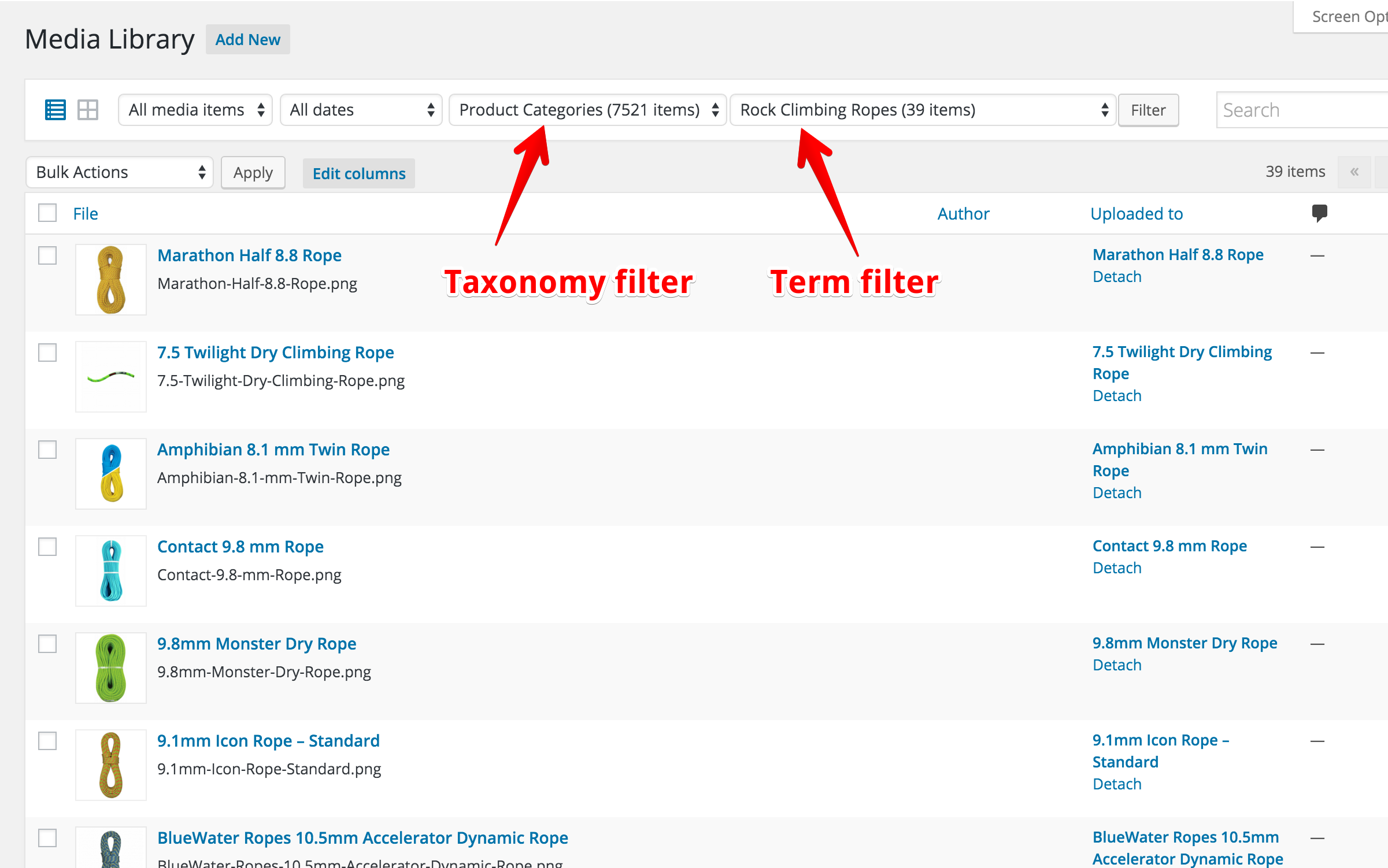
Screenshot of the taxonomy and term filters on the Media Library page.

Installatie
This section describes how to install the plugin and get it working.
- Upload the plugin files to the
/wp-content/plugins/media-library-filterdirectory, or install the plugin through the WordPress plugins screen directly. - Activate the plugin through the ‘Plugins’ screen in WordPress
- Filter your media here WordPress Admin Area > Media > Library > List mode
FAQ
Does this work with custom post types?
Yes.
Does this work with custom taxonomies?
Yes.
Can I filter media by post meta, too?
Nr.
Beoordelingen


Bijdragers & ontwikkelaars
“Media Library Filter” is open source software. De volgende personen hebben bijgedragen aan deze plugin.
Bijdragers
Vertaal “Media Library Filter” in je eigen taal.
Interesse in ontwikkeling?
Bekijk de code, haal de SVN repository op, of abonneer je op het ontwikkellog via RSS.
Changelog
1.0.12 – 2024/07/05
- Updated “tested up to” value
1.0.11 – 2020/11/10
- Updated “tested up to” value
1.0.10 – 2020/03/08
- Update for WordPress 5.7.
1.0.9 – 2020/12/01
- Update for WordPress 5.6.
1.0.8 – 2020/11/03
- Fixed PHP Notice: Trying to access array offset on value of type bool in ~/wp-content/plugins/media-library-filter/media-library-filter.php on line 421
- Fixed PHP Notice: Trying to access array offset on value of type bool in ~/wp-content/plugins/media-library-filter/media-library-filter.php on line 422
- Fixed PHP Notice: Trying to get property ‘label’ of non-object in ~/wp-content/plugins/media-library-filter/media-library-filter.php on line 230
1.0.7 – 2020/03/11
- Updated readme.
1.0.6 – 2019/11/12
- Updated readme.
1.0.5 – 2019/05/06
- Updated readme.
1.0.4 – 2019/02/19
- Updated readme.
1.0.3
- Updated readme.
1.0.2
- Added README.md for Github page.
1.0.1
- Updated “Tested up to” version
1.0
- Eerste release.


