

Beschrijving

Media File Limiter
Beschrijving
Media File Limiter is a lightweight and efficient plugin designed to strengthen your WordPress upload security.
It limits the maximum upload file size (in MB) and blocks specific dangerous file extensions (e.g., .exe, .php, .html, .js), preventing malicious or oversized files from being uploaded to your media library.
Unlike traditional file validation, this plugin operates at the earliest possible stage of the upload process via the wp_handle_upload_prefilter hook, ensuring that dangerous files are blocked before WordPress processes them.
Key Features
Set a custom maximum upload size (in MB).
Define forbidden file extensions (comma-separated).
Displays current PHP/WordPress upload limits for reference.
Early-stage security enforcement — before files reach media processing.
Fully translatable and internationalized (media-file-limiter text domain).
Compatible with multisite environments.
Why This Plugin?
WordPress allows large files and executable extensions under certain misconfigurations, which can lead to:
Server performance degradation.
Potential remote code execution (RCE) risks.
Media library clutter and upload errors.
Media File Limiter addresses these issues with a simple, configurable interface under the WordPress “Settings Media Limit” page.
License
This plugin is free software: you can redistribute it and/or modify it under the terms of the GNU General Public License as published by the Free Software Foundation, either version 2 of the License, or any later version.
This plugin is distributed in the hope that it will be useful, but WITHOUT ANY WARRANTY; without even the implied warranty of MERCHANTABILITY or FITNESS FOR A PARTICULAR PURPOSE.
Additional Notes
The plugin follows WordPress Coding Standards (WPCS).
All options use the Settings API (register_setting / add_settings_field).
Security first: early execution priority (wp_handle_upload_prefilter, priority 1).
Uninstall hook (register_uninstall_hook) ensures full cleanup.
Schermafbeeldingen
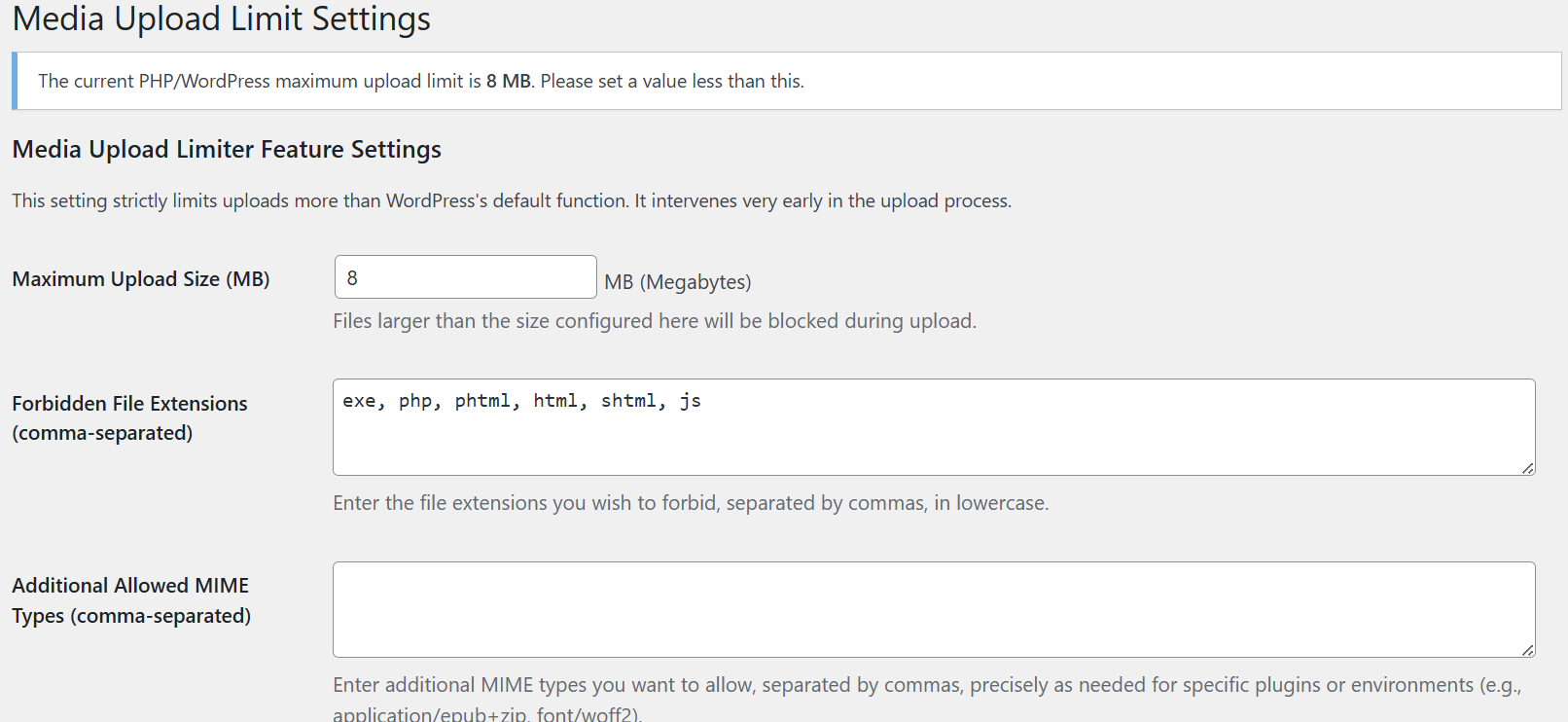
Settings page under “Media Limit”

Installatie
Upload the plugin files to the /wp-content/plugins/media-file-limiter/ directory, or install the plugin via the WordPress plugins screen directly.
Activate the plugin through the ‘Plugins’ screen in WordPress.
Navigate to Settings Media Limit to configure:
Maximum upload size (MB)
Forbidden file extensions (comma-separated)
FAQ
Q1. Does this override the PHP upload limit (upload_max_filesize)?
No. This plugin enforces an additional upper bound below your PHP/WordPress limit. You cannot exceed the PHP upload_max_filesize or post_max_size settings.
Q2. What happens when an upload exceeds the configured size?
The upload process is immediately stopped, and a descriptive error message appears to the user.
Q3. Can I allow some extensions while blocking others?
Yes. You can specify any combination of extensions in the settings field (e.g., exe, php, html).
Q4. Does this affect plugin/theme uploads or imports?
No. It only affects media uploads (via wp_handle_upload_prefilter), not plugin/theme installers.
Q5. Is it compatible with multisite?
Yes. Each site can configure its own upload limit and forbidden extensions independently.
Beoordelingen
Er zijn geen beoordelingen voor deze plugin.
Bijdragers & ontwikkelaars
“Media File Limiter” is open source software. De volgende personen hebben bijgedragen aan deze plugin.
Bijdragers
Vertaal “Media File Limiter” in je eigen taal.
Interesse in ontwikkeling?
Bekijk de code, haal de SVN repository op, of abonneer je op het ontwikkellog via RSS.
Changelog
1.0
Initial release.
Added:
Maximum file size limit setting.
Forbidden extensions list (comma-separated).
Early upload filtering using wp_handle_upload_prefilter.
Uninstall cleanup for stored options.
Admin settings UI with contextual help and current PHP limit display.

