

Beschrijving


MedForward Forms
Beschrijving
MedForward Forms makes it easy to display your MedForward-hosted forms inside your WordPress website. After entering your MedForward base URL, the plugin will automatically fetch all available form links and provide simple shortcodes for embedding them anywhere on your site.
Key Features:
– Fetch and display all available forms from your MedForward account.
– Automatically generate shortcodes to embed individual forms.
– Gutenberg and Classic Editor friendly.
– Includes a visual button to insert forms directly from the editor.
This plugin is designed specifically for MedForward clients who host their forms on a MedForward server.
License
This plugin is licensed under the GPLv2 or later.
Schermafbeeldingen
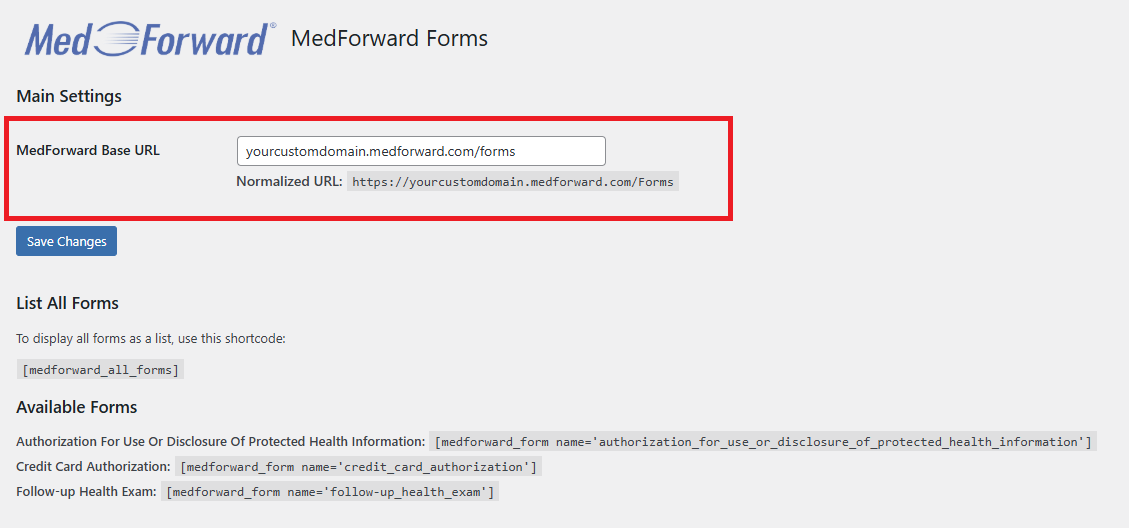
Plugin settings page where you enter your MedForward base URL. 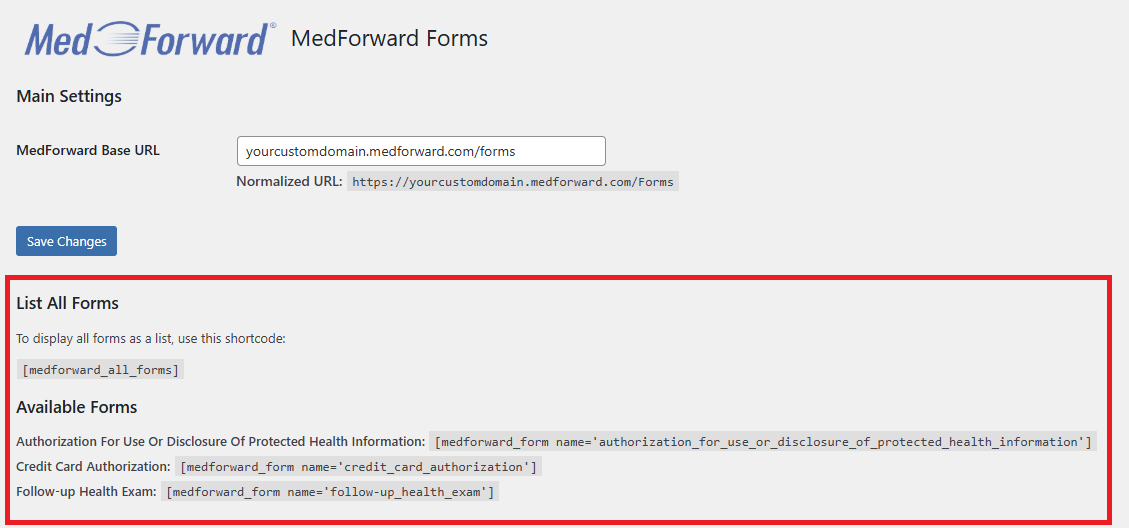
List of available forms with auto-generated shortcodes. 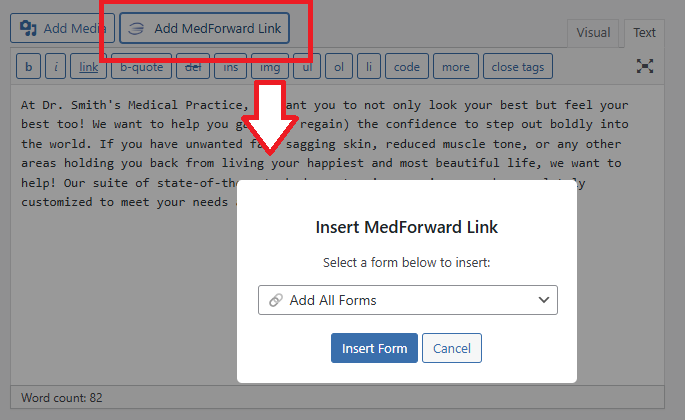
Using the Classic Editor to insert form link shortcodes using the “Add MedForward Link” button.


Installatie
- Upload the plugin files to the
/wp-content/plugins/medforward-formsdirectory, or install it via the WordPress Plugin Directory. - Activate the plugin through the ‘Plugins’ menu in WordPress.
- Go to the MedForward menu in your WordPress admin dashboard.
- Enter your MedForward base URL (e.g.
https://yourdomain.medforward.com). - Use the generated shortcodes or the editor button to add forms to your pages or posts.
FAQ
Do I need a MedForward account to use this plugin?
Yes. This plugin is designed for existing MedForward clients who use the secure online forms service.
What is the base URL I need to enter?
You should enter the main URL where your MedForward forms are hosted. For example:
https://yourdomain.medforward.comWill this plugin store any form data in WordPress?
No. All form submissions are securely handled and stored by MedForward. This plugin only fetches and displays links to your hosted forms.
Does this plugin work with custom post types or page builders?
Yes! You can paste shortcodes into any editor that supports shortcodes, including custom post types and popular page builders.
Can I use this plugin on more than one site?
Yes, as long as each site connects to a valid MedForward forms page.
Are form link styles customizable?
The plugin outputs simple links. You can style them using custom CSS on the class selectors
.medforwardForm(for individual form links) and.medforwardFormsList(when using [medforward_all_forms] shortcode).
Beoordelingen
Er zijn geen beoordelingen voor deze plugin.
Bijdragers & ontwikkelaars
“MedForward Forms” is open source software. De volgende personen hebben bijgedragen aan deze plugin.
Bijdragers
Vertaal “MedForward Forms” in je eigen taal.
Interesse in ontwikkeling?
Bekijk de code, haal de SVN repository op, of abonneer je op het ontwikkellog via RSS.
Changelog
1.70
- Initial public release.
- Auto-fetch form links.
- Shortcodes for embedding individual and all forms.
- Admin editor button for inserting forms.

