

Beschrijving
Deze plugin is niet getest met de laatste 3 grotere versies van WordPress. Mogelijk wordt het niet meer onderhouden of ondersteund. Ook kunnen er compatibiliteitsproblemen ontstaan wanneer het wordt gebruikt met recentere versies van WordPress.

Mass Page Remover
Beschrijving
Mass Page Remover does exactly what the name implies: it makes it very easy to remove as many pages as you want.
The plugin works as an admin panel. The form contains a start page ID and an end page ID as well as an input for specific IDs.
Please provide feedback on the blog post so that I can improve the plugin further.
For a complete list of the changes from each version, please visit the plugin homepage.
For examples and tips on using the plugin, please check the examples on the plugin homepage.
Be sure to check out my other plugins at my WordPress profile.
USAGE
- After activating the plugin, navigate to the admin panel interface, where the options can be entered to remove the required number of pages or posts.
- View the page list at the bottom to see which pages you want to remove.
Schermafbeeldingen
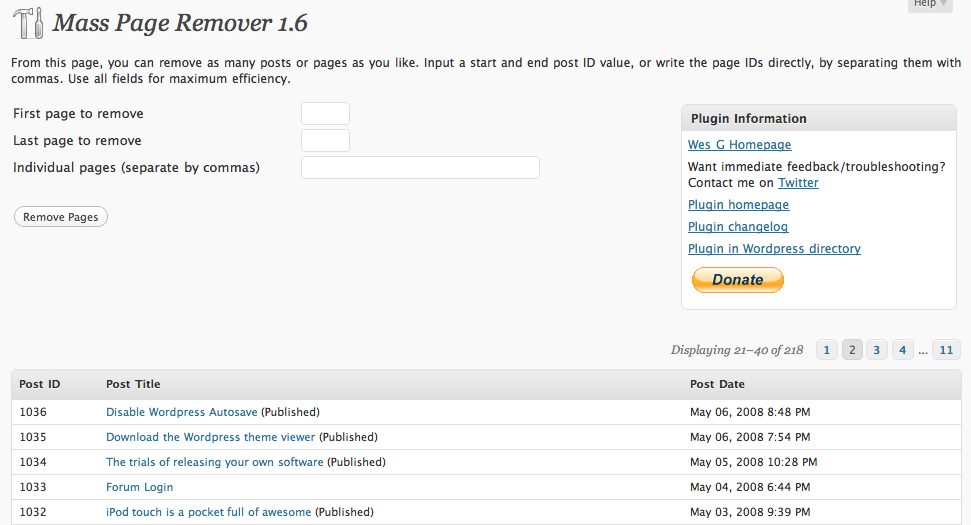
The admin panel interface for Mass Page Remover.

Installatie
- Copy the folder mass-page-remover into your WordPress plugins directory (wp-content/plugins).
- Log in to WordPress Admin. Go to the Plugins page and click Activate.
- Navigate to the Admin Panel for Mass Page Remover, where you can remove all the pages you desire.
FAQ
- What is the purpose of this plugin?
As a compliment to my earlier plugin that inserts multiple pages, this plugin removes multiple pages or posts in an easy to use way.
- What options are available?
In the interface panel, you have the ability to customize the page removal process.
You can change:* Starting ID of page * Ending ID of page * Specific IDs separated by commas
Beoordelingen
Er zijn geen beoordelingen voor deze plugin.
Bijdragers & ontwikkelaars
“Mass Page Remover” is open source software. De volgende personen hebben bijgedragen aan deze plugin.
Bijdragers
Vertaal “Mass Page Remover” in je eigen taal.
Interesse in ontwikkeling?
Bekijk de code, haal de SVN repository op, of abonneer je op het ontwikkellog via RSS.

