

Beschrijving
Ga naar de inhoud


Lees alle 19 beoordelingen
LuckyWP ACF Menu Field
Beschrijving
Add navigation menu field type to Advanced Custom Fields.
Features
- Customizable return value: ID, object (WP_Term) or HTML (use function wp_nav_menu()).
- Hook filter
lwpamf_wp_nav_menu_argsto change arguments of wp_nav_menu() function.
Compatibility
LuckyWP ACF Menu Field is compatible with:
- Advanced Custom Fields 5
- Advanced Custom Fields PRO 5
- Advanced Custom Fields 6
- Advanced Custom Fields PRO 6
Schermafbeeldingen
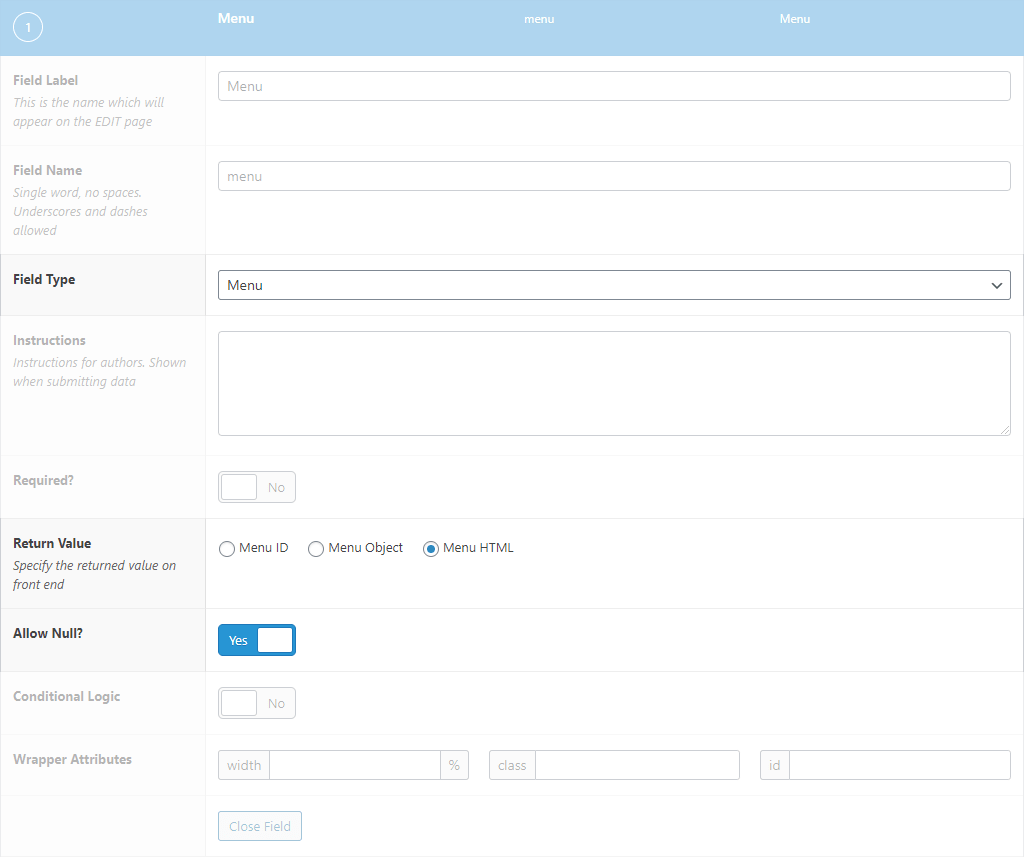
Edit Field Configuration 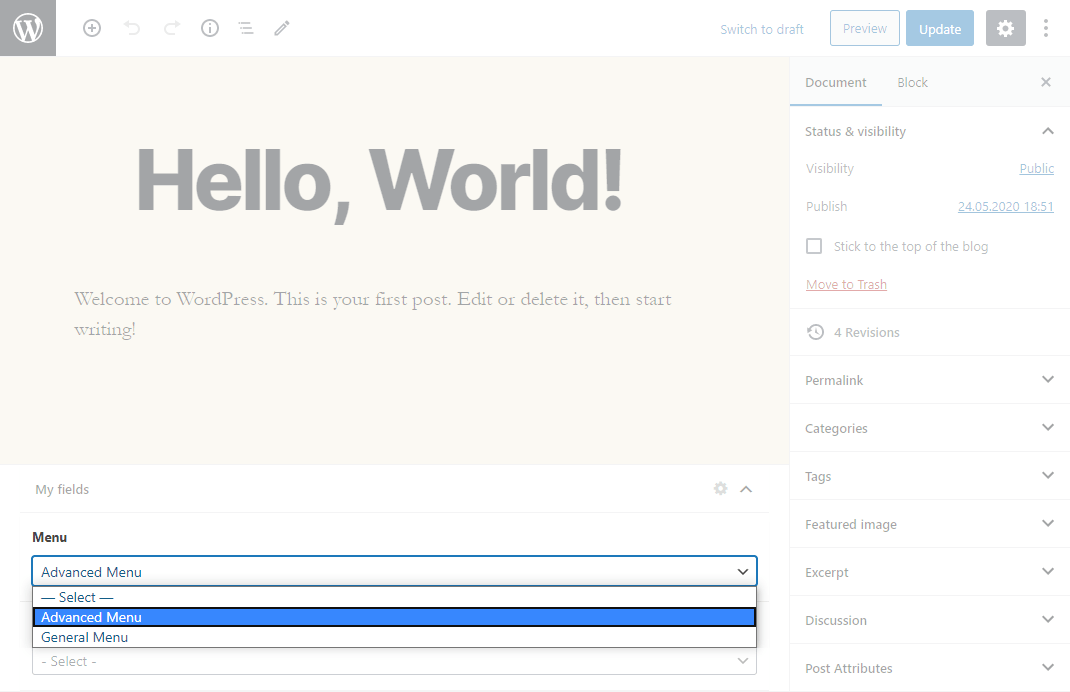
Menu Field


Installatie
Installing from the WordPress control panel
- Go to the page “Plugins > Add New”.
- Input the name “LuckyWP ACF Menu Field” in the search field
- Find the “LuckyWP ACF Menu Field” plugin in the search result and click on the “Install Now” button, the installation process of plugin will begin.
- Click “Activate” when the installation is complete.
Installing with the archive
- Go to the page “Plugins > Add New” on the WordPress control panel
- Click on the “Upload Plugin” button, the form to upload the archive will be opened.
- Select the archive with the plugin and click “Install Now”.
- Click on the “Activate Plugin” button when the installation is complete.
Manual installation
- Upload the folder
luckywp-acf-menu-fieldto a directory with the plugin, usually it is/wp-content/plugins/. - Go to the page “Plugins > Add New” on the WordPress control panel
- Find “LuckyWP ACF Menu Field” in the plugins list and click “Activate”.
After activation
Into ACF field type will appear option “Menu” (group “Relational”).
Beoordelingen
10 januari 2025 1 reactie
Does exactly what you’d expect, and does it well.
26 juni 2024
Exactly what I was looking for. Thanks for the great plugin!
21 oktober 2023
Amazing plugin. Hope to see it continue to work far into the future!
30 november 2022
🙂
2 november 2022
Does what it says on the label. Glad I found this!
22 september 2022
Nice plugin, it works.
Bijdragers & ontwikkelaars
“LuckyWP ACF Menu Field” is open source software. De volgende personen hebben bijgedragen aan deze plugin.
Bijdragers
“LuckyWP ACF Menu Field” is vertaald in 2 localen. Dank voor de vertalers voor hun bijdragen.
Vertaal “LuckyWP ACF Menu Field” in je eigen taal.
Interesse in ontwikkeling?
Bekijk de code, haal de SVN repository op, of abonneer je op het ontwikkellog via RSS.
Changelog
1.0.3 — 2025-06-10
- Adapt to WordPress 6.8.
1.0.2 — 2024-11-28
- Fix deprecated notices.
- Test with WordPress 6.7.
1.0.1 — 2024-11-11
- Fix “LuckyWP Plugins” page.
1.0 — 2020-05-26
- Initial release.

