

Beschrijving

Light & Dark Mode Switcher
Beschrijving
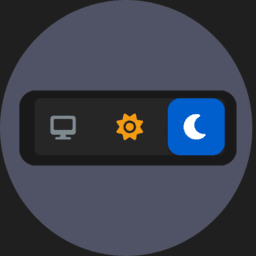
Light & Dark Mode Switcher enables users to easily toggle between light, dark, and system appearance modes, improving accessibility and user comfort. Enhance your site’s modern look and reduce eye strain for your visitors with a single click.
Ideal for blogs, portfolios, business websites, online stores, or any site where user experience and personalization are important.
Features
- Light Mode: Clean, bright interface for optimal readability in well-lit environments.
- Dark Mode: Eye-friendly dark theme for comfortable viewing at night or in low-light settings.
- System Mode: Automatically adapts to the user’s device or operating system color preference.
- Effortless integration—no coding required.
- Lightweight and fast, with minimal impact on site performance.
- Compatible with most WordPress themes and plugins.
License
This plugin is licensed under the GNU General Public License v3 or later. See the LICENSE file for details.
Contributions
Contributions welcome! Open an issue or submit a pull request on GitHub.
Made with love for the WordPress community
Schermafbeeldingen

Light Mode 
Dark Mode 
System Mode


Installatie
Installation via WordPress Admin
- Download the
light-dark-mode-switcher-x.x.x.zipfile. - In your WordPress dashboard, go to Plugins > Add New.
- Click Upload Plugin, choose the ZIP file, and click Install Now.
- After installation, click Activate to enable the plugin.
Manual Installation
- Extract the ZIP file to a folder named
light-dark-mode-switcher. - Upload this folder to the
/wp-content/plugins/directory on your server. - In your WordPress dashboard, go to Plugins and click Activate under “Light & Dark Mode Switcher”.
Installation via Composer
- Run
composer require wpackagist-plugin/light-dark-mode-switcher. - The plugin will be installed in the
wp-content/plugins/directory. - In your WordPress dashboard, go to Plugins and click Activate under “Light & Dark Mode Switcher”.
Beoordelingen
Er zijn geen beoordelingen voor deze plugin.
Bijdragers & ontwikkelaars
“Light & Dark Mode Switcher” is open source software. De volgende personen hebben bijgedragen aan deze plugin.
Bijdragers
Vertaal “Light & Dark Mode Switcher” in je eigen taal.
Interesse in ontwikkeling?
Bekijk de code, haal de SVN repository op, of abonneer je op het ontwikkellog via RSS.
Changelog
1.0.0
- 1.0.0 (2025-09-23)
- ⚠ BREAKING CHANGES
- plugin: first stable release 🎉
- Features
- plugin: first stable release 🎉
0.4.0
- 0.4.0 (2025-09-04)
- Features
- plugin: add FontAwesome dependency and update styles
- Bug Fixes
- dependencies: update dependencies
- plugin: enforce strict linting in lint-staged configuration
- plugin: sanitize output in render_in_footer method
- plugin: update debug log comment for clarity and consistency
- readme: remove redundant tag from plugin description
0.3.0
- 0.3.0 (2025-09-04)
- Features
- plugin: add light & dark mode switcher controls and templates
- plugin: add main plugin class with debug logging functionality
- Bug Fixes
- plugin: correct script handle for main plugin script enqueue
0.2.0
- 0.2.0 (2025-09-04)
- Features
- plugin: implement light and dark mode functionality with assets
0.1.0
- 0.1.0 (2025-09-04)
- Features
- plugin: add initial plugin files for light & dark mode switcher
0.0.1
- Initial release.

