

Beschrijving


Keyword Research Tool
Beschrijving
Discover long-tail keyword suggestions related to your topic to improve the visibility of your content in search. Just enter your focus keyword and quickly discover related keyword opportunities.
After generating the keyword list, you can select the keywords that are most interesting and group them into keyword groups.
How to do keyword research with this WordPress plugin?
- Enter your focus keyword.
- Automatically generate a list of suggested keywords.
- Select relevant the most keywords.
- Copy the list of keywords you’ve selected in the previous step.
- And finally, write a great blog post, targeting multiple relevant keywords.
About the Keyword Research Tool for WordPress
This plugin is developed by: SEO Review Tools.
After activation, the plugin will add an extra menu item “KW Research Tool”, on this page you can perform your keyword research without having to leave your WordPress interface.
Supported countries
- United States
- Canada
- United Kingdom
- Netherlands
- Belgium (FR)
- Belgium (NL)
- Germany
- France
- Denmark
- Ireland
- Italy
- Spain
- Portugal
- Australia
- New Zealand (EN)
Schermafbeeldingen
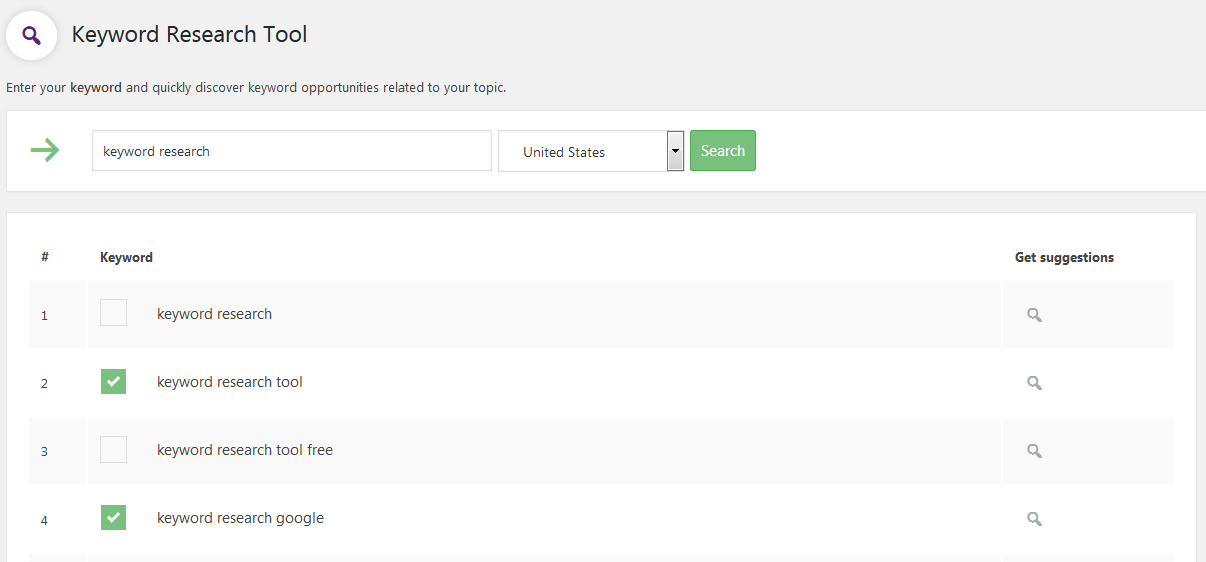
Enter your focus keyword 
Select the right country / language 
Make a custom selection of the most relevant keywords


Installatie
Using the WordPress interface:
- Login to your WordPress website.
- Click on: “Plugins”.
- Click on: “Add new”.
- Search for this plugin, type: “Keyword Research Tool”.
- Click on: “Install Now”.
- Enter your FTP login credential (provided by your hosting provider).
- Click on: “Proceed”.
- After the plugin is installed, click on “Activate plugin”.
- Go to the menu item: “KW Research Tool”.
Using FTP:
- Download the plugin
- Extract the plugin folder (keyword-research-tool) from the zip archive.
- Login on your server with FTP and navigate to the directory “wp-content/plugins”.
- Copy the folder (keyword-research-tool) into the plugins directory.
- Login to your WordPress website.
- Click on: “Activate plugin”.
- Go to the menu item: “KW Research Tool”.
FAQ
Is there a daily keyword research limit?
No! You can perform as many queries as you like.
Beoordelingen


Bijdragers & ontwikkelaars
“Keyword Research Tool” is open source software. De volgende personen hebben bijgedragen aan deze plugin.
Bijdragers
Vertaal “Keyword Research Tool” in je eigen taal.
Interesse in ontwikkeling?
Bekijk de code, haal de SVN repository op, of abonneer je op het ontwikkellog via RSS.

