

Beschrijving


Media Cleaner and Database Optimizer by ITPath
Beschrijving
Media Cleaner and Database Optimizer by ITPath helps you manage unused media files and clean unnecessary data from your WordPress database.
The plugin allows you to identify media files that are not associated with posts or pages and remove them safely. It also provides tools to clean unused database data such as revisions, drafts, transients, and metadata.
By keeping your media library and database organized, the plugin helps maintain a cleaner WordPress installation and supports smooth site operation.
Features
Media Cleaner
- View all media files utilized on your site.
- Easily clear unused media not associated with any posts or pages.
- Streamline media management by deleting unused files.
- Detect media usage across your website effortlessly.
- Save time by skipping the cleanup process for media files that are in use.
Database Cleaner
- Inactive & unused Plugins cleaner
- Inactive & unused Themes cleaner
- Revision clean up
- Draft clean up
- Auto draft clean up
- Post meta clean up
- Comment meta clean up
- All comments clean up
- User meta clean up
- Term meta clean up
- Trashed post & product clean ip
- Trashed post / product clean up
- Transients clean up
- Pingback & trackback clean up
Schermafbeeldingen
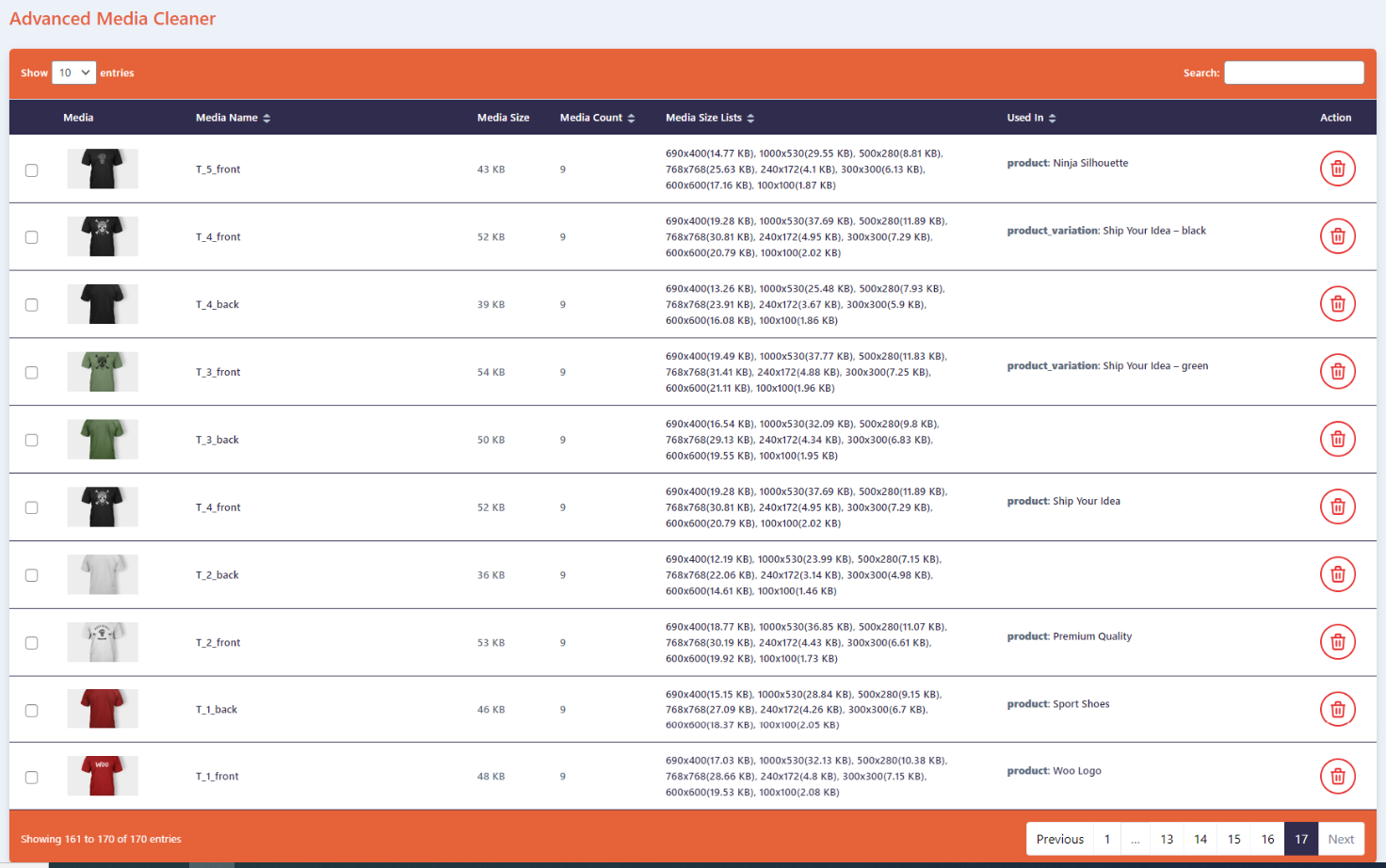
Media Cleaner 
Database Cleaner 
Media and Database Cleaner


Installatie
This section describes how to install the plugin and get it working.
- Upload
itpathsolutions-media-cleaner-and-database-optimizerto the/wp-content/plugins/directory. - Activate the plugin through the
Pluginsmenu in WordPress. - You will find WP Optimizer in your WordPress admin screen.
Beoordelingen
Er zijn geen beoordelingen voor deze plugin.
Bijdragers & ontwikkelaars
“Media Cleaner and Database Optimizer by ITPath” is open source software. De volgende personen hebben bijgedragen aan deze plugin.
Bijdragers


Vertaal “Media Cleaner and Database Optimizer by ITPath” in je eigen taal.
Interesse in ontwikkeling?
Bekijk de code, haal de SVN repository op, of abonneer je op het ontwikkellog via RSS.
Changelog
1.0.5
Release Date 8 January 2026
- Compatibility – Fully compatible with WordPress version 6.9
1.0.4
Release Date 26 May 2025
- Compatibility – Fully compatible with WordPress version 6.8.
- Enhancement – Improved internationalization (i18n) support.
- New – Added a new .pot file for translations.
1.0.3
- Fix – UI Updates
- Fix – Multiple images delete option added
1.0.2
- Fix – Delete All button issue
- Improvement – UI Updates
1.0.1
- New – Media table column sortable
- New – Multiple media delete
- Fix – Layout improve and fix changes
1.0.0
- Initial Release

