

Beschrijving


Indexedy
Beschrijving
Indexedy is a powerful WordPress plugin that helps you monitor and track which of your posts, pages, and custom post types are indexed by Google. Get real-time insights into your content’s indexing status with multiple checking methods and comprehensive statistics.
Key Features
- Multiple Checking Methods: Choose from Google Search Console API, Gemini AI, or Site Query (site:domain) searches
- Bulk Indexing Checks: Check multiple URLs at once from the post list or Index Inspector page
- Comprehensive Dashboard: View detailed statistics, indexing health scores, and 30-day performance trends
- Post List Integration: Check indexing status directly from your posts and custom post types list screens
- Index Inspector: Dedicated page for filtering and checking indexing status by post type and status
- Status Tracking: Persistent status tracking with historical data and trend analysis
- Custom Post Type Support: Works with all public post types including custom post types
- Performance Charts: Visual representation of indexing trends over the last 30 days
- Status Breakdown: Detailed breakdown by post type showing indexed, not indexed, and unknown status counts
How It Works
Indexedy provides three methods to check if your content is indexed by Google:
- Google Search Console API: The most accurate method using official Google Search Console data
- Gemini AI: Uses Google’s Gemini AI to check indexing status
- Site Query: Uses Google Custom Search API with site:domain queries
You can use one method or enable “Auto” mode to try all methods until one succeeds.
Getting Started
- Install and activate the plugin
- Go to Indexedy > Settings to configure your preferred checking method(s)
- Add API credentials for Google Search Console, Gemini, or Custom Search Engine
- Start checking URLs from the Index Inspector page or directly from your post list
External Services
This plugin connects to external Google services to check indexing status. The following services are used:
Google Search Console API
What it is: Google Search Console URL Inspection API is used to check if URLs are indexed in Google Search. This is the most accurate method as it uses official Google data.
What data is sent and when:
* When you check a URL’s indexing status using the Google Search Console method, the plugin sends:
* The URL you want to check (inspectionUrl)
* Your website’s URL (siteUrl)
* Your site’s language code (languageCode)
* For authentication, the plugin uses OAuth2 with a Service Account JSON key that you provide. This involves:
* Sending a JWT (JSON Web Token) to Google’s OAuth2 token endpoint to obtain an access token
* The access token is cached for 1 hour to reduce API calls
Service provided by: Google LLC
* Terms of Service: https://developers.google.com/terms
* Privacy Policy: https://policies.google.com/privacy
* API Documentation: https://developers.google.com/webmaster-tools/v1/urlInspection.index/inspect
Google Gemini API
What it is: Google’s Gemini AI service is used as an alternative method to check if URLs are indexed in Google Search using AI-powered analysis.
What data is sent and when:
* When you check a URL’s indexing status using the Gemini method, the plugin sends:
* The URL you want to check
* The domain and path extracted from the URL
* A text prompt asking Gemini to check if the URL is indexed
* This data is sent each time you manually check a URL or when bulk checking is performed
Service provided by: Google LLC
* Terms of Service: https://ai.google.dev/terms
* Privacy Policy: https://policies.google.com/privacy
* API Documentation: https://ai.google.dev/api
Google Custom Search API
What it is: Google Custom Search API is used to perform site:domain queries to check if URLs appear in Google search results. This is an optional method that provides more reliable results than HTML parsing.
What data is sent and when:
* When you check a URL’s indexing status using the Site Query method with Custom Search API configured, the plugin sends:
* A search query containing the URL (in the format: site:domain URL)
* Your Custom Search Engine API key
* Your Custom Search Engine ID
* This data is sent each time you manually check a URL or when bulk checking is performed
Service provided by: Google LLC
* Terms of Service: https://developers.google.com/custom-search/terms
* Privacy Policy: https://policies.google.com/privacy
* API Documentation: https://developers.google.com/custom-search/v1/overview
Important Notes
- All external service connections are optional – you can choose which method(s) to use in the plugin settings
- You must provide your own API credentials for each service you wish to use
- The plugin only sends data when you actively check URLs – it does not automatically send data in the background
- All data transmission uses secure HTTPS connections
- Access tokens for Google Search Console are cached locally for 1 hour to minimize API calls
- If you do not configure the Google Custom Search API, the plugin may fall back to HTML parsing of Google search results, which is less reliable and may violate Google’s Terms of Service. We strongly recommend using the Custom Search API instead.
Schermafbeeldingen
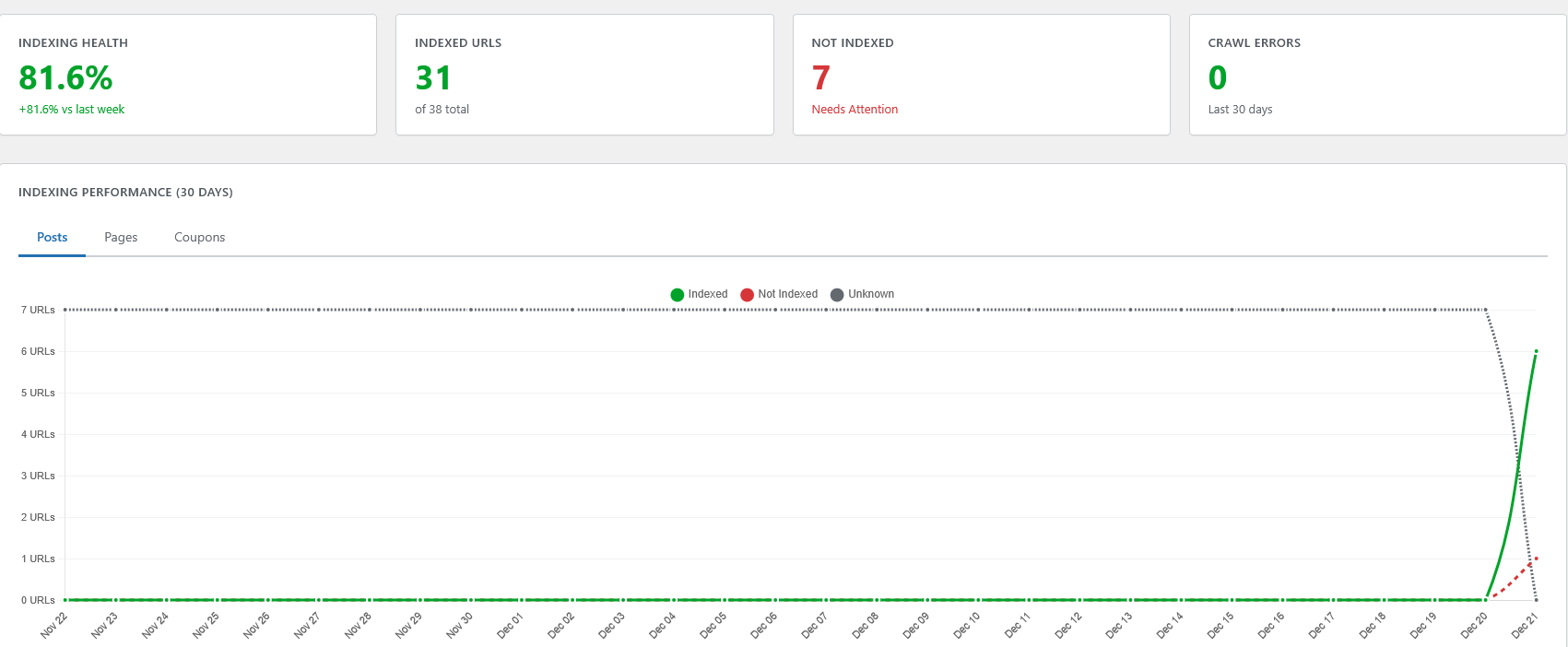
Dashboard overview features 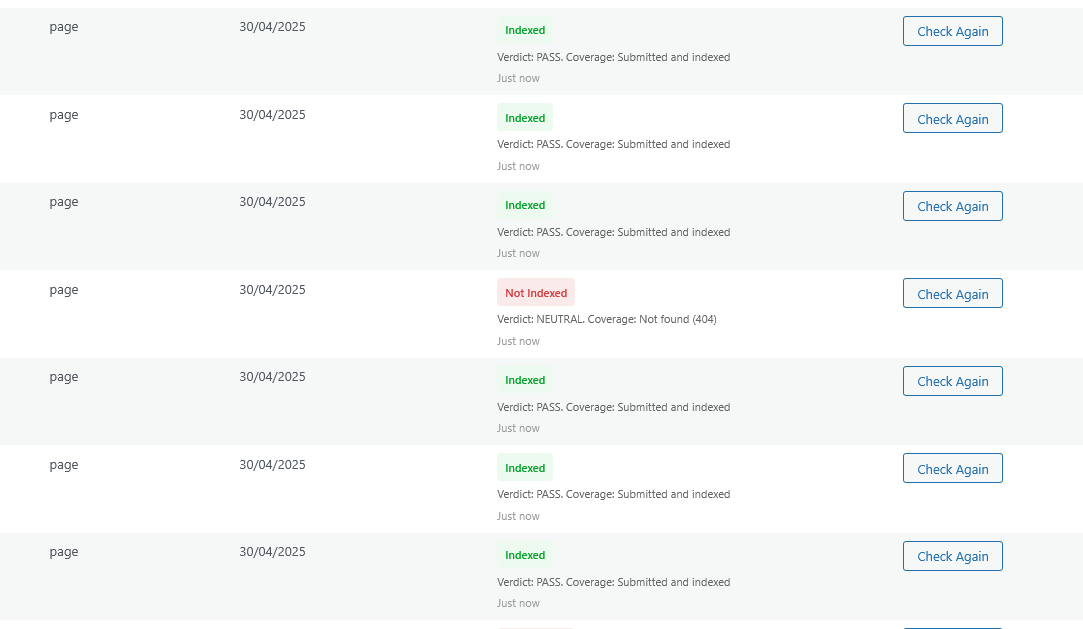
Inspecting urls’ indexing status thoroughly 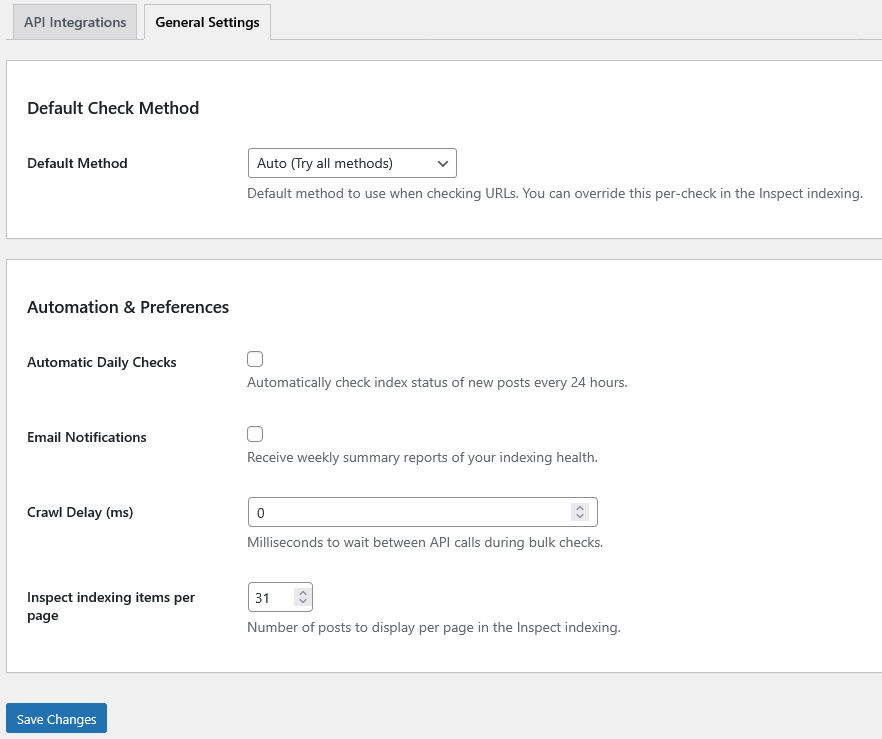
Advanced & API settings configuration 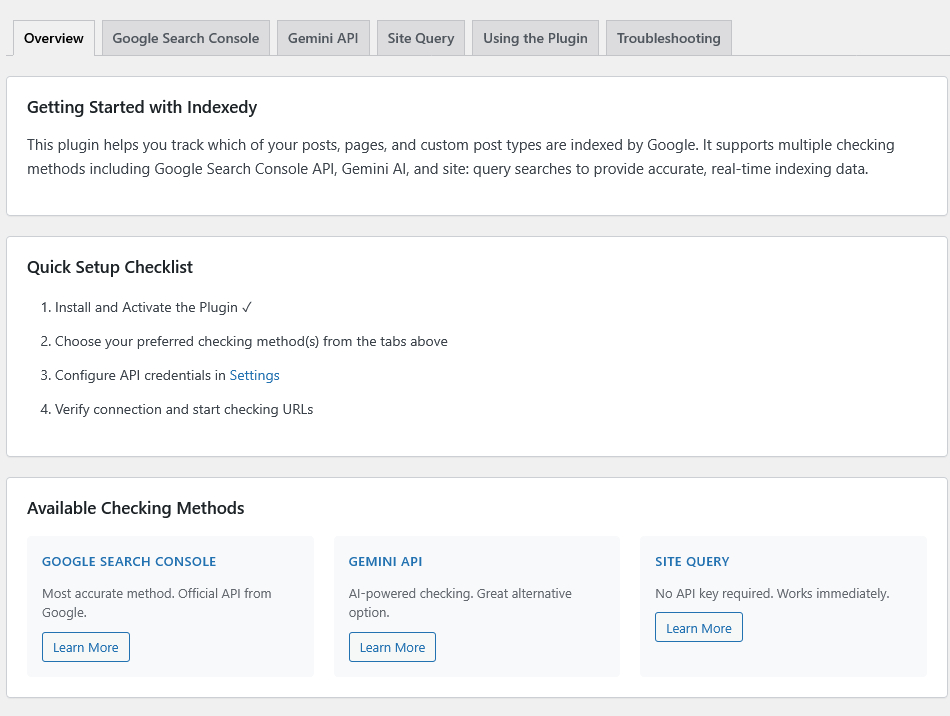
How to guides


Installatie
Automatic Installation
- Log in to your WordPress admin panel
- Navigate to Plugins > Add New
- Search for “Indexedy”
- Click “Install Now” and then “Activate”
Manual Installation
- Download the plugin zip file
- Log in to your WordPress admin panel
- Navigate to Plugins > Add New
- Click “Upload Plugin”
- Choose the zip file and click “Install Now”
- Click “Activate Plugin”
Configuration
After activation:
- Go to Indexedy > Settings
- Configure your preferred checking method:
- For Google Search Console: Add your Service Account JSON key
- For Gemini API: Add your Gemini API key
- For Site Query: Add your Custom Search Engine API key and Engine ID
- Save your settings
- Start checking URLs from Indexedy > Inspect indexing
FAQ
Do I need API credentials?
You need at least one API credential to use the plugin:
* Google Search Console API (recommended for accuracy)
* Gemini API
* Custom Search Engine API (for site: queries)You can configure multiple methods and use “Auto” mode to try them in order.
Which checking method is most accurate?
Google Search Console API is the most accurate method as it uses official Google data. However, all methods provide reliable results.
Can I check custom post types?
Yes! Indexedy works with all public post types including custom post types. You can filter by post type in the Index Inspector page.
How often should I check indexing status?
You can check as often as needed. The plugin stores historical data, so you can track changes over time. We recommend checking weekly or after publishing new content.
Does the plugin work with multilingual sites?
Yes, Indexedy works with all WordPress sites regardless of language or multilingual plugins.
Beoordelingen


Bijdragers & ontwikkelaars
“Indexedy” is open source software. De volgende personen hebben bijgedragen aan deze plugin.
Bijdragers
Vertaal “Indexedy” in je eigen taal.
Interesse in ontwikkeling?
Bekijk de code, haal de SVN repository op, of abonneer je op het ontwikkellog via RSS.
Changelog
1.0.1
- Fixed: Gemini API model compatibility issue (“models/gemini-1.5-flash is not found” error)
- Fixed: Gemini indexing status accuracy – now uses Google Search Grounding for real search results
- Fixed: Incorrect indexing status when using Gemini API (was showing wrong status)
- Added: Post Types selector in Settings – choose which post types to monitor
- Added: Support for gemini-2.0-flash, gemini-1.5-flash, gemini-1.5-pro, and gemini-pro models
- Added: Automatic model fallback when a model is not available for your API key
- Improved: Better error handling when Gemini models are unavailable
- Improved: More accurate URL indexing detection with grounding metadata parsing
- Improved: Indexedy column only shows for selected post types
1.0.0
- Initial release
- Multiple checking methods (Google Search Console, Gemini AI, Site Query)
- Dashboard with statistics and trends
- Bulk indexing checks
- Post list integration
- Index Inspector page
- Custom post type support
- 30-day performance charts
- Status tracking and historical data

