

Beschrijving

Indent Paragraph with Tab
Beschrijving
This plugin lets you increase or decrease paragraph indentation by pressing Tab or Shift+Tab in the Gutenberg editor.
From version 1.1.0, indentation inside the editor is represented by a simple <tab> × N badge — ensuring clean, theme-independent preview — while the actual indentation remains visible on the front end.
FAQ Check on the site.
https://it-libero.com/en/en-us/download/indent-paragraph-with-tab/
Settings
You can change the indentation value.
1. Admin Settings > Indent Tab
2. Indent Step input
Schermafbeeldingen
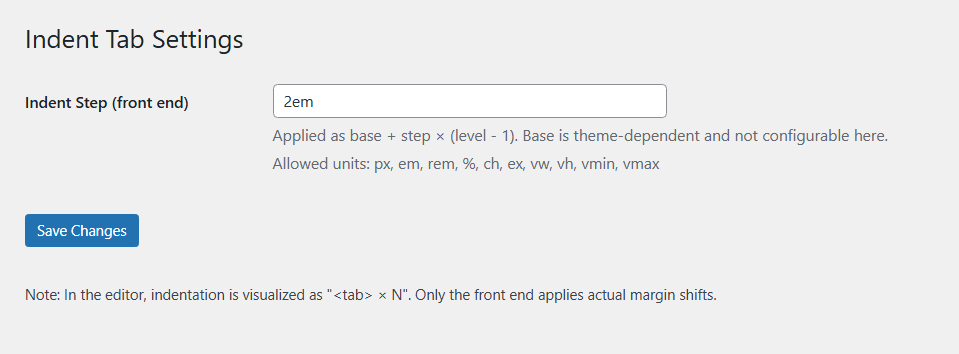
Admin UI

Beoordelingen
Er zijn geen beoordelingen voor deze plugin.
Bijdragers & ontwikkelaars
“Indent Paragraph with Tab” is open source software. De volgende personen hebben bijgedragen aan deze plugin.
Bijdragers
Vertaal “Indent Paragraph with Tab” in je eigen taal.
Interesse in ontwikkeling?
Bekijk de code, haal de SVN repository op, of abonneer je op het ontwikkellog via RSS.
Changelog
1.1.1
- Security: added sanitize_callback for options (
ipwt_base,ipwt_step) with a strict CSS unit whitelist. - Hardening: inline CSS now uses validated values only; invalid input is discarded.
- Admin UI: clarified settings descriptions and documented allowed units.
1.1.0
- Added visual
<tab> × Nbadge preview in editor. - Removed editor-side indentation shifting to avoid theme conflicts.
- Front-end rendering unchanged.
1.0.1
- Initial stable release.

