

Beschrijving

Deze plugin is niet getest met de laatste 3 grotere versies van WordPress. Mogelijk wordt het niet meer onderhouden of ondersteund. Ook kunnen er compatibiliteitsproblemen ontstaan wanneer het wordt gebruikt met recentere versies van WordPress.
Headit
Beschrijving
This plugin addresses the need for a simple way to add HTTP headers to outbound HTTP responses in your site.
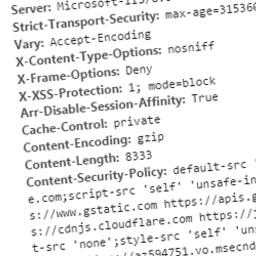
These headers can include custom ones specific to your application, or can be security related. Some you may wish to specify to protect your site may include:
- Public-Key-Pins
- Strict-Transport-Security
- X-Frame-Options
- X-XSS-Protection
- X-Content-Type-Options
- Content-Security-Policy
- Content-Security-Policy-Report-Only
Related Links
Schermafbeeldingen

The plugin should appear in your plugins list when installed. Note the ‘Settings’ link where you can configure for Headit. 
This is the settings window for Headit.


Installatie
This section describes how to install the plugin and get it working.
- Upload the plugin files to the
/wp-content/plugins/headitdirectory, or install the plugin through the WordPress plugins screen directly - Activate the plugin through the
Pluginsscreen in WordPress - Use the Settings->Headit screen to configure the plugin
FAQ
- Can I set dynamic headers using Headit?
Currently Headit can only be used to add static headers to your site.
- Can I override existing headers?
All headers added using this plugin will not replace existing headers present in the response.
Beoordelingen
Er zijn geen beoordelingen voor deze plugin.
Bijdragers & ontwikkelaars
“Headit” is open source software. De volgende personen hebben bijgedragen aan deze plugin.
Bijdragers
Vertaal “Headit” in je eigen taal.
Interesse in ontwikkeling?
Bekijk de code, haal de SVN repository op, of abonneer je op het ontwikkellog via RSS.
Changelog
1.0
- Able to set custom static response headers

