

Beschrijving

GTM Kit – Google Tag Manager & GA4 integration
Beschrijving
GTM Kit puts the Google Tag Manager container code on your website so that you don’t need to touch any code. It also pushes data from WooCommerce, Easy Digital Downloads (EDD) and Contact Form 7 to the data layer for use with for Google Analytics 4, Facebook and other GTM tags.
The goal of GTM Kit is to provide a flexible tool for generating the data layer for Google Tag Manager. It is easy to use and doesn’t require any coding, but it allows developers to customize the plugin as needed.
eCommerce events tracked with Google Analytics 4
The following GA4 events are automatically included in the dataLayer:
WooCommerce
- view_item_list
- select_item
- view_item
- add_to_wishlist [Premium]
- add_to_cart
- view_cart
- remove_from_cart
- begin_checkout
- add_shipping_info
- add_payment_info
- purchase
- refund [Premium]
- order_paid [Premium]
Unlock all features with GTM Kit Woo Add-On.
Easy Digital Downloads
- view_item
- add_to_cart
- begin_checkout
- purchase
Flexible container implementation
Depending on how you use Google Tag Manager you can delay the loading of the container script until the browser is idle. This may be relevant to you be if are focusing on pagespeed.
You may enter a custom domain name if you are using a custom server side GTM (sGTM) container for tracking. It’s also possible to specify a custom loader. GTM Kit has full support for Stape server GTM hosting.
Post data
You may specify which post data elements you wish to include in the dataLayer for use in Google Tag Manager.
– Post type: include the type of the current post or archive page.
– Page type: include a defined page type. I.e. post, page, product, category, cart, checkout etc.
– Categories: include the categories of the current post or archive page.
– Tags: include the tags of the current post or archive page.
– Post title: include the post title of the current post.
– Post ID: include the Post ID of the current post.
– Post date: include the post date.
– Post author name: include the post author name.
– Post author ID: include the post author ID.
Schermafbeeldingen
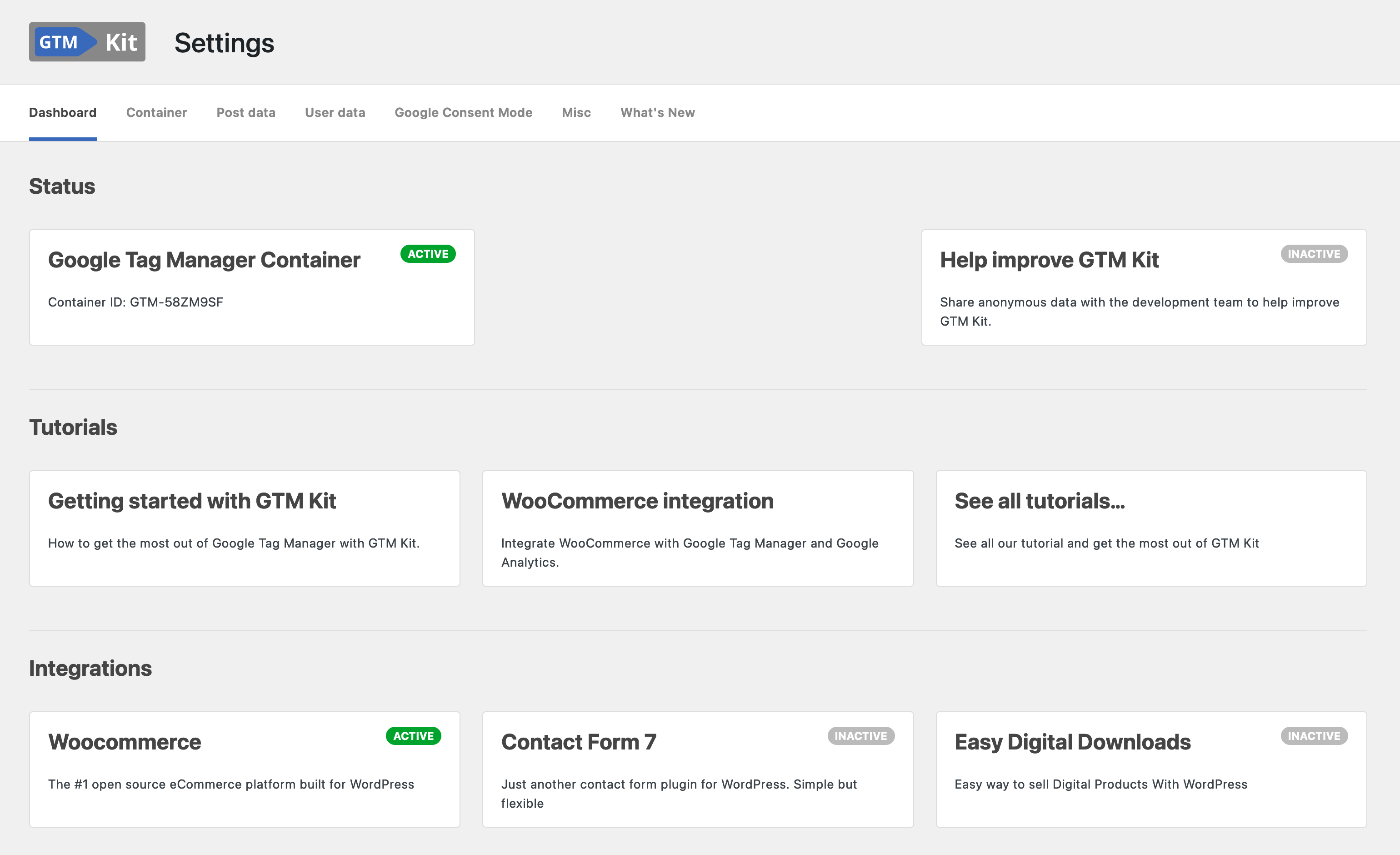
GTM Kit Dashboard 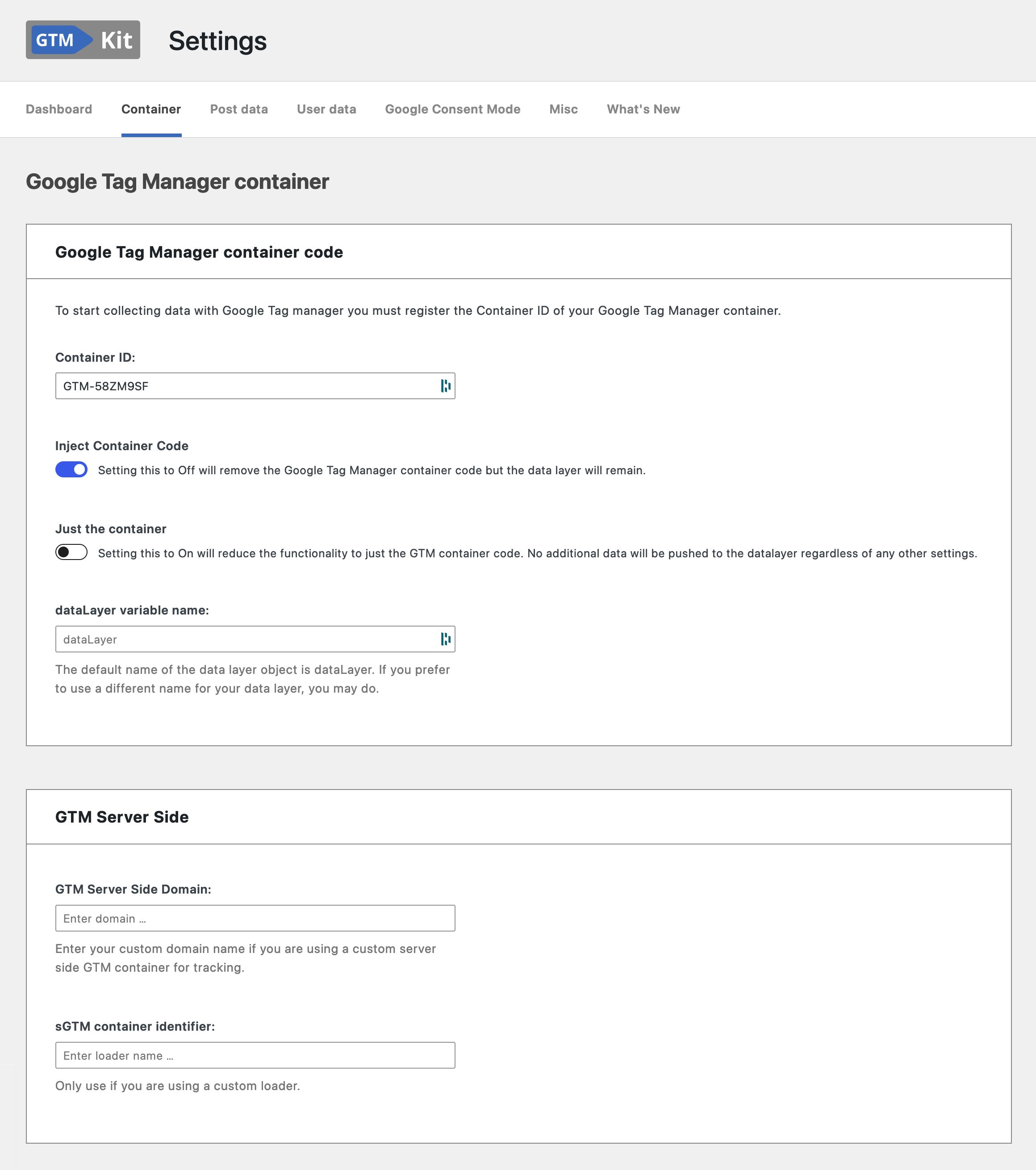
Google Tag Manager container code and server side GTM 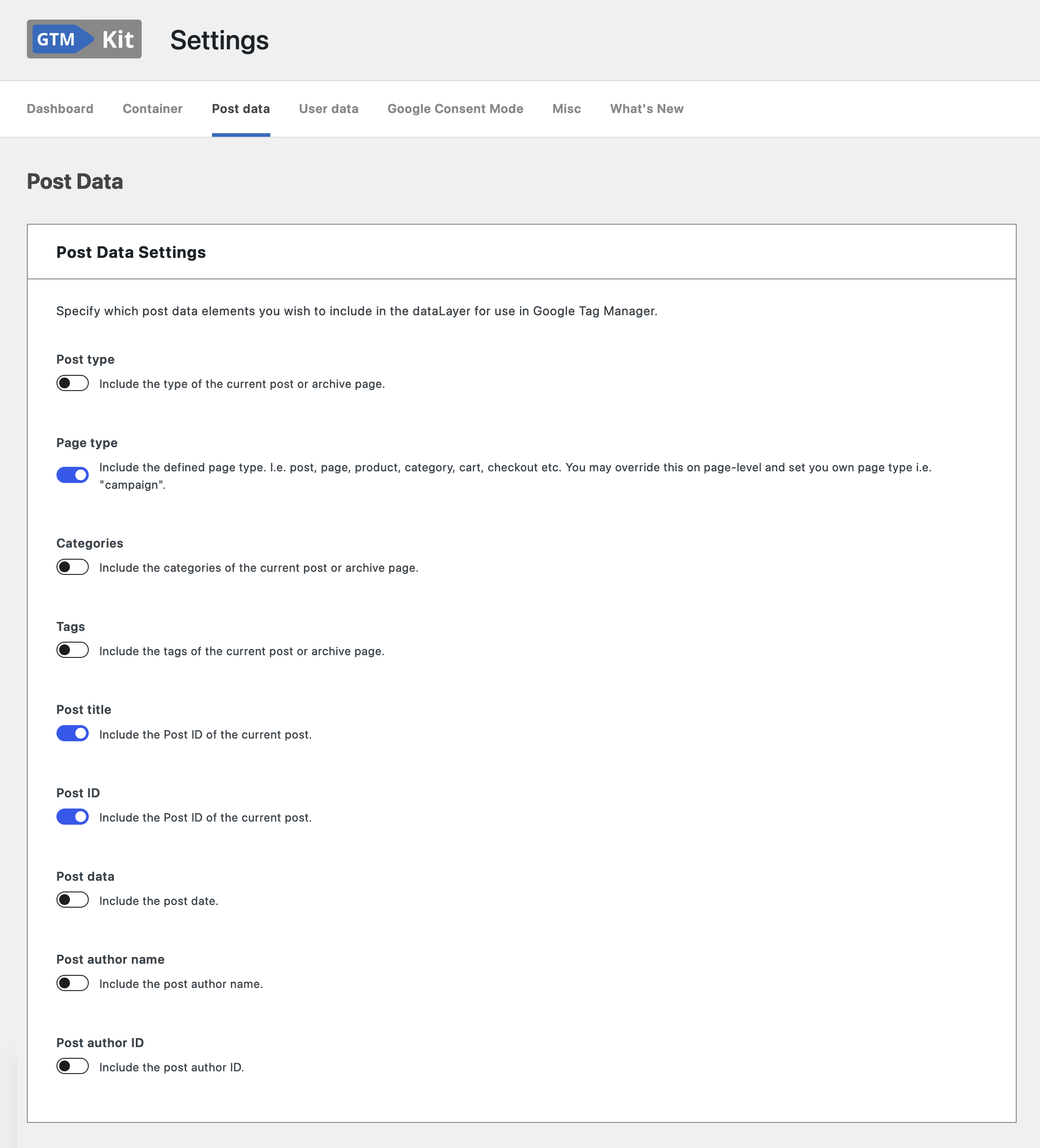
Post data settings 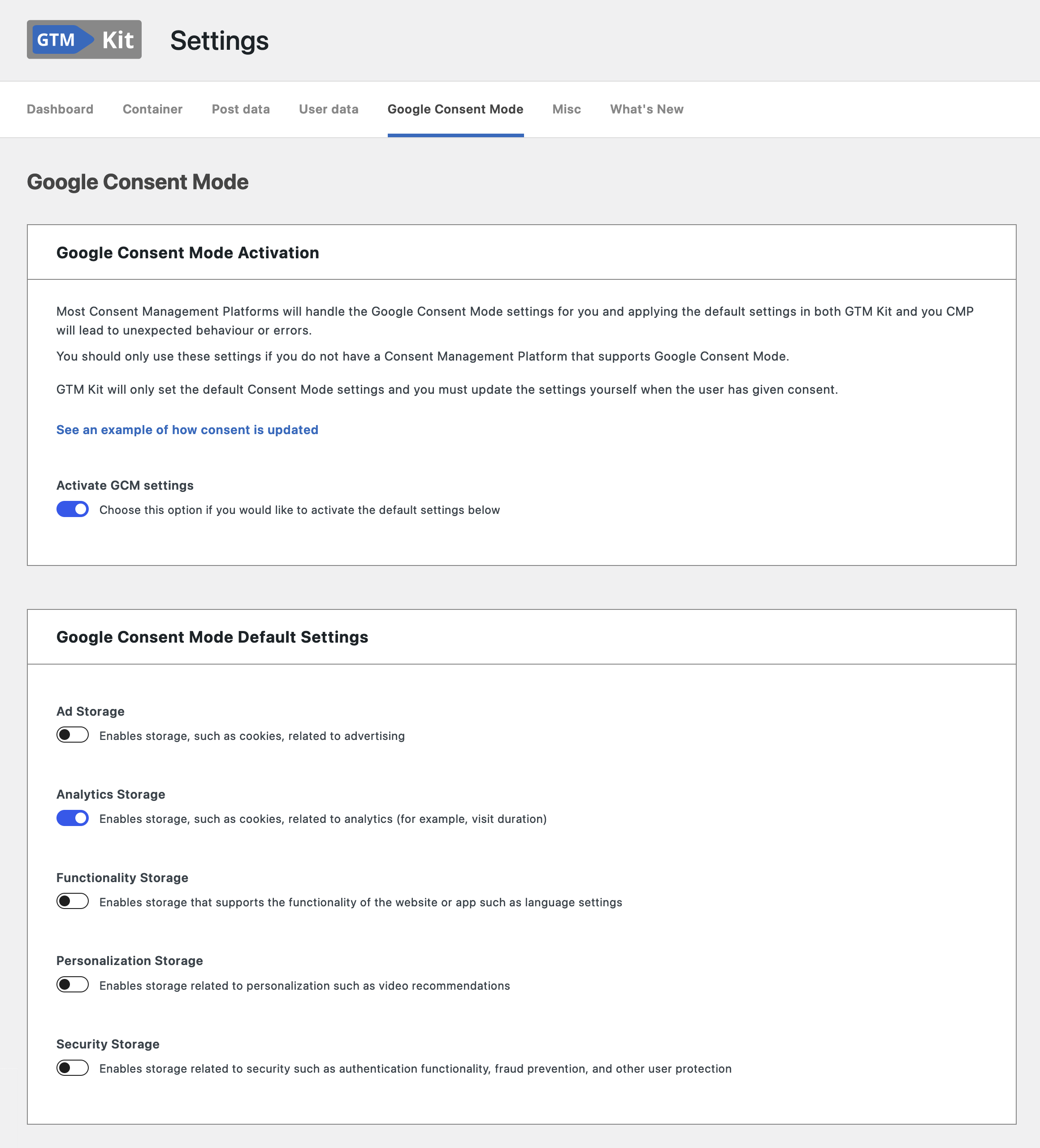
Google Consent Mode 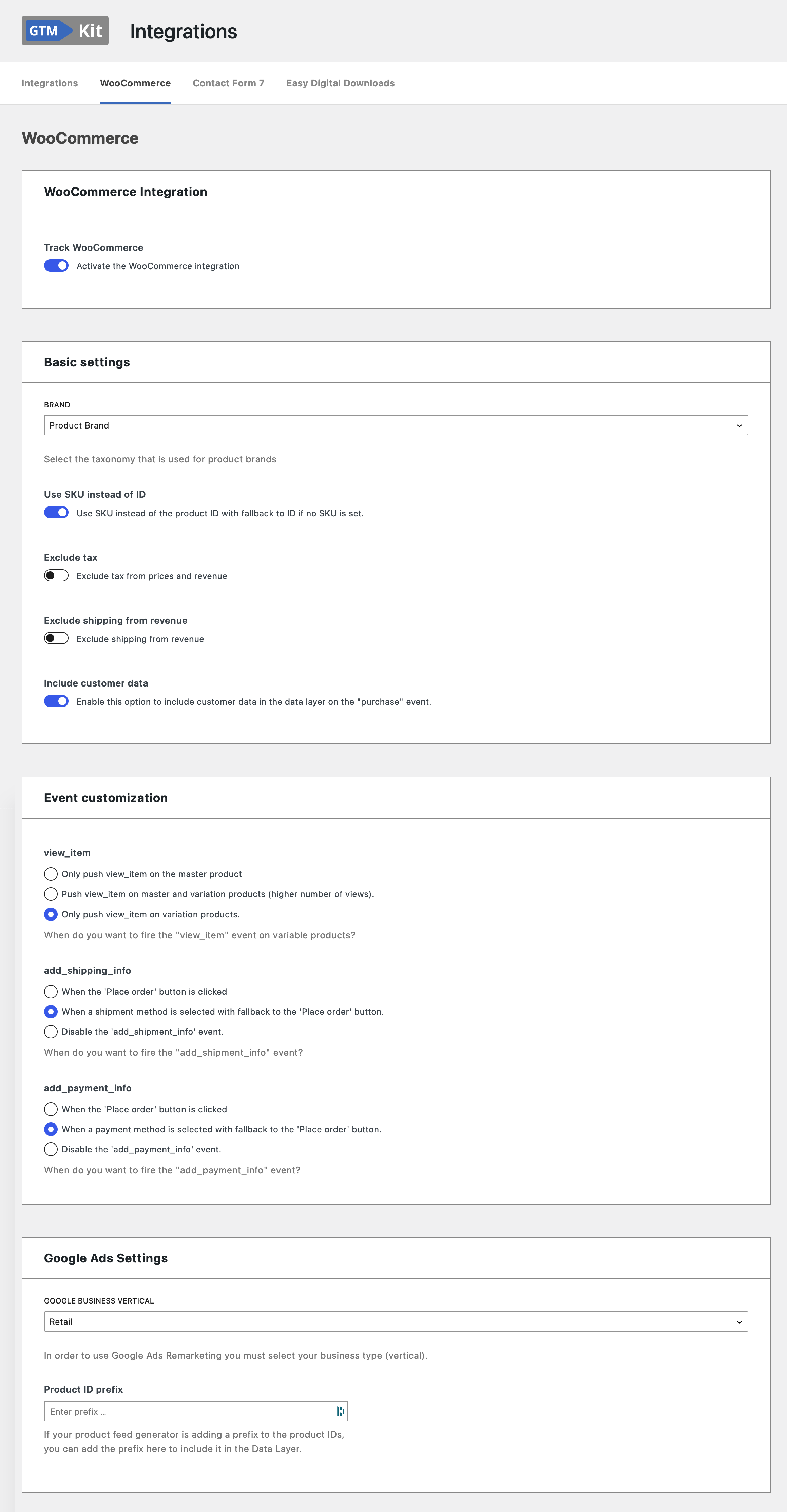
WooCommerce Integration


Installatie
- Install GTM Kit either via the WordPress.org plugin repository or by uploading the files to your server.
- Activate the plugin through the ‘Plugins’ menu in WordPress
- Enter your GTM Container ID and click ‘Save changes’.
FAQ
Where do I get a GTM Container ID?
Create an account and container in Google Tag Manager and get it there.
Is Google Analytics 4 (GA4) supported?
Yes! We strive to support the full feature set of Google Analytics 4 and will implement any future features of Analytics 4.
Is this plugin cache friendly?
Yes! Pagespeed is one of our main focus points, and we strive to make the plugin compatible with full page caching.
How can I report security bugs?
You can report security bugs through the Patchstack Vulnerability Disclosure Program. The Patchstack team help validate, triage and handle any security vulnerabilities. Report a security vulnerability.
Beoordelingen


Bijdragers & ontwikkelaars
“GTM Kit – Google Tag Manager & GA4 integration” is open source software. De volgende personen hebben bijgedragen aan deze plugin.
Bijdragers


“GTM Kit – Google Tag Manager & GA4 integration” is vertaald in 4 localen. Dank voor de vertalers voor hun bijdragen.
Vertaal “GTM Kit – Google Tag Manager & GA4 integration” in je eigen taal.
Interesse in ontwikkeling?
Bekijk de code, haal de SVN repository op, of abonneer je op het ontwikkellog via RSS.
Changelog
2.8.1
Release date: 2026-01-30
Bugfixes:
- Fixes correct detection of the premium plugin.
2.8.0
Release date: 2026-01-29
Enhancements:
- Improved internal handling of plugin settings to make GTM Kit more reliable and easier to maintain, while ensuring full backward compatibility with existing configurations.
Other:
- Tested up to WooCommerce 10.5.
- Require WooCommerce 9.5.
2.7.0
Release date: 2026-01-06
Find out about what’s new in our our release post.
Enhancements:
- We have added a new template assistant to help you create your own custom templates for Google Tag Manager.
- Add option to define a custom page that should be detected as the order-received page.
- The debug info now includes a check to determine if WooCommerce purchase events have been recorded in the logs. This information is included in the debug data to assist with troubleshooting and support.
Bugfixes:
- Fix edge case where quantity in the Datalayer was 0. Set a default quantity of 1 when the quantity element is missing.
Other:
- Tested up to WooCommerce 10.4.
- Tested up to WordPress 6.9.
- Require WooCommerce 9.4.
- Require WordPress 6.7.
2.6.0
Release date: 2025-09-24
Enhancements:
- Add tracking on the product collection block.
Other:
- Tested up to WooCommerce 10.4.
- Require WooCommerce 9.2.
Earlier versions
For the changelog of earlier versions, please refer to the changelog on gtmkit.com.

