

Beschrijving


DigiConsent – Cookie Consent Banner for GDPR, CCPA & ePrivacy Compliance
Beschrijving
🍪 COOKIE CONSENT FOR GDPR, CCPA, LGPD & EPRIVACY
DigiConsent is a powerful cookie consent plugin that helps you comply with GDPR (EU), CCPA/CPRA (California), LGPD (Brazil), POPIA (South Africa), and other privacy regulations while maintaining a great user experience. Create beautiful, customizable cookie banners with advanced features like script management, detailed analytics, and geolocation targeting.
✅ FREE FEATURES
Everything you need for cookie compliance, included in the free version:
- Beautiful Cookie Banners – Modern, customizable designs that match your brand
- Multiple Banner Positions – Bottom, top, fullscreen overlay, or custom positioning
- Cookie Categories – Essential, analytics, marketing, and functional categories
- Granular Consent – Let users choose exactly which cookies they accept
- Consent Logging – Track and audit all consent decisions with timestamps
- Analytics Dashboard – View acceptance rates, trends, and statistics
- Advanced Color Picker – RGB/RGBA support with transparency control
- Import/Export Settings – Easily transfer settings between sites
- Quick Script Setup – Built-in templates for Google Analytics, Facebook Pixel, and more
- Google Consent Mode v2 – Full support for Google’s consent framework
- Privacy Policy Links – Direct links to your privacy policy page
- Responsive Design – Perfect display on all devices and screen sizes
- Translation Ready – Full support for multilingual sites
🚀 PRO FEATURES
Upgrade to DigiConsent Pro for advanced targeting and behavior control:
🌍 Geolocation Targeting
* Country Targeting – Show different banners to visitors from specific countries
* EU/EEA Automatic – Target all EU/EEA countries with one click
* US State Targeting – Comply with state-specific laws (CPRA, VCDPA, etc.)
* IP Geolocation – Automatic visitor location detection using MaxMind GeoLite2
* Location Rules – Create custom rules with different settings per region
* Fallback Options – Control what happens when location can’t be detected
🎯 Advanced Behavior Controls
* Display Delay – Show banner after X seconds
* Scroll Trigger – Display banner after user scrolls X% of page
* Exit Intent – Show banner when user attempts to leave
* Auto-Hide – Automatically hide banner after X seconds
* Page Lock – Prevent page interaction until consent is given
* Blur Effect – Blur page content until user makes a choice
* ESC Key Close – Allow users to close banner with ESC key
🎨 Enhanced Design Options
* Hero Media – Add images or videos to your banner
* Video Backgrounds – Autoplay, loop, and mute controls
* Multiple Layouts – Additional banner layout options
* Per-Location Customization – Different designs for different countries
⚙️ Regional Compliance
* Regional Consent Modes – Different opt-in/opt-out behavior per location
* Regional Google Consent Mode – Location-specific GCM settings
* Consent Expiry Per Region – Different cookie lifetimes by location
* Regional Button Visibility – Show/hide buttons based on location
📜 Custom Script Management
* Head Scripts – Add custom JavaScript/tracking codes to the document head
* Body Scripts – Inject scripts right after the opening body tag
* Footer Scripts – Add scripts before the closing body tag
* Per-Category Scripts – Assign custom scripts to specific cookie categories
* Consent-Based Loading – Scripts only execute after user consent
Learn more about DigiConsent Pro
🎨 Extensive Customization
Every aspect of the cookie banner can be customized:
- Colors & Transparency – Advanced color picker with RGBA support
- Typography – Customize fonts, sizes, and styles
- Button Styling – Full control over button appearance
- Animations – Choose from slide, fade, zoom, or no animation
- Custom Content – Write your own banner text and privacy policy links
- Logo Integration – Add your brand logo to the banner
📊 Analytics & Reporting
Track consent performance with detailed analytics:
- Consent Statistics – View total accepts, rejects, and acceptance rates
- Trend Charts – Visualize consent data over time
- Category Analytics – See which cookie categories users accept most
- Geographic Distribution – View consents by country (requires Pro)
- Device Analytics – Track consents by device type
- Consent Logs – Detailed audit trail of all consent decisions
- Export Data – Download consent logs for compliance reporting
🔧 Developer-Friendly
Built with developers in mind:
- Clean Code – Well-structured, documented codebase
- Hooks & Filters – Extensive customization options
- REST API Ready – Modern WordPress development practices
- No jQuery – Vanilla JavaScript for better performance
- Template Override – Override templates in your theme
🚀 Performance Optimized
DigiConsent is built for speed:
- Lightweight – Minimal footprint on page load
- Conditional Loading – Scripts load only when needed
- Optimized Assets – Minified CSS and JavaScript
- No External Dependencies – Everything self-contained
- Cache Compatible – Works with all major caching plugins
🤝 Privacy First
We take privacy seriously:
- No Data Collection – DigiConsent doesn’t send data to external servers
- Local Storage – All consent data stored on your server
- Open Source – Transparent, auditable code
- Regular Updates – Stay compliant with changing regulations
- Privacy Law Compliant – Built for GDPR, CCPA, LGPD, ePrivacy and other regulations
External Services
IMPORTANT: DigiConsent itself does not connect to any external services. However, it provides optional integration templates that allow users to add third-party tracking and analytics scripts to their cookie categories. These scripts are only loaded when users provide the necessary IDs/keys and when visitors consent to the respective cookie category.
When you configure these optional integrations, the following external services may be contacted:
Analytics Services (Optional)
Google Analytics 4
* Purpose: Web analytics and tracking
* Data Sent: User behavior, page views, events (configured by site owner)
* When: Only when visitor consents to analytics cookies AND site owner has configured a GA4 Measurement ID
* Service URL: https://www.googletagmanager.com/gtag/js
* Privacy Policy: https://policies.google.com/privacy
* Terms of Service: https://marketingplatform.google.com/about/analytics/terms/us/
Google Tag Manager
* Purpose: Tag and script management
* Data Sent: Varies based on configured tags
* When: Only when visitor consents to analytics cookies AND site owner has configured a GTM Container ID
* Service URL: https://www.googletagmanager.com/gtm.js
* Privacy Policy: https://policies.google.com/privacy
* Terms of Service: https://marketingplatform.google.com/about/analytics/terms/us/
Hotjar
* Purpose: Behavior analytics and user feedback
* Data Sent: User interactions, heatmaps, session recordings
* When: Only when visitor consents to analytics cookies AND site owner has configured a Hotjar Site ID
* Service URL: https://static.hotjar.com
* Privacy Policy: https://www.hotjar.com/legal/policies/privacy/
* Terms of Service: https://www.hotjar.com/legal/policies/terms-of-service/
Marketing Services (Optional)
Facebook Pixel
* Purpose: Ad tracking and conversion measurement
* Data Sent: Page views, events, user behavior
* When: Only when visitor consents to marketing cookies AND site owner has configured a Facebook Pixel ID
* Service URL: https://connect.facebook.net and https://www.facebook.com/tr
* Privacy Policy: https://www.facebook.com/privacy/policy/
* Terms of Service: https://www.facebook.com/legal/terms
LinkedIn Insight Tag
* Purpose: LinkedIn ad tracking and analytics
* Data Sent: Page views, conversions, demographic data
* When: Only when visitor consents to marketing cookies AND site owner has configured a LinkedIn Partner ID
* Service URL: https://snap.licdn.com and https://px.ads.linkedin.com
* Privacy Policy: https://www.linkedin.com/legal/privacy-policy
* Terms of Service: https://www.linkedin.com/legal/user-agreement
TikTok Pixel
* Purpose: TikTok ad tracking and analytics
* Data Sent: Page views, events, conversions
* When: Only when visitor consents to marketing cookies AND site owner has configured a TikTok Pixel ID
* Service URL: https://analytics.tiktok.com
* Privacy Policy: https://www.tiktok.com/legal/privacy-policy
* Terms of Service: https://www.tiktok.com/legal/terms-of-use
Functional Services (Optional)
Google Maps
* Purpose: Interactive maps display
* Data Sent: Location requests, map interactions
* When: Only when visitor consents to functional cookies AND site owner has configured a Google Maps API Key
* Service URL: https://maps.googleapis.com
* Privacy Policy: https://policies.google.com/privacy
* Terms of Service: https://cloud.google.com/maps-platform/terms
Google reCAPTCHA
* Purpose: Spam and bot prevention
* Data Sent: User interaction data, browser information
* When: Only when visitor consents to functional cookies AND site owner has configured a reCAPTCHA Site Key
* Service URL: https://www.google.com/recaptcha/api.js
* Privacy Policy: https://policies.google.com/privacy
* Terms of Service: https://policies.google.com/terms
Intercom
* Purpose: Customer messaging and support
* Data Sent: User information, messages, behavior data
* When: Only when visitor consents to functional cookies AND site owner has configured an Intercom App ID
* Service URL: https://widget.intercom.io and https://api-iam.intercom.io
* Privacy Policy: https://www.intercom.com/legal/privacy
* Terms of Service: https://www.intercom.com/legal/terms-and-policies
Zendesk Chat
* Purpose: Customer support chat
* Data Sent: Chat messages, user information
* When: Only when visitor consents to functional cookies AND site owner has configured a Zendesk Key
* Service URL: https://static.zdassets.com
* Privacy Policy: https://www.zendesk.com/company/agreements-and-terms/privacy-notice/
* Terms of Service: https://www.zendesk.com/company/agreements-and-terms/master-subscription-agreement/
Note: All of these integrations are completely optional. DigiConsent does not send any data to these services unless you explicitly configure the integration AND visitors provide consent. You are responsible for ensuring compliance with the terms of service and privacy policies of any third-party services you choose to integrate.
Upgrade to Pro
Get DigiConsent Pro for advanced features:
- 📜 Custom script management (head, body, footer injection)
- 🌍 Geolocation targeting (countries, EU, US states)
- 🎯 Advanced behavior controls (delays, scroll triggers, exit intent)
- 📍 Location-based rules with regional settings
- 🎨 Hero media support (images and videos)
- ⚙️ Regional compliance features
- 🔄 Priority support and updates
Schermafbeeldingen
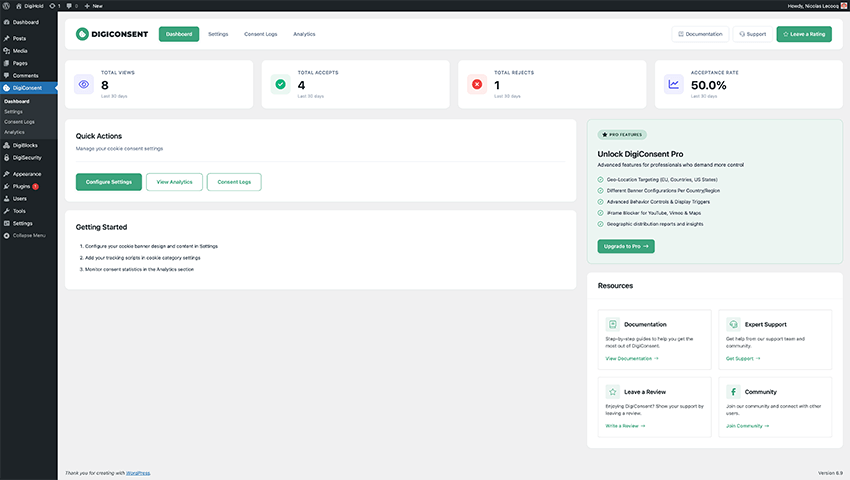
Dashboard – View consent statistics and analytics at a glance 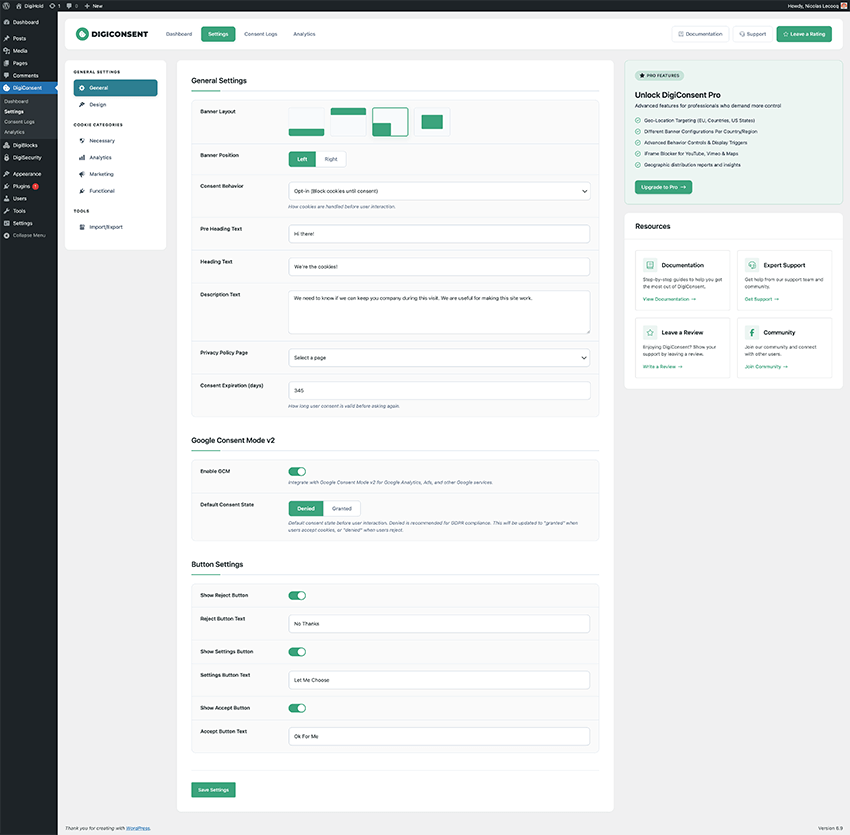
Settings – Customize banner layout, behavior, texts and other settings 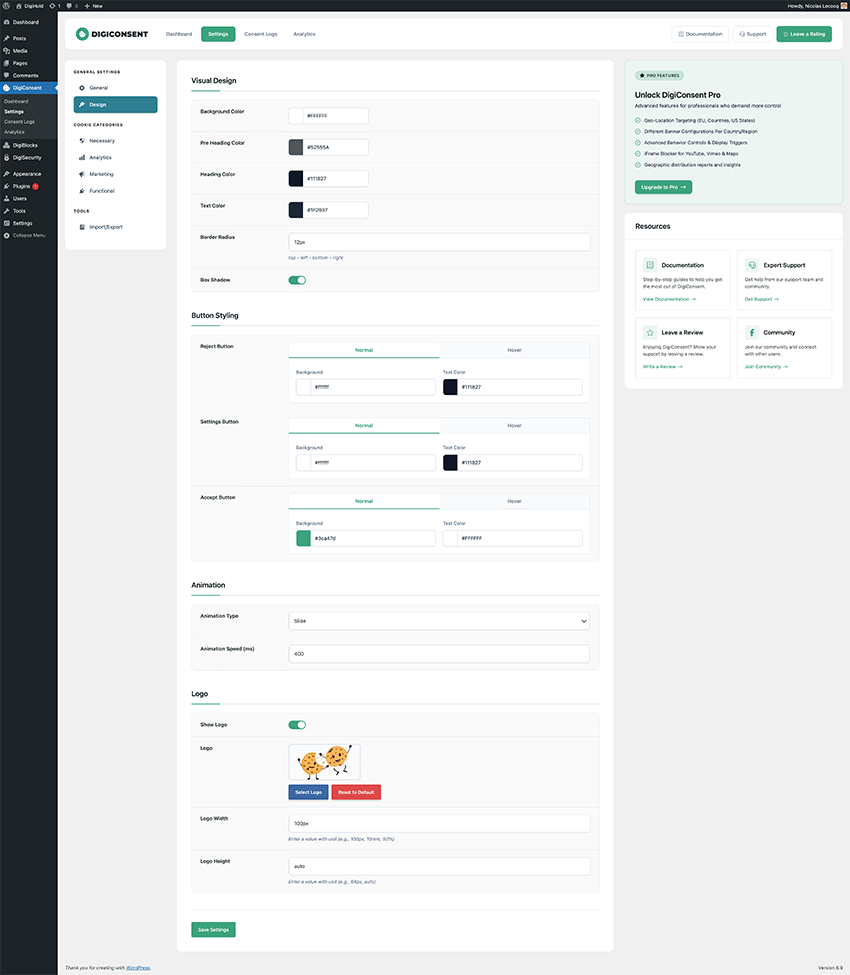
Design – Customize design, colors, logo and animation 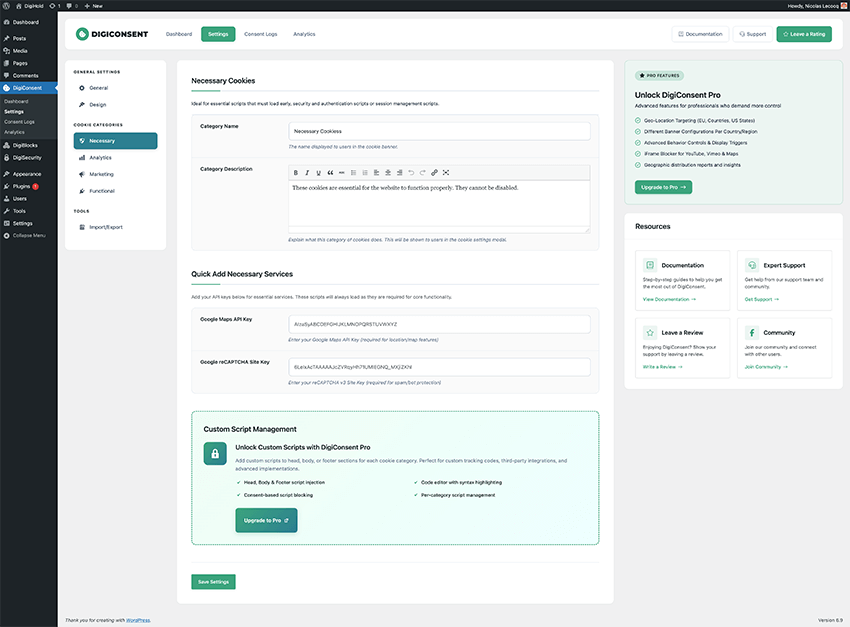
Necessary – Configure essential cookies required for basic site functionality 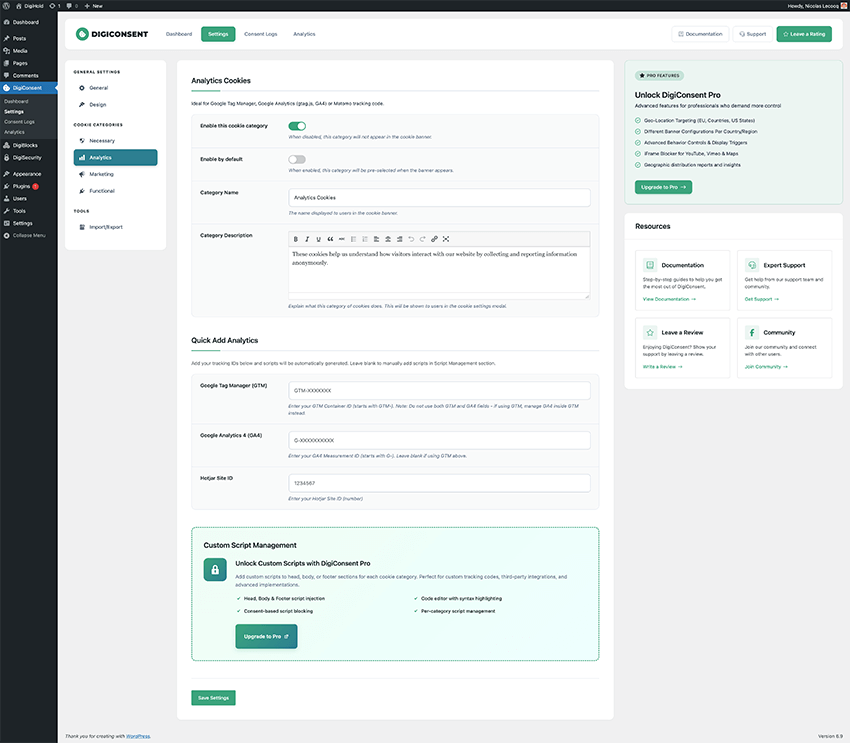
Analytics – Set up analytics tracking scripts like Google Analytics and Hotjar 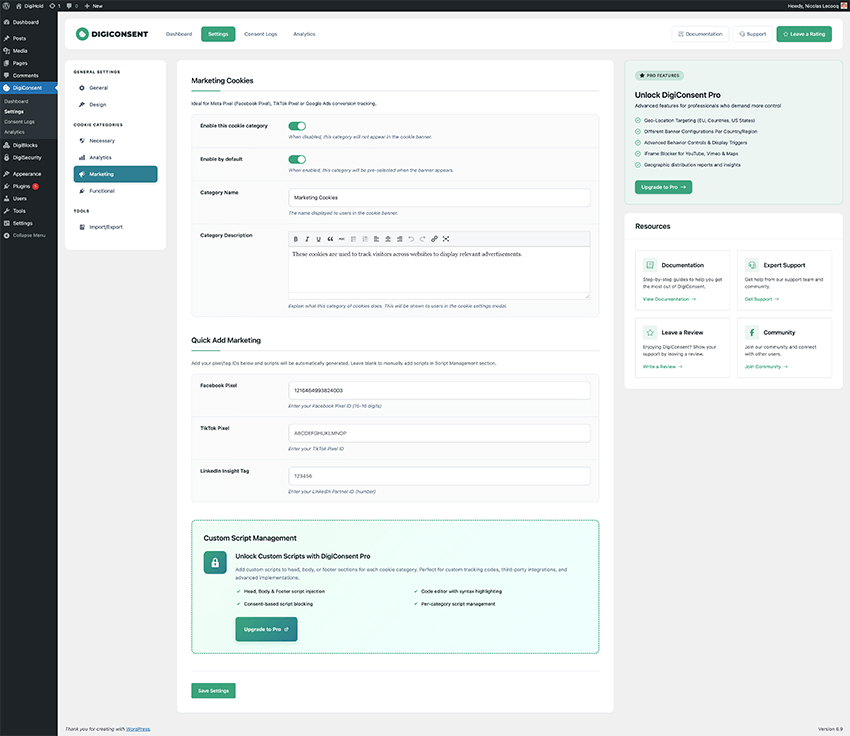
Marketing – Configure advertising pixels like Facebook, TikTok and LinkedIn 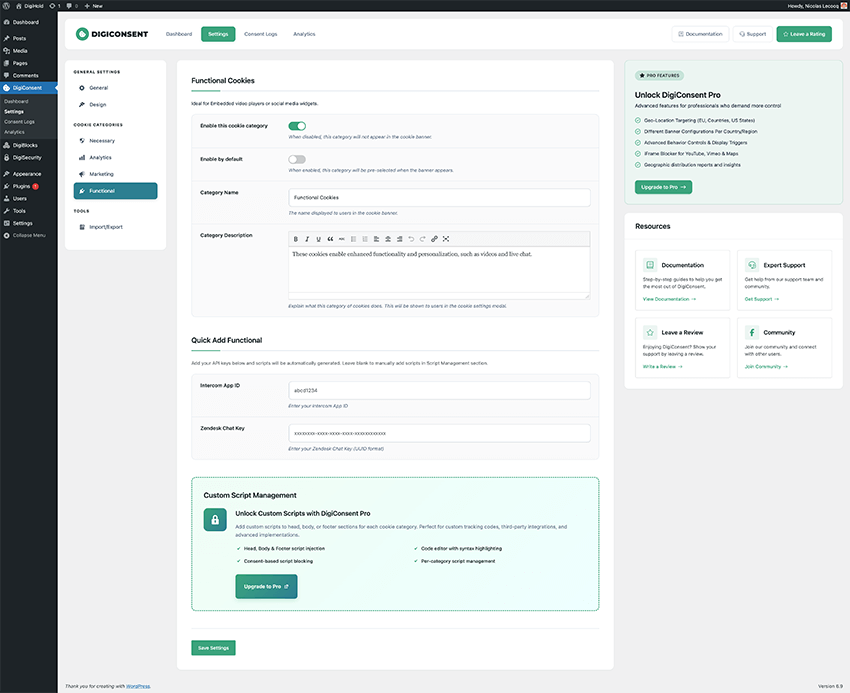
Functional – Add functional scripts like live chat and interactive features 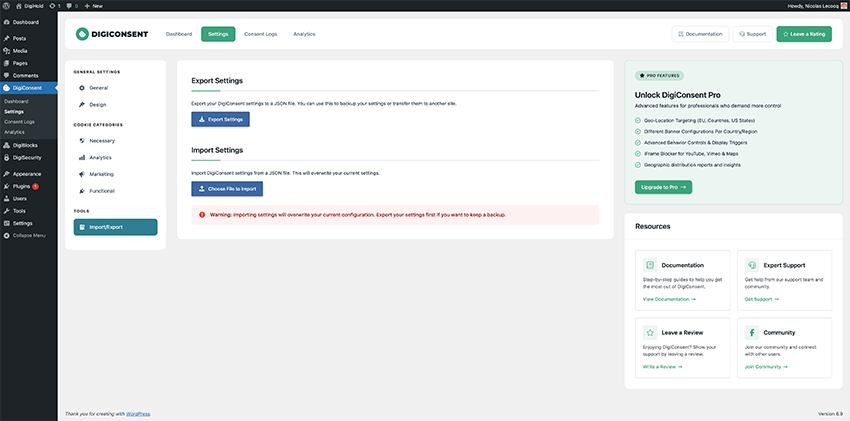
Import/Export – Backup and transfer your settings between sites 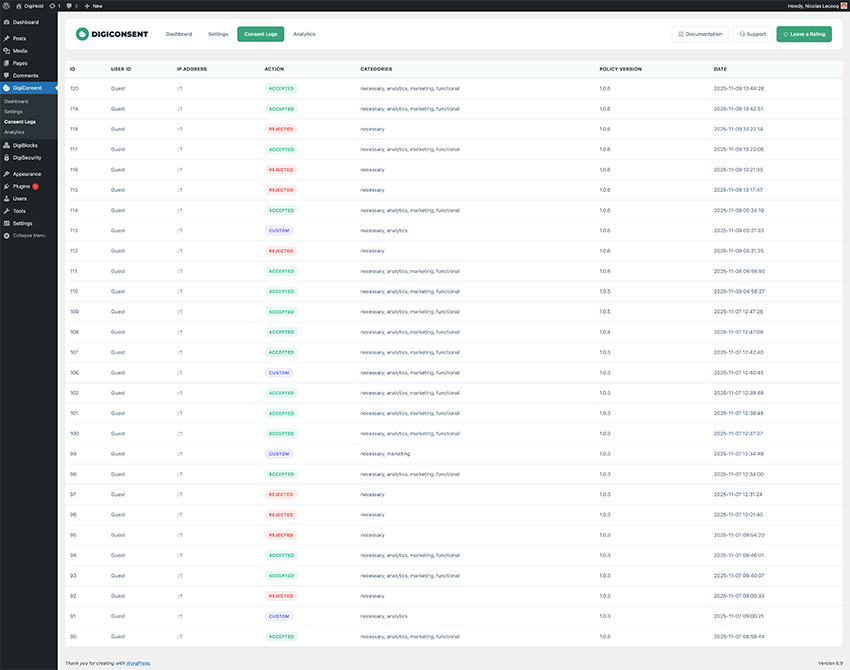
Consent Logs – View detailed audit trail of all visitor consent decisions 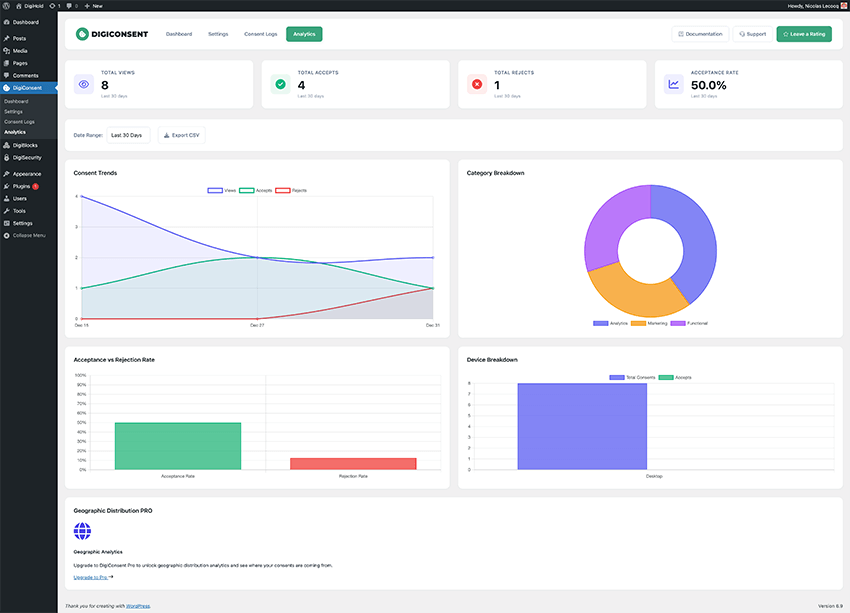
Analytics Dashboard – Track acceptance rates, trends, and statistics over time 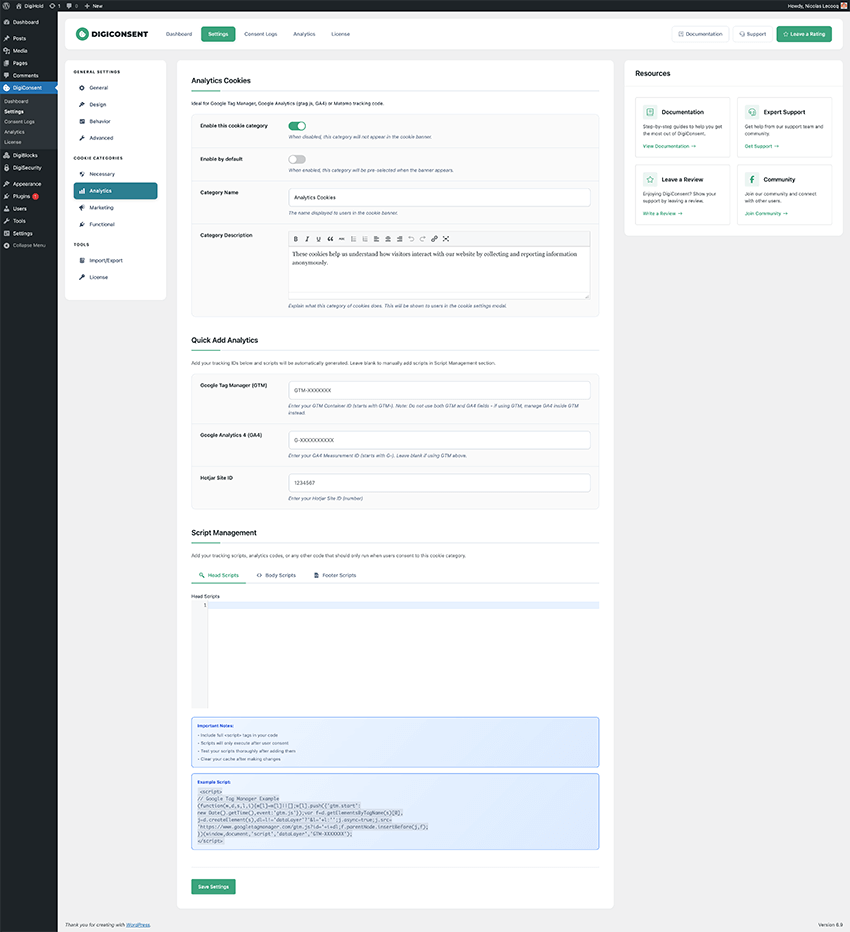
Script Management – Configure custom tracking scripts for each cookie category (Pro) 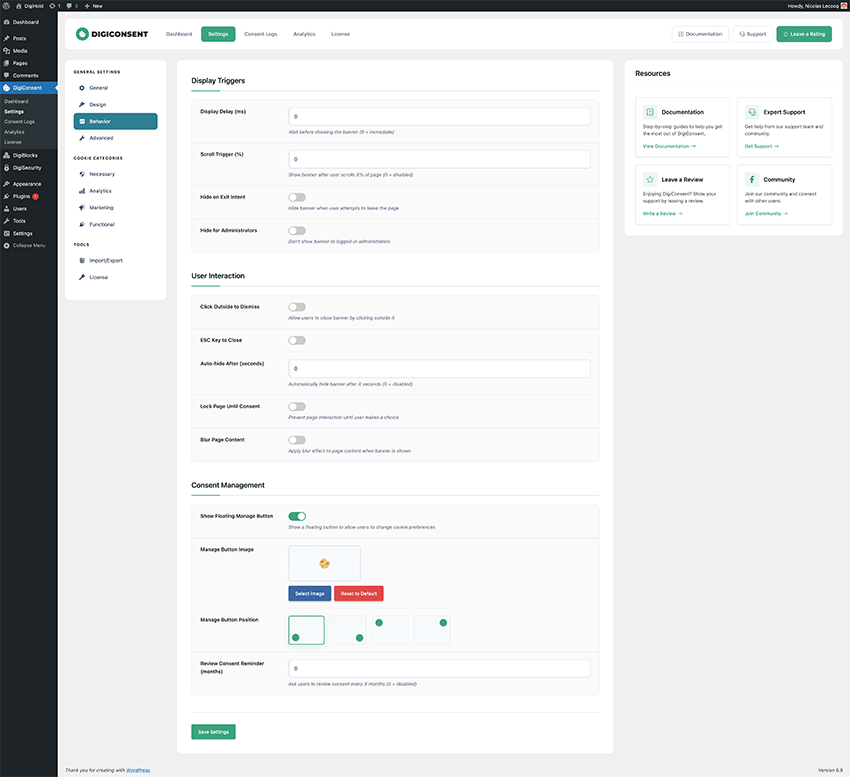
Behavior Settings – Control display delays, scroll triggers and exit intent (Pro) 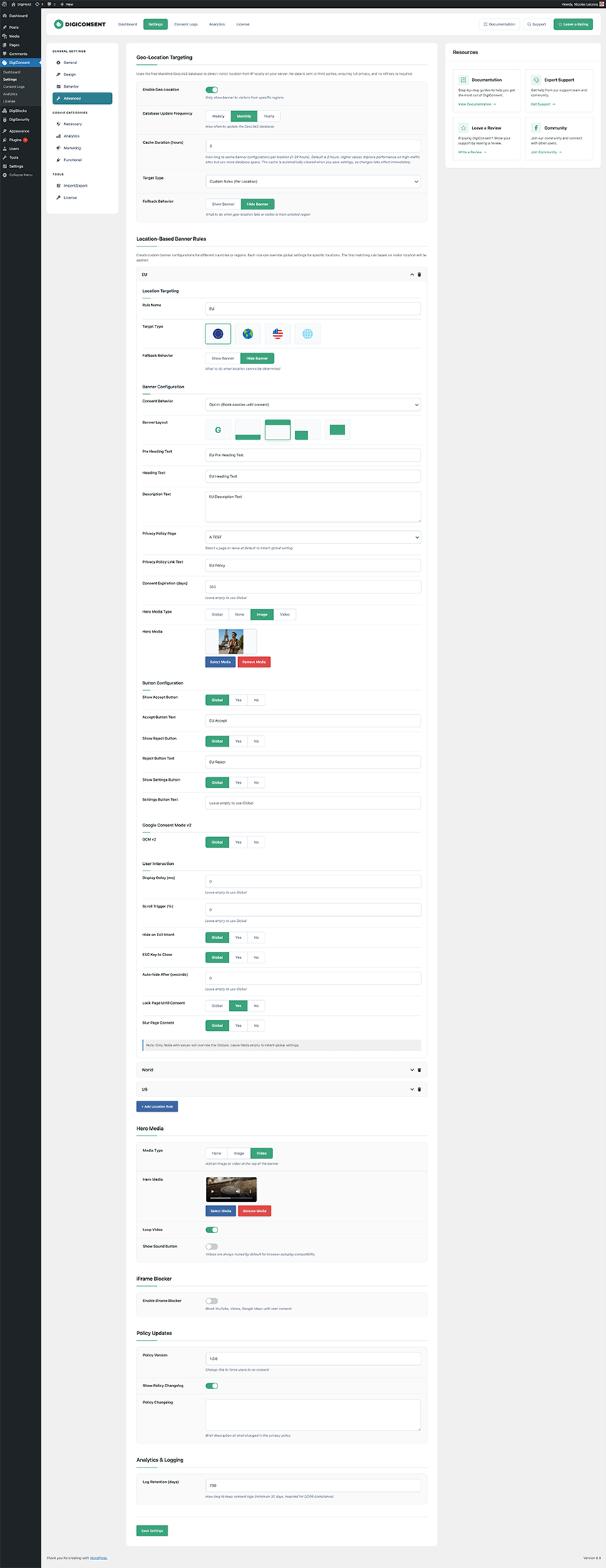
Geolocation Settings – Target specific countries or regions (Pro)


Installatie
Quick Start Guide
Upload & Activate
- Visit Plugins > Add New
- Search for “DigiConsent”
- Click “Install Now” and then “Activate”
- Or upload the plugin files manually to
/wp-content/plugins/digiconsent
Configure Your Banner
- Go to DigiConsent > Settings in your WordPress admin
- Customize the banner design and content
- Add your tracking scripts to cookie categories
Test & Launch
- Preview your cookie banner on the frontend
- Test acceptance and rejection flows
- Monitor analytics in the dashboard
System Requirements
- WordPress 5.8 or higher
- PHP 7.4 or higher
- Modern browser (Chrome, Firefox, Safari, Edge)
Source Code
This plugin uses compiled/minified JavaScript and CSS files for optimal performance. The source code for all compiled assets is included in the plugin’s resources directory:
JavaScript Source Files:
resources/js/admin/admin.js– Compiled toassets/js/admin.jsresources/js/front/front.js– Compiled toassets/js/front.jsresources/js/admin/review-notice.js– Compiled toassets/js/review-notice.jsresources/js/vendor/chart.js– Compiled toassets/js/chart.min.js(Chart.js library v4.5.1)resources/js/vendor/coloris.js– Compiled toassets/js/coloris.min.js(Coloris color picker library)
CSS Source Files:
resources/css/admin/admin.css– Compiled toassets/css/admin.cssresources/css/front/front.css– Compiled toassets/css/front.cssresources/css/admin/review-notice.css– Compiled toassets/css/review-notice.cssresources/css/vendor/coloris.css– Compiled toassets/css/coloris.min.css(Coloris styles)
Third-Party Libraries:
– Chart.js (v4.5.1) – MIT License – https://github.com/chartjs/Chart.js
– Coloris – MIT License – https://github.com/mdbassit/Coloris
Build Instructions:
The plugin uses npm for dependency management and build processes. To rebuild the assets from source:
- Install Node.js and npm
- Run
npm installin the plugin directory - Run
npm run buildto compile all assets - Individual assets can be built with
npm run build:css-admin,npm run build:js-front, etc.
See package.json for all available build commands.
FAQ
Is DigiConsent compliant with GDPR, CCPA, and other privacy laws?
Yes! DigiConsent follows best practices for GDPR (EU), CCPA/CPRA (California), LGPD (Brazil), ePrivacy Directive, and other privacy regulations including granular consent, consent logging, and proper cookie categorization. However, you should consult with a legal professional to ensure your complete setup meets all requirements.
What’s the difference between Free and Pro?
The free version includes everything you need for basic cookie compliance: cookie consent banners, quick script setup templates (Google Analytics, Facebook Pixel, etc.), consent logging, and analytics. DigiConsent Pro adds custom script management (add any JavaScript to head, body, or footer), advanced geolocation targeting, behavior controls (display delays, scroll triggers, exit intent), and regional compliance features for businesses operating in multiple countries or US states.
Does DigiConsent work with caching plugins?
Yes, DigiConsent is compatible with all major caching plugins (WP Rocket, W3 Total Cache, WP Super Cache, etc.). The banner is rendered client-side to ensure it always displays correctly regardless of caching.
Absolutely! DigiConsent offers extensive customization options including colors (with transparency), animations, positioning, and custom content. You can match it perfectly to your brand. Pro version adds hero media (images/videos).
Does it block tracking scripts automatically?
Yes, when you add scripts to cookie categories, DigiConsent will automatically block them until the user provides consent for that category. This works with opt-in, opt-out, and notice-only consent modes.
Can I use DigiConsent on multiple websites?
Yes, you can use DigiConsent (both free and Pro versions) on as many websites as you want. Use the import/export feature to easily transfer settings between sites.
How does geolocation work? (Pro Feature)
With DigiConsent Pro, you can detect visitor location using MaxMind GeoLite2 database and show different banners to visitors from specific countries or US states. This is useful for showing opt-in banners to EU visitors while showing notice-only banners to other regions. You can create location rules with completely different settings per region.
Are consent records stored?
Yes, DigiConsent logs all consent decisions with timestamps, IP addresses (optional), user agents, and consent choices. These logs can be viewed in the dashboard and exported for compliance audits. You can configure log retention period (minimum 30 days).
Does DigiConsent slow down my website?
No. DigiConsent is built with performance in mind. The plugin uses minimal resources, loads assets only when needed, and works seamlessly with page caching. Pro version uses intelligent caching for geolocation lookups.
Can I export my settings?
Yes, DigiConsent includes import/export functionality so you can easily transfer settings between websites or create backups of your configuration.
Does it support Google Consent Mode v2?
Yes! DigiConsent fully supports Google Consent Mode v2, including regional settings (Pro feature). This ensures proper integration with Google Analytics, Google Ads, and other Google services.
Yes, DigiConsent is fully translation-ready and works with WPML, Polylang, and other translation plugins. All banner text can be customized in the settings.
Beoordelingen

Bijdragers & ontwikkelaars
“DigiConsent – Cookie Consent Banner for GDPR, CCPA & ePrivacy Compliance” is open source software. De volgende personen hebben bijgedragen aan deze plugin.
Bijdragers
Vertaal “DigiConsent – Cookie Consent Banner for GDPR, CCPA & ePrivacy Compliance” in je eigen taal.
Interesse in ontwikkeling?
Bekijk de code, haal de SVN repository op, of abonneer je op het ontwikkellog via RSS.
Changelog
1.0.8
- Added: Cookies list in the manage cookies popup to see which cookies are added.
- Added: Cookies list shortcodes to display them on your privacy page.
- Added: New fields in General settings to change the popup texts.
1.0.7
- Fixed: Consent action not properly stored in logs.
- Added: Pagination styles for consent logs.
1.0.6
- Fixed: Review issues.
1.0.5
- Fixed: Review issues.
1.0.4
- Fixed: Review issues.
1.0.3
- Fixed: Review issues.
1.0.2
- Fixed: Review issues.
1.0.1
- Fixed: Review issues.
1.0.0
First release

