

Beschrijving
Cursor Style & Animation
Beschrijving
Cursor Style & Animation is a premium-quality WordPress plugin that adds engaging mouse cursor effects to enhance your website’s interactivity and visual appeal. Perfect for modern websites looking to create memorable user experiences.
🎨 **Key Features**
- 4 Beautiful Animation Types: Trail, Particles, Ripple, and Magnetic effects
- 10+ Cursor Styles: From classic to modern, including custom images
- Mobile Optimized: Optional mobile support with performance considerations
- Performance Focused: Smooth 60fps animations with minimal resource usage
- Accessibility Friendly: Respects user preferences and accessibility standards
- Easy Customization: Intuitive admin interface with live preview
- Modern Web Standards: Built with vanilla JavaScript and HTML5 Canvas
🎯 **Animation Effects**
Trail Effect: Smooth trailing animation that follows your mouse with customizable length and color.
Particle Effect: Dynamic particle system with physics simulation that spawns particles as you move.
Ripple Effect: Expanding circular ripples on mouse movement for a water-like effect.
Magnetic Effect: Interactive element attraction and repulsion for engaging interactions.
🖱️ **Cursor Styles**
Choose from various cursor styles:
* Default, Pointer, Crosshair, Text, Wait, Move, Grab
* Zoom In/Out cursors
* Custom Image support (PNG, SVG, CUR formats)
* Hidden cursor option
⚙️ **Easy Configuration**
- Animation Type: Select from 4 different effects
- Trail Settings: Customize length, size, and color
- Animation Speed: Control from 0.1x to 2.0x
- Cursor Style: Choose from 10+ predefined styles
- Custom Cursors: Upload your own cursor images
- Mobile Support: Optional touch-based interactions
🚀 **Performance Optimized**
- Hardware acceleration using GPU
- Efficient canvas rendering
- Automatic memory management
- Mobile optimization
- Respect for user’s motion preferences
- No impact on SEO or page load speed
♿ **Accessibility Compliant**
- Respects
prefers-reduced-motionmedia query - No interference with screen readers
- Keyboard navigation support
- High contrast mode compatibility
- Print-friendly (disables on print)
🌐 **Browser Support**
- Chrome 60+ (Full support)
- Firefox 55+ (Full support)
- Safari 12+ (Full support)
- Edge 79+ (Full support)
- Internet Explorer 11 (Limited support)
📱 **Mobile Support**
Optional mobile device support with touch-based interactions. The plugin automatically adapts effects for touch devices while maintaining performance.
🔧 **Developer Friendly**
- JavaScript hooks for custom integrations
- CSS classes for custom styling
- WordPress hooks and filters
- Translation-ready with .pot files
- Comprehensive documentation
🎨 **Usage Examples**
The plugin works automatically once activated. Simply move your mouse around your website to see the beautiful effects.
HTML Integration:
html
 <!-- Elements automatically get appropriate cursor styles -->
 <a href="#">Link with pointer cursor</a>
 <button>Button with pointer cursor</button>
 <input type="text" placeholder="Text input with text cursor">
 <div draggable="true">Draggable element with grab cursor</div>
Magnetic Effect:
html
 <button class="magnetic">Magnetic Button</button>
 <div data-magnetic>Magnetic Div</div>
🚀 **Quick Start**
- Install and activate the plugin
- Go to Settings > Cursor Style & Animation
- Choose your preferred animation type
- Customize settings as needed
- Save changes and enjoy!
📋 **System Requirements**
- WordPress 5.0 or higher
- PHP 7.4 or higher
- Modern web browser with JavaScript enabled
🆘 **Support**
For support and assistance:
* Check the troubleshooting section in documentation
* Review the FAQ section
* Visit our support page
* Contact the developer
☕ **Support the Developer**
If you find this plugin helpful, consider supporting its continued development:
Buy Me a Coffee
Schermafbeeldingen
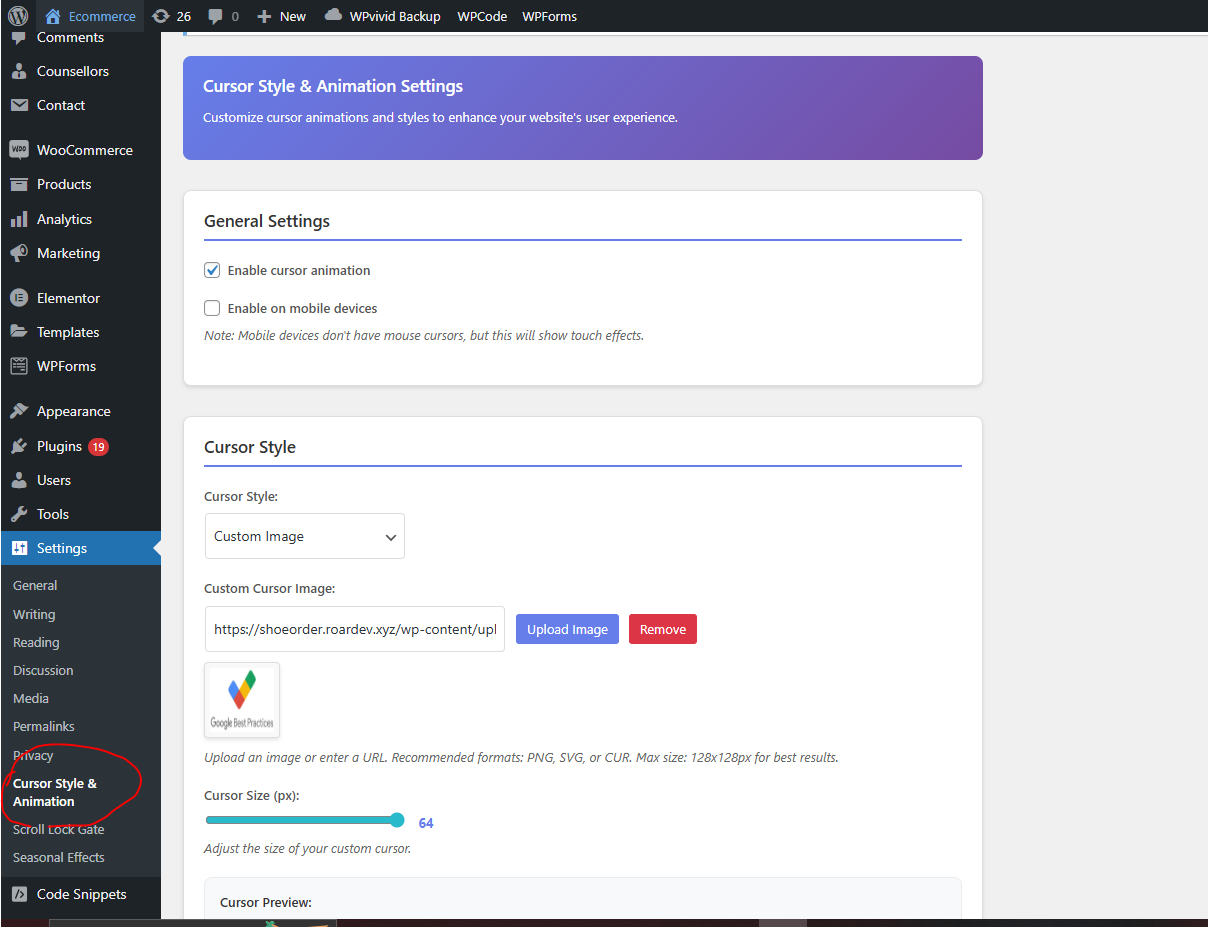
Admin settings page with animation type selection 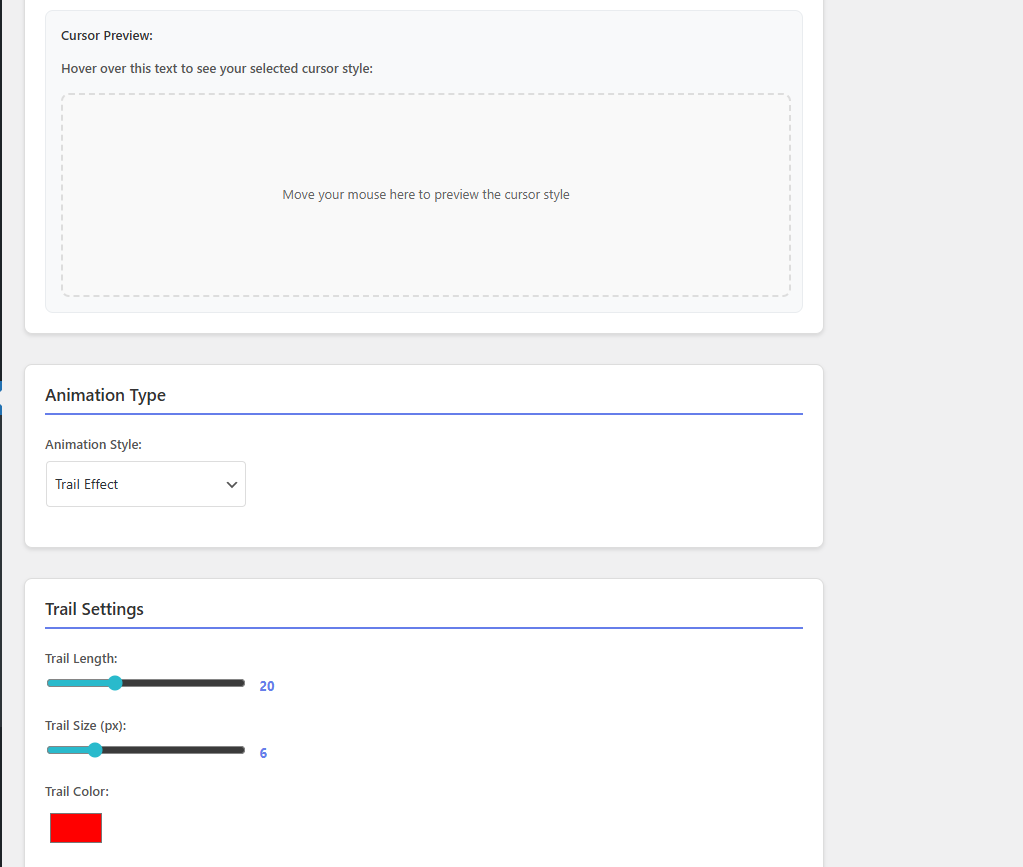
Trail effect demonstration 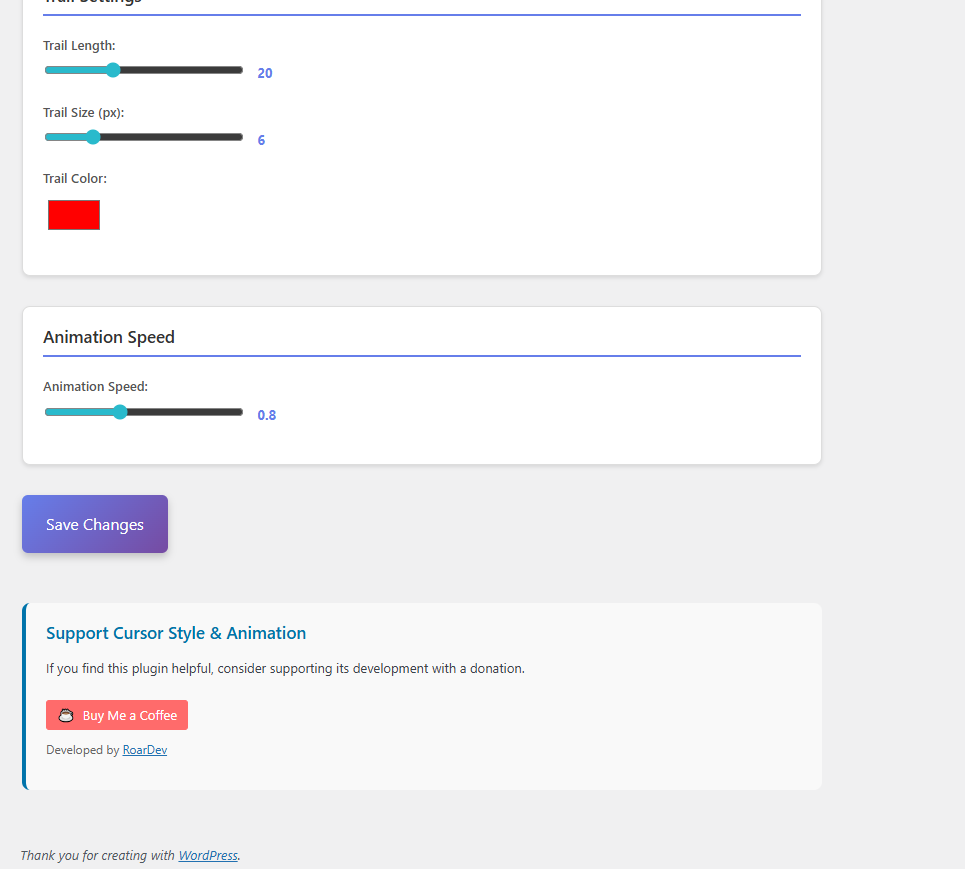
Particle effect demonstration


Installatie
Method 1: WordPress Admin (Recommended)
- Go to Plugins > Add New in your WordPress admin
- Click Upload Plugin
- Choose the plugin zip file
- Click “Install Now” and then “Activate”
Method 2: Manual Installation
- Download the plugin files
- Upload the
cursor-style-animationfolder to/wp-content/plugins/ - Activate the plugin through the ‘Plugins’ menu
- Go to Settings > Cursor Style & Animation to configure
FAQ
Is this plugin compatible with all WordPress themes?
Yes, the plugin is designed to work with all WordPress themes. It uses standard WordPress hooks and doesn’t modify theme files.
Does the plugin affect my website’s SEO?
No, the plugin has no impact on SEO. It only adds visual effects and doesn’t modify content or meta tags.
Can I use multiple animation types at once?
No, you can only use one animation type at a time. This is by design to ensure optimal performance.
Is the plugin accessible for users with disabilities?
Yes, the plugin respects accessibility standards and automatically disables animations for users who prefer reduced motion.
Can I customize the colors of the animations?
Yes, you can customize trail colors using the color picker in the admin settings.
Does the plugin work with page builders like Elementor or Divi?
Yes, the plugin is compatible with all major page builders and works alongside them.
Can I disable the plugin on specific pages?
Yes, you can add CSS to hide the animation on specific pages or elements.
Is the plugin translation-ready?
Yes, the plugin includes translation files and supports internationalization.
Can I use my own custom cursor images?
Yes, you can upload custom cursor images in PNG, SVG, or CUR format.
Does the plugin work with caching plugins?
Yes, the plugin is compatible with all major caching plugins.
What browsers are supported?
The plugin supports all modern browsers including Chrome 60+, Firefox 55+, Safari 12+, and Edge 79+.
Does the plugin work on mobile devices?
Yes, the plugin includes optional mobile support with touch-based interactions.
How do I troubleshoot if animations aren’t showing?
- Check if the plugin is enabled in settings
- Verify JavaScript is enabled in your browser
- Check browser console for errors
- Clear your browser cache and refresh the page
- Test with a default WordPress theme
Beoordelingen

Bijdragers & ontwikkelaars
“Cursor Style & Animation” is open source software. De volgende personen hebben bijgedragen aan deze plugin.
Bijdragers
Vertaal “Cursor Style & Animation” in je eigen taal.
Interesse in ontwikkeling?
Bekijk de code, haal de SVN repository op, of abonneer je op het ontwikkellog via RSS.
Changelog
1.0.0
- Initial release
- Four animation types (Trail, Particles, Ripple, Magnetic)
- Ten cursor styles with custom cursor support
- Mobile device support
- Performance optimizations
- Accessibility compliance
- Cross-browser compatibility
- SEO-friendly implementation
- WordPress admin interface with live preview
- Translation-ready with internationalization support
- Comprehensive documentation and FAQ
- Donation integration with Buy Me a Coffee
- Professional branding and support links

