

Beschrijving


ContentProtector – password protect your page, post or text
Beschrijving
ContentProtector is a lightweight and flexible plugin that allows you to protect your WordPress content with passwords. You can protect an entire post or page, or just a specific portion of the content.
Features
- Global Protection: Set a global password for all posts or pages.
- Partial Content Protection: Use a shortcode to protect only a specific part of your content.
- Customizable: Easy to set up with a clean and intuitive admin interface.
- Secure: Uses WordPress Nonces and cookies for secure password handling.
How It Works
- Use the shortcode
[cpwp_protect password="your_password"]to protect an entire post or page. - Use
[cpwp_protect_content password="your_password"]to protect only a portion of your content.
Example for partial content protection:
`html
[cpwp_protect_content password=”pass”]
This content is protected by a password. Enter the password to view it.
[/cpwp_protect_content]
Schermafbeeldingen
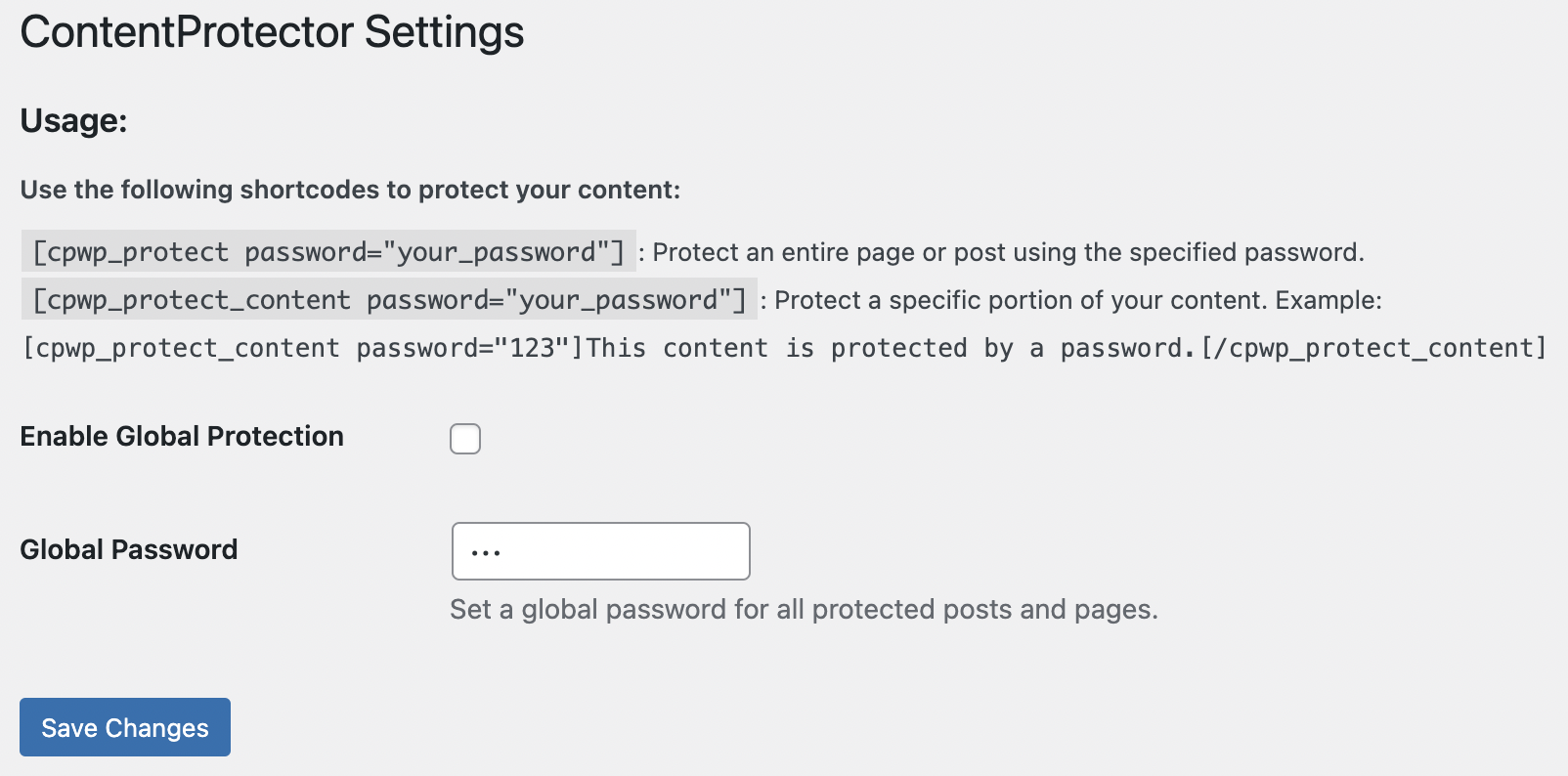
Admin settings page with configuration options. 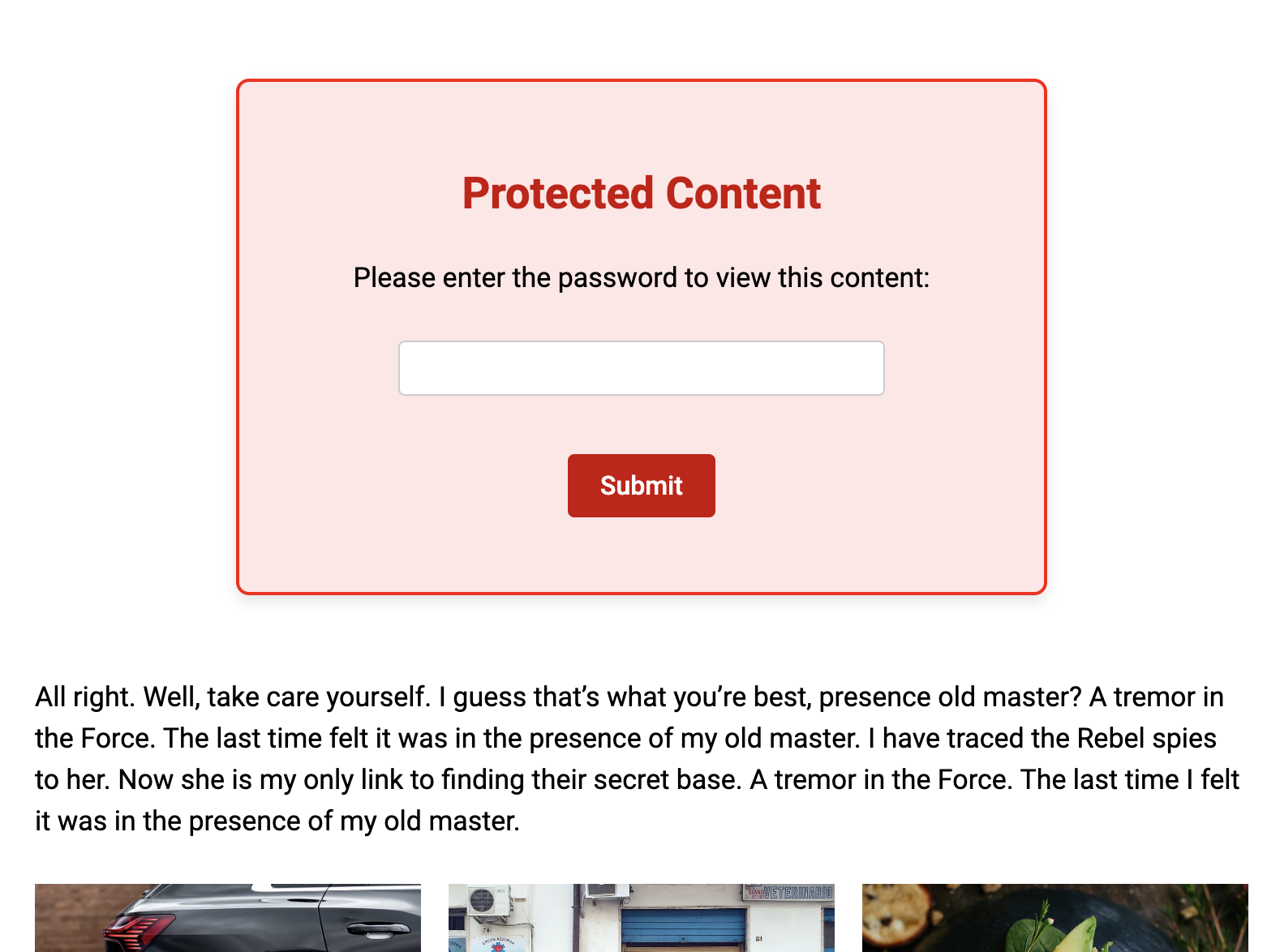
Password protect block


Installatie
Download the plugin and upload the contentprotector folder to the /wp-content/plugins/ directory.
Activate the plugin through the “Plugins” menu in WordPress.
Go to the ContentProtector menu in the WordPress dashboard to configure settings.
FAQ
Can I use different passwords for different posts or content?
Yes! Each shortcode instance can have its own password.
What happens if a user enters the wrong password?
The plugin will show an error message and prompt the user to try again.
Can I use this plugin on a multisite installation?
Yes, ContentProtector works perfectly on WordPress multisite.
Beoordelingen
Er zijn geen beoordelingen voor deze plugin.
Bijdragers & ontwikkelaars
“ContentProtector – password protect your page, post or text” is open source software. De volgende personen hebben bijgedragen aan deze plugin.
Bijdragers
Vertaal “ContentProtector – password protect your page, post or text” in je eigen taal.
Interesse in ontwikkeling?
Bekijk de code, haal de SVN repository op, of abonneer je op het ontwikkellog via RSS.
Changelog
1.0
Initial release.

