

Beschrijving
Ga naar de inhoud



Lees alle 7 beoordelingen
Clean unused shortcodes
Beschrijving
Clean unused shortcodes from your posts, pages, and any custom post types with ease.
This plugin provides an intuitive user interface powered by React and supports advanced features like:
– Preview unused and used shortcodes.
– View the location of shortcodes in posts or pages.
– Clean specific shortcodes or all unused shortcodes with one click.
– Improved visual indicators and functionality for better management of your content.
Schermafbeeldingen
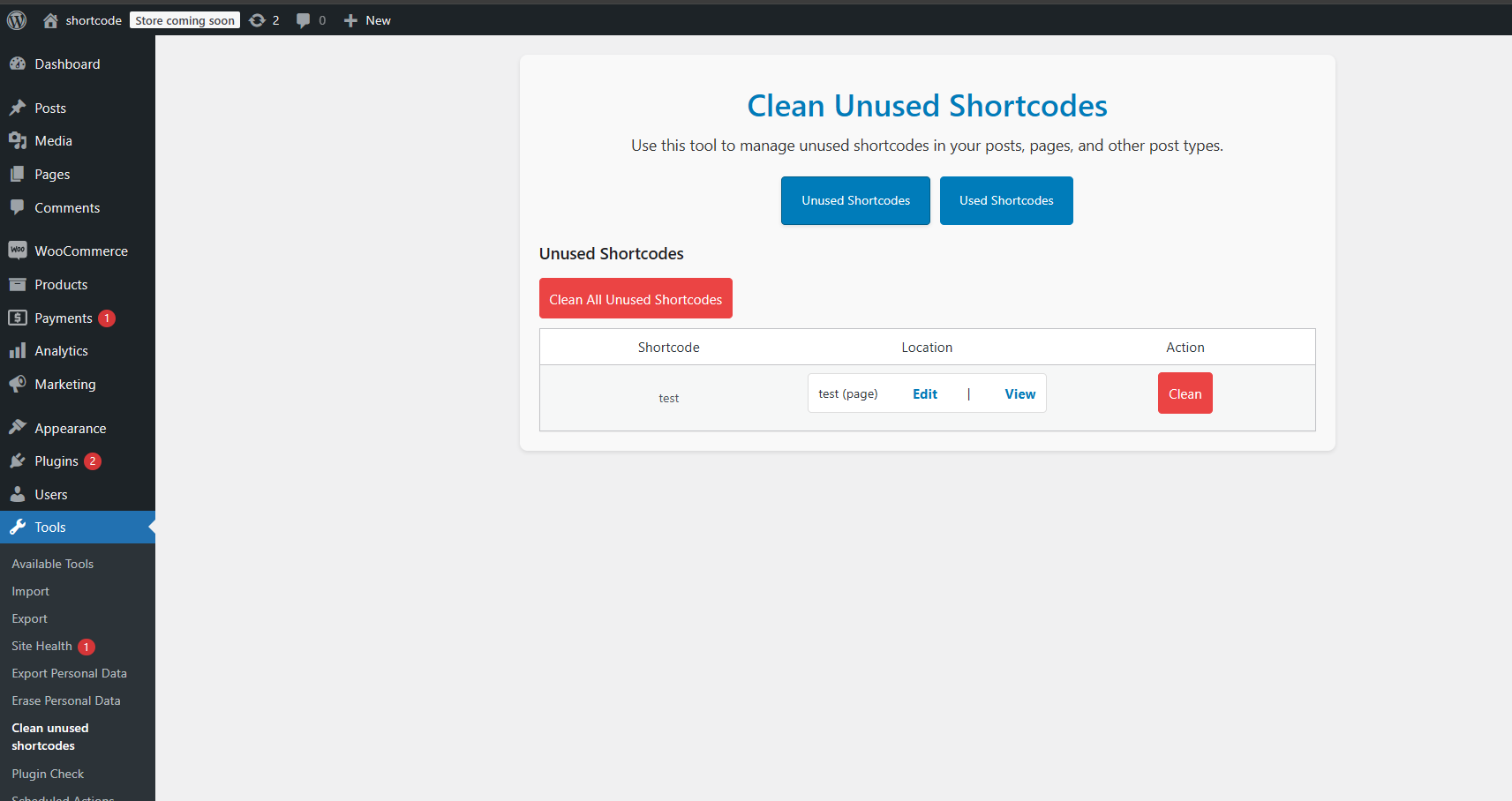
Admin interface showing unused shortcodes with edit and view links. 
Preview used shortcodes in posts and pages.


Installatie
- Upload
clean-unused-shortcodesfolder to the/wp-content/plugins/directory. - Activate the plugin through the ‘Plugins’ menu in WordPress.
- Navigate to Tools “Clean Unused Shortcodes”.
- Preview unused or used shortcodes.
- Choose your preferred post types or clean all unused shortcodes at once.
Beoordelingen
8 januari 2026 1 reactie
I had some old code from Bakery Builder, and it was all over my site. This plugin got rid of it in seconds. Well done.
26 juni 2025 1 reactie
Installed, Activated, Ran “Clean up unused shortcodes” and voila. The site had no more shortcode residue from Divi theme. THANK YOU!
22 juni 2025 1 reactie
I imported posts from a client site which previously used Divi, so they were littered with Divi shortcodes. I tried a few Divi shortcode cleaner plugins while they removed some of the shortcodes, there were will many remaining. This plugin worked quickly to remove all of remaining ones – I’d highly recommend it for this purpose (just remember to backup your database before you attempt anything like this!).
15 mei 2025 1 reactie
Does what it says. After migrating a 200 pages/posts site from a wpbakery page builder to another framework, I had plenty of all [vcrow] etc. This plugin cleaned my contents in seconds. Underrated plugin, thank you so much ! Saves a lot of time and efforts
7 mei 2025 1 reactie
Simple plugin that worked quickly and did exactly what we needed. Will use again!
21 april 2025 1 reactie
It is installed and with a single click it cleans the entire shortcode.
Bijdragers & ontwikkelaars
“Clean unused shortcodes” is open source software. De volgende personen hebben bijgedragen aan deze plugin.
Bijdragers
Vertaal “Clean unused shortcodes” in je eigen taal.
Interesse in ontwikkeling?
Bekijk de code, haal de SVN repository op, of abonneer je op het ontwikkellog via RSS.
Changelog
2.0.0
- Complete plugin rewrite using React for the admin UI.
- Introduced the ability to preview unused and used shortcodes.
- Display shortcode locations with links to edit or view posts/pages.
- Added a “Clean All” button to remove all unused shortcodes in one click.
- Improved performance and stability.
- Enhanced the visual design with SASS-based styles.
- Fixed edge cases for nested and unregistered shortcodes.
1.0.4
- Update UI.
- Fix white screen.
1.0.3
- Test with WordPress 6.1.1.
1.0.2
- Update plugin description.
1.0.1
- Update donate link.
1.0.0
- First release.

