

Beschrijving

Campaign Archive Block for Mailchimp
Beschrijving
To be able to use the plugin, you have to get API credentials from Mailchimp. You can find them in the API keys section of your Mailchimp account. If you already use the plugin “Mailchimp” or “Mailchimp for WooCommerce”, the API key from these will automatically be used.
The plugin allows you to show all campaigns from the connected Mailchimp account. You can show up to 100 campaigns (this is a hard limit of the Mailchimp marketing API). For each campaign, you can either show the “Title” or the “Subject”. You can also show the author/sender as well as the sending date (and time).
This is not an official Mailchimp plugin. Mailchimp® is a registered trademark of The Rocket Science Group.
Schermafbeeldingen
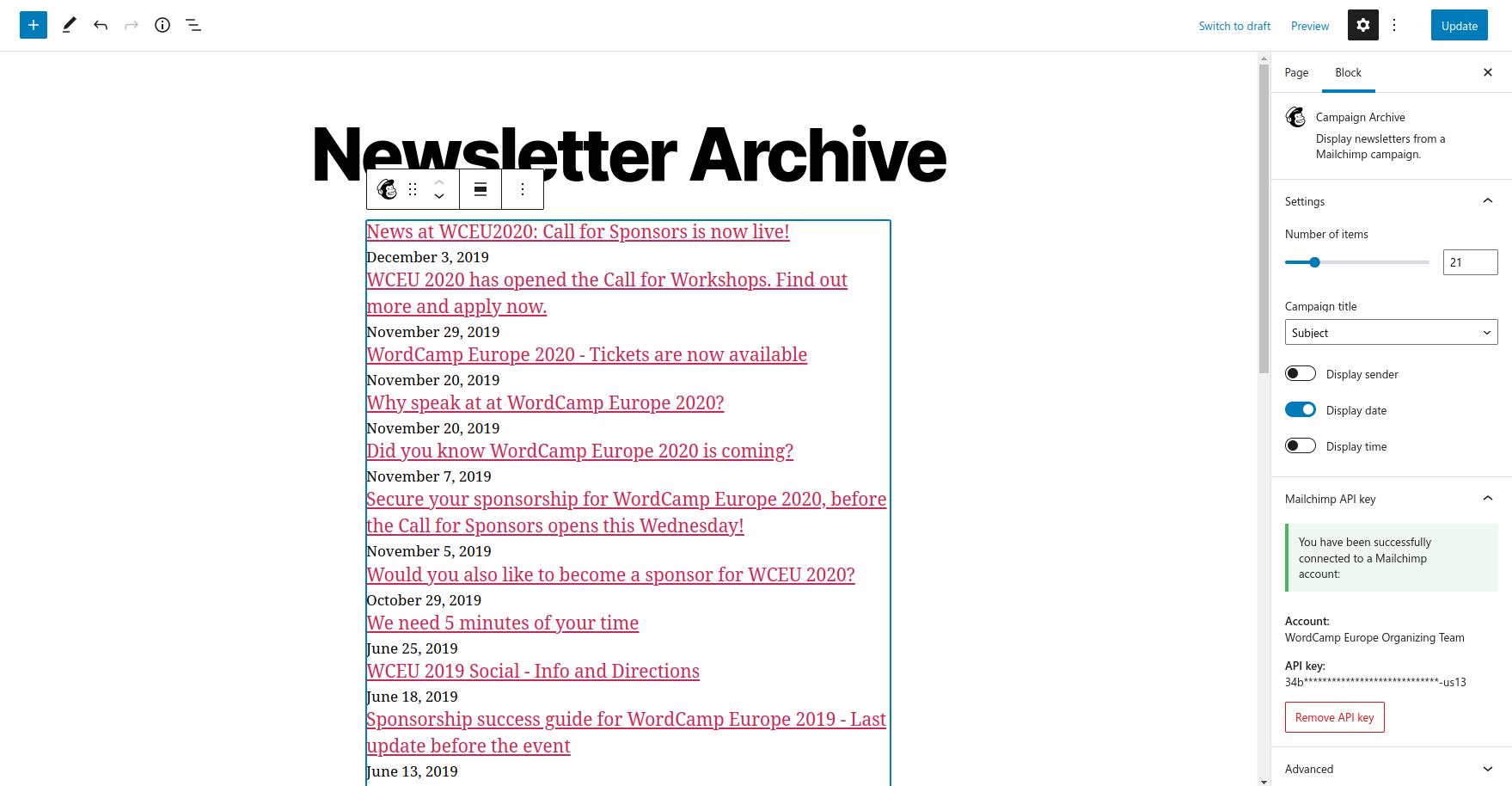
The block in the editor with its settings to adjust the output of the block and the API key settings 
The block before setting up the API key


Blokken
Deze plugin heeft 1 blok.
- Campaign Archive Display newsletters from a Mailchimp campaign.
FAQ
I get a warning telling me that I have to set up API credentials!
To be able to use the plugin, you have to get API credentials from Mailchimp. You can find them in the API keys section of your Mailchimp account. You can also find a guide on how to “Generate your API key” in the Mailchimp Marketing API documentation. This API key has to be saved in the block settings.
I already use the plugin “Mailchimp” or “Mailchimp for WooCommerce”, do I need to get a new API key?
If you have successfully connected one of the two plugins to your Mailchimp account, this plugin will automatically use the existing API key from those plugins, so you are good to go without any further configuration. You can still use another key in the block settings.
For better front end performance, the campaign archive is cached for 60 minutes. You just have to wait one hour (at most) for the new campaign to show up. You can also change the cache curation using the
cabfm_cache_minutesfilter.Where do I report security bugs found in this plugin?
Please report security bugs found in the source code of the Campaign Archive Block for Mailchimp plugin through the Patchstack Vulnerability Disclosure Program. The Patchstack team will assist you with verification, CVE assignment, and notify the developers of this plugin.
Beoordelingen
Er zijn geen beoordelingen voor deze plugin.
Bijdragers & ontwikkelaars
“Campaign Archive Block for Mailchimp” is open source software. De volgende personen hebben bijgedragen aan deze plugin.
Bijdragers
“Campaign Archive Block for Mailchimp” is vertaald in 1 locale. Dank voor de vertalers voor hun bijdragen.
Vertaal “Campaign Archive Block for Mailchimp” in je eigen taal.
Interesse in ontwikkeling?
Bekijk de code, haal de SVN repository op, of abonneer je op het ontwikkellog via RSS.
Changelog
2.2.1
- Update dependencies and recompile assets
- Add Plugin Check GitHub Action
2.2.0
- Adding the two filters
cabfm_campaigns_query_argsandcabfm_campaigns_markupto enable changes on the queried or rendered campaigns.
2.1.0
- If one of the plugins “Mailchimp” or “Mailchimp for WooCommerce” already has an API key, use this for the plugin as well
- Reduce caching duration to 60 minutes and add the
cabfm_cache_minutesfilter to change this value
2.0.1
- Migrate previously entered API keys into new block settings
2.0.0
- Remove the settings page and use the block settings for the API key
- Prepare the block to be listed in the block directory
1.0.3
- Remove the horizontal margin from the unordered list as well
1.0.2
- Optimize frontend CSS and remove horizontal margin from the list
1.0.1
- Remove function loading the translations from the plugin folder
1.0.0
- First stable version

