

Beschrijving

Deze plugin is niet getest met de laatste 3 grotere versies van WordPress. Mogelijk wordt het niet meer onderhouden of ondersteund. Ook kunnen er compatibiliteitsproblemen ontstaan wanneer het wordt gebruikt met recentere versies van WordPress.

Brozzme Plugins Thumbnails
Beschrijving
Add thumbnail column to plugins displays thumbnails for WordPress plugins on the plugins list page, on admin (wp-admin/plugins.php).
Brozzme Add Plugins Thumbnails would help to easily identify plugins. Add your own thumbnails for premiums or personal plugins.
Just activate plugin to see thumbnail.
Options
- Icon width and height
- Round icon
- Reset transients
- Transient expiration
- Add your special thumbnails
Behaviour
- thumbnail from wordpress.org repository
- thumbnail fallback with text, random colors or your own thubnails
- specials links to the thumbnails
- transients
Schermafbeeldingen
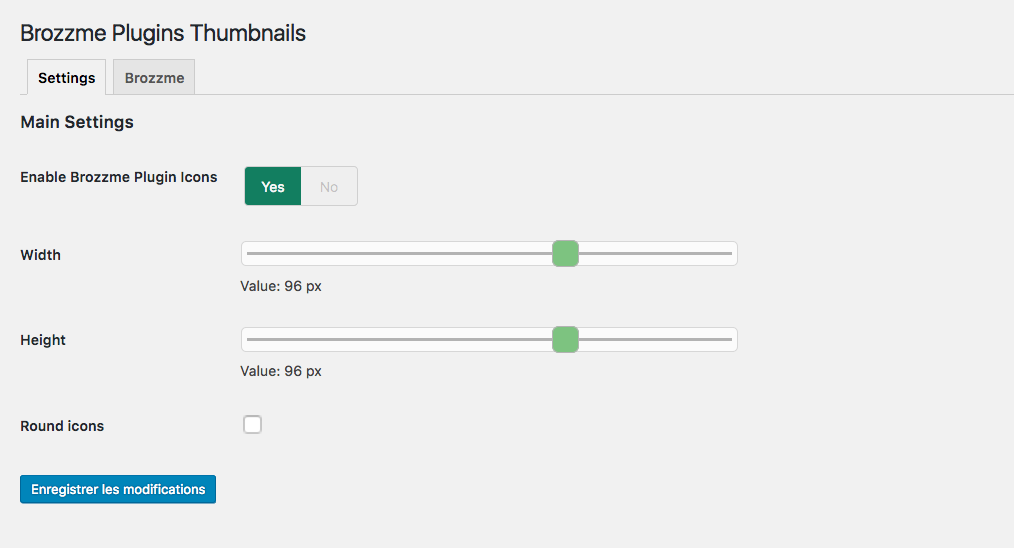
Thumbnails settings screenshot-1.png. 
Default thumbnail screenshot-2.png. 
Round thumbnails screenshot-3.png. 


Installatie
- Upload “brozzme plugins thumbnails” to the “/wp-content/plugins/” directory.
- Activate the plugin through the “Plugins” menu in WordPress.
- Manage options in Brozzme->Plugin Icons if needed.
Beoordelingen


Bijdragers & ontwikkelaars
“Brozzme Plugins Thumbnails” is open source software. De volgende personen hebben bijgedragen aan deze plugin.
Bijdragers
Vertaal “Brozzme Plugins Thumbnails” in je eigen taal.
Interesse in ontwikkeling?
Bekijk de code, haal de SVN repository op, of abonneer je op het ontwikkellog via RSS.
Changelog
1.4.5
- compatibility fix with other plugin
1.4.2
- bugfixe on Brozzme plugins css
1.4
- add filter for premium or unknow plugin
- add setting page for specials plugins
- delete transient
- curl functions replace with wp_get_remote
1.0
- Initial release.

