

Beschrijving

Deze plugin is niet getest met de laatste 3 grotere versies van WordPress. Mogelijk wordt het niet meer onderhouden of ondersteund. Ook kunnen er compatibiliteitsproblemen ontstaan wanneer het wordt gebruikt met recentere versies van WordPress.

AutoCHMOD
Beschrijving
Protect folders and files from unhautorized changes managing filesystem permissions. You can configure the permission mask for file and folders in “protected” and “writeable” status, and with a single click you can switch between them. When you enable writing a cron event is set and the protected status will be applied automatically after 10 minutes.
Please check carefully the configuration before enabling protection! If the default permission mask isn’t correct for your server WordPress will stop working, and you’ll need to restore the correct permission manually.
Pay attention: the suggested configuration is, obviously, only a suggestion: depending on various system configuration the detection could be suboptimal or erroneous.
New in 0.5: automatic updates should work regularly; the protection will disabled and re-enabled, hopefully without pain. But this feature is still experimental and I can’t debug it untill next minor release of WP.
Schermafbeeldingen
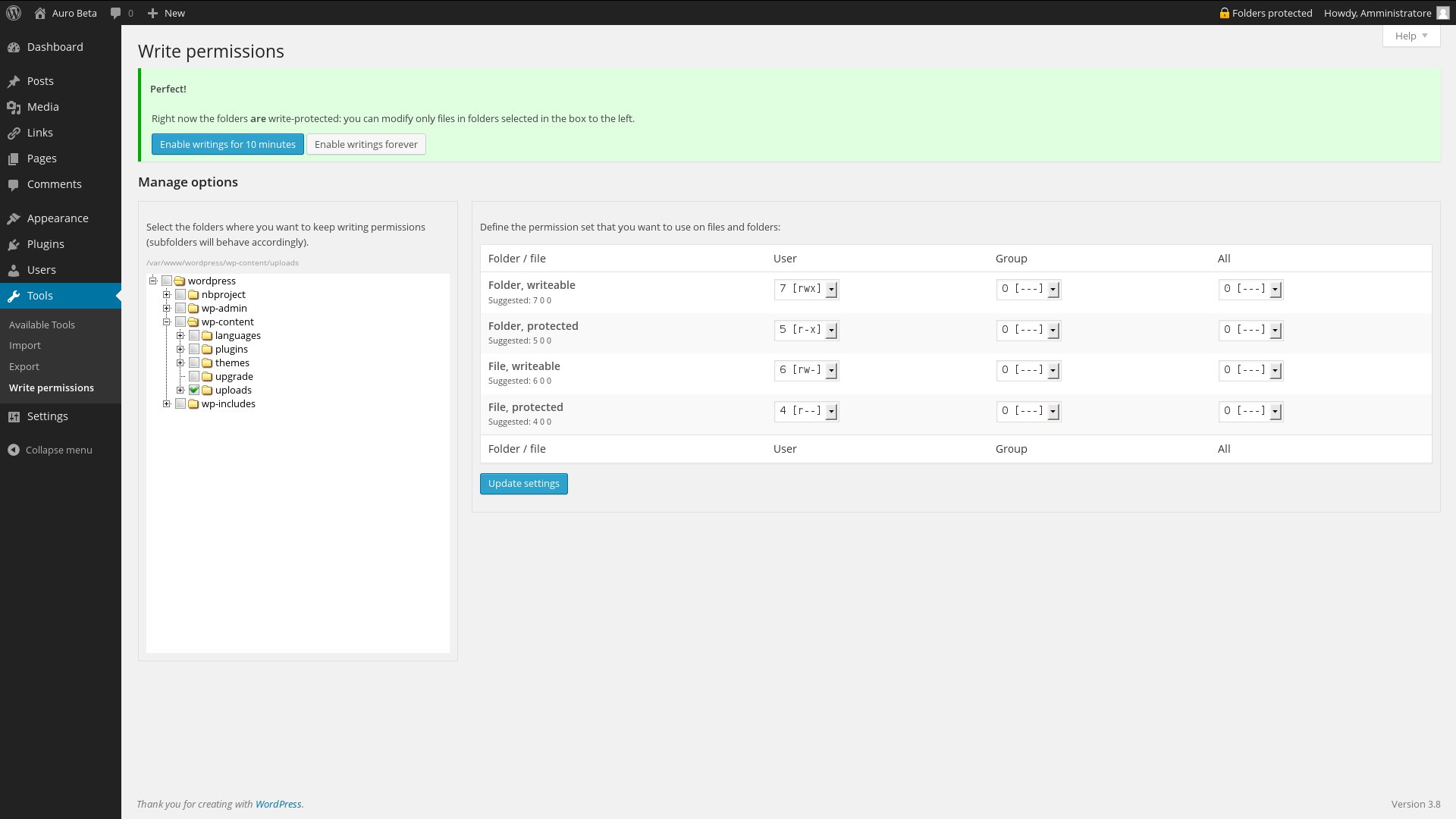
The config page when protection is active. 
The config page when protection isn’t active. Note the countdown on the admin button. 
The alert on plugin installation page when protection is active. The same alert is shown also on edit plugin page and installation and edit theme pages. 
The Help tab. Less text in the page, more comfort for the user.


Installatie
Just follow any standard plugin installation procedure, as you wish.
FAQ
- Can I use this plugin on Windows/Mac/Solaris?
On Windows surely NOT, on other systems maybe. AutoCHMOD intensively use the PHP chmod command: if this funcion is usable on your system, AutoCHMOD would run just fine.
- Does this plugin works out-of-the-box?
Maybe, or maybe not. You must double-check the configuration of the permission you’ll grant to your file and folders: if the configuration isn’t correct for your server, WordPress could not run anymore and you’ll need to restore the correct permissions manually. In future releases I’ll try to check the configuration BEFORE applying it.
Beoordelingen

Bijdragers & ontwikkelaars
“AutoCHMOD” is open source software. De volgende personen hebben bijgedragen aan deze plugin.
Bijdragers
Vertaal “AutoCHMOD” in je eigen taal.
Interesse in ontwikkeling?
Bekijk de code, haal de SVN repository op, of abonneer je op het ontwikkellog via RSS.
Changelog
0.5
- Let the automatic updates happen!
0.5.1 Fixed the behaviour of the admin bar button on multisite installation: the option are now saved on site_meta
0.5.2 Fixed a bug who didn’t permit saving permission options on some network installations
0.4
- Check suggested configuration with a real case
- Help screen
- Disable protection forever
- Animated countdown when protection is disabled.
0.4.1: Completed italian localization, minor bug fixes
0.4.2: Removed debug information. Sorry, my fault
0.3
- Multisite friendly (config page is in network Settings section)
- Navbar button bring to option page if configuration hasn’t been verified
- Suggest permission comparing a file created in system’s temporary folder and the WordPress root
0.2
- First public release.
- Improved options page.
- Configuration of permissions mask.
- Localization (english, italian)
0.1
- First attempt.
- Single file plugin, no fancy options.

