

Beschrijving
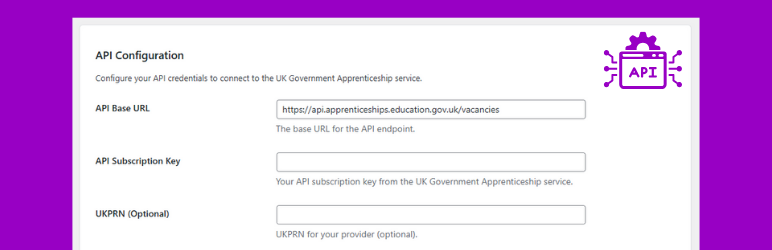
Apprenticeship Connect
Beschrijving
Apprenticeship Connect integrates with the official UK Government’s Find an Apprenticeship service to fetch and display current apprenticeship vacancies on your WordPress site. It provides a setup wizard for easy configuration, automated daily data synchronisation, and a simple shortcode to place vacancy listings anywhere on your site.
Features:
- Easy Onboarding: A step-by-step setup wizard guides you through the configuration process.
- API Integration: Connects to the UK Government apprenticeship API to fetch the latest vacancies.
- Automated Syncing: A daily WP-Cron job keeps your vacancy listings up-to-date automatically.
- Manual Control: A “Test & Sync” button in the settings allows for on-demand API testing and data synchronisation.
- Simple Shortcode: Use
[apprco_vacancies]to display listings on any page or post. - Customisable Display: Control which vacancy details (employer, location, closing date) are shown directly from the settings page.
Shortcode:
- Use
[apprco_vacancies]on any page. The output is controlled by the options configured on the Settings page.
Installatie
- Upload the
apprenticeship-connectfolder to the/wp-content/plugins/directory, or install the plugin through the WordPress ‘Plugins’ screen directly. - Activate the plugin through the ‘Plugins’ screen in WordPress.
- You will be automatically redirected to the Setup Wizard. Follow the steps to configure your API credentials and display settings.
- Add the shortcode
[apprco_vacancies]to any page to display vacancies.
FAQ
Where do I get the API Subscription Key?
Request access from the UK Government Apprenticeships service. Enter the key in Apprenticeship Connect > Settings.
Is UKPRN required?
No. The UKPRN is optional. If you provide one, the plugin will filter vacancies to show only those associated with your provider.
How often are vacancies synced?
The plugin schedules a daily sync via WP-Cron. You can also click the Test & Sync button on the settings page to update vacancies immediately.
Can I control how many vacancies are shown and which fields appear?
Yes. You can configure the default display count and the visibility of the employer, location, closing date, and apply button from the Apprenticeship Connect > Settings page.
Does the shortcode accept parameters?
No. To keep configuration simple and centralised, the shortcode does not accept parameters. All display options are managed from the plugin’s Settings page.
Beoordelingen
Er zijn geen beoordelingen voor deze plugin.
Bijdragers & ontwikkelaars
“Apprenticeship Connect” is open source software. De volgende personen hebben bijgedragen aan deze plugin.
Bijdragers
Vertaal “Apprenticeship Connect” in je eigen taal.
Interesse in ontwikkeling?
Bekijk de code, haal de SVN repository op, of abonneer je op het ontwikkellog via RSS.
Changelog
1.2.0
- Feature: Added admin setting to display a “No Vacancy” image when no vacancies are available.
- Feature: Integrated WordPress Media Library uploader to choose a custom image from the media library.
- Feature: Added a checkbox setting to enable/disable the “No Vacancy” image display.
- Style: Updated frontend CSS for the no-vacancy section (80% image opacity, centered bordered text box).
- Improvement: Enqueue frontend styles more reliably and ensure admin scripts load on the settings page.
1.1.3
- Fix: Prevent “Leave site?” browser confirmation from appearing incorrectly on the first step of the setup wizard.
- Fix: Corrected an issue where the setup wizard would loop between Step 3 and Step 2 due to a JavaScript error.
1.1.2
- Fix: Plugin review feedback changes.
1.1.1
- Fix: Plugin review feedback changes.
1.1.0
- Initial public release.
- Features a step-by-step Setup Wizard for easy configuration.
- Includes a “Test & Sync” button for on-demand API testing and synchronisation.
- Implements a daily cron job for automatic vacancy updates.
- Provides a
[apprco_vacancies]shortcode for displaying listings.

