

Beschrijving

Deze plugin is niet getest met de laatste 3 grotere versies van WordPress. Mogelijk wordt het niet meer onderhouden of ondersteund. Ook kunnen er compatibiliteitsproblemen ontstaan wanneer het wordt gebruikt met recentere versies van WordPress.

Announcement ticker highlighter scroller
Beschrijving
This plugin will display the announcement with highlighter scroller. It gradually reveals each message into view from bottom to top.
Check official website for live demo http://www.gopiplus.com/work/2010/07/18/announcement-ticker-highlighter-scroller/
Announcement ticker highlighter scroller wordpress plugin create an announcement scroller in sidebar. It gradually reveals each message into view from bottom to top.
Plugin feature
- Simple.
- Easy style override system.
- We can add/edit/delete announcement any time.
- Enble/disable option available so no need to delete announcement.
Plugin configuration
Drag and drop the widget : Go to widget page under Appearance tab, Drag and drop Announcement ticker highlighter scroller widget into your side bar.
Add directly in the theme : Use this PHP code to add the gallery into your theme files.
<?php if (function_exists (g_aths_announcement)) g_aths_announcement(); ?> Vertalers
- Ukranian (uk_UA) – Michael Yunat
- Tamil (ta) – Gopi Ramasamy
- Polish (pl_PL) – Abdul Sattar
Schermafbeeldingen
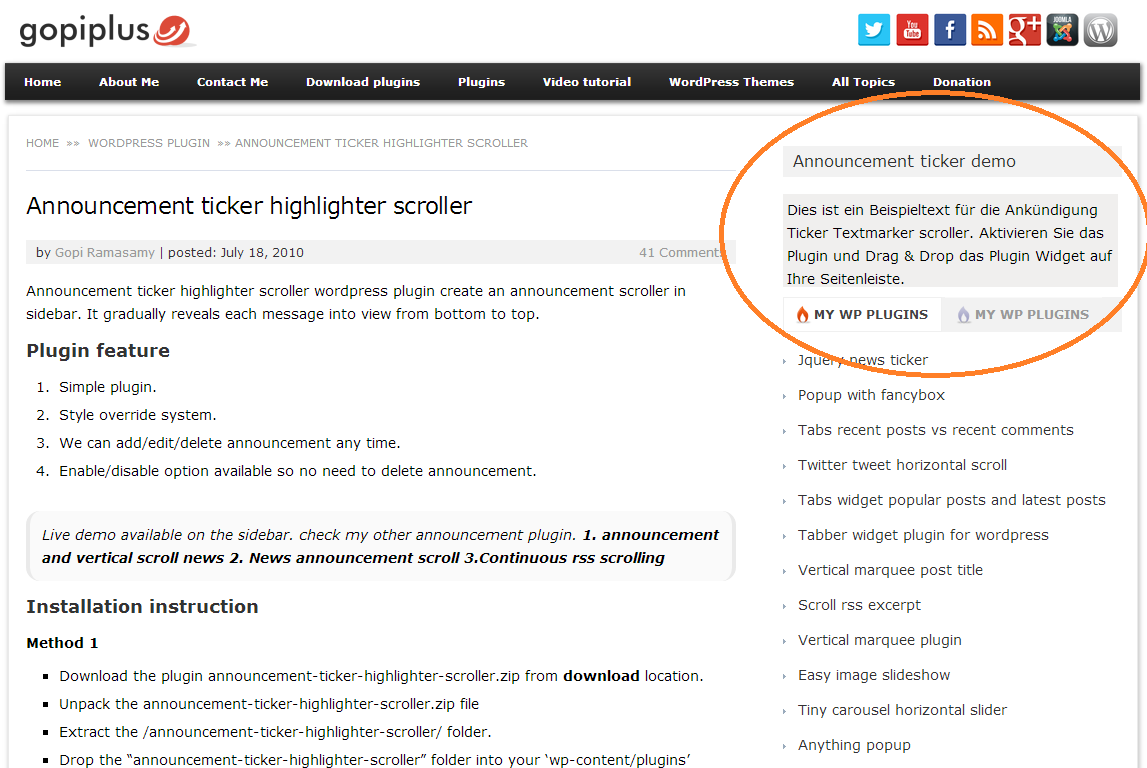
Front Screen. http://www.gopiplus.com/work/2010/07/18/announcement-ticker-highlighter-scroller/
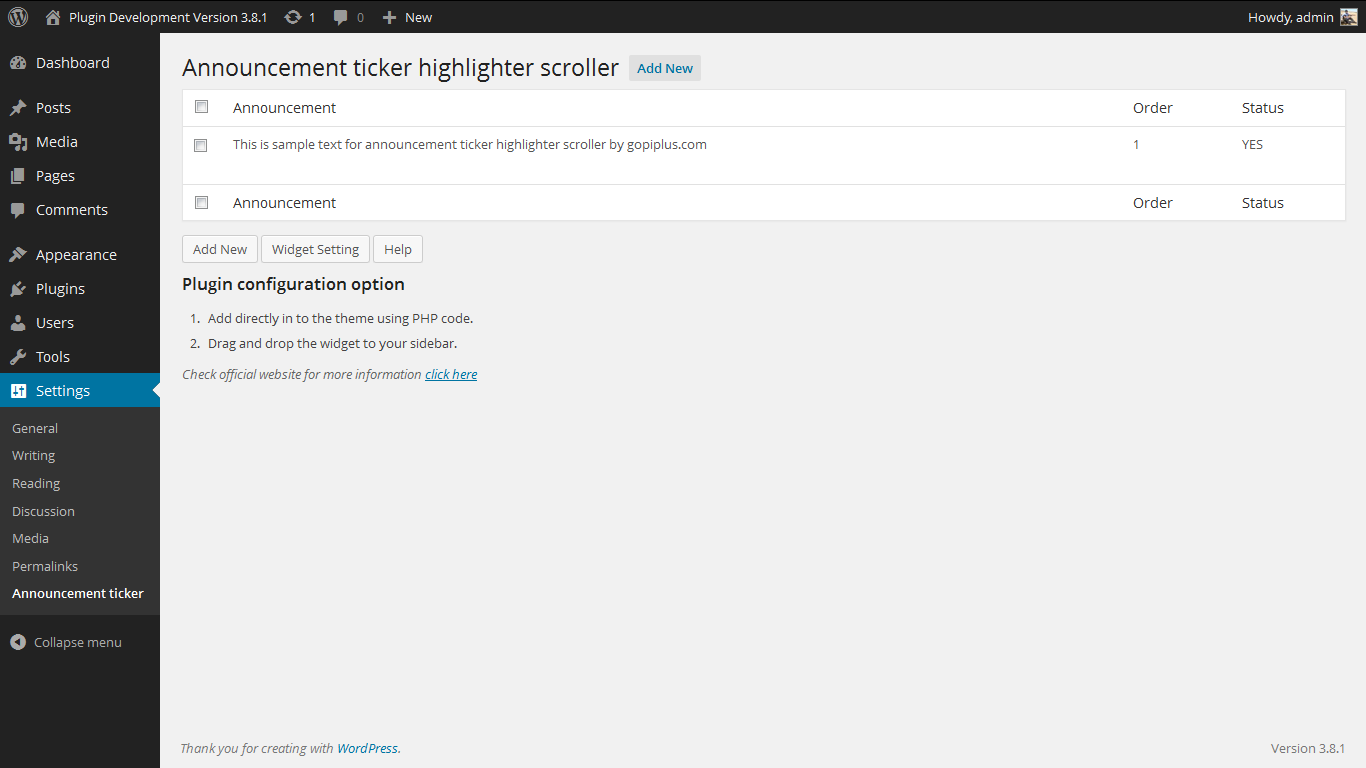
Admin Screen. http://www.gopiplus.com/work/2010/07/18/announcement-ticker-highlighter-scroller/


Installatie
- Unpack the *.zip file and extract the /announcement-ticker-highlighter-scroller/ folder..
- Drop the ‘announcement-ticker-highlighter-scroller/’ folder into your ‘wp-content/plugins’ folder.
- In word press administration panels, click on plug-in from the menu.
- You should see your new ‘announcement ticker highlighter scroller’ plug-in listed under Inactive plug-in tab.
- To turn the word presses plug-in on, click activate..
- Go to ‘announcement ticker highlighter scroller’ link under SETTING TAB to add/edit/delete Announcement.
- Go to widget link under Appearance tab, Drag & drop ‘announcement ticker highlighter scroller’ widget to your desired location
in the active sidebar or paste the mentioned code to desired template location.
FAQ
1. Can I add more announcement at same time?
Yes, you can add many announcement, this plugin will display one by one based on give order.
2. Can I customize the color & width & height style?
Yes, Click on the configure button (small down triangle) for the ‘announcement ticker highlighter scroller’ widget and here you can customize few front end styles. See attached.
or
Goto Announcement ticker highlighter scroller link under SETTING tab3. More doubt?
please contact
http://www.gopiplus.com/work/2010/07/18/announcement-ticker-highlighter-scroller/
Beoordelingen


Bijdragers & ontwikkelaars
“Announcement ticker highlighter scroller” is open source software. De volgende personen hebben bijgedragen aan deze plugin.
Bijdragers

“Announcement ticker highlighter scroller” is vertaald in 3 localen. Dank voor de vertalers voor hun bijdragen.
Vertaal “Announcement ticker highlighter scroller” in je eigen taal.
Interesse in ontwikkeling?
Bekijk de code, haal de SVN repository op, of abonneer je op het ontwikkellog via RSS.
Changelog
12.1
- Tested up to 5.9
12.0
- Tested up to 5.8
- Use plugin short code in the widget.
11.9
- Tested up to 5.7
11.8
- Tested up to 5.5
11.7
- Tested up to 5.4
11.6
- Tested up to 5.3
11.5
- Tested up to 5.2
- Uninstall option added. All plugin reference and plugin table will be cleared during uninstallation.
- Converted admin JS alert message into WP class file.
11.4
- Tested up to 4.9
11.3
- Tested up to 4.8
11.2
- Tested up to 4.7
11.1
- Tested up to 4.6
11.0
- Tested up to 4.5
- Sanitization added for all input value.
10.9
- Tested up to 4.4
10.8
- Tested up to 4.3.1
- Text Domain slug has been added for Language Packs.
10.7
- Tested up to 4.3
10.6
- Tested up to 4.2.2
10.5
- Tested up to 4.1
10.4
- Tested up to 4.0
10.3
- Tested up to 3.9
- Restricted direct page access.
10.2
- Tested up to 3.8
- Now this plugin supports localization (or internationalization). i.e. option to translate into other languages.
Plugin *.po file (announcement-ticker.po) available in the languages folder.
10.1
Change in admin layout.
Added some security feature.
10.0
Tested upto 3.6
9.1
Tested upto 3.5
9.0
New demo link, www.gopiplus.com
8.0
Tested upto 3.4
7.0
Tested upto 3.3
6.0
Security fix, only admin can see the plugin link in the dashboard.
5.0
Tested upto 3.2.1
4.0
Tested upto 3.0
3.0
New javascript to support both IE and mizila.
Now Multilanguage support enabled, so you can add all languages,
To post announcement in other language, simply copy and past the other language content in announcement text area.
2.0
Changes in JS.
1.0
First version.

