

Beschrijving


Animated Headline – Visual Composer (WPBakery Page Builder)
Beschrijving
Animated Headline plugin helps you to create easy and drag-drop headline animation. Just select the element from WPBakery Page Builder content tab and adjust your settings and inputs.
Usage Instruction…
Features:
- Easily Build Animated Headline For Your Pages.
- Insert built animation to any page via shortcode.
- 10+ Animation Effects to choose.
- Live preview in the editor to test every animation effects.
- You can add-edit from Both Frontend & Backend Editor
Schermafbeeldingen

screenshot-1 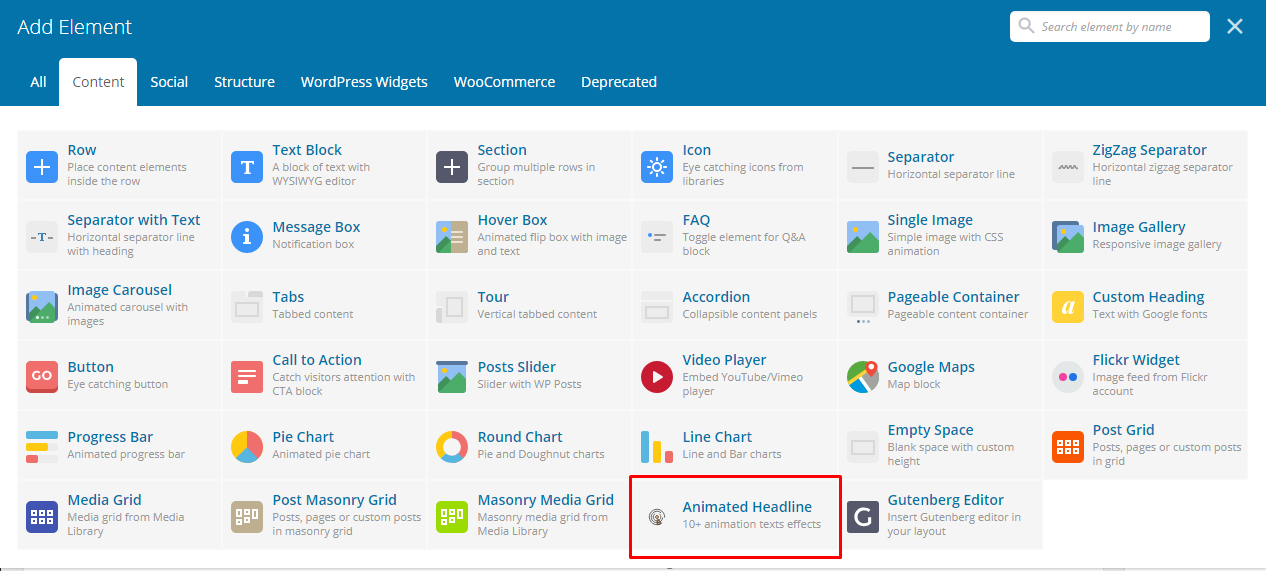
screenshot-2 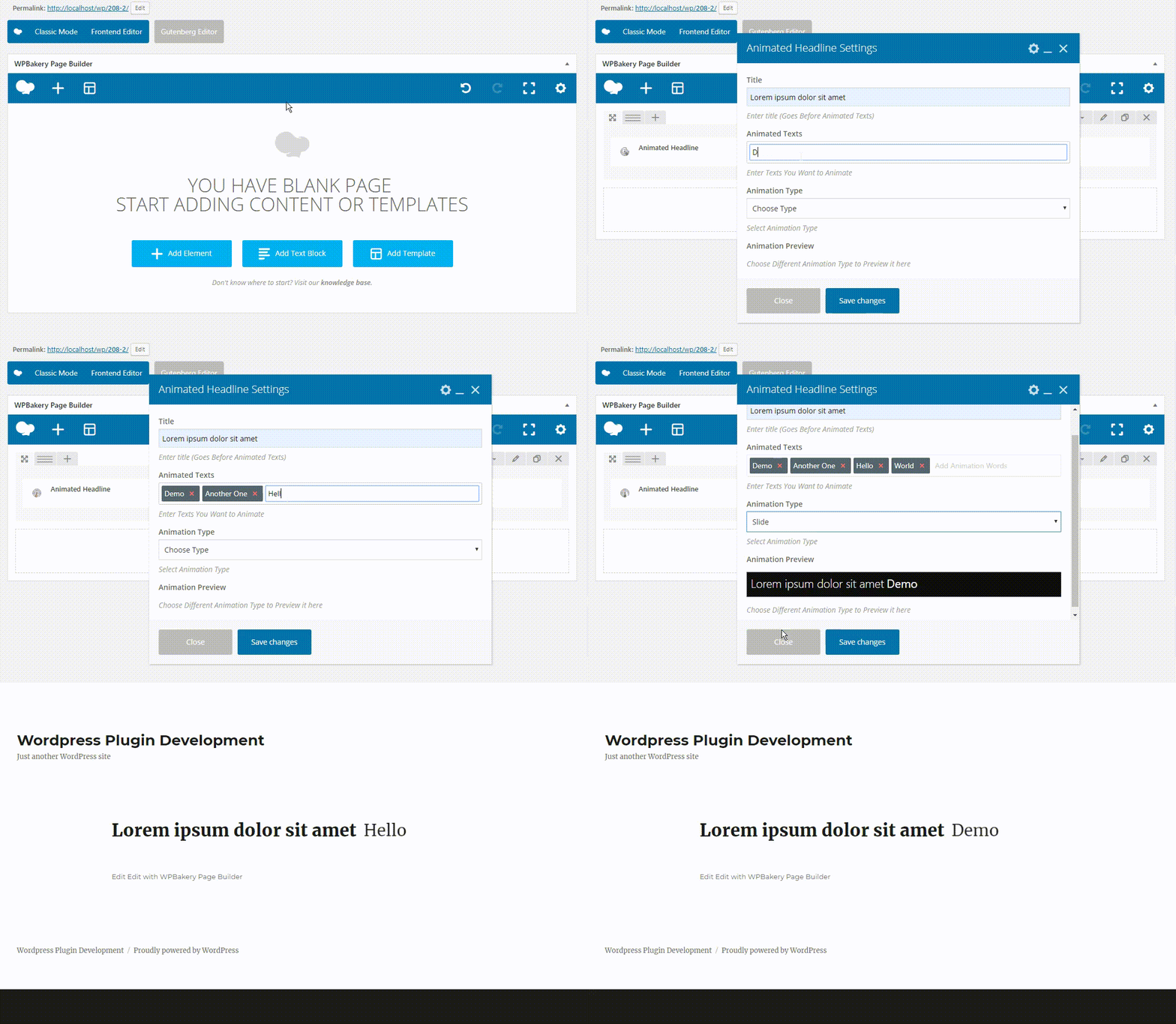
screenshot-3


Installatie
To add a WordPress Plugin using the built-in plugin installer:
Go to Plugins > Add New.
- Type in the name “Animated Headline – Visual Composer (WPBakery Page Builder)” in Search Plugins box
- Find the “Animated Headline – Visual Composer (WPBakery Page Builder)” Plugin to install.
- Click Install Now to begin the plugin installation.
- The resulting installation screen will list the installation as successful or note any problems during the install.
If successful, click Activate Plugin to activate it, or Return to Plugin Installer for further actions.
FAQ
How to use this plugin?
Just after installing Animated Headline – Visual Composer (WPBakery Page Builder) plugin, Go to any page and enable WPBakery Page Builder and add Animated Headline From the content tab. Update inputs according to your requirement and you are good to go.
How to use as a separated Shortcode?
Example :
<?php [animated_headline_vc title="Your Title" animation_type="slide" animation_texts="Hello,World,Welcome,Sagor"] ?>Shortcode requires 2 must have fields value
1 ‘animation_type’ &
2 ‘animation_texts’ as comma separated wordsAll Available Animation Types :
- rotate-1
- rotate-2
- rotate-3
- type
- loading-bar
- slide
- clip
- zoom
- scale
- push
Beoordelingen


Bijdragers & ontwikkelaars
“Animated Headline – Visual Composer (WPBakery Page Builder)” is open source software. De volgende personen hebben bijgedragen aan deze plugin.
Bijdragers
Vertaal “Animated Headline – Visual Composer (WPBakery Page Builder)” in je eigen taal.
Interesse in ontwikkeling?
Bekijk de code, haal de SVN repository op, of abonneer je op het ontwikkellog via RSS.
Changelog
2.0.2
- Checked for latest wp version 6.9
2.0.1
- Checked for latest wp version 6.8
2.0.0
- Major changes in codebase. Compatibility checkup for latest wp version 6.7
1.0.4
- Compatibility upto 6.6
1.0.3
- Compatibility upto 6.3
1.0.2
- Compatibility upto 6.0
1.0.1
- Added Animation Speed Input Feature…
1.0.0
- Initial release.

