

Beschrijving


AI Translator for Polylang
Beschrijving
How to translate with ChatGPT? Here we are. AI Translator for Polylang is a powerful WordPress plugin that seamlessly integrates with Polylang to provide automatic translation capabilities for your posts, pages, and custom post types using cutting-edge AI services. With AI Translator for Polylang, you can effortlessly expand your website’s reach to a global audience by delivering content in multiple languages.
Please note: AI Translator for Polylang is designed to work exclusively with the Polylang plugin.
This is not an official plugin of Polylang.
Key Features
- Translate Posts and Pages: AI Translator for Polylang enables you to automatically translate your posts and pages into multiple languages, making your content accessible to a wider audience.
- Enqueue Translations: You can easily enqueue translations and have them processed in the background, ensuring a smooth and efficient translation workflow.
- Support for Advanced AI Models: AI Translator for Polylang supports state-of-the-art AI models, including ChatGPT 3.5, 4, and 4o, providing high-quality translations powered by OpenAI’s language models.
- Link Translated Categories and Tags: The plugin intelligently links translated categories and tags, maintaining the structure and organization of your content across different languages.
- Link Translated Internal Links: AI Translator for Polylang automatically updates internal links within your translated content, ensuring a seamless navigation experience for your multilingual website.
- Support for ACF (Advanced Custom Fields)
- Support for Yoast SEO
- Bulk translations
Easy Setup and Configuration
AI Translator for Polylang is designed to work out of the box, allowing you to start translating your content immediately. However, for optimal performance and to process translations in the background, it is recommended to configure a cron job. This ensures that translations are handled efficiently without impacting the responsiveness of your website.
Disclaimer
AI Translator for Polylang is a plugin that helps you to connect your websites to OpenAI service. You need your own API keys and must follow the rules set by the AI service. Check OpenAI Terms of Service and Privacy Policy. It is also important to check your usage on the OpenAI website for accurate information.
The developer of AI Translator for Polylang and related parties are not responsible for any issues or losses caused by using the plugin or AI-generated content. You should talk to a legal expert and follow the laws and regulations of your country. AI Translator for Polylang does only store data on your own server, and it is your responsibility to keep it safe.
Schermafbeeldingen
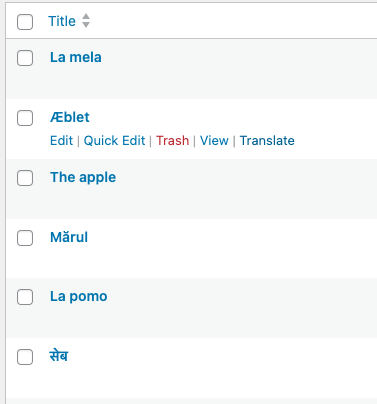
The “Translate” link 
Translation command modal 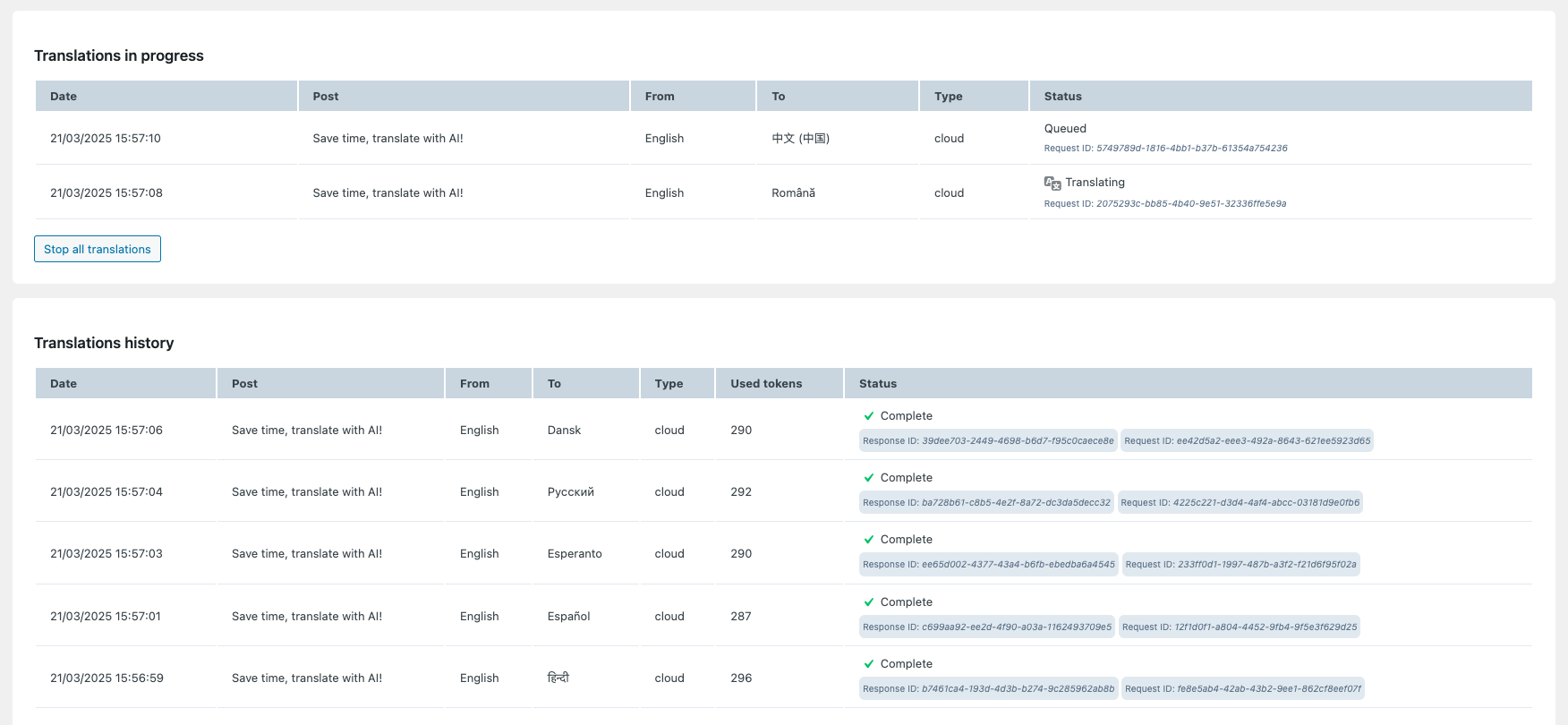
Translations monitor panel


Installatie
- Go to your WordPress Control Panel
- Click “Plugins”, then “Add New”
- Enter AI Translator for Polylang as a search term and click “Search Plugins”
- Download and install the AI Translator for Polylang plugin
- Click the “Activate Plugin” link
FAQ
Does AI Translator for Polylang work with Elementor or other builders?
AI Translator for Polylang works best with the system WordPress editor (aka Gutenberg) and the Classic editor. With version 1.1.1 Elementor is now supported as experimental functionality. Other builders are not yet officially supported.
Does is support WooCommerce?
WooCommerce support is limited to the Premium version. N.B.: it requires the plugin Polylang for WooCommerce which is maintained by Polylang team.
What AI Translator for Polylangs are supported?
The free version of AI Translator for Polylang supports ChatGPT from version 3.5 to 4o mini. The premium version adds support for Claude.
Which languages can I translate?
Virtually all languages, it depends by the external AI provider.
How many languages can I translate?
The free version supports 2 languages. If you have more languages you can purchase a premium license.
Beoordelingen


Bijdragers & ontwikkelaars
“AI Translator for Polylang” is open source software. De volgende personen hebben bijgedragen aan deze plugin.
Bijdragers


Vertaal “AI Translator for Polylang” in je eigen taal.
Interesse in ontwikkeling?
Bekijk de code, haal de SVN repository op, of abonneer je op het ontwikkellog via RSS.
Changelog
1.4.13
- Translated posts will have same author as the original post
1.4.12
- Bug fixing
1.4.11
- Bug fixing
1.4.10
- Bug fixing
1.4.9
- Bug fixing
1.4.8
- Bug fixing
1.4.7
- New feature: missing taxonomies are translated and created during the translation of the post
1.4.6
- Bug fixing
1.4.5
- Bug fixing
1.4.4
- Additional instructions for the prompt
1.4.3
- Support for ACF
1.4.2
- Fixed RankMath issue (Premium)
1.4.1
- Fixed Yoast issue
1.4.0
- Bulk translations (for local configuration)
1.3.5
- Fixed local translations not enqueued
1.3.4
- Fixed minor issue
1.3.3
- Handle communication failure between wordpress and PolylAI API
1.3.2
- Fixed support for pages
1.3.1
- Bug fixes
1.3.0
- Introducing PolylAI Cloud!
1.2.4
- Copy gallery of WooCommerce products
1.2.3
- Delayed activation, wait for all terms regulation
1.2.2
- UI improvements
- Support for WooCommerce and Polylang for WooCommerce
1.2.1
- Check if the AI engine API key is entered before starting a translation
1.2.0
- Refactored the enqueue translation when cron is not set
- Choose the status for the new translations
- UI enhancements
- Support for o1 models
1.1.2
- Freemius update
1.1.1
- Elementor experimental support
1.1.0
- Complete rewrite of translation flow
1.0.12
- Added “restart translations” button
1.0.11
- Fixed Freemius SDK
1.0.10
- Freemius SDK updated
- Support for RankMath (Premium version)
1.0.9
- Offer a trial period
1.0.8
- Fixed issue
1.0.7
- Added reset command to clear the cron lock and activity
1.0.6
- Fixed js issue that was preventing the plugin to work correctly
1.0.5
- Added notice for rating
1.0.4
- Added support for ChatGPT 4o mini
1.0.3
- Added support for ChatGPT 4o mini
1.0.2
- Added support for classic editor (TinyMCE)
1.0
- First release

