

Beschrijving


Advanced IP Blocker
Beschrijving
Advanced IP Blocker is your all-in-one security solution to safeguard your WordPress website from a wide range of threats. This plugin provides a comprehensive suite of tools to automatically detect and block malicious activity, including brute-force attacks, vulnerability scanning, and spam bots. With its intuitive interface, you can easily manage whitelists, blocklists, and view detailed security logs to understand exactly how your site is being protected.
Important Note on PHP Version:
To ensure maximum security and access to all features, we strongly recommend using PHP 8.1 or higher. Some advanced features (like the local MaxMind database or full 2FA management via WP-CLI) require PHP 8.1.
Key Features:
* (NEW) Internal Security & Forensics: A complete audit suite solely for WordPress. Track every sensitive event (plugin installs, settings changes, user logins) and monitor your critical files for unauthorized modifications with the integrated File Integrity Monitor.
* (NEW) Activity Audit Log: Gain complete visibility into what’s happening on your site. Who deactivated a plugin? Who changed a setting? The Audit Log answers these questions with timestamped, immutable records.
* (NEW) Deep Scan Email Reports: Get a weekly security summary delivered to your inbox, detailing pending updates, vulnerability status, and recent attack trends.
* Username Blocking & Rules: Gain granular control over login security. Creating Advanced Rules to block, challenge, or score specific usernames (e.g., “admin”, “test”).
* Enhanced Lockdown Notifications: Distributed Lockdowns (404/403) now fully support Email and Push notifications, ensuring you never miss a critical security event.
* Improved Logging: New “Endpoint Challenge” event type provides deeper visibility into challenges served during automated lockdowns.
* Server IP Reputation Check. Instantly audit your web server’s IP address against major blacklists (Spamhaus, AbuseIPDB) to diagnose SEO and email delivery issues.
* **HTTP Security Headers. Easily configure essential security headers like HSTS, X-Frame-Options, and Permissions-Policy to harden your site against clickjacking, sniffing, and other browser-based attacks. Includes a “Report-Only” mode for CSP.
* Site Health & Vulnerability Scanner. Audit your WordPress environment instantly. Detects outdated plugins, insecure PHP versions, and checks your installed plugins against a database of 30,000+ known vulnerabilities.
* **PERFORMANCE BOOST: High-Speed Community Database. Migrated the “Community Defense Network” blocklist to a dedicated, indexed database table. This allows checking thousands of malicious IPs in microseconds with zero impact on site memory usage.
* **WordPress 6.9 Ready. Fully tested and compatible with the latest WordPress core update.
* **Community Defense Network. Join forces with other WordPress admins. The plugin now shares anonymous attack data to build a global, real-time blocklist of verified threats. Protect your site with community-powered intelligence.
* **Auto-Cleaning Logic. Smart expiration handling ensures your blocklists stay fresh and performant, automatically removing stale IPs from both the database and external firewalls (Cloudflare/.htaccess).
* **Cloud Edge Defense (Cloudflare). Connect your site directly to Cloudflare’s global network. Automatically sync your blocklists to the cloud to stop attackers before they reach your server. Zero server load protection.
* **Server-Level Firewall (.htaccess). Extreme performance upgrade. Write blocking rules and file hardening protections directly to your .htaccess file. Blocks threats instantly without loading PHP or WordPress.
* **IMPROVED: Smart Bot Verification. Enhanced logic to correctly identify legitimate traffic from iOS devices (iCloud Private Relay) and social media previews, eliminating false positives while keeping impostors out.
* **File Hardening. Protect your most sensitive files (wp-config.php, readme.html, .git) at the server level with a single click.
* AbuseIPDB Integration. Proactively block attackers before they strike. The plugin can now check visitor IPs against AbuseIPDB’s real-time, crowdsourced database of malicious IPs and block those with a high abuse score on their very first request.
* Edge Firewall Mode! Protect any PHP file or standalone application within your WordPress directory (even if it’s not part of WordPress). Ideal for securing custom scripts, legacy applications, or folders like /scan/. (Requires manual configuration).
* Advanced Rules Engine! Create powerful, custom security rules with multiple conditions (IP, Country, ASN, URI, User-Agent) and actions (Block, Challenge, or add Threat Score).
* Known Bot Verification. A powerful new security layer that uses reverse DNS lookups to verify legitimate crawlers like Googlebot and Bingbot. This completely neutralizes attackers who try to bypass security rules by faking their User-Agent, assigning high threat scores to impostors.
* Onboarding Setup Wizard. A brand new step-by-step wizard that guides new users through the essential security configurations (IP whitelisting, WAF, and bot traps) in under a minute, ensuring a strong security posture from day one.
* Major Refactor: Codebase Modernization. The entire plugin architecture has been refactored into a modern, modular structure. Logic for admin pages, AJAX, actions, and settings is now handled by dedicated classes, making the plugin more stable, performant, and easier to maintain and extend in the future.
* Advanced IP Spoofing Protection. A zero-trust “Trusted Proxies” system ensures the plugin always identifies the true visitor IP, even behind complex setups like Cloudflare or a custom reverse proxy. It neutralizes attacks that attempt to fake their IP, preventing block evasion and the framing of innocent users.
* Geo-Challenge. A smarter way to handle traffic from high-risk countries. Instead of a hard block, it presents a quick, invisible JavaScript challenge that stops bots but is seamless for human visitors. This reduces unwanted traffic without affecting potential legitimate users.
* ENHANCEMENT: Full Bulk-Action Support. IP management is now faster than ever. Both the Whitelist and the Blocked IPs list now support full bulk actions, allowing you to select and remove multiple entries at once, or unblock all IPs with a single click.
* Endpoint Lockdown Mode: Automatically shields wp-login.php and xmlrpc.php with a JavaScript challenge during sustained distributed attacks, preventing server overload.
* Two-Factor Authentication (2FA): Secure user accounts with industry-standard TOTP authentication, backup codes, role enforcement, and a central admin management dashboard.
* IP Trust & Threat Scoring System: An intelligent defense that assigns “threat points” to IPs for malicious actions, blocking them only when they reach a configurable score. More accurate and context-aware than simple rules.
* Attack Signature Engine (Beta): Proactively stops distributed botnet attacks by identifying and blocking the attacker’s “fingerprint” (signature) instead of just individual IPs.
* Web Application Firewall (WAF): Block malicious requests (SQLi, XSS, etc.) with a customizable ruleset.
* And much more: Rate Limiting, Country & ASN Blocking (with Spamhaus support), ASN Whitelisting, Push Notifications, Google reCAPTCHA, Honeypots, Active User Session Management, and Full WP-CLI Support.
Schermafbeeldingen
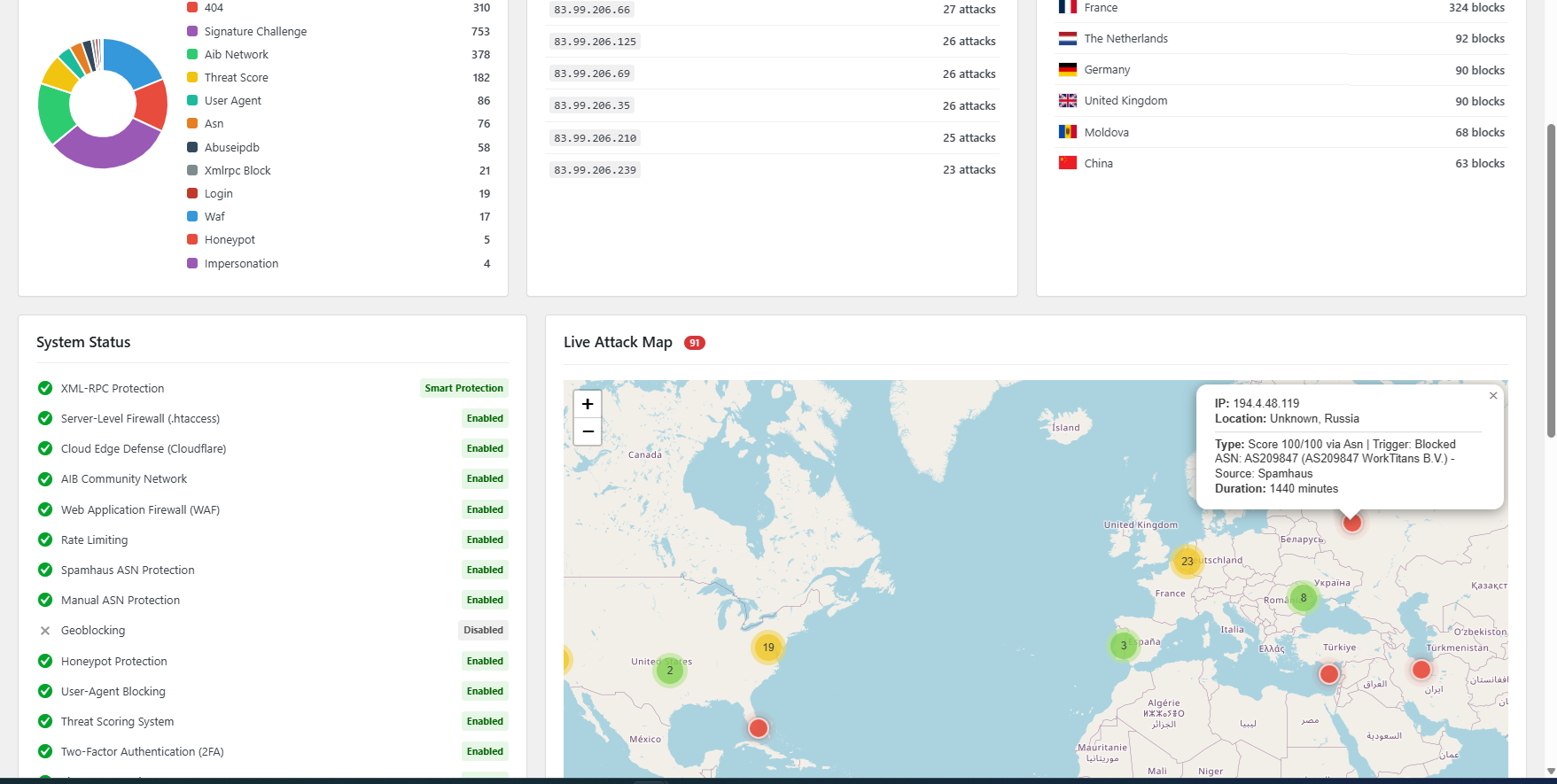
The new Security Dashboard with real-time charts and a Live Attack Map. 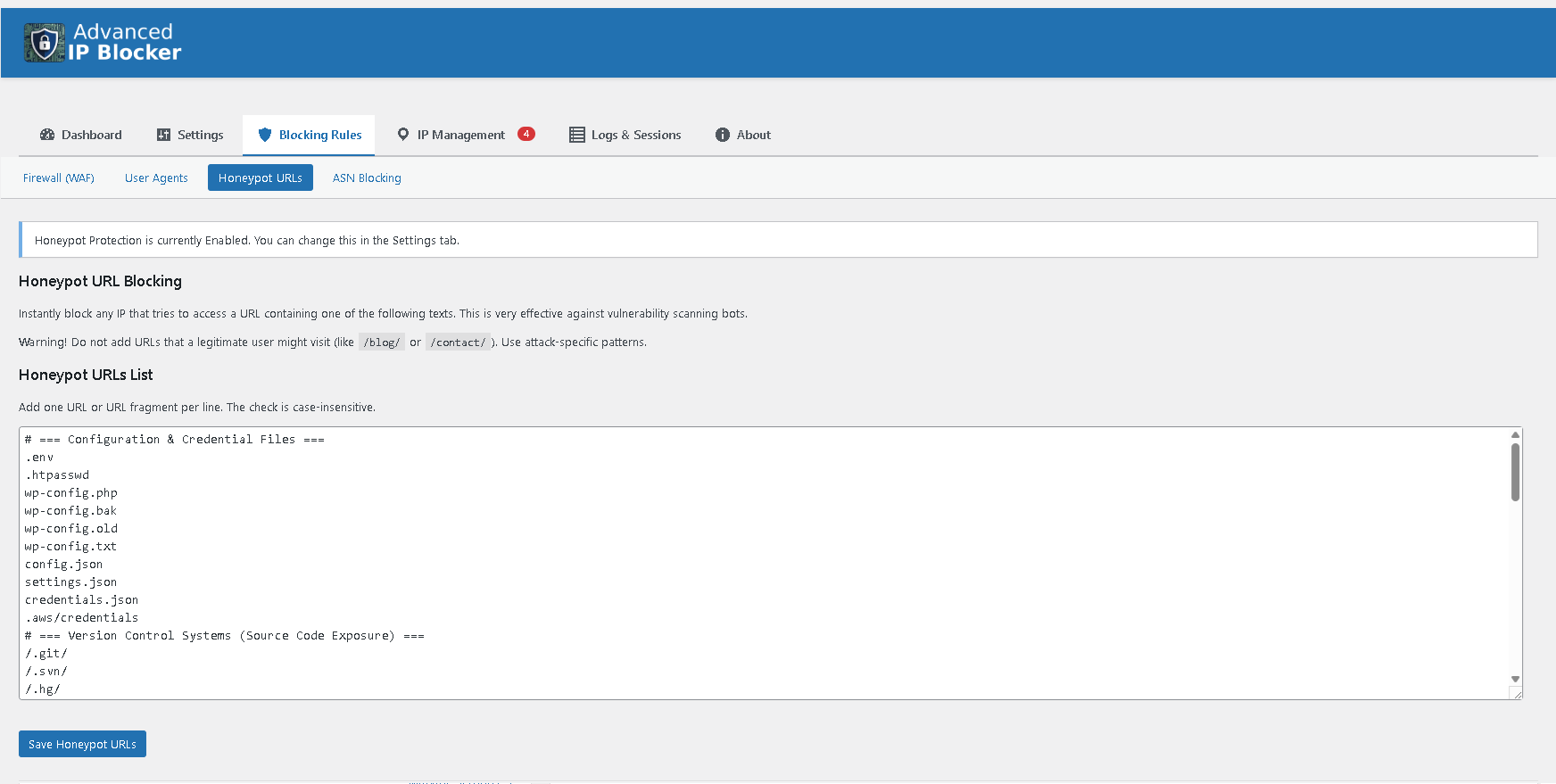
Modern and intuitive two-level navigation system for easy access to all features. 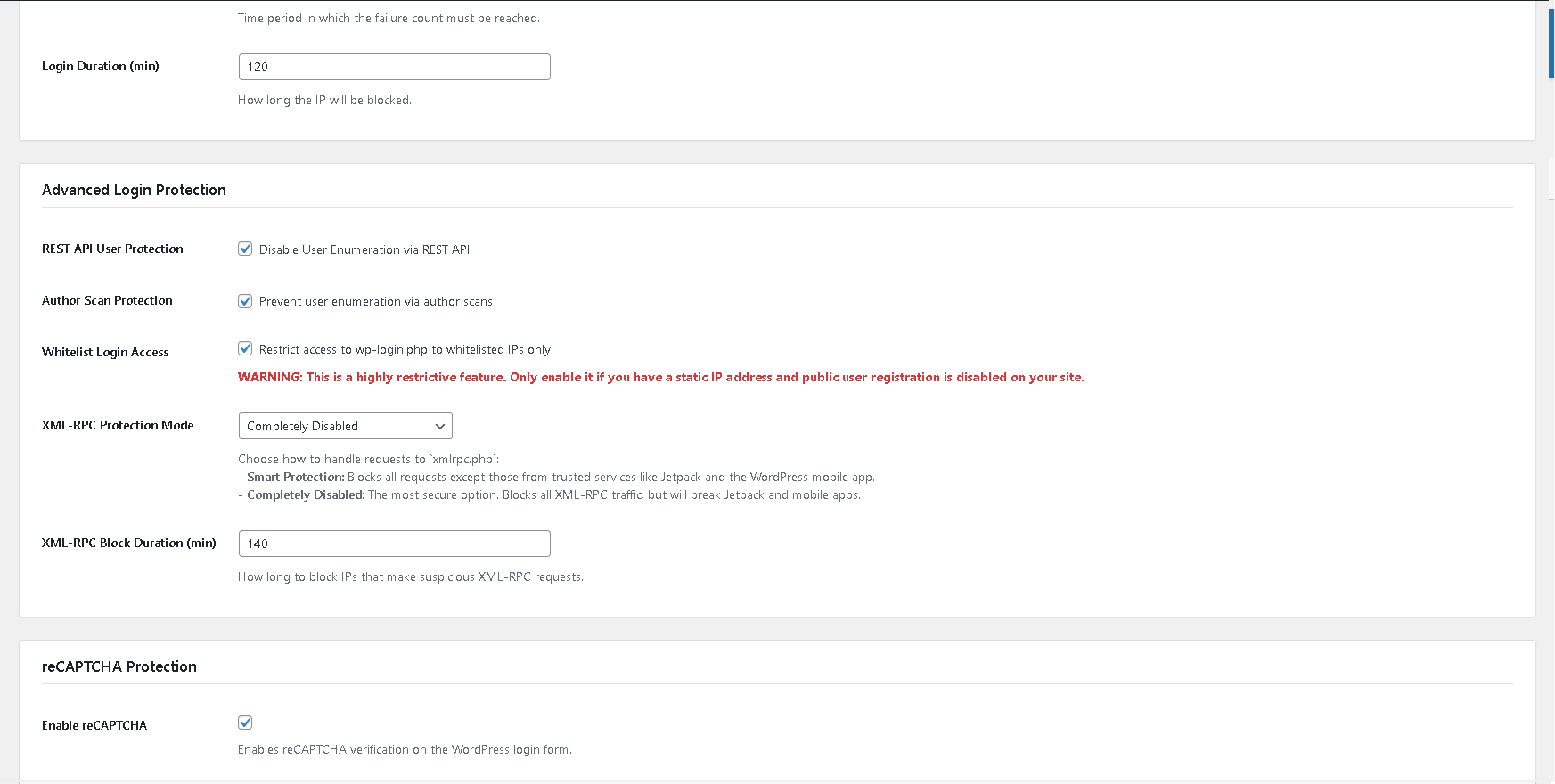
The main Settings page to configure all protection modules like WAF and Rate Limiting. 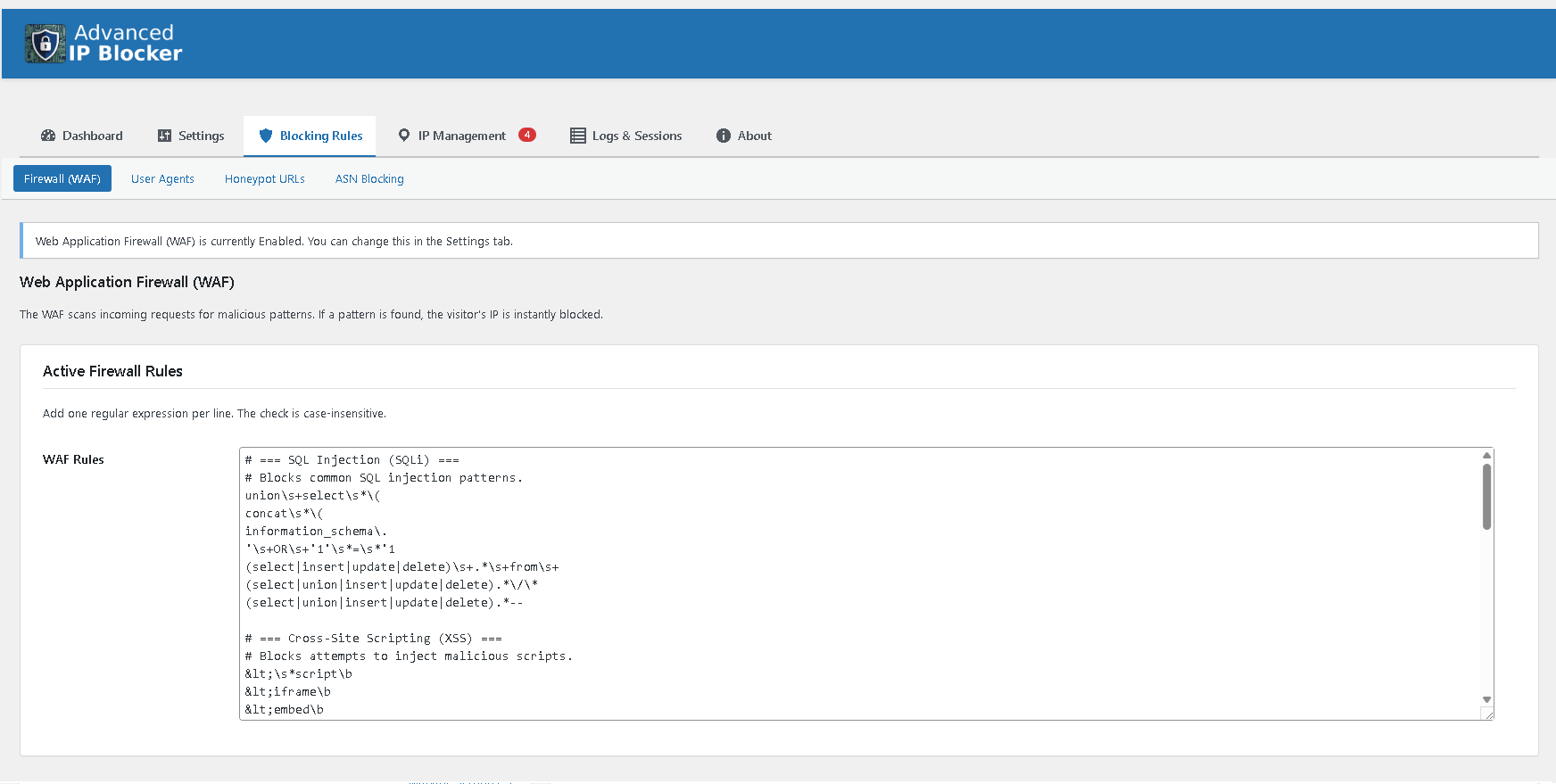
Powerful Web Application Firewall (WAF) with recommended rules. 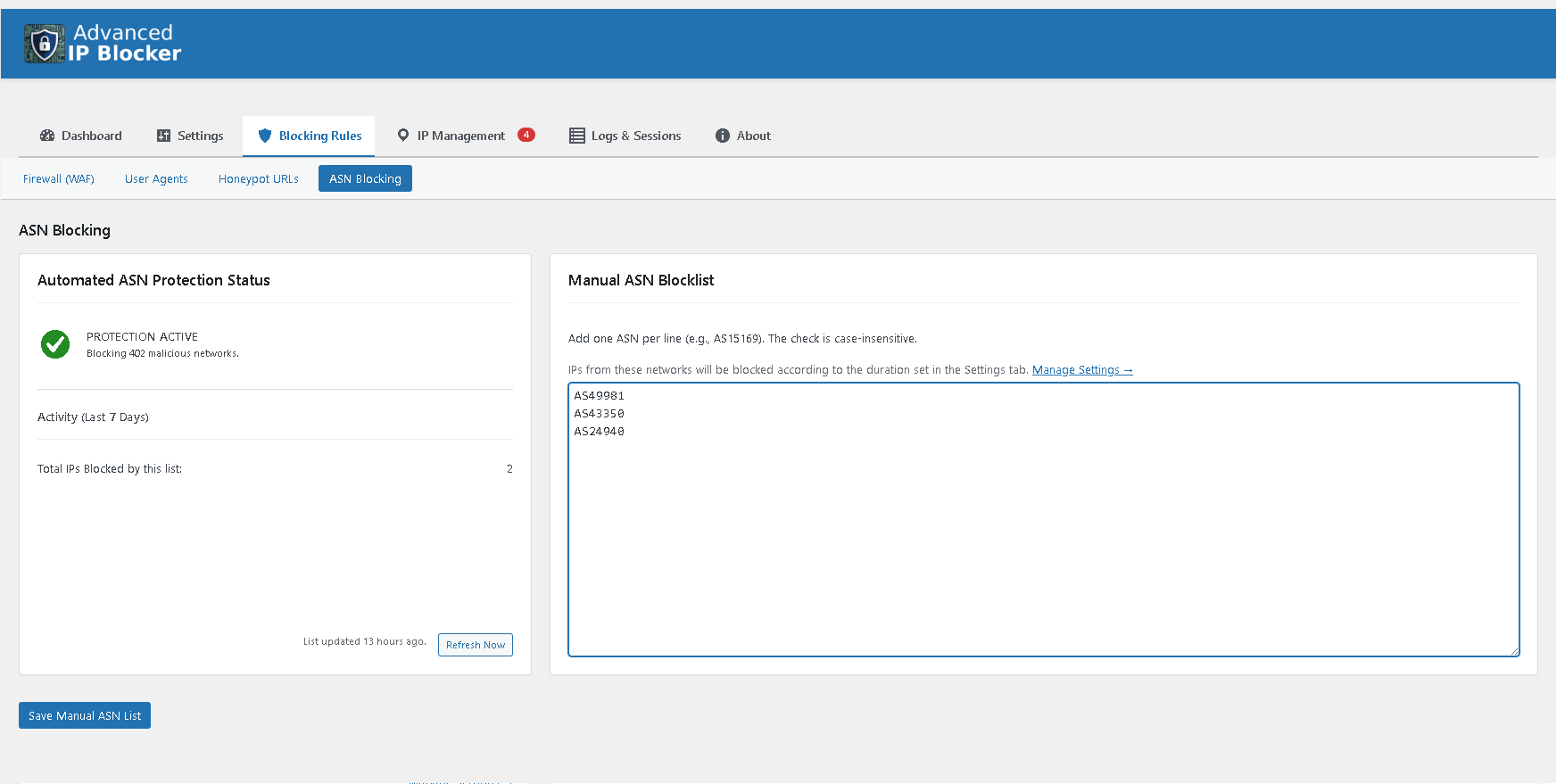
Block entire networks with ASN Blocking, powered by the Spamhaus list. 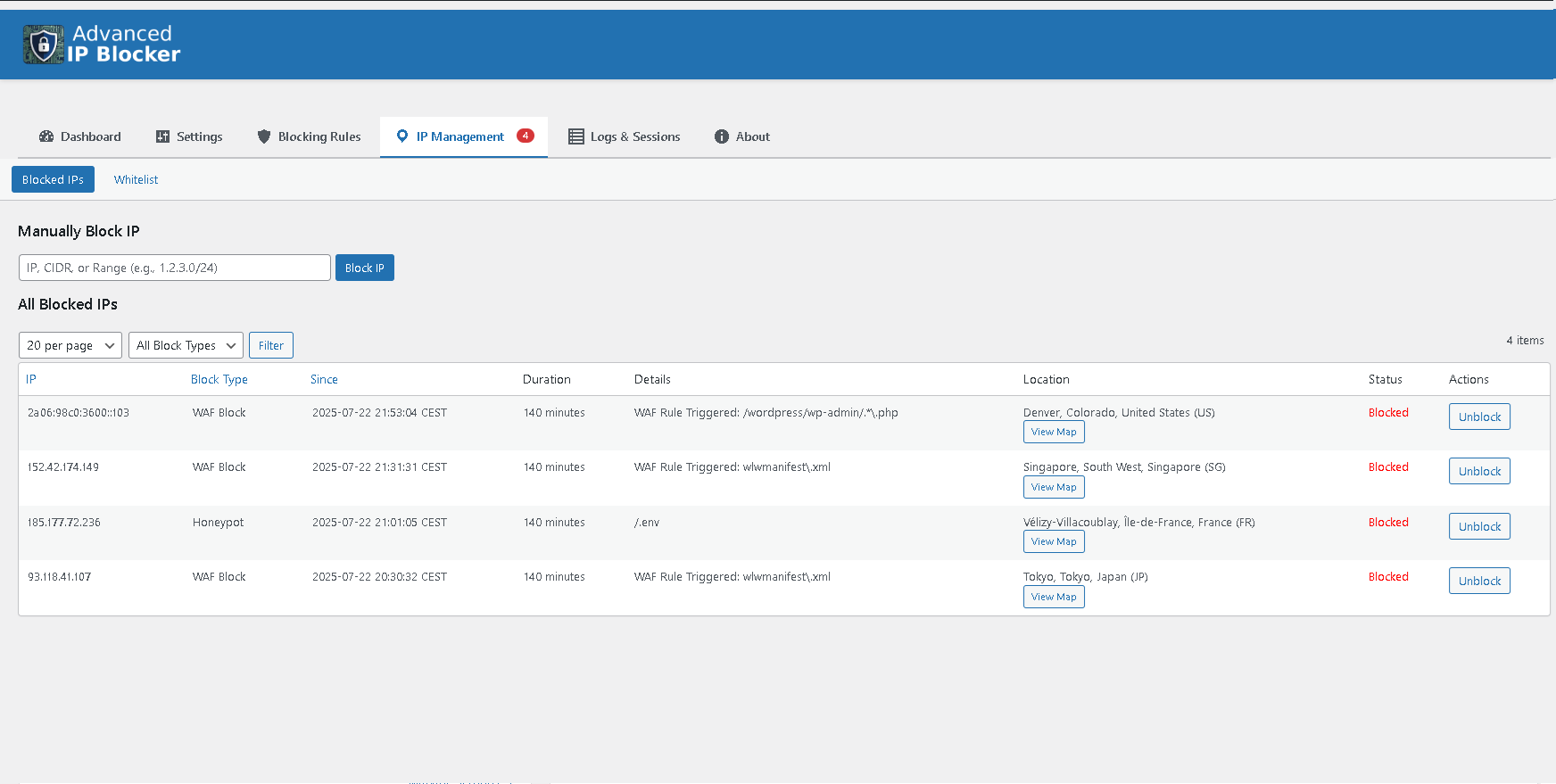
Detailed Blocked IPs table with the “View Map” modal in action. 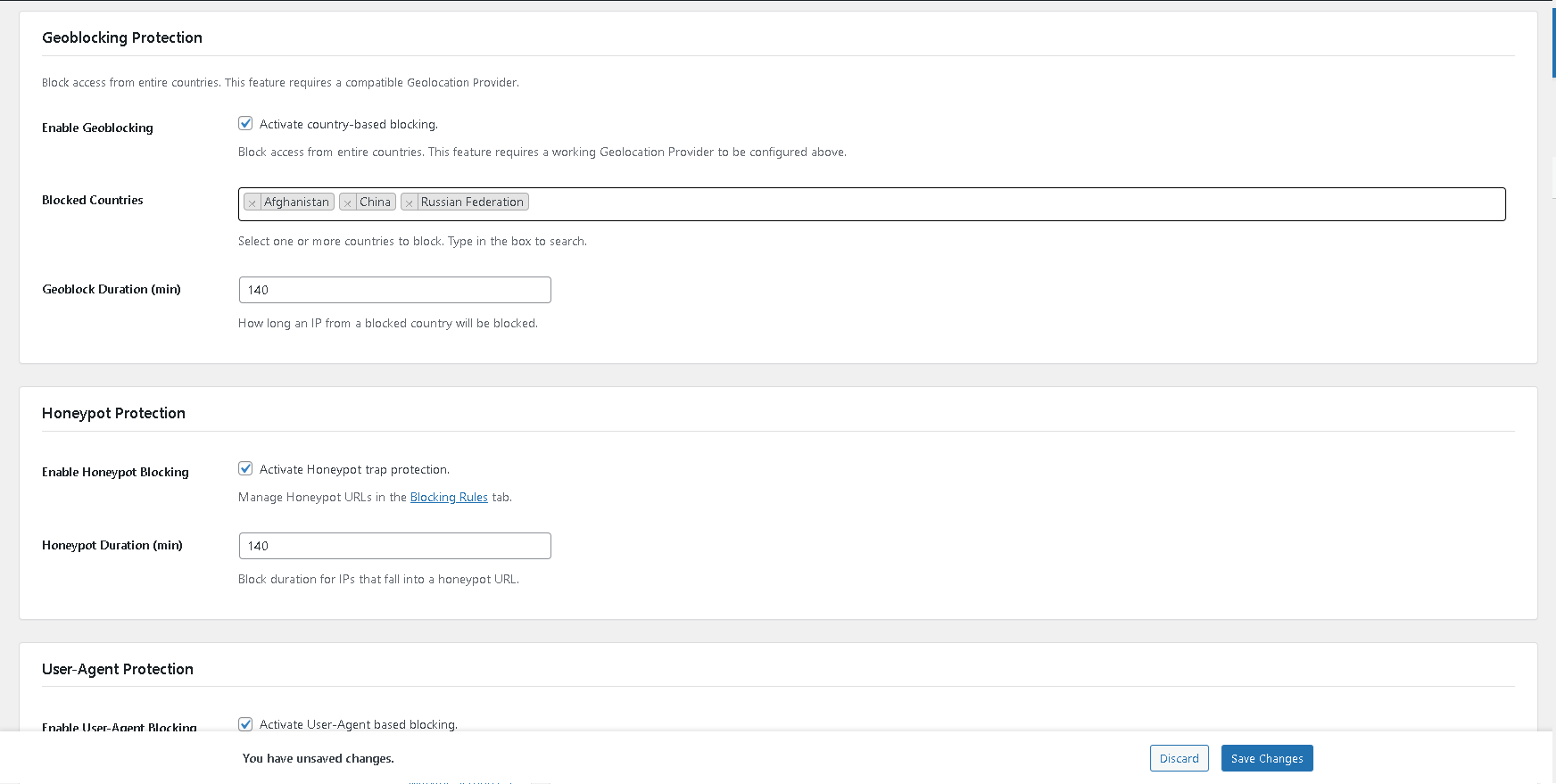
Country Blocking (Geoblocking) and Geo-Challenge with user-friendly selectors and smart warnings. 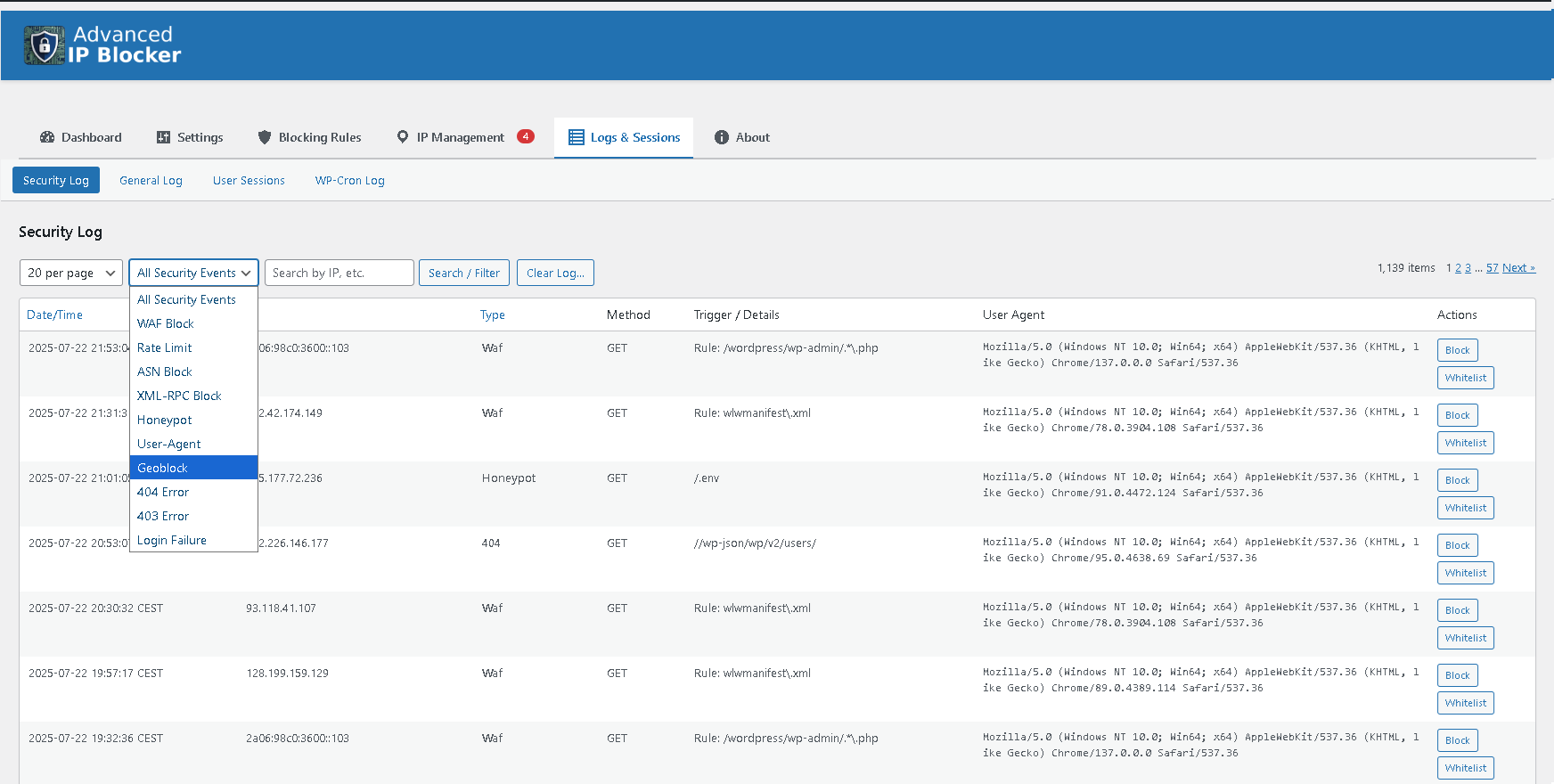
Unified Security Log with a powerful filter to analyze all attack events. 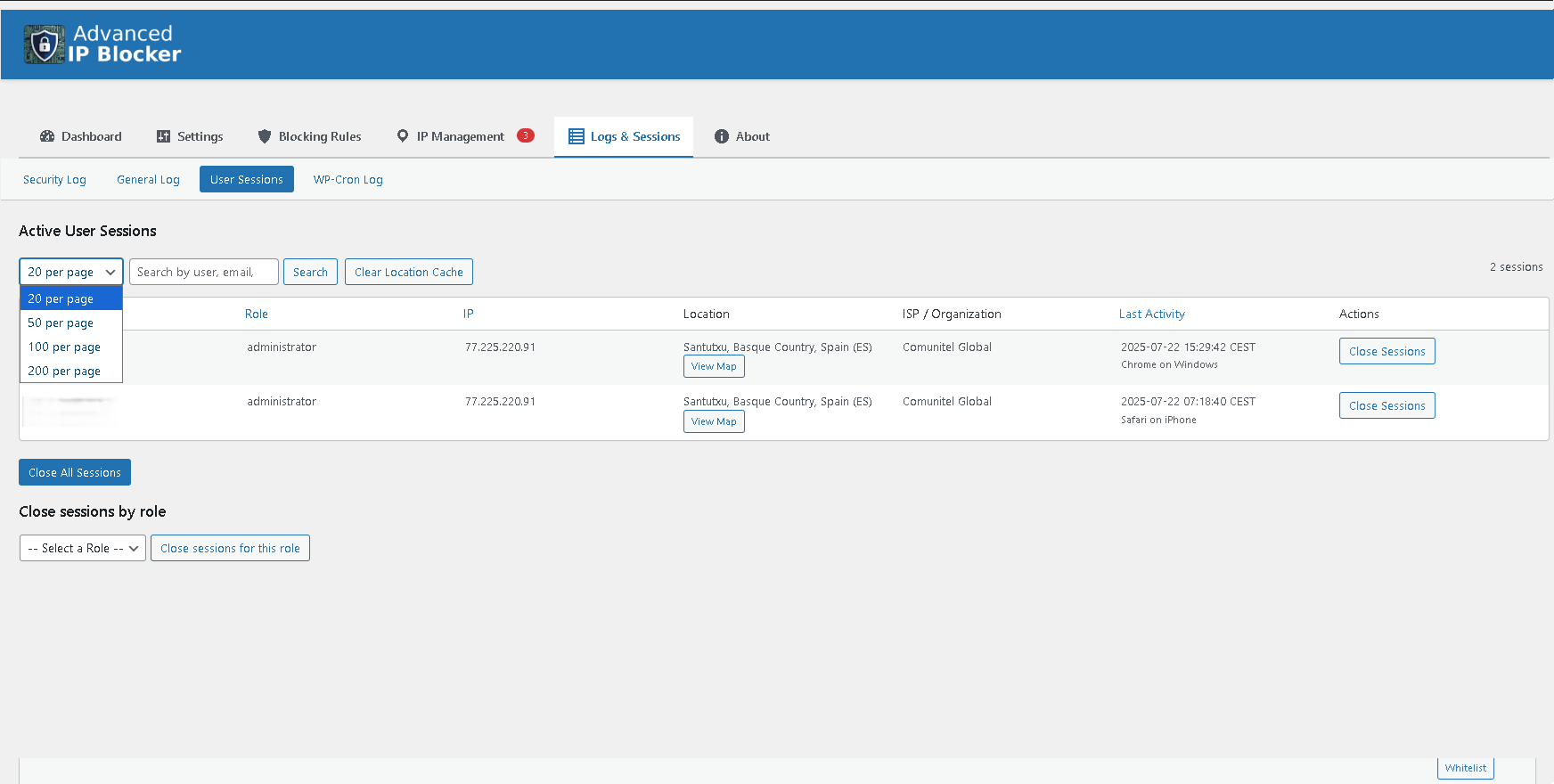
Active User Session Management to monitor and terminate logged-in users. 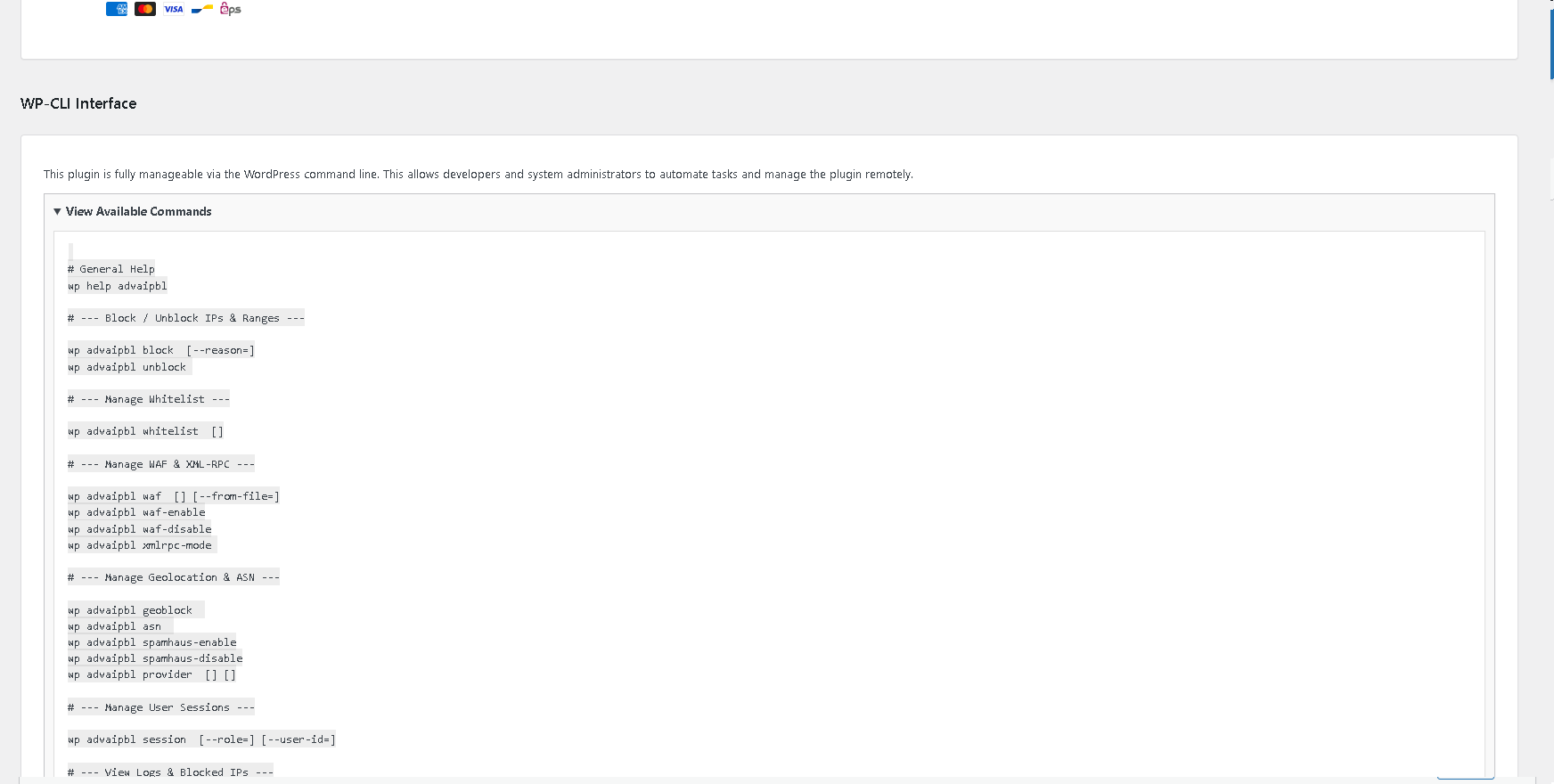
Full WP-CLI support documentation, accessible from the “About” tab. 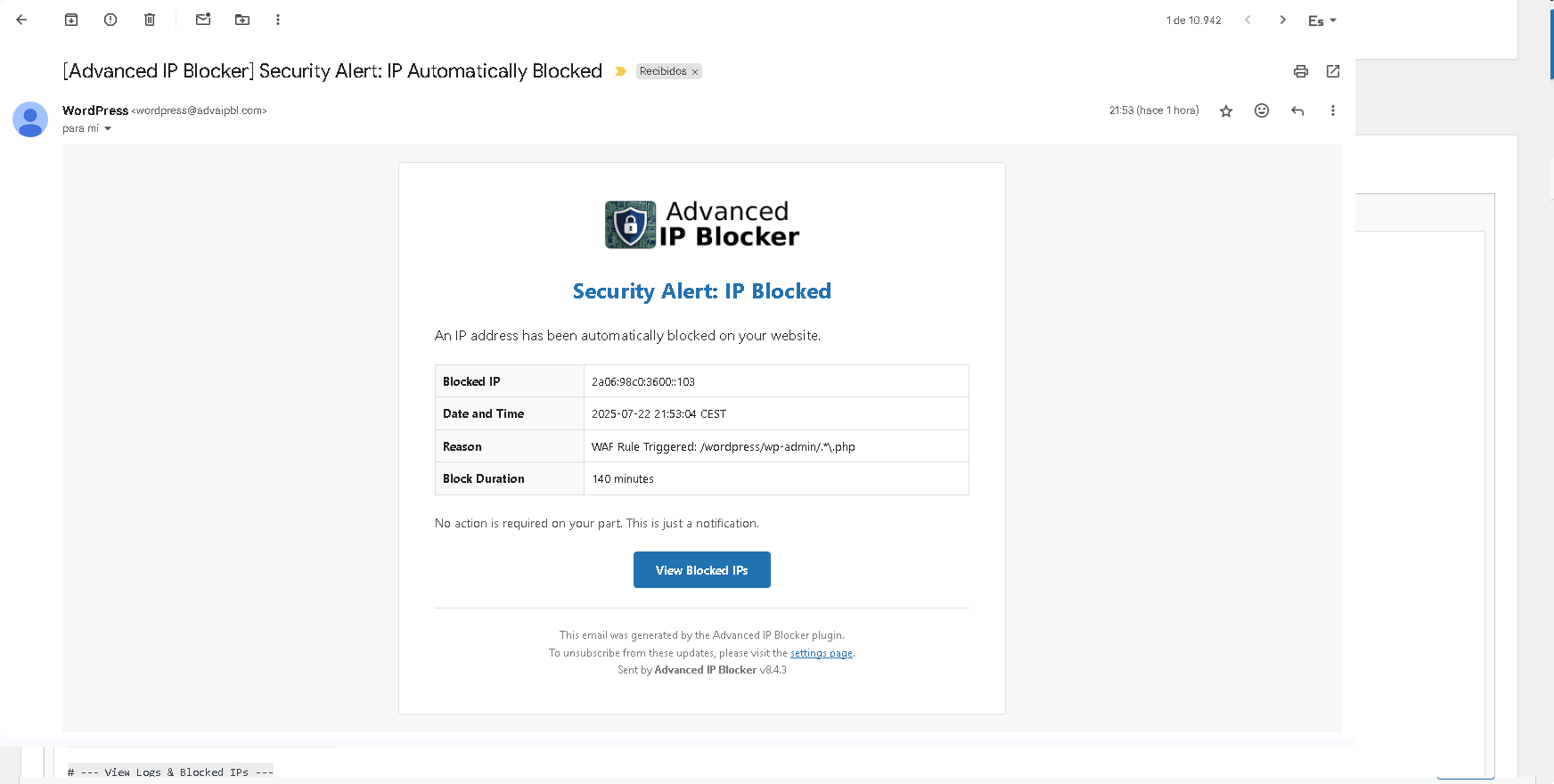
An example of a professional HTML email notification. 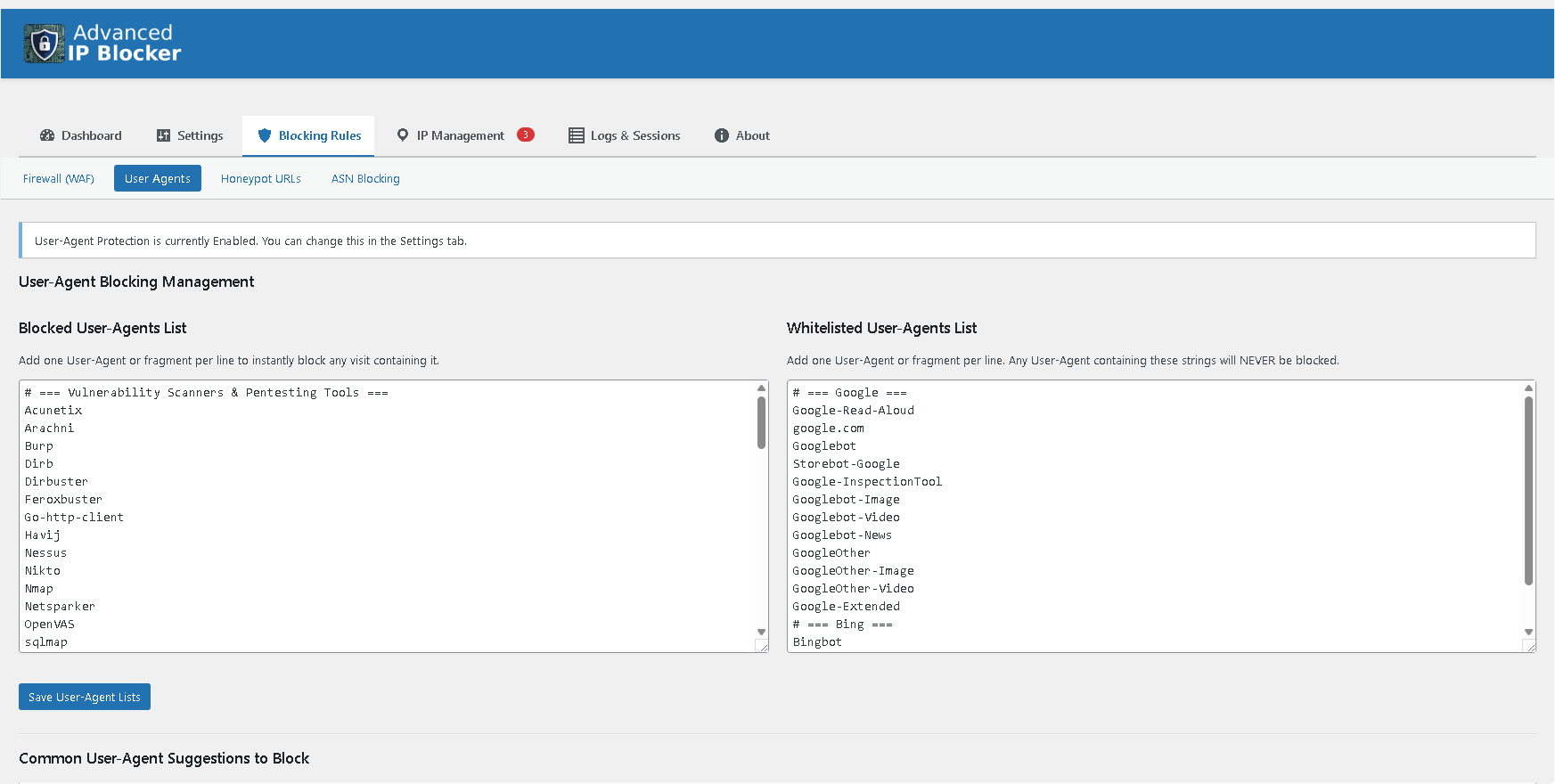
The new “Trusted Proxies” setting for advanced anti-spoofing protection. 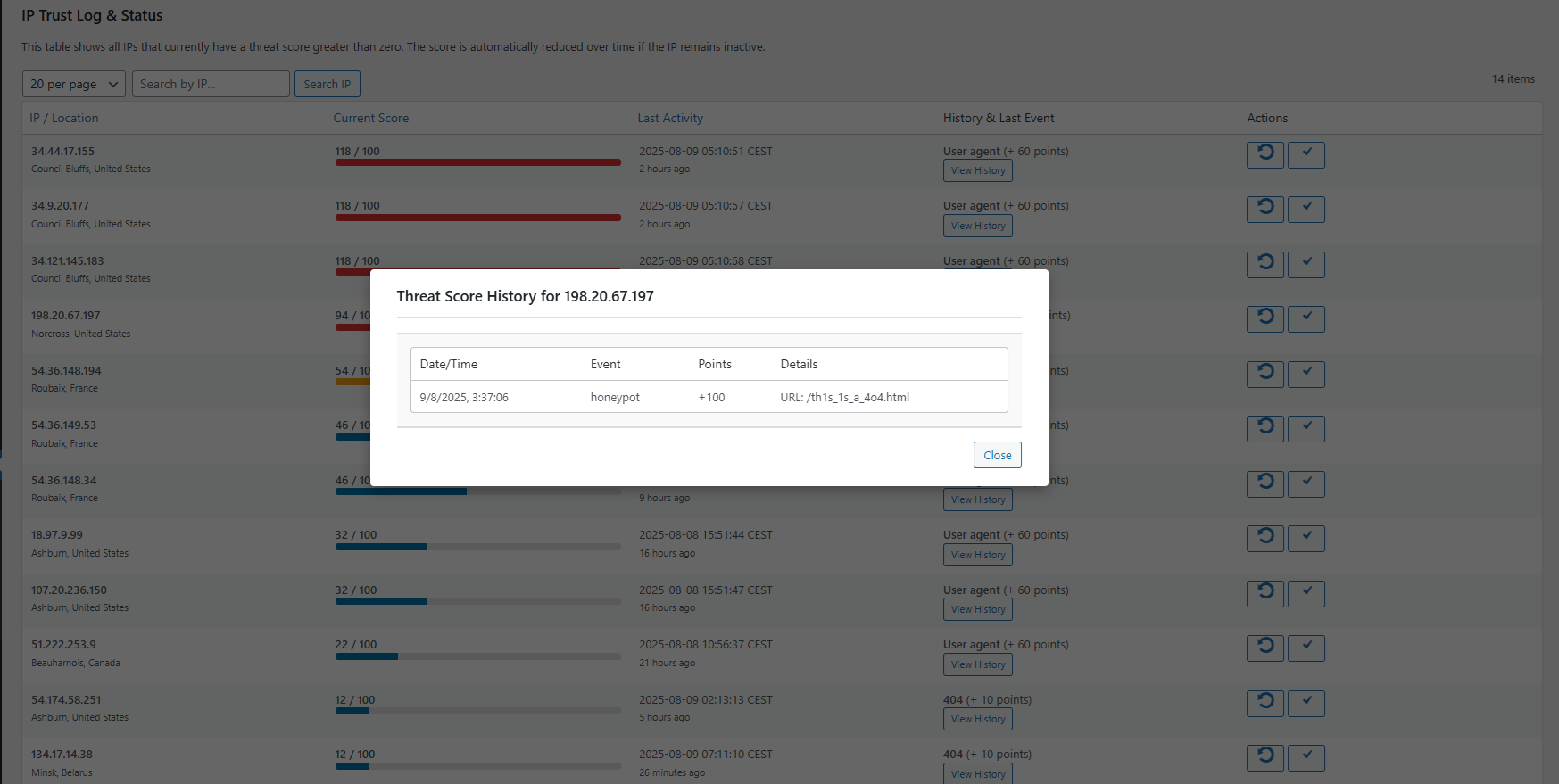
IP Trust & Threat Scoring System. 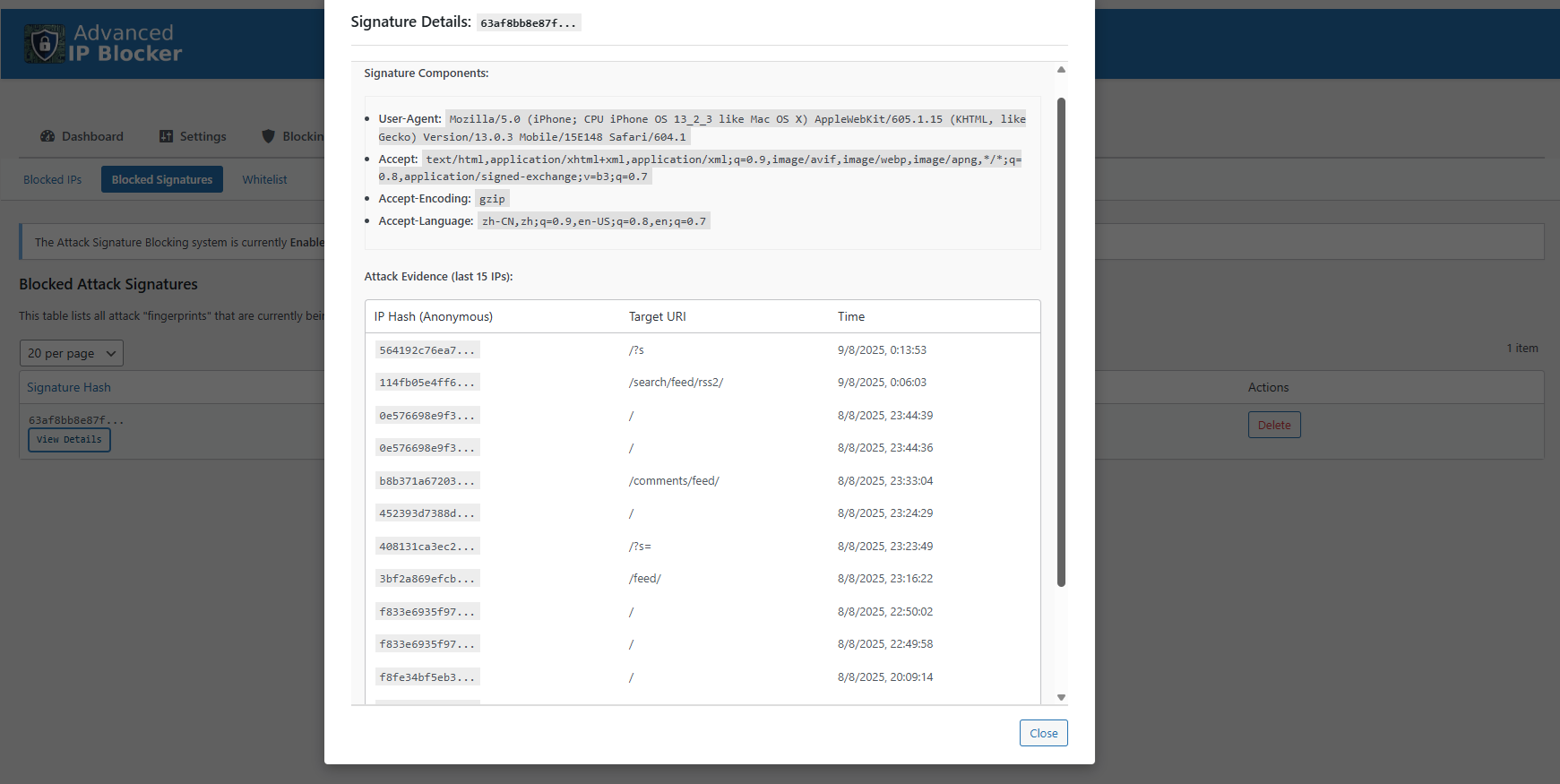
Attack Signature Engine (Beta). 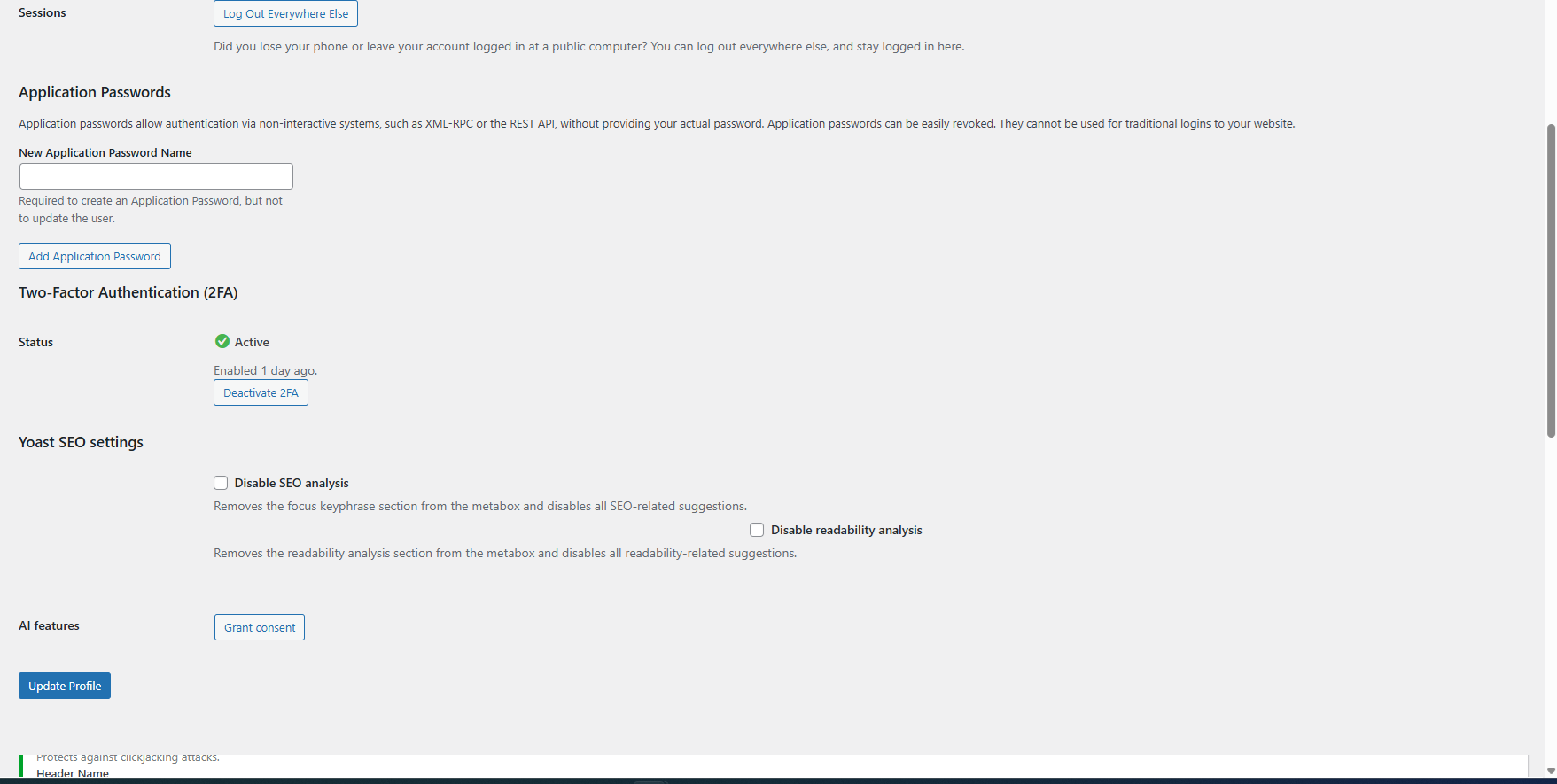
The new Two-Factor Authentication (2FA) setup section in the user profile. 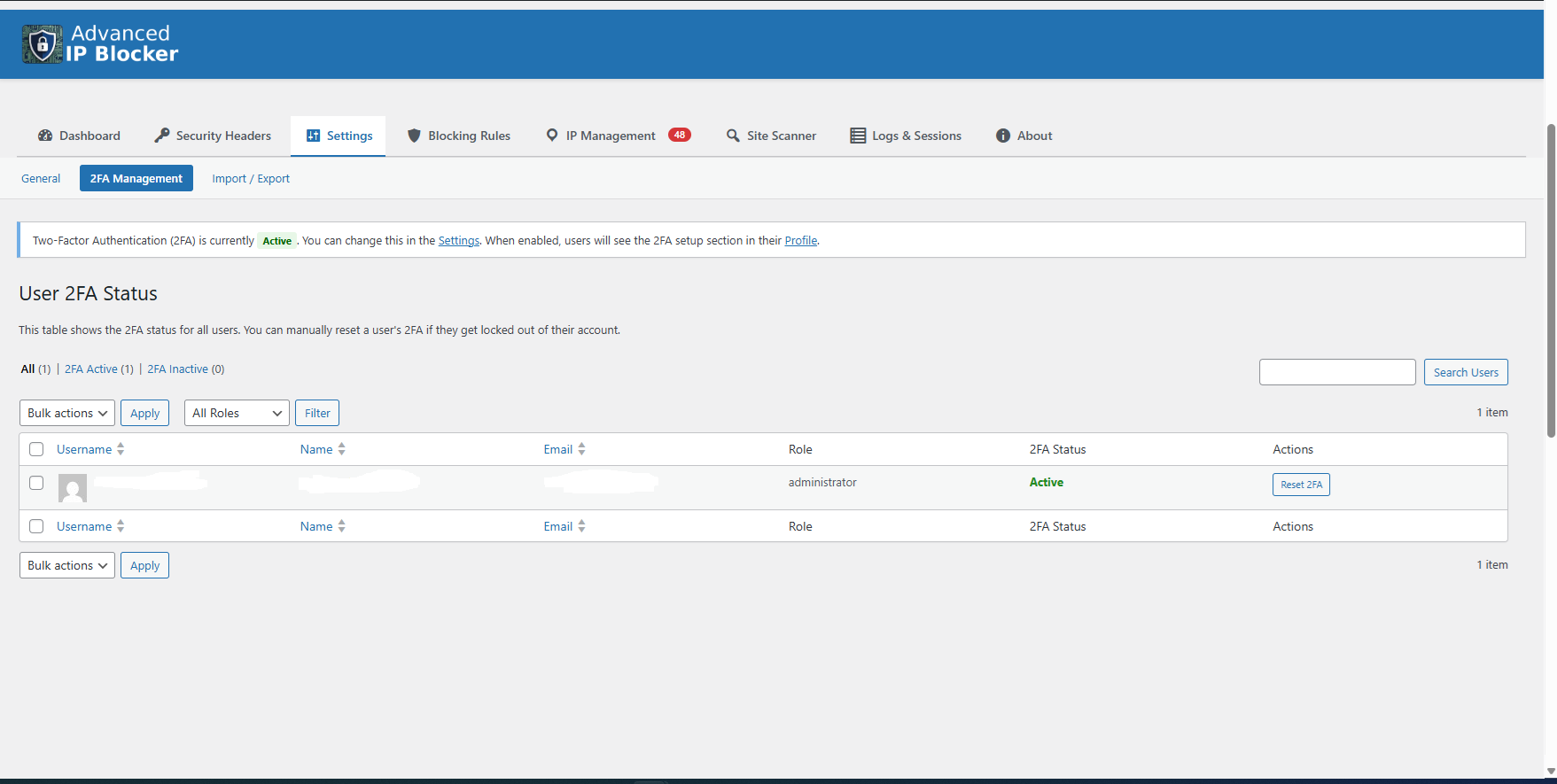
The 2FA Management tab for administrators, showing user status and reset actions. 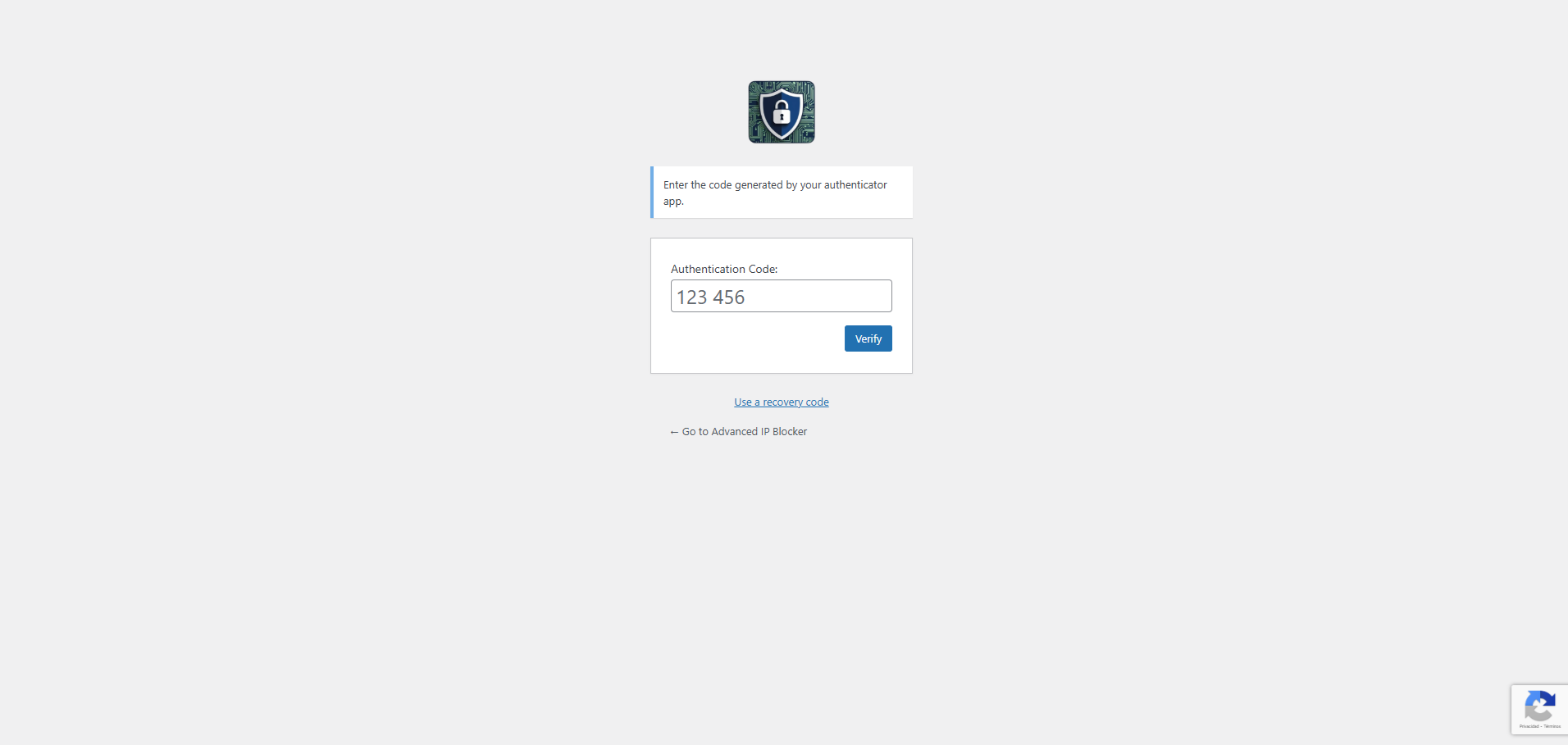
The 2FA prompt on the WordPress login screen after entering a correct password. 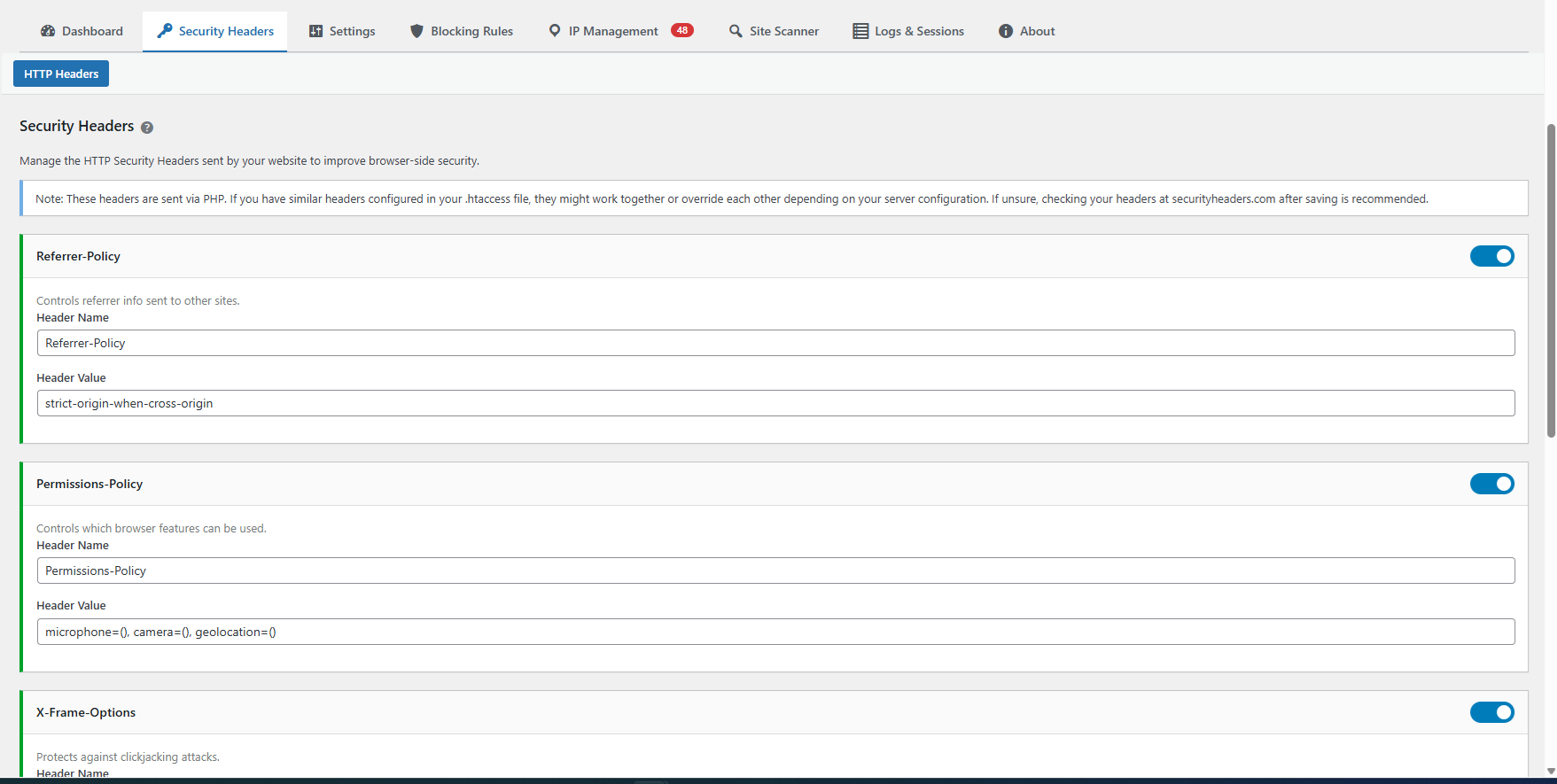
The new HTTP Security Headers manager. 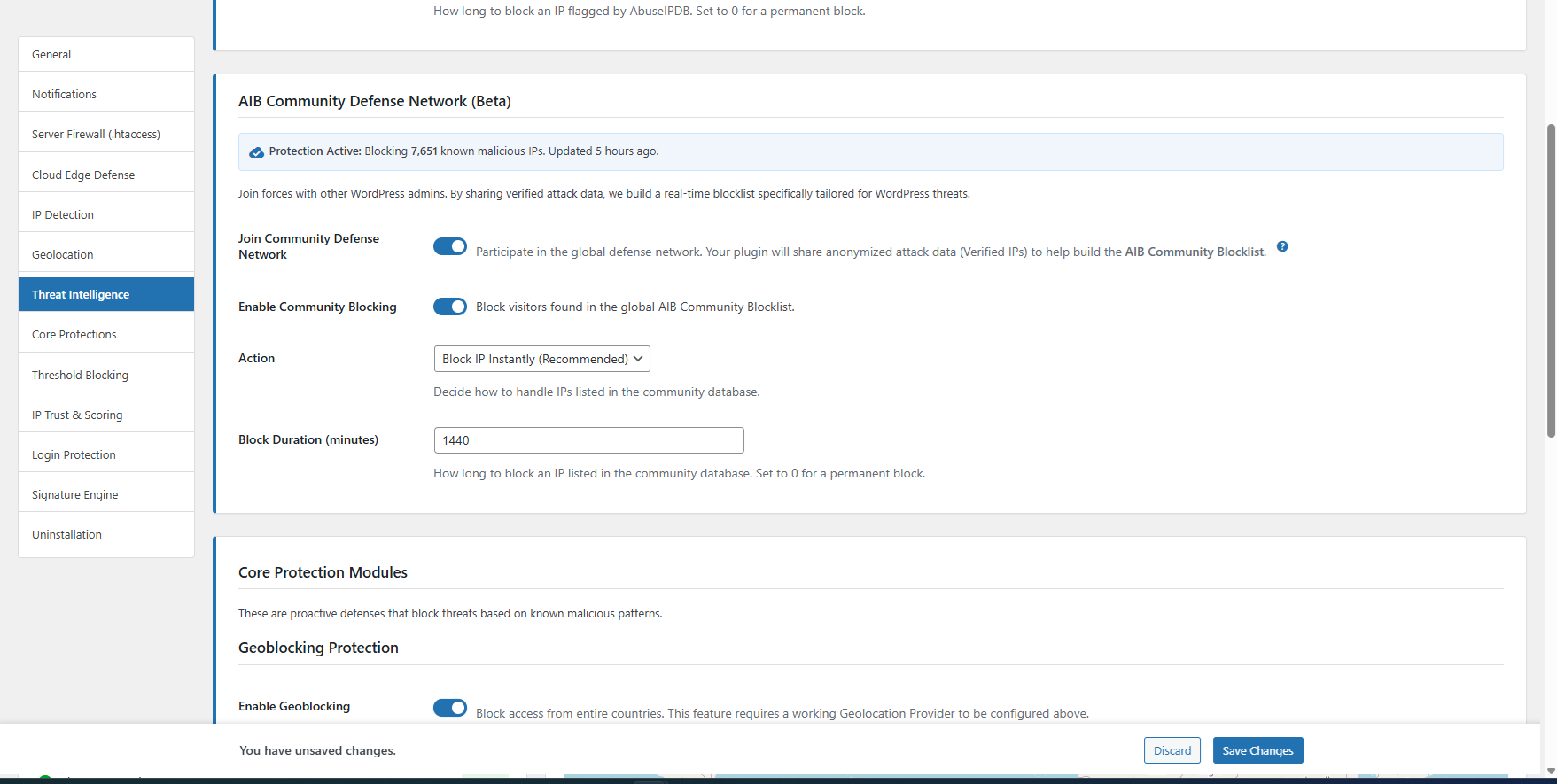
The new AIB Network manager. 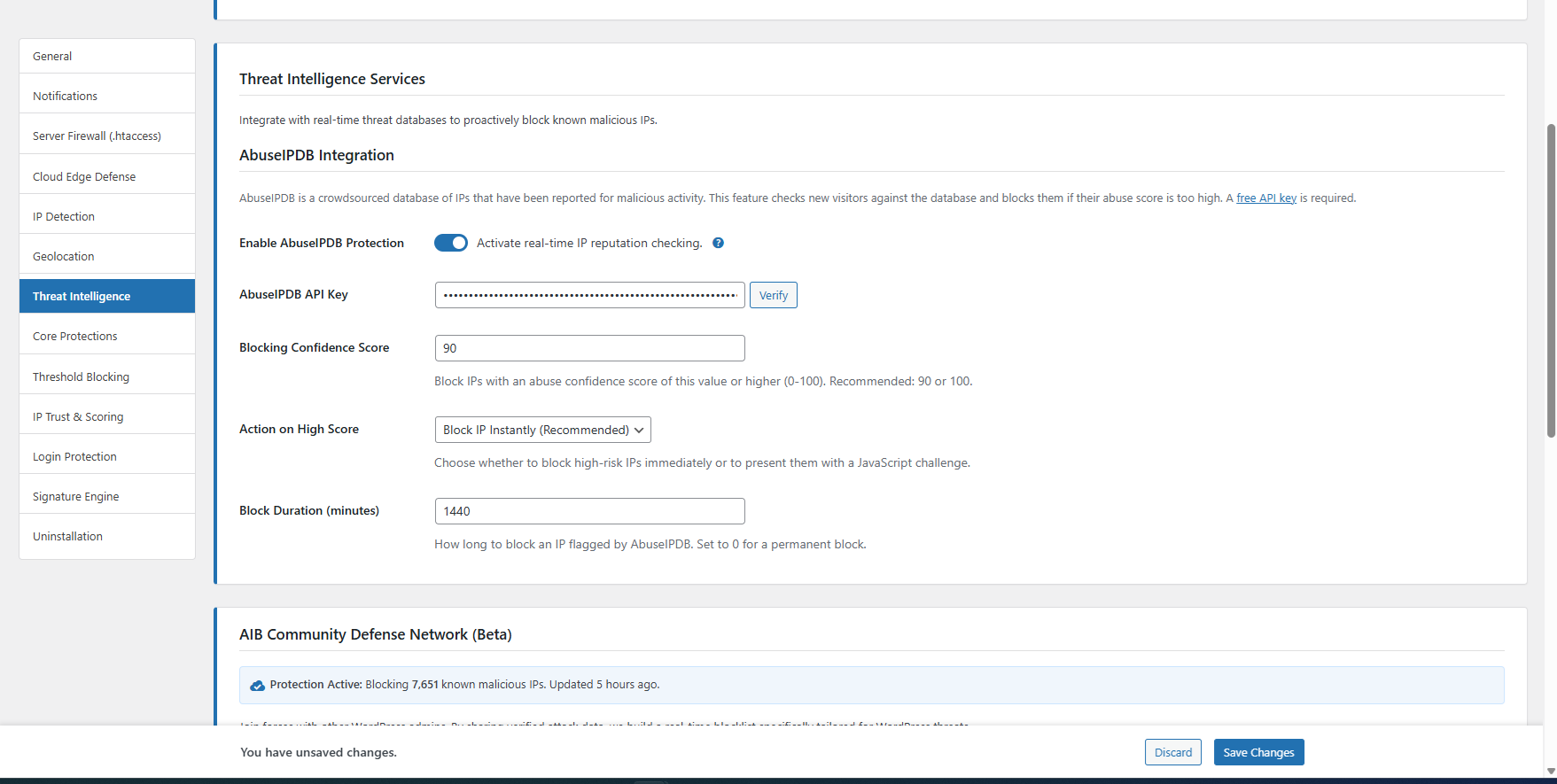
The new AbuseIPDB Api manager.


Installatie
- Upload the
advanced-ip-blockerfolder to the/wp-content/plugins/directory. - Activate the plugin through the ‘Plugins’ menu in WordPress.
- A new “Security” menu item will appear in your admin sidebar. All settings are located there.
- Crucial: Visit
Security > Dashboard > System Statusto ensure your IP and your server’s IP are whitelisted. Use the one-click buttons if they are not.
FAQ
How does the Vulnerability Scanner work?
The scanner checks your site in two ways:
Local Scan: Checks for outdated PHP versions, WordPress core updates, debug mode risks, and SSL status. This runs locally and instantly.
Deep Scan (Vulnerability Audit): Checks your installed plugins and themes against our central database of known security vulnerabilities (CVEs). This process is manual (you click a button) to ensure it never slows down your site during normal operation.What is the new Audit Log?
The Audit Log is your site’s “black box”. It records critical administrative actions such as plugin activations, settings changes, and file modifications. This helps you identify “who did what and when,” which is essential for troubleshooting and security forensics.
How does the File Integrity Monitor (FIM) work?
The FIM scans your critical core files (wp-config.php, .htaccess, index.php) and specific plugin files daily. It takes a “fingerprint” (hash) of the file. If the file changes (e.g., malware adds a line of code), the fingerprint changes, and the plugin alerts you immediately via email.
Why did you move the Community Blocklist to a custom table?
To ensure maximum performance as the network grows. Storing thousands of IPs in standard WordPress options (wp_options) can slow down a site. By moving this data to a dedicated, indexed database table (wp_advaipbl_community_ips), we ensure that lookups are lightning-fast (O(1) complexity) and consume negligible memory, regardless of how many threats we track.
What is the Community Defense Network?
It is a collaborative security feature where users share anonymized data about verified attacks (like SQL injections caught by the WAF or IPs flagged by AbuseIPDB). Our central server aggregates this data to create a global blocklist of active threats. You can choose to contribute data (“Join”) and/or use the global list to protect your site (“Enable Blocking”).
Does the Community Network slow down my site?
No. The data sharing happens in the background via a low-priority scheduled task (Cron) just a few times a day. The global blocklist is downloaded locally and cached, so checking an IP against it is instant (microseconds) and does not require external API calls.
How do I set up Cloud Edge Defense (Cloudflare)?
You need a free Cloudflare account and your domain must be using Cloudflare’s nameservers.
1. Go to Security > Settings > Cloud Edge Defense.
2. Enter your Cloudflare API Token (with “Zone > Firewall Services > Edit” permissions) and Zone ID.
3. Click “Verify” and save.
The plugin will now automatically push your blocked IPs to Cloudflare’s Firewall. For a step-by-step guide with screenshots, click the help icon in the settings or visit our website.Is the Server-Level Firewall (.htaccess) safe?
Yes. Safety is our priority.
1. Backups: The plugin automatically creates a timestamped backup of your .htaccess file in a protected folder every time it writes new rules.
2. Compatibility: It automatically detects your server type and generates valid syntax for Apache 2.2 or 2.4.
3. Safety Limit: It includes a safety limit on the number of IPs written to the file to prevent server memory issues.What if I use Nginx instead of Apache?
The “Server-Level Firewall (.htaccess)” feature relies on Apache/LiteSpeed specific files. If you use Nginx (without Apache), these local rules will be ignored by the server.
Recommendation: For Nginx users, we strongly recommend enabling the Cloud Edge Defense (Cloudflare) feature. It provides the same “pre-execution” blocking benefits but works on any server environment since the blocking happens in the cloud.How should I configure the plugin for my specific website?
While every website’s security needs are unique, here is a general guide to get you started based on your site’s profile. For a deep dive into every feature, please consult our Comprehensive Feature Guide.
1. Essential First Steps (For ALL Websites)
No matter your site type, do these three things immediately after installation to ensure a strong baseline security without locking yourself out:
- Whitelist Your IPs: Go to
Security > Dashboard > System Statusand use the one-click buttons to add your current IP and your server’s IP to the whitelist. This is the most critical step. - Activate Trap Defenses: Go to
Security > Blocking Rules, and in the “User Agents” and “Honeypot URLs” tabs, copy the suggested lists into the active blocklist text areas. This provides immediate protection from thousands of common bots. - Enable Logging: Go to
Security > Settings > Generaland ensure “Enable Logging” is turned on. This gives you the visibility you need to understand what is happening on your site.
2. Recommended Profiles
Once the essentials are done, tailor the configuration to your site type:
For a Standard Blog or Business Website:
Your main goal is to block automated threats without affecting administrators.
* Enable the IP Trust & Threat Scoring System: This is the smartest way to block bad actors contextually. The default point values are an excellent starting point. (Found inSettings > IP Trust & Threat Scoring).
* Enable the WAF and Rate Limiting: These are powerful proactive defenses. (Found inSettings > Core ProtectionsandThreshold Blocking).
* Enable Spamhaus ASN Protection: Let the plugin automatically block thousands of known malicious networks for you. (Found inSettings > Core Protections).For an E-commerce or Membership Site (WooCommerce, etc.):
You need to protect your site while ensuring legitimate customers from around the world are never blocked.
* Enable Two-Factor Authentication (2FA): This is the single best way to protect administrator and shop manager accounts. Enforce it for these roles inSettings > Login & User Protection.
* Use Geo-Challenge Instead of Geoblocking: If you receive attacks from a specific country but also have customers there, use the Geo-Challenge feature instead of a hard block. This will stop bots without affecting human users.
* CRITICAL: DO NOT USE “Whitelist Login Access”. This feature will lock out your customers.
* WAF Exclusions: Double-check that URLs for your payment gateways (like Stripe or PayPal webhooks) are in the WAF exclusion list to ensure payments are processed correctly.For Any Site Using a CDN or Reverse Proxy (like Cloudflare):
Your top priority is ensuring the plugin detects the correct visitor IP address.
* Configure Trusted Proxies: Go toSecurity > Settings > IP Detection. Add the IPs or, even better, the ASNs of your CDN/proxy service to this list. For Cloudflare, simply addAS13335on a new line. This is essential for the accuracy of all other security features.- Whitelist Your IPs: Go to
What is AbuseIPDB Protection and how does it work?
AbuseIPDB is a global, crowdsourced project that tracks and reports malicious IP addresses in real-time. Our new integration allows the plugin to check the reputation of a new, unknown visitor against this database on their first visit. If the IP has been recently reported by others for activities like hacking, spam, or brute-force attacks, and its “abuse confidence score” is above your configured threshold, the plugin will block it instantly. This acts as a proactive shield against known bad actors, stopping them before they even have a chance to test your defenses. You can enable it and add your free API key under
Security > Settings > Threat Intelligence.What is “Known Bot Verification”?
This is an advanced security feature that checks if visitors claiming to be from major search engines (like Googlebot) are legitimate. It performs a DNS lookup to verify their IP address. If the check fails, the visitor is identified as an “impersonator” and receives a high threat score, preventing them from exploiting the trust given to real crawlers. This feature is enabled by default under
Settings > Core Protections.What is “Trusted Proxies” and why do I need it?
This is a critical security feature that prevents IP spoofing. If your site is behind a service like Cloudflare, Varnish, or another reverse proxy, the server’s direct connection IP (
REMOTE_ADDR) will always be the proxy’s IP, not the visitor’s. The real visitor IP is sent in an HTTP header (e.g.,CF-Connecting-IP). An attacker can fake this header. The “Trusted Proxies” setting tells the plugin: “Only trust these headers if the request comes from an IP address I know is my proxy.” You can add IPs, CIDR ranges, or ASNs (likeAS13335for Cloudflare) to this list underSecurity > Settings > IP Detection.What is Geo-Challenge? How is it different from Geoblocking?
Geoblocking is a hard block. It shows a “403 Access Denied” page to visitors from selected countries.
Geo-Challenge is a soft block. It shows a quick, automated JavaScript test to visitors from selected countries. Legitimate humans pass instantly, while most bots are stopped. This is useful for regions you are suspicious of but do not want to block entirely. You can, for example, block Country A and challenge Country B. You can configure it inSecurity > Settings > Core Protections.How do I solve issues with the JavaScript challenge and caching plugins?
The JavaScript challenge (used by Geo-Challenge, Signature Engine, and Endpoint Lockdown) requires dynamic content. Aggressive page caching can interfere with it. If you experience issues (like a challenge loop or a “Verification failed” error), you must configure your caching plugin (e.g., WP Rocket, WP Fastest Cache, LiteSpeed Cache) to NOT cache pages for visitors who do not have the
advaipbl_js_verifiedcookie. Most caching plugins have a setting like “Never cache pages that use this cookie.”Cookie consent plugins (like CookieYes) may block our security cookie from being set. To fix this, you must go into your cookie plugin’s settings and classify the cookie named
advaipbl_js_verifiedas “Strictly Necessary” or “Essential”. This will allow the security challenge to function correctly.What is the new “Local Database” Geolocation Method?
For maximum performance, the plugin offers two ways to identify an IP’s location (
Security > Settings > Geolocation):
1. Real-time API (Default): Easy to set up and great for most websites.
2. Local Database (Highest Performance): Downloads the MaxMind GeoLite2 database to your server for instant, offline lookups with zero external API calls. Recommended for high-traffic sites. Requires a free MaxMind license key.How do I set up Two-Factor Authentication (2FA)?
- Admin: Go to
Security > Settings > Login & User Protectionand enable 2FA globally. You can also enforce it for specific user roles. - User: Go to your WordPress Profile page. You will find a new section to set up 2FA by scanning a QR code with an authenticator app and saving your backup codes.
- Admin: Go to
What is the “Attack Signature Engine”?
This is an advanced defense that stops botnets by blocking the attacker’s “fingerprint” (signature), not just their IP. It works in three phases you can enable in
Security > Settings > Signature Engine: Logging, Analysis (a background task that finds patterns), and Blocking (presents a JS challenge to malicious signatures). You can manage detected signatures inIP Management > Blocked Signatures.What is the difference between the WAF, Signature Engine, and Advanced Rules?
Think of them as three layers of defense:
1. WAF (Web Application Firewall): The simplest layer. It blocks requests based on simple malicious patterns (e.g.,union select). It’s fast and stops common, generic attacks.
2. Attack Signature Engine: The automated layer. It looks for patterns of attack from many different IPs (botnets) and blocks the attack’s “fingerprint” (signature) for all visitors. You don’t create these rules; the plugin does.
3. Advanced Rules Engine: The manual control layer. This is where you build your own specific, multi-conditional rules. For example: “IF the visitor is from China AND is trying to access/wp-admin/THEN Block them permanently.” It gives you the ultimate power to create a security policy tailored exactly to your site’s needs.How can I protect a non-WordPress folder on my site?
This plugin includes an advanced “Edge Firewall Mode” that allows you to extend its protection to any PHP script on your server. This is perfect for securing custom applications or directories that are not managed by WordPress. To enable it, you need to add a single line of code to the beginning of the PHP file you want to protect. This manual step ensures that the protection is explicit and works on any server environment. For a complete step-by-step guide, please see our documentation: How to Protect Non-WordPress Folders.
What are HTTP Security Headers and why do I need them?
HTTP Security Headers are instructions sent by your website to the visitor’s browser. They tell the browser how to behave to prevent specific types of attacks.
* HSTS: Forces the browser to use a secure HTTPS connection.
* X-Frame-Options: Prevents other sites from embedding your site in an iframe (Clickjacking protection).
* X-Content-Type-Options: Prevents the browser from “guessing” the file type (MIME sniffing protection).
* Permissions-Policy: Controls which features (camera, mic, etc.) legitimate sites can use.
You can configure all of these (and more!) inSecurity > Settings > Security Headers.What does the “Username Blocking” feature do?
It allows you to create aggressive, targeted rules to block login attempts based on the username provided. For example, if you know you never use the username “admin”, you can create a rule: IF Username IS “admin” THEN Block. This stops brute-force attacks instantly before they can even guess a password.
Why was the “Direct File Access” warning added for the loader file?
We improved our security compliance checks. The
advaipbl-loader.phpfile is a special file designed to run outside of WordPress in “Edge Mode”. We added a specific security check to ensure it can only be run via theauto_prepend_filemechanism and cannot be accessed directly by a browser, further hardening the plugin against probing.
Beoordelingen


Bijdragers & ontwikkelaars
“Advanced IP Blocker” is open source software. De volgende personen hebben bijgedragen aan deze plugin.
Bijdragers
Vertaal “Advanced IP Blocker” in je eigen taal.
Interesse in ontwikkeling?
Bekijk de code, haal de SVN repository op, of abonneer je op het ontwikkellog via RSS.
Changelog
8.7.5
- CRITICAL FIX: Improved database integrity checks. The update process now strictly verifies the existence of all critical tables (like Blocked IPs and Signatures) and re-creates them if missing. This resolves improper installation states where tables might be absent after a file-only update.
- FIX: Resolved an “Invalid rule data received” error when creating Advanced Rules with regex patterns. The JSON handling logic now correctly preserves escaped characters (backslashes).
- FIX: Addressed a false positive in the SSL DeepScan where cron/loopback requests could report SSL as critical. The scanner now verifies the site’s configured URL protocol in addition to the current connection.
8.7.4
- NEW FEATURE: Threat Intelligence Services (AIB Community & AbuseIPDB) now support the “JavaScript Challenge” action in addition to instant blocking. This allows you to verify suspicious traffic without blocking it outright, saving server resources.
- NEW FEATURE: Internal Security & Forensics (Audit Logs) now support Push Notifications (Webhooks). Get instant alerts on Slack/Discord when critical audit events occur.
- FIX: Resolved a synchronization issue in the “Block Duration” logic. The Blocked IPs table, Security Logs, and Notifications now consistently display the correct duration (e.g., 1440 mins) instead of defaulting to “Permanent” or showing discrepancies for Impersonation blocks.
- FIX: Fixed the “Bot Impersonation” logic to correctly register the configured “Threat Score” points (e.g., 100/100) in the IP Trust Log before executing the immediate block.
- FIX: Improved Unblock logic. Manually unblocking an IP (or using “Unblock All”) now automatically removes it from the “Pending Reports” queue, preventing false positives from being sent to the Community Network.
- Code Quality: Addressed various PHPCS warnings, including a security improvement in output escaping logic.
8.7.3
- FEATURE: Added search functionality to the “Blocked IPs” list, allowing admins to quickly find specific IPs or ranges.
- FIX: Resolved “Table doesn’t exist” error in the Audit Log when the feature is inactive.
- FIX: Corrected “Array to string conversion” warning in Community Blocklist updates due to complex whitelist formats.
- IMPROVEMENT: Enhanced robustness of IP whitelisting logic during community feed synchronization.
8.7.2
- Fix (PHP 8.1+ Compatibility): Resolved a deprecated warning (“passing null to parameter”) in WordPress core. Updated the internal
status_headerhook usage to strict compliance. - Fix: Resolved a PHP warning (“Undefined variable $type”) that occurred when removing IPs from the whitelist via the admin interface.
- Performance: Optimized the Blocklist Generator. It now uses a “Fast Mode” to skip expensive DNS lookups during bulk generation, fixing execution timeouts on large lists.
- Improvement: Migrated the Cloudflare “Clear All Rules” operation to a background asynchronous task, preventing UI freezes.
8.7.1
- Performance: Migrated the Cloudflare “Clear All” operation to a background process (Async). This ensures instant UI feedback and prevents PHP timeouts when clearing thousands of rules.
- Critical Fix (Priority): Resolved a logic error where the AbuseIPDB check (Priority 10) was ignoring Global URI Exclusions. Excluded URLs are now correctly bypassed before any API calls.
- Fix: The “Unblock All” button now correctly removes all plugin-managed rules (
[AIB]tagged) from Cloudflare, fixing potential “phantom blocks” synchronization issues. - Maintenance: Improved plugin deactivation/uninstall routines to ensure all scheduled background tasks are properly cleaned up.
8.7
- NEW MAJOR FEATURE: Internal Security & Forensics Suite. A comprehensive auditing system that tracks user activity (Audit Log) and monitors file system integrity (FIM) to detect breaches or unauthorized changes.
- NEW FEATURE: Activity Audit Log. Records critical events like plugin changes, setting updates, and login activity. Includes a searchable UI and automated log rotation.
- NEW FEATURE: File Integrity Monitor (FIM). Automatically scans critical core and plugin files for unauthorized modifications. Alerts you instantly via email if a file hash changes.
- NEW FEATURE: Deep Scan Email Reports. Enhanced weekly security report now includes “Pending Updates” status and a summary of known vulnerabilities, keeping you informed without logging in.
- Enhancement: Added “Downloads History” to the Telemetry Dashboard card.
- Enhancement: Improved “Clear Audit Logs” reliability with AJAX handling.
- Security Fix: Fixed CSP header to correctly allow Stripe/Sift scripts only on the “About” page.
- Fix: Resolved a race condition in AbuseIPDB checks that could cause duplicate email notifications.
- Fix: Addressed various PHPCS and linting warnings for cleaner code.
8.6.11
- Critical Fix (ASN Whitelisting): Corrected a validation issue where ASN Whitelist entries with comments (e.g., “AS32934 # Facebook”) were failing the strict check. The logic now properly sanitizes the whitelist before validation.
- Critical Fix (IPv6): Fixed CIDR validation logic to correctly support 128-bit IPv6 ranges. Previously, it was incorrectly restricted to 32 bits, causing valid IPv6 ranges to be rejected.
- Improvement (Geolocation): Implemented a robust fallback mechanism. If the Local MaxMind Database lookup fails (or finds no data), the system now seamlessly attempts to fetch the data via the real-time API, ensuring critical ASN/Country checks don’t fail silently.
8.6.10
- NEW FEATURE: Enhanced Lockdown Forensics. Added detailed sampling for Distributed Lockdown events (404/403). Administrators can now see the exact URIs, timestamps, and user-agents of the requests that triggered a lockdown in the details popup.
- Fix: Resolved a PHP warning (
undefined variable $block_reason_code) in themonitor_threat_scorefunction, ensuring cleaner error logs.
8.6.9
- NEW FEATURE: Username Blocking. Added “Username” as a new condition type for Advanced Rules. You can now create rules to Block, Challenge, or Score login attempts based on specific usernames (e.g., block “admin” or “test”).
- Enhanced Notifications: Enabled Email and Push notifications for Distributed Lockdowns (404/403 errors), ensuring administrators are alerted when these automated defenses kick in.
- Security Fix (Compliance): Added strict direct file access protection to
advaipbl-loader.php. Implemented a smart check to satisfy security scanners (Plugin Check) while maintaining Edge Mode compatibility. - Improvement (Logging): Added “Endpoint Challenge” event logging. Challenges served by the 404/403 Lockdown system are now properly recorded in the Security Log for auditing.
- Improvement (Smarter Scanning): Enhanced theme detection logic in the Site Scanner to better identify active themes even when standard WordPress functions return incomplete data.
- Improvement (Onboarding): New installations now come with a default whitelist of safe ASNs (Cloudflare, Google, etc.) to prevent accidental blocking of critical infrastructure.
8.6.8
- NEW MAJOR FEATURE: Admin Bar Menu. Added a comprehensive “Security” menu to the WordPress Admin Bar. Administrators can now quickly access settings, flush caches, view logs, and toggle “Panic Mode” from any page.
- NEW FEATURE: Distributed Lockdown (403/404). Introduced a smart defense mechanism that automatically locks down the site for an IP subnet or country if they trigger excessive 404 or 403 errors, protecting against distributed brute-force and resource probing.
- Critical Fix (ASN Whitelisting): Resolved a logic conflict that prevented API-based geolocation users from successfully whitelisting critical services like Stripe or Google via their ASN.
- Bugfix: Fixed a JavaScript error (“cannot read properties of undefined”) on the Post Editor screen that could interrupt the “Add Tag” functionality.
- Telemetry: Enhanced telemetry to track the usage of the new Distributed Lockdown features.
8.6.7
- NEW MAJOR FEATURE: HTTP Security Headers. Added a comprehensive manager to easily configure and enforce security headers (HSTS, X-Frame-Options, CSP, etc.) directly from the dashboard. This improves your site’s security grade and protects users from browser-based attacks.
- Enhancement: Integrated the “Security Headers” menu into the Admin Bar for quick access.
- Critical Fix (Advanced Rules): Refined the “Allow” rule logic. Global Allow rules now correctly bypass subsequent IP checks (like AbuseIPDB), ensuring that whitelisted traffic is never blocked by external threat intelligence.
- UX: Added a direct help link to the Security Headers page.
8.6.6
- Critical Security Fix (Zero-Tolerance): “Impersonation” events are now blocked instantly, bypassing the Threat Scoring system. This ensures that any bot pretending to be Google/Bing but failing DNS verification is stopped immediately, regardless of score settings.
- Logic Refinement (The “Equilibrium” Fix): Reordered the security check priority. The “Allow” Advanced Rules and IP Whitelists are now evaluated before the global blocklists (like Community Network). This allows administrators to create effective “bypass rules” for IPs that might be listed in global blacklists.
- Documentation: Added verified credits for AbuseIPDB and Wordfence Intelligence. Added context-aware help links for reCAPTCHA settings.
- Code Quality: Addressed strict PHPCS warnings (SQL preparation, Nonce verification, Output escaping) across the codebase for improved security and stability.
8.6.5
- **Improvement: Enhanced the “Known Bot Verification” engine. Refined DNS validation logic to better handle specific SEO crawlers (like Ahrefs, MJ12bot) and IPv6 configurations, preventing false “Impersonation” blocks.
- **Fix: Resolved a DNS resolution edge case where hostnames with trailing dots could cause validation failures on some server environments.
- **Tweak: Updated the default list of User-Agents and WAF rules to include protection against modern scraper libraries (Scrapy, Go-http-client).
8.6.4
- **Critical Fix (Performance): Resolved a bug where the “Community List Update” cron job could be scheduled multiple times, causing excessive background tasks. This update automatically cleans up duplicate events.
- **NEW FEATURE: Server Reputation Scanner. Added a tool in the “Site Scanner” tab to check if your server’s IP address is blacklisted by Spamhaus or AbuseIPDB, helping you identify hosting-related issues.
- **Improvement: Optimized the cron scheduling logic to prevent future duplication of tasks.
- **Improvement: Enhanced the Site Scanner UI with clearer status indicators and action buttons.
8.6.3
- **NEW MAJOR FEATURE: Site Health & Vulnerability Scanner. Added a comprehensive security audit tool. It checks for critical issues like outdated PHP, debug mode risks, and scans your plugins/themes against a database of 30,000+ known vulnerabilities.
- **Architecture Upgrade: Migrated the “Community Defense Network” IP list to a dedicated custom database table for extreme performance and scalability. This eliminates memory overhead even with thousands of blocked IPs.
- **Compatibility: Verified full compatibility with WordPress 6.9.
- **UI Enhancement: Added help icons and direct documentation links to advanced settings for easier configuration.
- **Improvement: The setup wizard now automatically enables the Server-Level Firewall (.htaccess) for stronger default protection.
8.6.2
- **NEW MAJOR FEATURE: Community Defense Network (Beta). Launched our collaborative threat intelligence network. You can now opt-in to share anonymized attack reports and protect your site with a global blocklist generated from verified community data.
- **Enhancement: Increased default block duration to 24 hours (1440 mins) for stronger protection and better data quality for the community network.
- **Performance: Optimized the wp_options storage for the community blocklist to prevent autoloading, ensuring zero impact on site load time.
- **Security Hardening: Updated default WAF rules to include protection against Scrapy, Go-http-client, and common log/backup file scanners (.sql, .log).
- **Improvement: The “Clean Expired IPs” cron job now automatically syncs removals with Cloudflare and Htaccess, ensuring that temporary bans are lifted correctly across all firewalls.
- **Fix: Resolved a display issue where the “Settings” tab content could be malformed if certain options were disabled.
8.6.1
- **NEW MAJOR FEATURE: Cloud Edge Defense. Introducing cloud-based blocking. Integrate seamlessly with Cloudflare to sync your “Manually Blocked” and “Permanent” IPs directly to the Cloudflare Firewall (WAF). This stops attackers at the network edge, reducing server load to zero.
- **NEW MAJOR FEATURE: Server-Level Firewall. Added a high-performance module that writes blocking rules and file hardening directives (wp-config.php, .git, etc.) directly to your .htaccess file. Includes automatic backups and dual-stack Apache support.
- **Critical Fix: Resolved a false positive issue affecting legitimate iOS users (iCloud Private Relay) and social media link previews, which were incorrectly flagged as “Bot Impersonators”.
- **Enhancement: Completely redesigned the Settings experience with a new “Help Center” approach, providing direct links to documentation for complex features.
- **Enhancement: Updated the Setup Wizard to include Server-Level Firewall activation and better guidance for advanced integrations.
- **Performance: Optimized the IP blocking logic to handle bulk actions efficiently by updating external firewalls (Htaccess/Cloudflare) only once per batch.
- **Telemetría: Updated data points to track adoption of Cloudflare and Htaccess features.
8.6.0
- NEW MAJOR FEATURE: Server-Level Firewall (.htaccess). Introducing the ultimate performance upgrade. You can now write blocking rules directly to your server’s
.htaccessfile. This blocks threats before WordPress loads, saving massive server resources. Includes automatic backups, proxy awareness (SetEnvIF), and support for Apache 2.2/2.4. - Feature: File Hardening. Easily block access to sensitive system files (
wp-config.php,readme.html, etc.) at the server level. - Feature: Auto-Synchronization. Automatically syncs your “Manually Blocked” and “Permanent” IPs from the database to the server firewall.
- Feature: Temporary Block Offloading. Optionally push temporary blocks (like 404 abusers or failed logins) to the server firewall for the duration of their ban.
- Critical Fix: Bot Verification. Resolved a false positive issue where legitimate iOS users (using iCloud Private Relay) or social media app browsers (Instagram/Facebook in-app) were being blocked as “Bot Impersonators”. The verification logic has been refined to exclude social bots from strict DNS checks while maintaining security for search engine crawlers.
- Enhancement: Updated Telemetry receiver to track the adoption of the new firewall features.
- UI/UX: Integrated the new firewall controls into the main Settings tab for a streamlined experience.

